
Who decides what: setting decision rights between your team and your AI agents

The moment an AI agent can write to your systems, one question stops being theoretical: which decisions is it allowed to make on its own, and which does a person have to make? Most teams skip past this. They give the agent a key, watch it do something useful, and only draw the line after it does something they wish it had asked about first.
That is a bad time to be inventing a policy. It is worth deciding up front, before the agent has a key, who gets to decide what. This is the governance question, and it has a cleaner answer than most people expect.
The rule: reversibility and stakes
You do not need a committee or a fifteen-page policy. You need two questions for any move an agent might make.
Can it be undone easily? And if it goes wrong, how much does it hurt?
If a move is reversible and low-stakes, let the agent make it. If it is irreversible or high-stakes, a human makes the call. That is the whole framework. Everything else is applying it to your actual work.
Reversibility matters because it sets the cost of being wrong. Adding a label is trivial to undo, so a wrong label costs you a click. Deleting a project is not, so a wrong delete costs you a recovery scramble, if recovery is even possible.
Stakes matter because some reversible actions are still expensive: emailing a customer the wrong thing is technically retractable and still does damage. When either question lands on the wrong side, a person decides.
The nice property of this rule is that it does not depend on how smart the model is. A better model widens what an agent can do well, but it does not change which mistakes are cheap and which are not. The line follows the consequences, not the capability.
As a decision tree, the whole policy fits in four boxes:
flowchart TD
    M["A move the agent could make"] --> Q1{"Can it be undone easily?"}
    Q1 -->|no| HU["A human makes the call"]
    Q1 -->|yes| Q2{"Does it hurt much if it goes wrong?"}
    Q2 -->|yes| HU
    Q2 -->|no| AG["The agent makes it"]
What this looks like in a project tool
Abstract rules are easy to nod along to and hard to apply, so here is the concrete split for the kind of work an agent does in a tracker like Utter.
Moves that are an agent's to make, because they are cheap to reverse and low-stakes:
- Labeling and re-labeling an issue.
- Drafting an issue description, a spec, or a first-pass plan.
- Adding a comment.
- Setting a priority or a type on a new ticket.
- Moving a card into a "needs review" column.
- Summarizing a thread or a sprint.
Moves that need a human, because they are hard to undo or carry real weight:
- Closing an epic or marking a release done.
- Changing the due date on a committed release.
- Deleting work, or archiving a project.
- Anything a customer sees or that changes a promise you made.
- Editing project settings, permissions, or who is on the team.
The first list is the tedious 80 percent, and handing it over is where the time savings live. The second list is short on purpose. These are the moves where the point of a human is not speed, it is judgment. An agent can prepare all of them. It just should not be the one to commit them.
Notice that "changing a due date" appears on the human side even though, mechanically, it is one field edit that is trivial to reverse. That is the stakes question overriding the reversibility one. A date on a committed release is a promise to other people, and other people plan around it. The field is easy to change back; the conversation you set off is not.
How Utter lets you draw the lines
A framework only helps if the tool can enforce it. In Utter the lines are drawn in four places, and they stack.
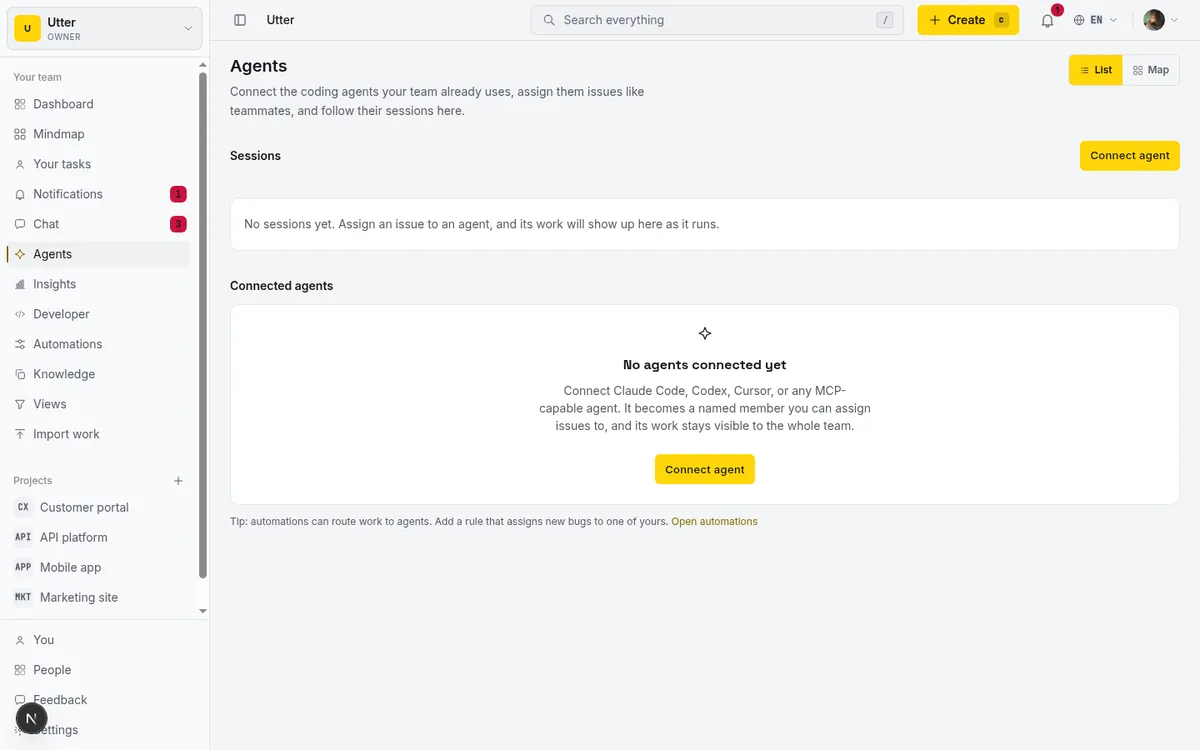
Roles and permissions are the baseline. An agent in Utter is a real workspace member with a role, and the same permission matrix that governs people governs agents. A member-level agent can create and comment and label; it cannot touch project settings, because members cannot. You set the ceiling by picking the role.
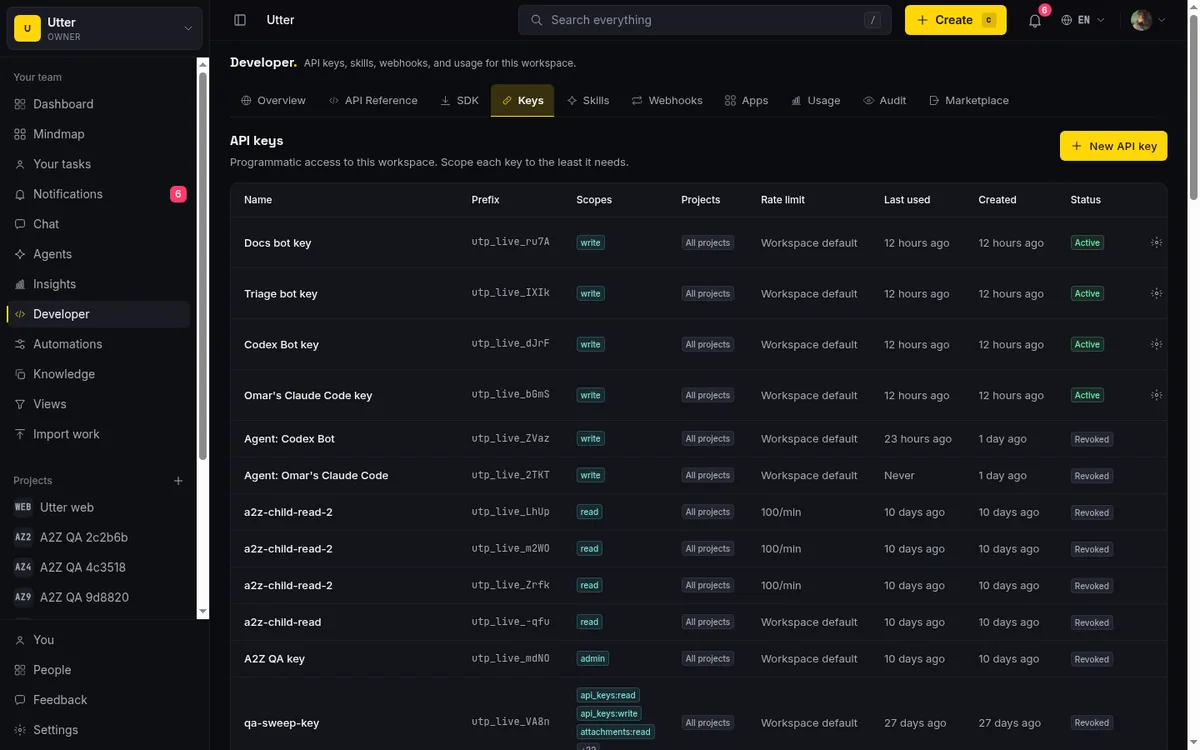
Scoped keys draw the next line. Every agent gets its own API key, and the key carries scopes. The principle is read broadly, write narrowly: a key can see the whole board and still only write where you allowed it.
The two write scopes are deliberately split. Plain write grants member-level writes, the cheap-to-reverse stuff. admin grants everything, and it is kept out of write on purpose, so that handing an agent the ability to create issues does not quietly hand it the ability to delete a project. If a job only needs to label and comment, its key never carries admin, and the high-stakes moves are not available to fumble.
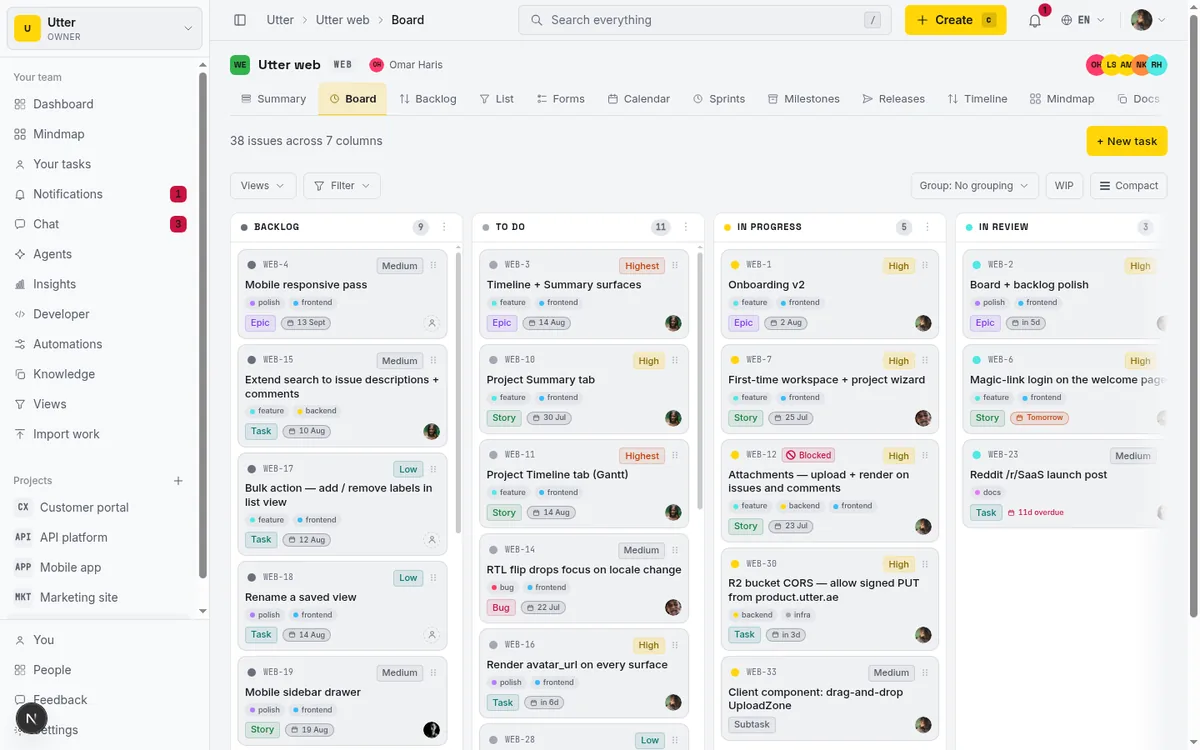
An approval step draws the line inside a single workflow. For the moves you want an agent to prepare but not commit, the pattern is: the agent does the work and parks it. It drafts the whole ticket, fills the fields, and moves the card to a review column. A person reads it and moves it forward. The status move is the approval.
sequenceDiagram
    participant A as Agent
    participant U as Utter
    participant H as Human
    A->>U: Draft the ticket, fill the fields
    A->>U: Move card to the review column
    H->>U: Read the work
    H->>U: Move it forward or send it back
Over the API, that parking move is a single call to the transition endpoint. Here is an agent moving WEB-12 into review:
curl -X POST \
  "https://utter.ae/api/v1/workspaces/utter/projects/WEB/issues/WEB-12/transition" \
  -H "Authorization: Bearer utp_live_..." \
  -H "Content-Type: application/json" \
  -d '{"status": "in_review"}'
const res = await fetch(
"https://utter.ae/api/v1/workspaces/utter/projects/WEB/issues/WEB-12/transition",
{
method: "POST",
headers: {
Authorization: "Bearer utp_live_...",
"Content-Type": "application/json",
},
body: JSON.stringify({ status: "in_review" }),
},
);import requests
res = requests.post(
"https://utter.ae/api/v1/workspaces/utter/projects/WEB/issues/WEB-12/transition",
headers={"Authorization": "Bearer utp_live_..."},
json={"status": "in_review"},
)We wrote up the mechanics of that gate in human-in-the-loop approval for AI agents; the point here is just where to put the gate, which is on the moves your rule flagged as high-stakes.
Transition rules draw the hardest line of all. You can define which status changes are allowed from which, so a forbidden move is not merely discouraged, it is impossible. If an agent is not supposed to move a ticket straight from "in progress" to "done" without passing through review, you encode that as a workflow rule, and the write simply fails:
{
  "error": {
    "code": "validation",
    "message": "Workflow blocks this transition: \"In progress\" cannot move to \"Done\".",
    "details": {
      "code": "workflow_transition_blocked",
      "from": "In progress",
      "to": "Done"
    }
  }
}
This is the difference between a policy that lives in a doc and one the system holds. A rule an agent can violate is a suggestion. A transition it cannot make is a guardrail.
Where the lines are coarser than you might want
Being honest about this matters, because a framework that oversells its own precision is worse than none.
Scopes in Utter are per-resource, not per-field. A write key can update issues, and "update an issue" is one permission. You cannot, today, grant an agent the right to change an issue's labels while denying it the right to change that same issue's due date. Both are issue writes.
If your rule says labels are the agent's but due dates are yours, scopes alone will not draw that particular line for you. You draw it with the approval step and transition rules instead, or you accept a coarser cut and watch the activity log.
That is not a reason to skip the framework. It is a reason to know which tool draws which line. Roles and scopes handle the broad strokes: read versus write, member versus admin. The approval step and transition rules handle the fine ones inside a workflow.
And the audit trail is your backstop for everything, because every change an agent makes is recorded in the issue history as that agent, and it stays attributed even after the agent is disconnected. When a coarse line lets through something you wish it had not, you can see exactly who did what and pull it back.

Start narrow
Decision rights are not a thing you get perfectly right on paper. You get them roughly right, then tighten. The safe way in is the same as with any new hire:
- Start the agent on the reversible, low-stakes moves.
- Give it a
writekey with noadmin. - Put a review gate on anything that feels heavier.
- Watch the activity log for a couple of weeks.
Widen the lines only where it has earned it.
If you want to set these lines for your own team, Utter gives every agent a role, a scoped key, an approval step you can put wherever you need it, and transition rules that make the forbidden moves impossible. Decide the split first, then wire it in.
Frequently asked questions
What decisions should an AI agent be allowed to make on its own?
Ask two questions about any move: can it be undone easily, and how much does it hurt if it goes wrong? Reversible, low-stakes moves are the agent's to make; irreversible or high-stakes ones need a human, and that line follows the consequences, not the capability.
Which project actions are safe to hand an agent, and which need a human?
Safe: labeling, drafting descriptions and first-pass plans, commenting, setting priority or type on a new ticket, moving a card to a needs-review column, and summarizing threads. Human: closing an epic, changing the due date on a committed release, deleting or archiving work, anything a customer sees, and editing settings, permissions, or the team. The first list is the tedious 80 percent; the second is short on purpose, because the point of a human there is judgment, not speed.
How do you enforce decision rights with AI agents in Utter?
Four lines that stack. Roles set the ceiling, since agents are workspace members governed by the same permission matrix as people, and scoped keys split plain write from admin so creating issues never quietly includes deleting a project. Inside a workflow, an approval step has the agent park work in a review column for a person to move forward, and transition rules make forbidden status moves impossible rather than merely discouraged.
Can you restrict an AI agent to editing only certain fields?
Not with scopes alone: they are per-resource, not per-field, so a key that can update issues can update any field on them. If labels are the agent's but due dates are yours, draw that line with the approval step and transition rules, and rely on the audit trail, which records every agent change by name even after the agent is disconnected.
Related reading

AI agent governance for project teams: seven controls your tracker can enforce
Governance for AI agent teams is not a policy PDF. Seven controls your tracker can enforce, from identity to offboarding, and what tooling cannot fix.
July 15, 2026 · 10 min read
Let AI agents run your board over the REST API: authentication, scopes, and safe writes
A developer guide to giving an AI agent a scoped Utter API key so it can move cards and file issues without a big blast radius.
June 26, 2026 · 7 min read
Onboard an AI agent like a new hire: identity, access, and a first task
You already know how to bring on a new hire. Do the same for an AI agent: give it an identity, scoped access, one small task, a review, and an offboarding path.
July 15, 2026 · 8 min read

Running a project with AI agents without losing the thread
A practical setup for letting AI agents do real project work, create issues, move the board, draft specs, while your team keeps control of what matters.
July 11, 2026 · 5 min read

How to give an AI agent human-in-the-loop approval before it changes your issues
Build an approval gate for AI agents in Utter: let the agent triage into a Needs review column, a human moves it forward, and transition rules stop skips.
May 20, 2026 · 9 min read

How to manage a team of AI agents without losing track of what they're doing
Running several AI agents at once? The day-to-day of a fleet: a roster, live sessions, instant delegation, per-field permissions, and verified work.
July 15, 2026 · 16 min read

What is agentic project management? A plain-language guide with a working example
A copilot waits for your prompt. An agent acts on an event. Here is the perceive-plan-act-check loop explained, with one real end-to-end run inside Utter.
June 11, 2026 · 11 min read
Auto-triage new issues with AI: a setup that actually assigns, labels, and prioritizes
How to set up AI issue triage automation that classifies severity, labels, and routes new bugs and requests, with an honest line on what to let AI decide.
May 27, 2026 · 8 min read
How to set agent field permissions
Restrict what an AI agent can edit in Utter with a per-agent field allowlist: set it, read the Restricted badge, and verify agent work. Full walkthrough.
July 15, 2026 · 13 min read
Two agents, one backlog: coordinating a triage agent and a coding agent with issue status as handoffs
A practical multi-agent workflow: custom board columns and status transitions as the handoff bus between a triage agent and a coding agent, with human review in the middle.
July 1, 2026 · 9 min read
أضف تعليقًا
ابدأ النقاش.