
Keep an audit trail of everything your AI agents change

The first time an AI agent moves one of your tickets to the wrong column, someone is going to open the issue and ask "who did this?" What happens next tells you whether you set the system up right.
If the answer is a name, you are fine. You open the activity log, see which agent made the change, when, and what it touched, and you decide what to do. If the answer is "the bot," you have a problem. A shared bot account is one anonymous actor. Every agent you connect writes under the same identity, so the log records that "the bot" changed the priority, "the bot" closed three issues, "the bot" left a comment that turned out to be wrong.
You cannot tell which of your four agents did it. You cannot cut off the one that misbehaved without cutting off all of them. And when someone eventually asks how a field got its value, the honest answer is you do not know.
That is the accountability gap that opens the moment agents can write to your tracker, and it is worth closing before you scale past one agent.
The problem with a shared token
A single API token shared across agents is the default because it is the easy thing. You mint one key, paste it into every script and every MCP client, and everything works. The board fills up, the automations run, the demo looks great.
Then something goes sideways and you go looking for a trail. There isn't one, or at least not a useful one. Every write in the history reads as the same actor:
flowchart TD
    A[Triage agent] --> T[One shared token]
    B[Spec agent] --> T
    C[Review agent] --> T
    T --> L[Activity log]
    L --> Q[Who did this]
    Q --> U[No way to tell]
You can see that a change happened, but not who among your agents made it. That means you cannot trace a bad change back to its source, cannot compare one agent's behavior against another's, and cannot revoke a single agent's access. Revoking the shared token kills every agent at once, so in practice nobody revokes it, and the questionable agent keeps running because turning it off is too disruptive.
None of this is a model problem. It is an identity problem, and you solve it the same way you would for a team of people: give each one a name and its own credentials.
Give every agent its own identity
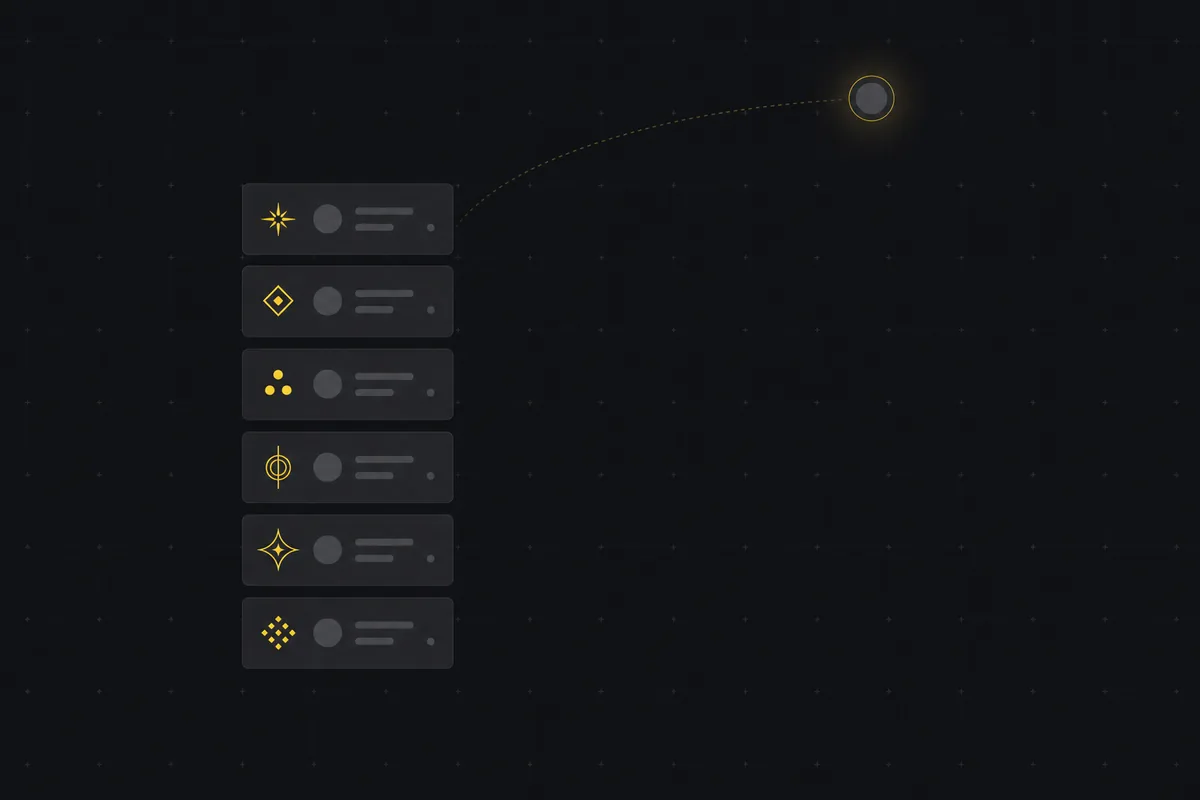
In Utter an agent is a real workspace member, not a token. When you connect one from the Agent Hub, you name it (2 to 60 characters) and pick its provider, Claude Code, Codex, Cursor, Gemini, and a handful of others, or a generic custom agent. It gets an avatar with an agent badge, it shows up in the assignee picker under an "Agents" section next to your people, and it appears in activity like any other member. Agent members are not billed as seats, so this does not cost you anything to do properly.
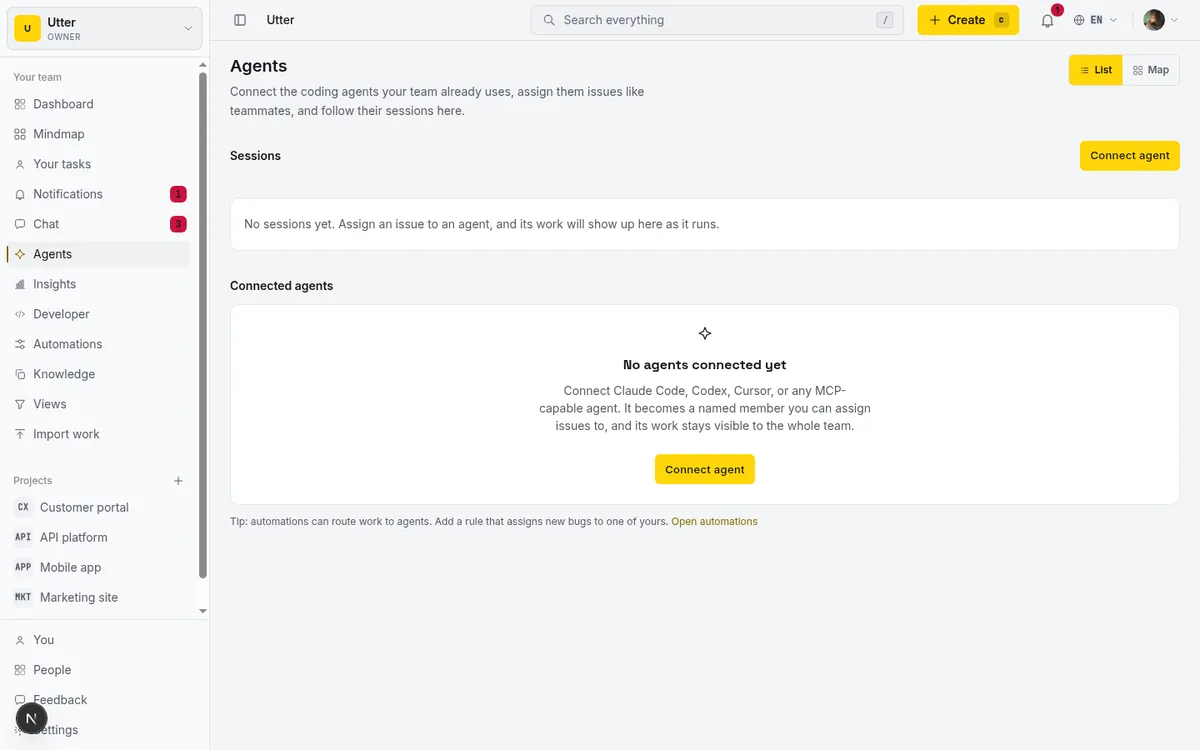
The part that matters for the audit trail: every comment, every status change, every issue update that agent makes is recorded in the issue's activity history as that specific agent. Not "the bot." The name you gave it. If a "spec-drafter" agent set a priority and a "triage" agent added a label, the log says exactly that, in order, with timestamps.
A key acts as the user who created it, so the fastest sanity check is to ask the API who your key resolves to before the agent starts writing:
curl -H "Authorization: Bearer $UTTER_API_KEY" \
  https://utter.ae/api/v1/me
If that returns the agent's own identity, every write it makes from then on lands in the history under the right name. That readability is the whole point. When you can read the history and see individual agents acting, "who changed this?" stops being an unanswerable question and becomes a two-second glance.
The trail itself is queryable too. Each activity entry carries the actor, the kind of change, and a timestamp:
curl -H "Authorization: Bearer $UTTER_API_KEY" \
  "https://utter.ae/api/v1/workspaces/acme/projects/WEB/issues/WEB-12/activity"
{
"data": [
{
"id": "0197f2ab-...",
"kind": "status_changed",
"actor": { "id": "0197e011-...", "email": "[email protected]", "name": "Codex" },
"payload": { "from": "todo", "to": "in_progress" },
"created_at": "2026-07-14T09:12:44.000Z"
}
]
}That actor.id is the agent's own user id, not a shared bot's.
One key, one agent, surgical revocation
Each agent connects with its own scoped API key, minted once and shown once. Because the key belongs to a single agent, revoking it cuts off exactly that agent and nothing else. Your other agents keep running.
| Shared token | Per-agent keys | |
|---|---|---|
| Log entry reads | "the bot" | The agent's name |
| Trace a bad change | No | Yes, to one agent |
| Revoke one agent | Kills all agents | Kills only that one |
| Compare agent behavior | Impossible | Read the history |
This is the difference between a scalpel and a light switch. With a shared token, the only control you have is off. With per-agent keys, you can retire the one agent that filed a wave of duplicate issues on Tuesday and leave the rest of your setup untouched. The key lifecycle is itself on record: api_key.created and api_key.revoked events land in the workspace audit log on the Developer page.
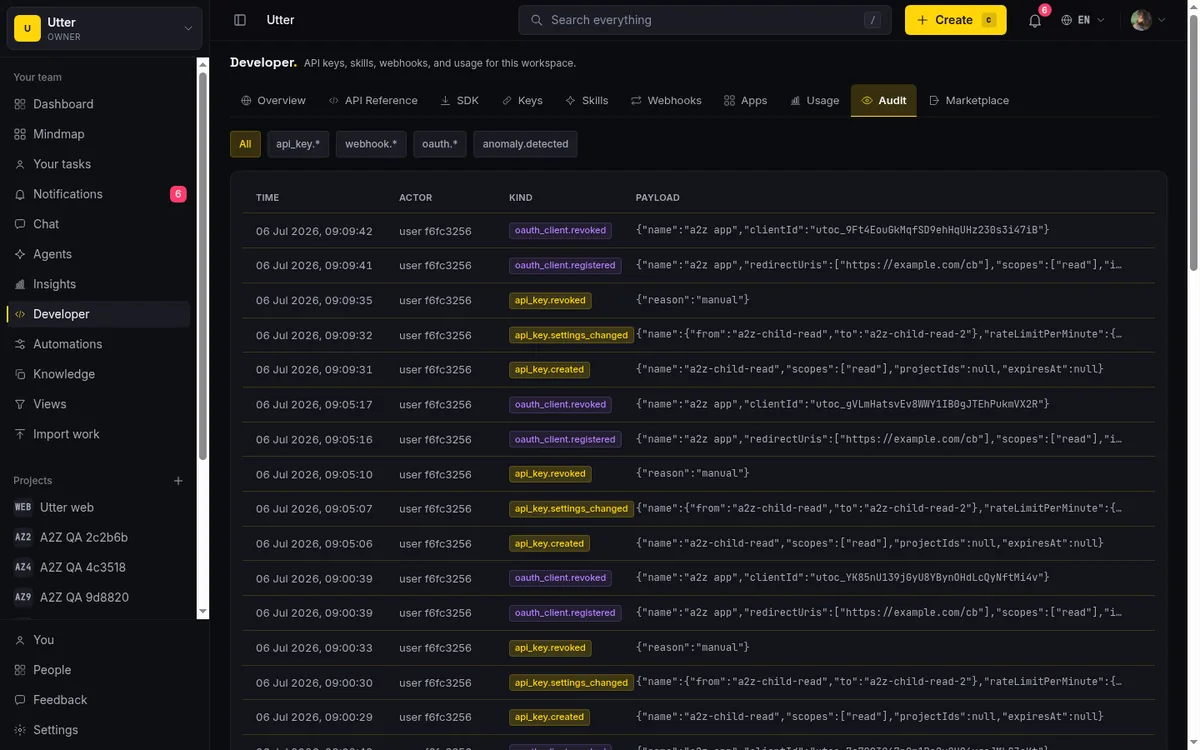
The keys follow a read-broadly, write-narrowly rule. A write scope grants member-level writes; admin is deliberately kept out of plain write, so an agent you meant to give ordinary access to cannot quietly reach settings-level actions. Scope an agent to read the whole board and write only where it needs to, and the trail it leaves stays inside the boundary you drew.
Sessions record the run, not just the writes
Attribution answers who changed a thing. Agent sessions answer what the agent was doing while it changed it. A session is how an agent reports on a run: it carries a title, a status note (something like "blocked on env var"), and an external URL, usually a pull request link. A session can be anchored to a specific issue like WEB-12 or run at the workspace level, and it shows up both on the Agent Hub and on the issue itself.
Starting one is a single request. In curl:
curl -X POST \
  -H "Authorization: Bearer $UTTER_API_KEY" \
  -H "Content-Type: application/json" \
  -d '{"title": "Safari checkout regression", "issue_key": "WEB-12"}' \
  https://utter.ae/api/v1/workspaces/acme/agent-sessions
const res = await fetch(
"https://utter.ae/api/v1/workspaces/acme/agent-sessions",
{
method: "POST",
headers: {
Authorization: `Bearer ${process.env.UTTER_API_KEY}`,
"Content-Type": "application/json",
},
body: JSON.stringify({
title: "Safari checkout regression",
issue_key: "WEB-12",
}),
},
);
const { data: session } = await res.json();import os
import requests
res = requests.post(
"https://utter.ae/api/v1/workspaces/acme/agent-sessions",
headers={"Authorization": f"Bearer {os.environ['UTTER_API_KEY']}"},
json={"title": "Safari checkout regression", "issue_key": "WEB-12"},
)
session = res.json()["data"]The session then moves through states, and each PATCH update is a heartbeat:
stateDiagram-v2
    [*] --> running
    running --> needs_input
    needs_input --> running
    running --> review
    review --> done
    running --> done
    running --> failed
    running --> cancelled
    done --> [*]
    failed --> [*]
    cancelled --> [*]
When the agent finishes and has a pull request up, one more call closes the loop:
curl -X PATCH \
  -H "Authorization: Bearer $UTTER_API_KEY" \
  -H "Content-Type: application/json" \
  -d '{"state": "review", "external_url": "https://github.com/acme/web/pull/481"}' \
  https://utter.ae/api/v1/workspaces/acme/agent-sessions/SESSION_ID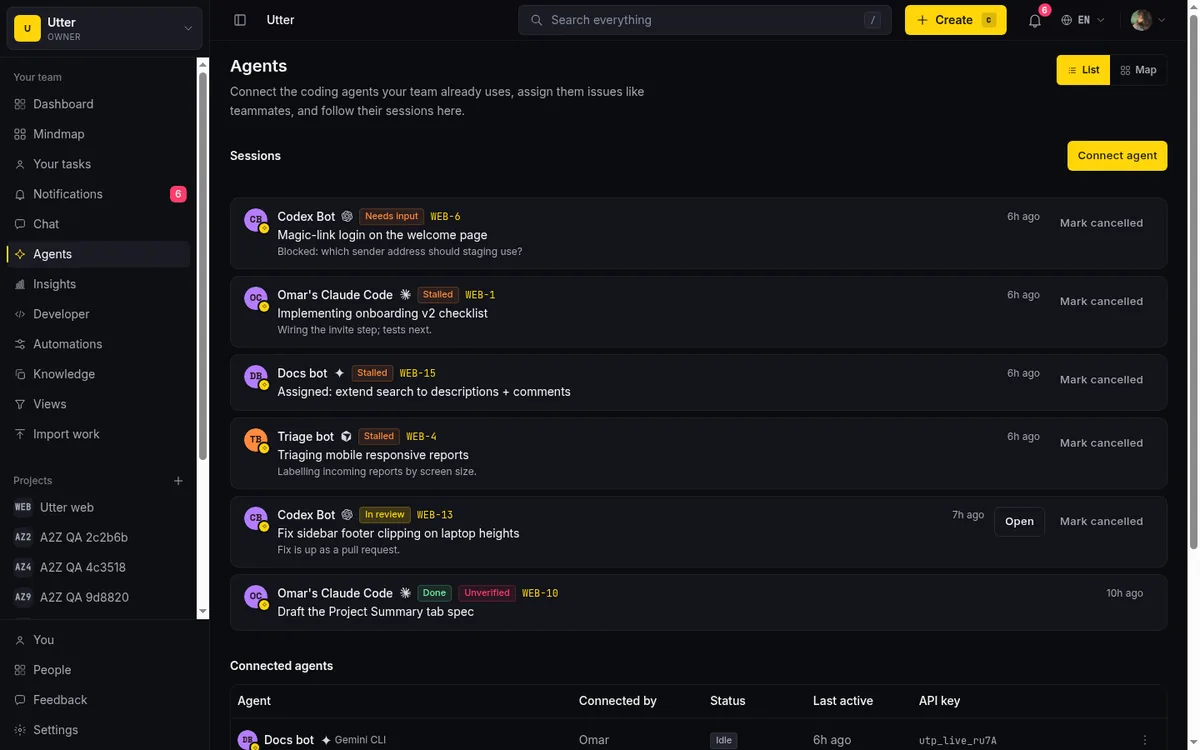
So when you review a change later, you have two layers. The activity log tells you the agent set priority to high and moved the card. The session tells you that happened during a run titled "Safari checkout regression," that the agent linked a PR, and that it ended in "review" waiting for a person. That context is what turns a bare log entry into something you can actually reason about.
One honest note on sessions. A session that goes 30 minutes without a heartbeat is shown as "stalled." That is a signal to go look, not proof that anything failed. The agent might be waiting on a slow build. Read it as "check on this," not "this is broken."
The trail survives the agent
Agents are temporary. You connect one for a project, it does its work, and eventually you disconnect it. The question is what happens to everything it did.
The record stays. When you disconnect an agent, its past comments, status changes, and updates remain attributed to it in the activity history. The audit trail does not hollow out into "unknown user" or collapse into the shared-bot blur. Six months from now, when someone asks why an issue was reprioritized last spring, the answer is still there with the right name on it, even though the agent itself is long gone. An audit trail that forgets who did what the moment they leave is not an audit trail.
Where the honesty has to be
This is not total, field-level forensics, and it would be dishonest to sell it that way. Scopes are per-resource, not per-field. The trail reliably tells you which agent touched which issue and made which comment or status change. It does not always break down every individual field mutation in the same granular way. For most accountability questions, who changed this issue, who moved this card, who left this comment, that is exactly the resolution you need. If you are expecting a per-field diff on every attribute for compliance-grade reconstruction, know the boundary going in.
Agents do get real-time push: each connected agent holds an SSE stream that fires the instant it is assigned an issue, @mentioned, or one of its sessions changes, so it reacts on the event rather than on a poll (a plain REST poll still works as a fallback). Either way the trail records what happened, independent of how quickly an agent reacts, and it is the kind of thing worth knowing before you wire up a workflow that assumes instant response.
What this buys you
The reason to do identity properly before you scale is simple: it is the difference between agents you can supervise and agents you have to trust blindly. With named agents, per-agent keys, sessions, and durable attribution, you can run several at once and still answer every "who did this?" that comes up, trace a bad change to its source, and revoke exactly the one that earned it. With a shared token, you get speed until the first thing goes wrong, and then you get a log full of "the bot" and no clean way to act on it.
If you are connecting your first agent, connect it as a named member with its own scoped key from the Agent Hub, and check the activity log on its first few changes. Reading your own audit trail once is the fastest way to know it will hold up when you need it.
Frequently asked questions
How do you keep an audit trail of what AI agents change?
Give every agent its own identity instead of a shared bot account. In Utter each agent is a named workspace member with its own scoped API key, so every comment, status change, and issue update is recorded in the activity history as that specific agent, with timestamps, not as "the bot."
Why is a shared API token a problem for AI agents?
Every write in the history reads as the same anonymous actor, so you cannot trace a bad change to its source, compare one agent's behavior against another's, or revoke a single agent without killing all of them. It is an identity problem, not a model problem, and it is worth fixing before you scale past one agent.
Can you revoke one AI agent's access without cutting off the others?
Yes, if each agent has its own key. In Utter every agent connects with its own scoped API key, so revoking it cuts off exactly that agent while the rest keep running; a plain write scope also cannot reach admin-level settings actions.
What happens to the audit trail when you disconnect an agent?
The record stays. Past comments, status changes, and updates remain attributed to the agent by name in the activity history, so months later "who changed this?" still has the right answer even though the agent is long gone.
Related reading

AI agent governance for project teams: seven controls your tracker can enforce
Governance for AI agent teams is not a policy PDF. Seven controls your tracker can enforce, from identity to offboarding, and what tooling cannot fix.
July 15, 2026 · 10 min read

How to manage a team of AI agents without losing track of what they're doing
Running several AI agents at once? The day-to-day of a fleet: a roster, live sessions, instant delegation, per-field permissions, and verified work.
July 15, 2026 · 16 min read
Onboard an AI agent like a new hire: identity, access, and a first task
You already know how to bring on a new hire. Do the same for an AI agent: give it an identity, scoped access, one small task, a review, and an offboarding path.
July 15, 2026 · 8 min read

Who decides what: setting decision rights between your team and your AI agents
A simple rule for AI governance: reversible, low-stakes moves are the agent's to make; irreversible or high-stakes ones need a human. How to draw the line.
July 15, 2026 · 7 min read

What an AI issue tracker actually is, and how to pick one
Most tools that say AI issue tracking mean a summarize button. A five-part checklist for what the label should mean, plus the failure modes to test in a pilot.
July 15, 2026 · 8 min read
A shared backlog for a team of AI coding agents
Task manager for AI coding agents: give three agents one shared backlog with per-agent identity, field permissions, status handoffs, and human review gates.
July 16, 2026 · 13 min read

How to tell when an AI agent is stuck (and what to do about it)
A looping, waiting, or hung agent looks exactly like a working one. Here is how to get a real signal on an agent's live state and catch stuck runs.
July 15, 2026 · 7 min read
Let AI agents run your board over the REST API: authentication, scopes, and safe writes
A developer guide to giving an AI agent a scoped Utter API key so it can move cards and file issues without a big blast radius.
June 26, 2026 · 7 min read
How to use AI agents in Utter: connect them, assign work, and follow their sessions
A start-to-finish walkthrough: connect an agent, scope its key, assign it issues, and watch its sessions, without giving up control of the board.
July 15, 2026 · 11 min read
How to set agent field permissions
Restrict what an AI agent can edit in Utter with a per-agent field allowlist: set it, read the Restricted badge, and verify agent work. Full walkthrough.
July 15, 2026 · 13 min read
Add a comment
Start the conversation.