
What an AI issue tracker actually is, and how to pick one

Every tracker now has an AI page. Read a few of them closely and most describe the same feature: a button that summarizes a long ticket. Summaries are fine. Nobody misses scrolling a six-month comment thread. But calling that an AI issue tracker is like calling a car with cruise control self-driving. It assists your reading. It does not do the work.
The label has outgrown the button, which is exactly why it needs a definition. On GitHub you can assign an issue to Copilot and get back a pull request to review. Atlassian's Jira AI page now tells you to assign work to Rovo agents "just like you would a teammate." So the same three words, AI issue tracker, currently cover everything from a summarize shortcut to software that ships code changes. If you are deciding whether to switch tools, "has AI" tells you nothing.
Here is the definition we use, written as a checklist you can hold against any tracker. Disclosure first: we make Utter, which is built around this definition, so we have a horse in this race. Apply the checklist to us as harshly as to anyone else.
The checklist: five things that separate the category from the button
1. The AI reads intake, not just the archive
Summarizing describes work that already happened. Triage decides what happens next, and triage is where AI pays for itself: read a new report, classify its type and severity, attach labels from the project's existing set, route it based on those labels, and flag the near-duplicate someone filed last Tuesday. This is bounded, repetitive judgment. It is checkable in seconds and cheap to undo, which is the profile of work a model should own.
flowchart LR
  A[New report] --> B[Classify type and severity]
  B --> C[Apply existing labels]
  C --> D[Route and flag duplicates]
  D --> E[Review column]
  E --> F[Human approves]
The test takes one paste. Drop a vague bug report into the tool and see whether it proposes a type, a priority, and labels, or offers to summarize the two sentences you just wrote.
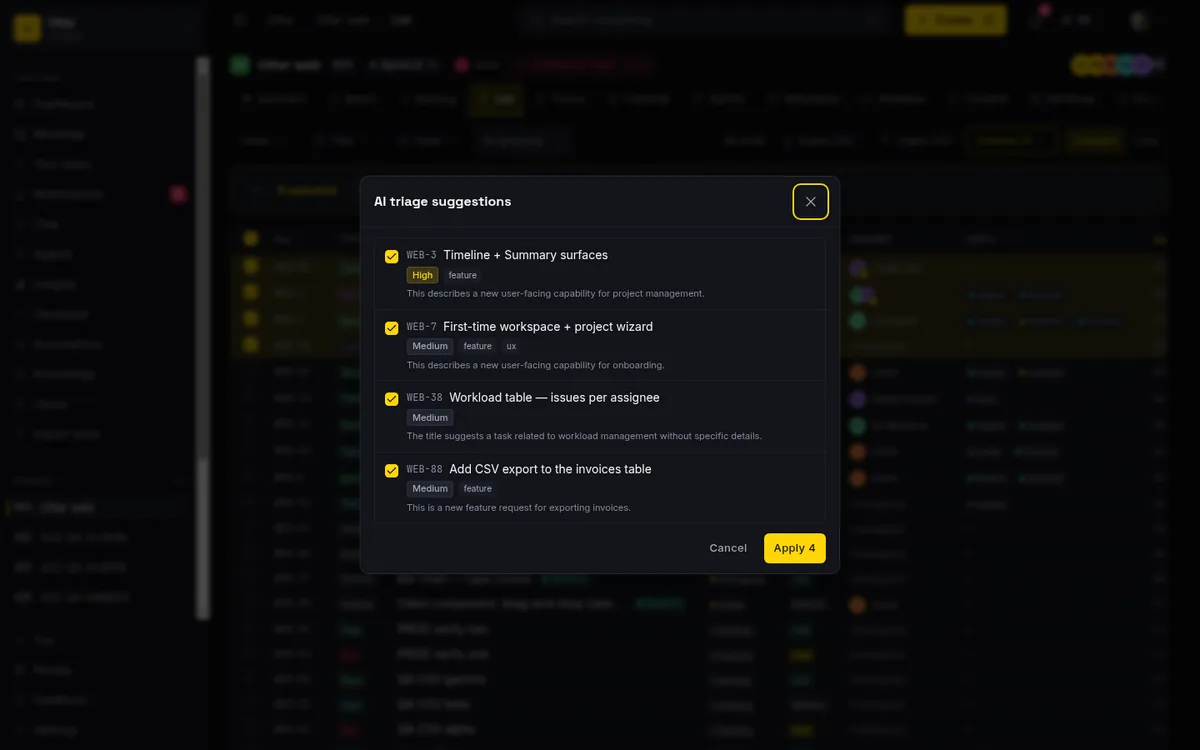
If you want to see what a working setup looks like end to end, we wrote up the triage configuration we run, and the version where a public form feeds it in turning a request form into a triaged issue.
2. Agents are first-class actors
Ask where the AI actually enters the product. If the answer is a chat sidebar, you are looking at a copilot, and the ceiling is conversation. For agents to do real work, the tracker has to be operable by software:
- an API that covers the whole product rather than a read-only subset
- an MCP server so agent clients can connect without a hand-written wrapper
- a distinct identity for each agent
- attribution stamped on every change an agent makes
This is the check most tools fail quietly. The marketing page says agents; the API says otherwise.
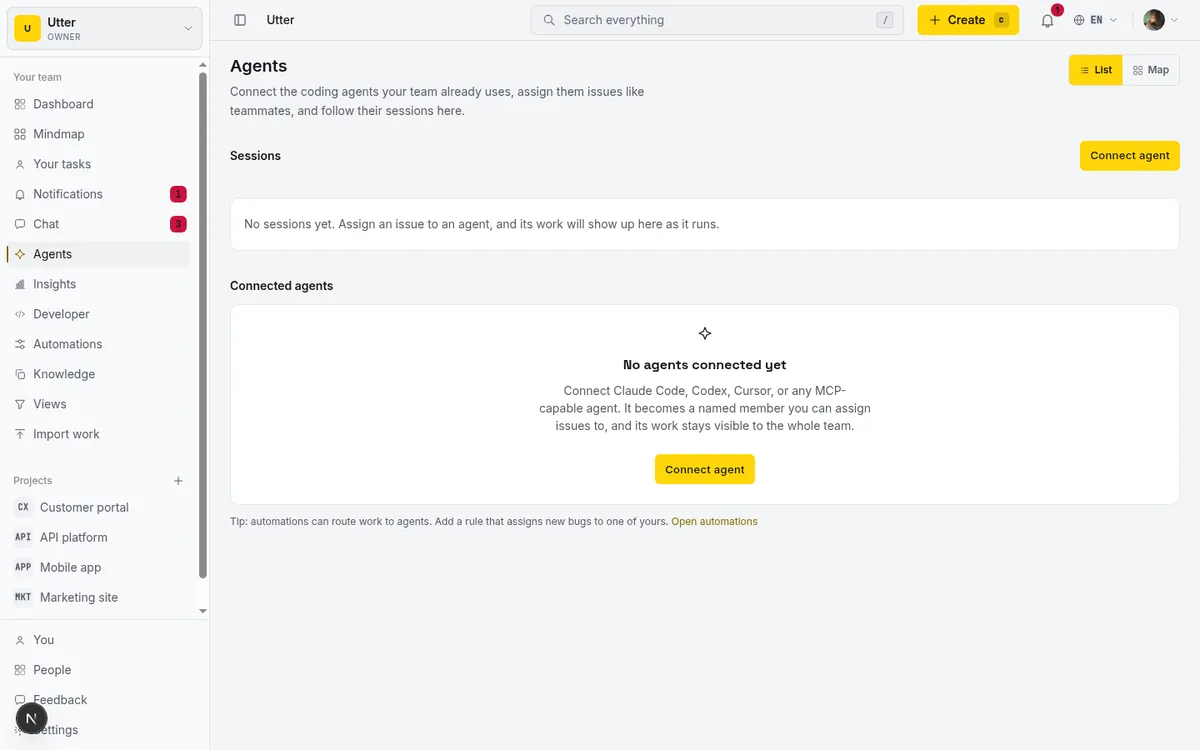
We tested which project management tools an agent can actually operate over MCP in our MCP audit, and the gap between claimed and usable is wide. If the vocabulary itself is new to you, what is agentic project management is the plain-language version of why this surface matters more than any single feature.
3. The human review gate lives in the workflow, not in a policy doc
Anything that acts autonomously will sometimes be wrong. The question a tool has to answer is where a human looks before wrongness has consequences. That place should be structural: a review column that agent-touched work parks in, and transition rules that make it impossible to move an issue to done without passing through it.
stateDiagram-v2
    InProgress --> InReview: agent finishes work
    InReview --> Done: human approves
    InReview --> InProgress: human sends it back
A written policy that says "someone should check agent output" is not a gate. It gets skipped in the first busy week, which is precisely when the agents are producing the most output.
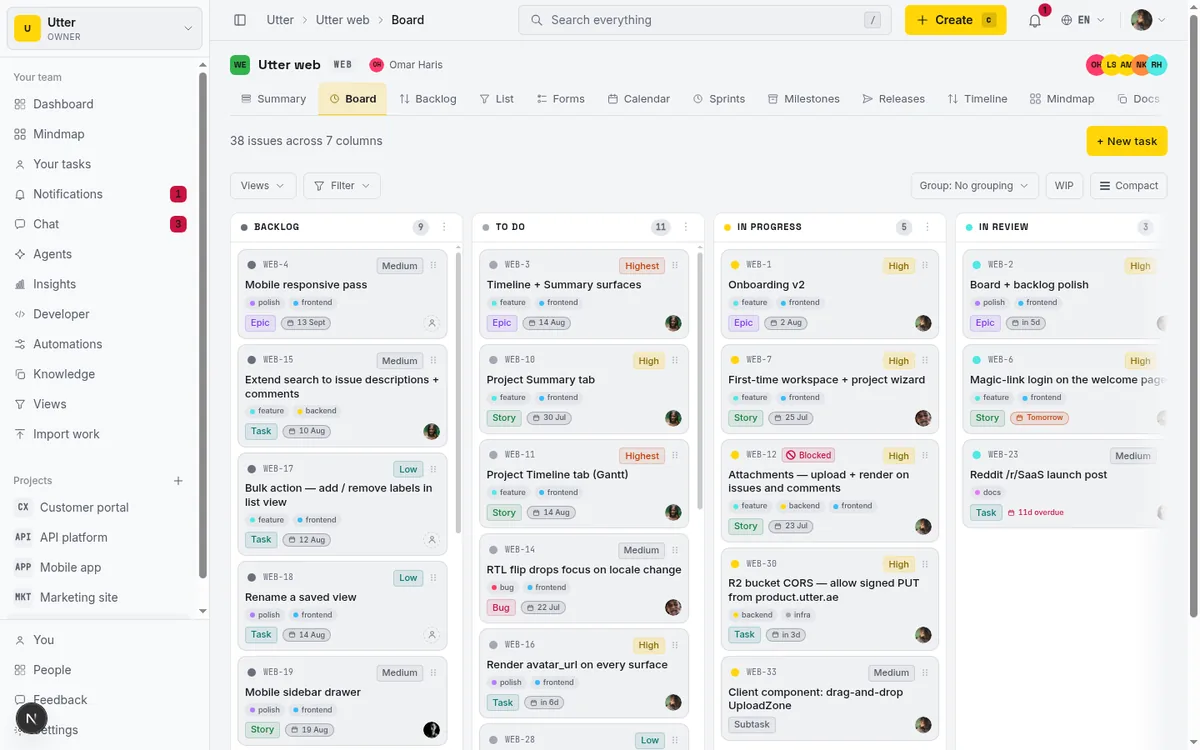
Human-in-the-loop approval for AI agents covers the gate patterns that hold up under load.
4. An audit trail that survives questions
There will be a week when an agent does something surprising. When it comes, you need to answer "which agent changed this, when, and why" from the record, per change, without archaeology. Attribution to one shared "AI" account is not an audit trail. Neither is a log you cannot filter by actor.
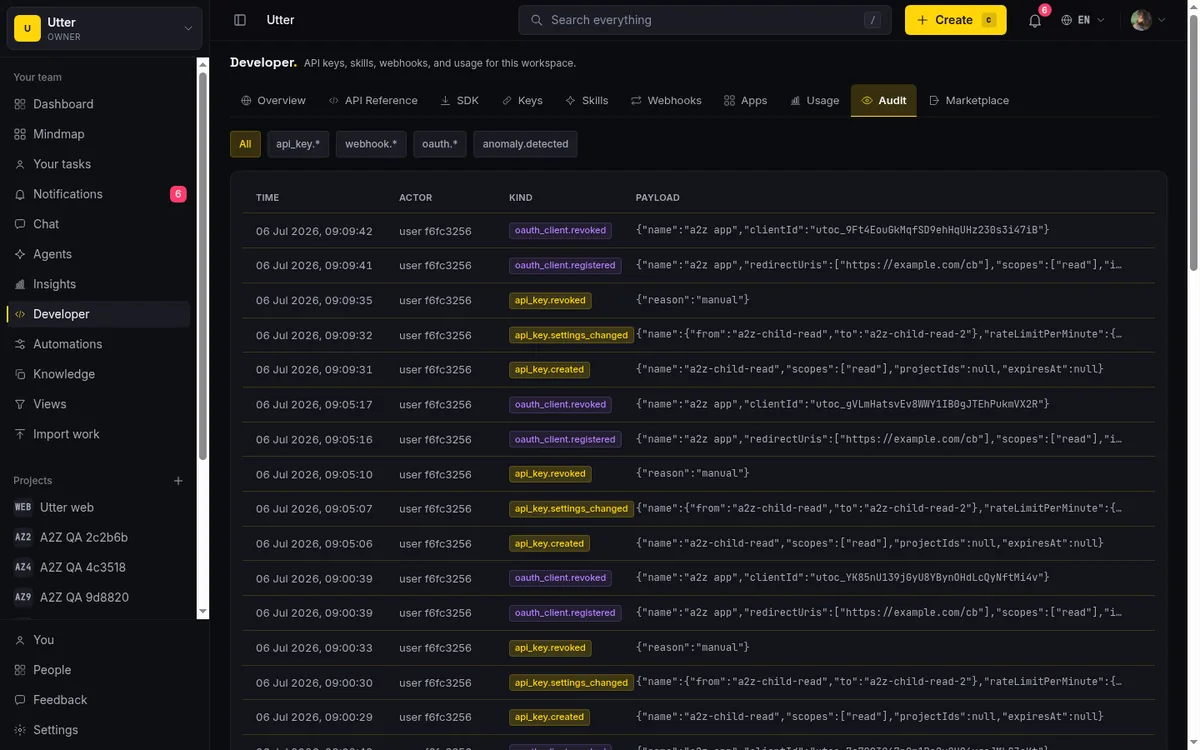
This requirement sounds like compliance theater right up until you spend an afternoon reconstructing automated edits by hand. What a usable trail looks like, and how to check for one during a trial, is in keep an audit trail of AI agent changes.
5. Costs you can predict
Two questions here. First, how is the AI metered: included credits with a visible balance, or a separate add-on that arrives as a second invoice? Second, and this one is sneaky, does an agent count as a paid seat?
Agents-as-seats is the trap. If connecting five agents prices like hiring five people, the economics of automating anything collapse before you start. Look for AI in the base product with a meter you can read, and agents explicitly excluded from seat counts.
Failure modes worth provoking in a pilot
Whichever tool passes the checklist will still misfire. The useful question in a pilot is whether mistakes are visible and cheap, not whether they happen. Four to trigger on purpose:
Duplicate filing. Agents file duplicates when search is weak or when they skip the lookup. File the same bug twice in different words and watch what happens. The good outcome is a flag at intake, or at least a twin that is trivial to find and merge. The bad outcome is two tickets each carrying half the investigation.
Confident severity on ambiguous reports. "Checkout feels weird on my phone" is neither critical nor trivial on its face. Feed triage a few genuinely ambiguous reports and check whether it hedges. Hedging is correct behavior. A confident critical is how a model pages a human at 2am for nothing, and a confident low is how a real outage sits in the backlog for a week.
Hallucinated fields and links. Models invent label names, issue references, and relationships between tickets that do not exist. The write path should reject values that are not real instead of half-saving them. Check this directly: ask an agent to apply a label the project does not have and see whether the tool refuses.
Silent loops. The quiet failure: an agent stalls, or ping-pongs an issue between two states, and nobody notices for days. You want liveness a person can see in passing, session state and a last-activity signal on a surface the team already looks at. We wrote about catching this early in is your AI agent stuck.
How to evaluate in a week
Skip the feature-matrix bake-off. Pick one intake flow that gets real traffic, support requests or bug reports from a form, and pilot the entire loop on it.
- Day one: wire the intake. A public form or an API call that creates real issues in the candidate tool.
- Day two: turn on triage in a suggest mode if the tool has one, and score its proposals against what you would have decided yourself. Do not let anything auto-apply yet.
- Day three: connect one agent with its own identity and a key scoped to that single project, and give it one job.
- Days four and five: run live traffic through and provoke the four failure modes above deliberately.
The day-one wiring doubles as an API smoke test. Against Utter, creating an issue from a script is one authenticated POST:
curl -X POST https://utter.ae/api/v1/workspaces/acme/projects/WEB/issues \
  -H "Authorization: Bearer $UTTER_API_KEY" \
  -H "Content-Type: application/json" \
  -d '{
    "type": "bug",
    "title": "Checkout button unresponsive on mobile Safari",
    "description_md": "Reported through the support form.",
    "priority": "high",
    "labels": ["intake", "mobile"]
  }'
const res = await fetch(
"https://utter.ae/api/v1/workspaces/acme/projects/WEB/issues",
{
method: "POST",
headers: {
Authorization: `Bearer ${process.env.UTTER_API_KEY}`,
"Content-Type": "application/json",
},
body: JSON.stringify({
type: "bug",
title: "Checkout button unresponsive on mobile Safari",
priority: "high",
labels: ["intake", "mobile"],
}),
},
);
const issue = await res.json();import os
import requests
res = requests.post(
"https://utter.ae/api/v1/workspaces/acme/projects/WEB/issues",
headers={"Authorization": f"Bearer {os.environ['UTTER_API_KEY']}"},
json={
"type": "bug",
"title": "Checkout button unresponsive on mobile Safari",
"priority": "high",
"labels": ["intake", "mobile"],
},
)
issue = res.json()If the candidate tool cannot do the equivalent, that is a checklist answer in itself.
At the end of the week, do two things. Pull the audit trail and try to reconstruct one full day of agent activity from it alone. Then price your actual usage, agents included, against the plan you would need. Any step the tool cannot do at all is your answer, and it cost you a week to learn instead of a quarter of migration regret.
Where Utter sits
Stated plainly, and remember who is writing. Utter is built as the thing this checklist describes rather than a tracker with AI attached afterward. Agents join a workspace as named members with live sessions you can watch, every change they make lands in the issue history attributed to that specific agent, and access runs through scoped API keys you can revoke one at a time.
The surface is a first-party MCP server plus a REST API of over 180 operations covering the whole product, so an agent can search the backlog, file, comment, and move work, minus whatever you scope away. Triage classifies, labels, and routes. Public intake forms create issues, automations fire on issue.created, and review columns plus workflow transition rules enforce the human gate. The product ships in English and Arabic.
The honest part: our triage misfires on ambiguous reports too. That is why suggest mode exists, why auto-apply carries guards, and why the review column is a design commitment rather than a training wheel we plan to remove. We do not trust unattended writes either.
Pricing fits in one line. There is a Free plan, Pro is $3 per builder per month, Business is $6, viewers are free and uncapped, and agents are never billed as seats.
If you are going to run the one-week pilot, run it against us first. The AI page shows exactly what ships, and the Free plan covers the whole week.
Frequently asked questions
What is an AI issue tracker?
An AI issue tracker is an issue tracker where AI acts on the work rather than describing it: it reads new reports, classifies and labels them, routes them, and gives AI agents an API surface, an identity, and attribution so they can work on issues directly. The dividing line is whether the AI can change the state of work under human review, not whether it can summarize a thread.
Can AI triage bugs automatically?
Yes. Classifying type and severity, labeling, and routing new issues works today and is the best first job to hand over, as long as results land behind a human review gate. We documented a working setup in the triage guide.
Will AI create duplicate or wrong issues?
Sometimes, yes. Expect occasional duplicates and mislabeled severity on ambiguous reports, and design for it: a review column before anything has consequences, write paths that reject invented field values, and an audit trail that makes misfires cheap to find and undo.
Do I need a new tool, or can I add AI to my current tracker?
It depends on whether your tracker gives agents a usable surface: a full API, MCP access, per-agent identity, and attribution. If it has those, add AI where your work already lives; if not, a chat overlay will not fix it. Our MCP audit tests which tools qualify.
Related reading
AI agent project management: the complete guide
How to run real projects with AI agents on the board: connecting them, assigning work, keeping review, what breaks, and how to pilot it in a week.
July 15, 2026 · 12 min read

AI agent governance for project teams: seven controls your tracker can enforce
Governance for AI agent teams is not a policy PDF. Seven controls your tracker can enforce, from identity to offboarding, and what tooling cannot fix.
July 15, 2026 · 10 min read

How to automate project management with AI, and what to leave manual
The right order to automate project management with AI: reporting first, intake second, execution agents last, and the decisions that should stay human.
July 15, 2026 · 8 min read
Auto-triage new issues with AI: a setup that actually assigns, labels, and prioritizes
How to set up AI issue triage automation that classifies severity, labels, and routes new bugs and requests, with an honest line on what to let AI decide.
May 27, 2026 · 8 min read
What is an AI project manager? What one actually does today
A plain definition of the AI project manager: the three things the term means, a week of real work on a live board, and the parts only a human can hold.
July 15, 2026 · 8 min read

Which project management tools actually ship a first-party MCP server
Having AI features is not the same as shipping an MCP server. Here is how to tell first-party from community-built from none, with an honest checklist.
June 22, 2026 · 9 min read
Can an AI run your standup?
Mostly yes, and your team will thank you. What an agent can compile from the board, what still needs a human, and how to set up an async AI standup.
July 15, 2026 · 6 min read

How to scope an AI agent's first job so the pilot doesn't die
Most first AI agent projects fail on scope, not model quality. Here is how to pick a first job narrow and checkable enough to actually ship.
July 15, 2026 · 8 min read

Will AI agents replace project managers? What actually changes
Agents already handle the mechanical parts of project management. The judgment part is harder, and it is not going anywhere. An honest look at the shift.
July 15, 2026 · 7 min read

What is agentic project management? A plain-language guide with a working example
A copilot waits for your prompt. An agent acts on an event. Here is the perceive-plan-act-check loop explained, with one real end-to-end run inside Utter.
June 11, 2026 · 11 min read
Add a comment
Start the conversation.