
Can an AI run your standup?
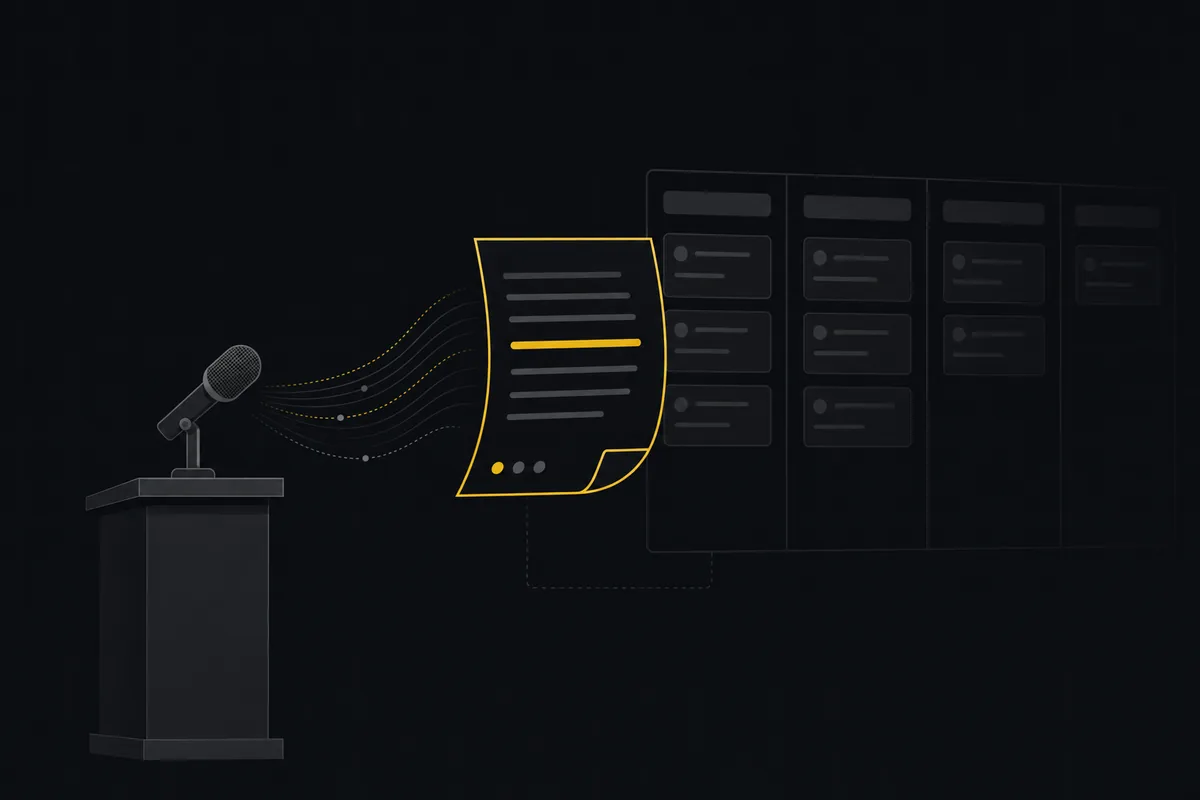
The daily standup has a dirty secret: most of it is people reciting information that already exists in the tracker. What did you do yesterday? It is in the activity log. What are you doing today? It is on the board, assigned to you. Blockers? Half of them are sitting in a status column named exactly that.
An AI agent can read all of it. Which raises the honest question this post answers: which parts of the standup can an agent genuinely take over, which parts fall apart without a human, and what does a working setup look like?
What is an AI standup?
An AI standup is a short, written status report that an agent compiles from your tracker, instead of a meeting where people compile it from memory. The agent reads what actually changed, issues created and completed, work in progress, the recent activity lines, and writes an overview plus a highlights list and a risks list the team reads in two minutes. The humans keep the part of the ritual that was ever worth a meeting: talking about the problems the risks list surfaced.
The split looks like this:
flowchart LR
    A[Board activity] --> B[Agent reads it]
    B --> C[Two minute digest]
    C --> D[Team reads async]
    C --> E[Flagged problems]
    E --> F[Short human huddle]
The reason this works now and did not work five years ago is not the writing, it is the reading. A language model reading the week's real activity, the issues that moved, the comments, the work still sitting in progress, can notice that WEB-214 has been open in review with no change for days, that two people commented past each other on the same bug, and that three of the tickets in flight have not been touched since Monday. It puts those under a risks heading. A status bot pasting yesterday's ticket titles could never do that.
What an agent does better than the meeting
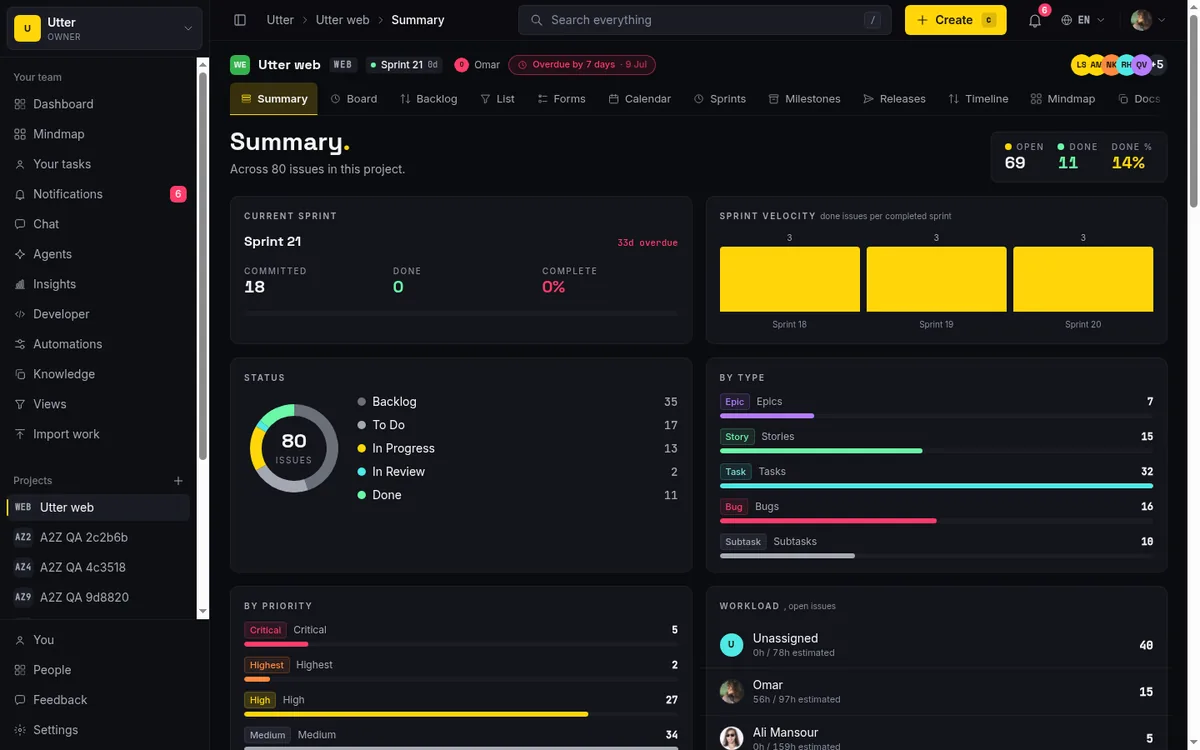
It actually reads everything. The human version of a standup summary is built from whatever each person remembers at 9am. The agent's version is built from what actually changed on the board. In Utter this is what the AI digest does: for a project, it reads the last week of signal, issues created, issues completed, the work currently in progress or in review, and the recent activity lines, and writes a manager-facing summary in three parts: a plain-English overview, a short list of highlights, and a list of risks. That risks list is the standup's point, and we come back to it below. The digest lives on the project Summary page and is regenerated about once a day (cached the rest of the time so a page refresh does not run up a bill), and it also goes out as the weekly AI project update email. Be honest about the cadence: the scheduled email is weekly today, not a daily 8am ping. For a daily rhythm you read the Summary page each morning, where the number is already fresh.
It surfaces blockers the room misses. People report the blockers they are comfortable saying out loud. The board shows the rest: tickets bounced back from review three times, work stuck waiting on an unanswered question in the comments, an agent session sitting in "blocked" since last night. A digest that flags "these four issues have not moved in three days, and here is the last comment on each" is more useful than four people saying "no blockers."
It never skips a day, and nobody has to attend. Async teams and teams across time zones get the biggest win: the standup becomes a document with a timestamp instead of a meeting that is 7am for someone. New joiners can read the last two weeks of them and know how the project actually moves.
It includes the agents. If AI coding agents work on your board, and on ours they do, as named members with their own assigned issues, the standup should cover them like anyone else. "Claude Code completed WEB-231 and is blocked on WEB-235, waiting for review" is exactly the kind of line a human scrum lead forgets, because nobody speaks for the agent in a meeting. When agents are members with live sessions on the ticket, their status is just more board state to read. Every session moves through a small set of states, and each one is a line the digest can report:
stateDiagram-v2
    [*] --> running
    running --> needs_input : blocked on a human
    running --> review : PR ready
    review --> done
    running --> failed
    done --> [*]
What still needs a human, honestly
The conversation is the point; the recitation never was. The valuable minutes of a good standup were always the two where someone says "wait, that will break the migration" or "do not build that, sales killed the deal." An agent cannot have that exchange for you. Teams that replace the recitation with a digest and keep a short human huddle for the flagged problems get both halves right. Teams that just delete the meeting and skim the digest lose the collision moments, and it shows a few weeks later.
Judgment about people is off limits. The agent can say an issue has not moved in four days. It cannot know that the assignee spent those days helping support through an incident, and it should not speculate. Write the prompt so the digest reports work states, not diagnoses of teammates. A standup that reads like surveillance kills the trust that makes standups work at all.
Priorities are a human call. The digest can show that a lot opened this week and little closed, and flag the pile of untouched work as a risk. Deciding what drops is the product owner's job, in the open, not a model's job in a summary.
The division of labour, in one table:
| Part of the standup | Who owns it |
|---|---|
| What happened yesterday | Agent, from the activity log |
| What is in flight today | Agent, from the board |
| Stuck and silent tickets | Agent, flagged with the last comment |
| Agent progress and blockers | Agent, from session state |
| "Wait, that will break X" | Human huddle |
| Why a person was slow | Nobody. Not the digest's business |
| What drops from the sprint | Product owner, in the open |
Setting it up in Utter
The pieces are all stock parts:
- The AI digest on the Summary page. Open a project's Summary and the AI digest is there: an overview, highlights, and risks drawn from the last week of the board. It regenerates about once a day, and there is a Refresh if you want it recomputed on the spot (that one costs a model call, so it is gated to members, not viewers). The digest is written in your workspace language, English or Arabic. For a standup, this is the page you read each morning.
- The weekly email, if you want it pushed. Owners and admins who leave the weekly digest notification preference on get the AI project update emailed to them once a week. That is the current scheduled cadence, one email a week, not a daily send. If a daily inbox ping is what you are after, read the Summary page instead, or pull the same signal over the API on your own schedule.
- A blockers convention. The digest is only as good as the board's truth. Use a real blocked status or label rather than blockers living in people's heads, and let workflow rules require a comment when something enters it, so the risk shows up with a reason attached.
- Agents on the board. Connected coding agents appear in the activity the digest reads, like any member: what they completed, what is running, what is waiting on a human. Their sessions are visible on the ticket, so the digest's claims are checkable in one click.
- A ten-minute human huddle, twice a week. Not to read the digest aloud, ever. Only to argue about the items its risks list flagged.
If you want to check the agent half of the digest yourself, it is one API call. This lists every agent session currently blocked on a human:
curl "https://utter.ae/api/v1/workspaces/your-slug/agent-sessions?state=needs_input" \
  -H "Authorization: Bearer $UTTER_API_KEY"
const res = await fetch(
"https://utter.ae/api/v1/workspaces/your-slug/agent-sessions?state=needs_input",
{ headers: { Authorization: `Bearer ${process.env.UTTER_API_KEY}` } },
);
const { data } = await res.json();
for (const s of data) console.log(s.agent_name, s.issue_key, s.note);import os, requests
res = requests.get(
"https://utter.ae/api/v1/workspaces/your-slug/agent-sessions",
params={"state": "needs_input"},
headers={"Authorization": f"Bearer {os.environ['UTTER_API_KEY']}"},
)
for s in res.json()["data"]:
print(s["agent_name"], s["issue_key"], s["note"])Each session carries the agent's name, the issue key, its latest note, and a link to where the output lives, typically the PR. That is the raw material a standup line like "blocked on WEB-235, waiting for review" comes from.
A team of eight that meets daily for fifteen minutes spends about 40 hours a month on standup. The digest does not just save most of those hours; it usually reports more accurately than the meeting did, because it reads instead of remembers.
The honest verdict
Can an AI run your standup? It can run the reporting half completely, and better than the meeting version, provided your board reflects reality. It cannot run the conversation half, and pretending otherwise is how teams end up well-informed and misaligned at the same time.
If you want to try it, every new Utter team gets 14 days of Pro free, no card: turn on the digest, connect an agent or two, and let the next standup be a document with a two-minute read time.
Frequently asked questions
Can an AI run your standup?
Mostly yes. An agent can run the reporting half completely, and usually more accurately than the meeting did, because it reads the board instead of relying on memory; it cannot run the conversation half, so keep a short human huddle for the problems it flags.
What is an AI standup?
A short, written status report that an agent compiles from your tracker on a schedule, instead of a meeting where people recite from memory. The agent reads what actually changed, issues moved, comments added, blockers flagged, pull requests linked, and posts a digest the team reads in two minutes.
What does an AI standup catch that the meeting misses?
The blockers people do not say out loud: tickets bounced back from review three times, work stuck on an unanswered comment, issues that have not moved in days. It also reports on connected agents like any other member, "Claude Code completed WEB-231 and is blocked on WEB-235," the line a human scrum lead forgets because nobody speaks for the agent in a meeting.
How do you set up an AI standup in Utter?
Read a project's Summary page, where the AI digest lives: an overview, highlights, and risks drawn from the last week of the board, regenerated about once a day. For a pushed version, owners and admins who leave the weekly digest preference on get the AI project update emailed weekly. Give blockers a real status or label so they live on the board, and keep a ten-minute human huddle twice a week to argue about what the risks list flags.
Related reading
What is an AI project manager? What one actually does today
A plain definition of the AI project manager: the three things the term means, a week of real work on a live board, and the parts only a human can hold.
July 15, 2026 · 8 min read
Stop chasing status updates: let AI write the weekly project digest
How to automate a weekly status report with AI that reads what actually moved and what stalled, instead of a dumb scheduled dump of ticket counts.
June 1, 2026 · 7 min read
How to automate project management with AI, and what to leave manual
The right order to automate project management with AI: reporting first, intake second, execution agents last, and the decisions that should stay human.
July 15, 2026 · 8 min read
AI agent project management: the complete guide
How to run real projects with AI agents on the board: connecting them, assigning work, keeping review, what breaks, and how to pilot it in a week.
July 15, 2026 · 12 min read
Will AI agents replace project managers? What actually changes
Agents already handle the mechanical parts of project management. The judgment part is harder, and it is not going anywhere. An honest look at the shift.
July 15, 2026 · 7 min read

How to tell when an AI agent is stuck (and what to do about it)
A looping, waiting, or hung agent looks exactly like a working one. Here is how to get a real signal on an agent's live state and catch stuck runs.
July 15, 2026 · 7 min read

What an AI issue tracker actually is, and how to pick one
Most tools that say AI issue tracking mean a summarize button. A five-part checklist for what the label should mean, plus the failure modes to test in a pilot.
July 15, 2026 · 8 min read

Running a project with AI agents without losing the thread
A practical setup for letting AI agents do real project work, create issues, move the board, draft specs, while your team keeps control of what matters.
July 11, 2026 · 5 min read

What is agentic project management? A plain-language guide with a working example
A copilot waits for your prompt. An agent acts on an event. Here is the perceive-plan-act-check loop explained, with one real end-to-end run inside Utter.
June 11, 2026 · 11 min read

How to manage a team of AI agents without losing track of what they're doing
Running several AI agents at once? The day-to-day of a fleet: a roster, live sessions, instant delegation, per-field permissions, and verified work.
July 15, 2026 · 16 min read
Add a comment
Start the conversation.