
How to automate project management with AI, and what to leave manual

Ask a team what they want to automate and someone always says the coding. An agent that picks up a ticket and opens a pull request is the demo everyone has seen, so that is where the conversation starts. Meanwhile a lead on the same team is spending Friday afternoon assembling a status email by hand, and every customer request still lands in a shared inbox where it waits for a person to retype it into the tracker.
That order is backwards. The flashiest automation carries the most risk and needs the most supervision, and the boring ones pay for themselves in the first week. The right way to automate project management with AI is in order of blast radius, not in order of excitement: start where a mistake costs nothing, finish where a mistake ships. This post is that order, plus a short list of decisions I would not automate at all.
Disclosure before anything else: we make Utter, a tracker built around this kind of workflow, so the examples below name our features. The order itself holds in any tool.
Rules and judgment are two different machines
"AI automation" gets used for two things that behave nothing alike, and mixing them up is how teams end up distrusting both.
Rule-based automation is when X, then Y. When an issue is created with the label billing, assign it to the payments lead and raise the priority. It is deterministic, it has existed since email filters, and it never surprises you. When a rule is wrong, it is wrong the same way every time, which makes the failure easy to find and cheap to fix.
AI automation reads content and makes a judgment call. Is this report a bug or a feature request? Which five of this week's two hundred board events deserve a sentence in the update? A rule cannot express those decisions, because they require reading. In exchange for handling that ambiguity, AI is sometimes wrong, and wrong in ways you did not predict.
So the design rule: use a rule wherever a rule can express the decision, and spend AI judgment only where judgment is needed. The best setups chain the two:
flowchart LR
    A[New ticket] --> B[AI reads it and applies a label]
    B --> C[Rule matches the label]
    C --> D[Ticket routed to the right person]
AI reads a new ticket and applies a label. That is judgment. A rule sees the label and routes the ticket to the right person. That is mechanics. When something lands in the wrong queue, you can tell at a glance which half guessed wrong.
Everything on the ladder below is some mix of those two machines, and the rungs are ordered by how much damage the judgment half can do.
Rung one: reporting (nothing can break)
Start with the automations that only read: an async standup summary and a weekly project digest. Utter's AI digest reads the recorded activity, what was created, what finished, what stalled, and who commented on what, then writes the update a lead used to assemble by hand. Run it daily and it replaces the recitation half of standup. Run it weekly and it replaces the Friday status email. We wrote up the daily version in can an AI run your standup? and the weekly one in let AI write your weekly project update.
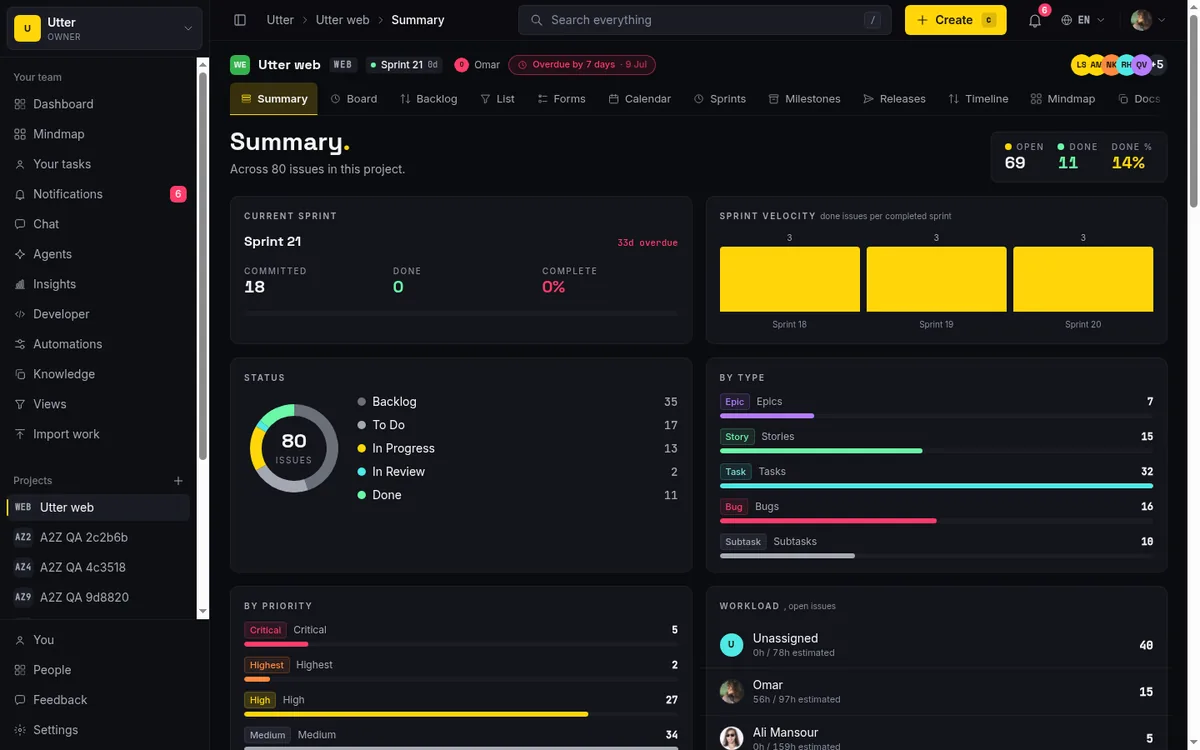
The blast radius here is zero. The digest does not write to the board, so the worst thing it can produce is a bland paragraph, and even a bland paragraph beats an hour of scrolling five project boards to reconstruct the week. Reporting is the only automation you can adopt with no supervision plan, which is why it goes first. If AI in your tracker makes you nervous, this is the rung where you can calibrate while nothing is at stake.
It also runs a quiet audit of your board. A summary can only reflect what the tracker records. If the first digest comes back thin, or confidently describes a project you know is on fire as quiet, your board is not telling the truth. Better to learn that now, while the only consumer is a paragraph, than later, when an agent is making decisions from the same data.
Rung two: intake (creates, but decides nothing final)
The second rung writes, but only new rows, and nothing it decides is expensive to reverse.
A public intake form takes the request straight from the requester and files a structured issue in the right project, with the fields you chose to ask for. The request never sits in a shared inbox waiting for someone to retype it. In Utter the form applies routing defaults on arrival, a label, an assignee, a starting column, and then issue.created automation rules run against the new issue for anything conditional. The whole path is in turn a request form into a triaged issue.
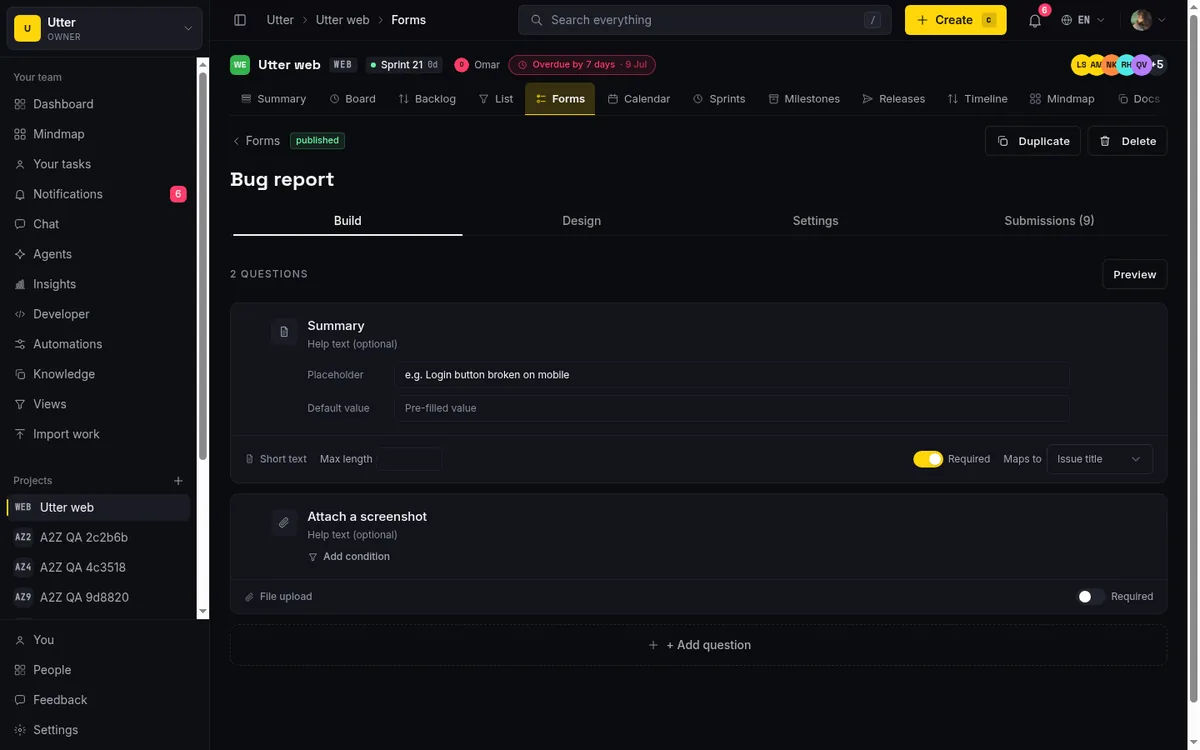
On top of that sits the first real AI judgment: triage. AI reads the new issue and proposes a type, a priority, and labels drawn only from the project's existing set, and your rules route on whatever it applied. The setup and its guardrails are in auto-triage new issues with AI.
A wrong call at this rung costs a two-second correction, which is why it is second and not third. Still, start it gated:
- Add a column named Triage and land every new ticket there.
- Let a person promote tickets out of it after a glance. Utter ships triage in a suggest mode for exactly this: the model proposes, a human accepts or corrects.
- After two weeks, count how often you corrected it.
If the answer is rarely, let it auto-apply and keep the review column for exceptions. If the answer is constantly, you lost nothing but the two weeks.
Rung three: execution (mistakes are real now)
The top rung is the one from the demo: agents pick up issues, do the work, comment on what they did, and move tickets across the board. The payoff is the largest, and this is the first rung where a wrong judgment is a work product someone has to catch, not a label you flip back.
Treat it like bringing on a contractor, not like enabling a setting. In Utter an agent is a named member of the workspace: it has its own profile, its own live sessions you can watch, its own attribution on every change it makes, and its own scoped API key you can revoke without touching anyone else's access. It works the board through the same REST API and MCP server any integration uses, so nothing it does happens off the record. Give it one narrow first assignment; scope an AI agent's first job is our checklist for choosing it.

Because the agent works through the API, a board move is an ordinary HTTP call you can read. This is the transition endpoint an agent hits to move WEB-12 into review:
curl -X POST "https://utter.ae/api/v1/workspaces/acme/projects/WEB/issues/WEB-12/transition" \
  -H "Authorization: Bearer utp_live_..." \
  -H "Content-Type: application/json" \
  -d '{"status": "in_review"}'
await fetch(
"https://utter.ae/api/v1/workspaces/acme/projects/WEB/issues/WEB-12/transition",
{
method: "POST",
headers: {
Authorization: "Bearer utp_live_...",
"Content-Type": "application/json",
},
body: JSON.stringify({ status: "in_review" }),
},
);import requests
requests.post(
"https://utter.ae/api/v1/workspaces/acme/projects/WEB/issues/WEB-12/transition",
headers={"Authorization": "Bearer utp_live_..."},
json={"status": "in_review"},
)Then make the board enforce the boundaries instead of trusting the agent to respect them. Custom columns shape the pipeline. Transition rules define which moves are legal from each column and are enforced on every write path, including the call above, so an agent cannot skip a ticket from In progress straight to Done: the request fails instead of moving the ticket. A review column sits between agent work and anything customer-facing, and only a human moves tickets out of it.
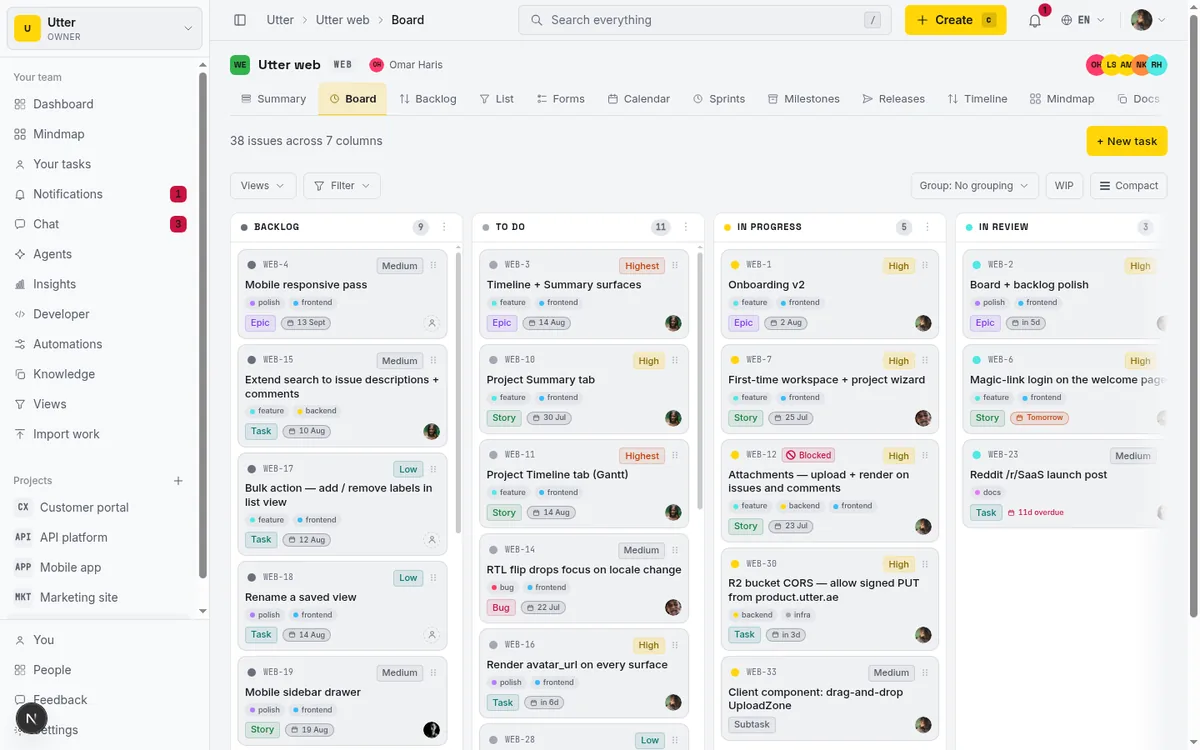
Once one agent behaves inside those rails, a second is less dramatic than it sounds. Status columns become the handoff bus:
flowchart LR
    T[Triage agent] --> R[Ready column]
    R --> C[Coding agent]
    C --> V[Review column]
    V --> H[Human approves]
    H --> D[Done]
A triage agent pushes tickets to a Ready column, a coding agent pulls from it, and the human gate stays in the middle. That pattern is written up in coordinating two agents with status handoffs.
What to leave manual, permanently
Some decisions should stay with people even when the automation works, and not because the models are not good enough yet.
- Priorities that carry commitments. AI proposing a priority on a routine bug is classification, and it is fine. Deciding that a fix ships to a specific customer by Friday is a promise, and a promise belongs to the person who will answer for it when it slips.
- Scope cuts. When the sprint does not fit, choosing what drops is a negotiation between what customers were told, what the team can absorb, and what the business needs this quarter. A model can list options. It has no standing to choose.
- Anything that is actually about people. Routing work to a queue is mechanics; automate it freely. Assigning work to a person is a workload conversation, and the difference matters most on the week that person is quietly drowning. Performance is not board data. Conflict is not either.
- The last review before ship. Whatever the final gate is on work reaching customers, a person clicks it. We would keep this one even for an agent with a perfect record, because approval is where accountability lives, and accountability does not transfer to software. The longer argument is in human-in-the-loop approval for AI agents.
The first two weeks
Here is the plan I would hand a team starting from zero.
Week one, reporting only. Turn on the digest, daily or weekly, and change nothing else. Read each one against what you already know. You are testing the summaries, and more importantly you are testing whether your board records reality. Where the digest is wrong because the board lied, fix the board habit, not the digest.
Week two, intake. Point one form at your noisiest request source and let it file issues into a Triage column. Turn on AI triage in suggest mode and have whoever owns triage accept or correct each proposal. Keep a rough count of the corrections.
Then stop and decide. If the digest reads true and the corrections are rare, your tracker is in good enough shape to host an execution agent, and that conversation is now worth having. If either failed, you found out for free, two weeks before an agent would have built confident work on top of bad data.
None of this needs a budget approval. Utter's Free plan covers the whole experiment, Pro is $3 per builder per month after that, viewers are free and uncapped, and agents are never billed as seats. When you are ready to talk about the third rung, the AI page shows how agents join a workspace as members. Do the boring rungs first. They pay back immediately, and they tell you the truth about whether you are ready for the exciting one.
Frequently asked questions
What parts of project management can AI automate today?
Reporting is fully automatable: standup summaries and weekly digests compiled from board activity. Intake is next: public forms that file structured issues, plus AI triage that classifies and labels behind a review column. Execution, agents doing the work itself, is real but belongs last and behind human review.
What should never be automated?
Commitments to customers, scope cuts, and anything that is actually about people: assignment as a workload conversation, performance, conflict. The final review before work ships should stay human too, because approval is where accountability lives.
Where should a team start?
Reporting, because it is read-only and the worst possible outcome is a bland paragraph. Turn on a weekly AI digest, read it against what you already know, and fix the board wherever the summary exposes a lie.
Is AI automation different from regular workflow automation?
Yes. A rule (when X, then Y) is deterministic and fails the same way every time, which makes it cheap to trust. AI reads content and makes a judgment call, so it handles ambiguity a rule cannot express, and it is sometimes wrong in ways you did not predict.
Related reading

What an AI issue tracker actually is, and how to pick one
Most tools that say AI issue tracking mean a summarize button. A five-part checklist for what the label should mean, plus the failure modes to test in a pilot.
July 15, 2026 · 8 min read
Auto-triage new issues with AI: a setup that actually assigns, labels, and prioritizes
How to set up AI issue triage automation that classifies severity, labels, and routes new bugs and requests, with an honest line on what to let AI decide.
May 27, 2026 · 8 min read
Can an AI run your standup?
Mostly yes, and your team will thank you. What an agent can compile from the board, what still needs a human, and how to set up an async AI standup.
July 15, 2026 · 6 min read
Stop chasing status updates: let AI write the weekly project digest
How to automate a weekly status report with AI that reads what actually moved and what stalled, instead of a dumb scheduled dump of ticket counts.
June 1, 2026 · 7 min read

How to give an AI agent human-in-the-loop approval before it changes your issues
Build an approval gate for AI agents in Utter: let the agent triage into a Needs review column, a human moves it forward, and transition rules stop skips.
May 20, 2026 · 9 min read
AI agent project management: the complete guide
How to run real projects with AI agents on the board: connecting them, assigning work, keeping review, what breaks, and how to pilot it in a week.
July 15, 2026 · 12 min read
What is an AI project manager? What one actually does today
A plain definition of the AI project manager: the three things the term means, a week of real work on a live board, and the parts only a human can hold.
July 15, 2026 · 8 min read

How to scope an AI agent's first job so the pilot doesn't die
Most first AI agent projects fail on scope, not model quality. Here is how to pick a first job narrow and checkable enough to actually ship.
July 15, 2026 · 8 min read

Will AI agents replace project managers? What actually changes
Agents already handle the mechanical parts of project management. The judgment part is harder, and it is not going anywhere. An honest look at the shift.
July 15, 2026 · 7 min read

Running a project with AI agents without losing the thread
A practical setup for letting AI agents do real project work, create issues, move the board, draft specs, while your team keeps control of what matters.
July 11, 2026 · 5 min read
Add a comment
Start the conversation.