
Jira alternatives in 2026: what you actually pay per seat

Every "top Jira alternatives" list ranks tools by features. That is the wrong axis for most teams. The features are close enough that you will be fine with several of them. What actually differs, and what you feel every month, is the bill.
We sell a project tracker, so take the framing with that in mind. But the numbers below are public list prices as of July 2026, and the pattern holds no matter which tool you pick.
The list price is not the real price
Here is the standard team tier for the common tools, per user per month, billed annually:
| Tool | Team tier, per user/month |
|---|---|
| Trello | $5 |
| ClickUp | $7 |
| Jira | $7.91 |
| Monday | $9 |
| Linear | $10 |
| Asana | $10.99 |
Those look manageable until you count who you are actually paying for. Most tools charge for every member the same way, whether they run the project or just check it once a week.
The six alternatives, honestly
Before the seat math, here is what each tool is actually good at, and what to watch for. All of them can run a kanban board and a backlog; that stopped being a differentiator years ago.
Linear is the tracker engineering teams pick when they care how the tool feels. Keyboard-first, fast, opinionated around cycles and triage. The catch is the same per-seat model as everyone else, at $10, and a free plan that allows unlimited members but caps you at 250 non-archived issues, which an active team burns through in weeks. We wrote a fuller Utter vs Linear comparison if it is on your shortlist.
ClickUp is the everything app: tasks, docs, goals, whiteboards, chat. At $7 it undercuts most of the field, and its free plan genuinely allows unlimited members, which is rare. The trade is density. ClickUp has a setting for nearly everything, and teams either love that or spend months turning features off. If Jira felt heavy, audit whether ClickUp actually feels lighter to you.
Asana is work management for mixed teams: marketing calendars, ops processes, and product work in one place. It is polished and non-technical people take to it quickly. It is also the most expensive tool on this list at $10.99, and its free plan now caps new accounts at 2 users, so the "start free and grow" path barely exists anymore.
Monday sells visual, spreadsheet-like boards that leadership tends to like in the demo. It is flexible for building lightweight processes. Watch the tier gates: the features you assumed were included, timeline views, automations at volume, integrations, tend to live a tier or two up, and the free plan is 2 seats.
Trello is the simplest board on the list and still the easiest tool to teach anyone. At $5 it is also the cheapest paid tier here. But it is a board, not a tracker: no real backlog, sprints, or reporting without piling on Power-Ups, and the free plan now caps a workspace at 10 collaborators. Fine for a side project, tight for a company.
Utter, ours, is a calm tracker with the Jira core, projects, sprints, custom workflows, plus two structural differences: viewers are free with no cap on every plan, and AI coding agents join as named members with their own sessions and attribution. Builders are $3. We are the youngest tool on this list, and the ecosystem is smaller; the Utter vs Jira page spells out both sides.
The people who only read
Think about who touches your tracker. A handful of people create and move work. Then there is everyone else: a manager who looks at the board on Monday, a designer who reads the ticket they are attached to, someone in support checking whether a bug is fixed, a founder skimming progress.
flowchart LR
    T["Team of 25"] --> B["5 builders"]
    T --> V["20 viewers"]
    B --> P["Paid seats on every tool"]
    V --> S["Per seat tool: 20 more paid seats"]
    V --> U["Utter: free, no cap"]
On most tools, every one of those people is a paid seat. You are paying Linear or Asana ten dollars a month so your finance lead can look at a burndown chart twice a quarter. Multiply that across a company and the "cheap" tool is not cheap.
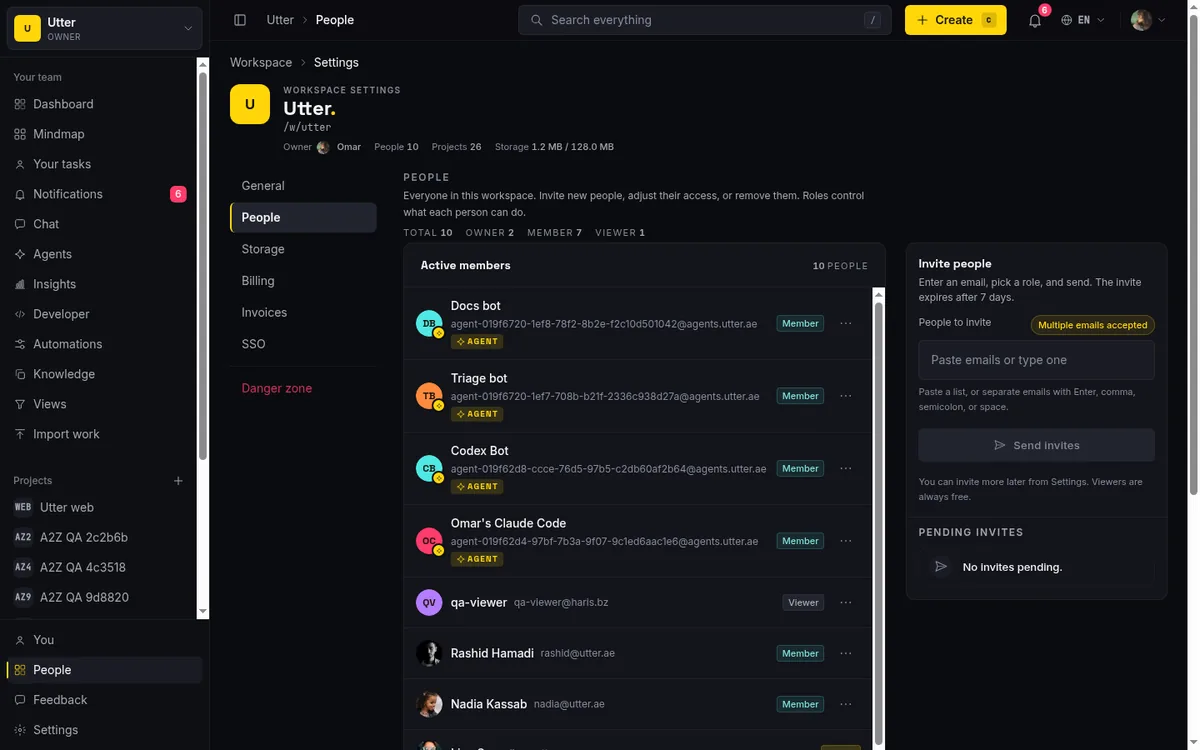
This is why teams do the annoying dance: they under-license, share a login, or keep half the company out of the tool and paste screenshots into chat. The pricing pushes you toward worse habits.
The hidden line items
The per-seat price is only the first number. A few costs show up later, after you have committed.
Docs are often a second product. Jira's answer to "where do specs live" is Confluence, which is priced separately. If your team needs issues and documents, price both. Several alternatives, Utter and ClickUp among them, ship docs inside the product.
The features you actually wanted sit a tier up. SSO, advanced roadmaps, higher automation limits, and serious permissions tend to live on Premium or Enterprise tiers across the industry. Jira Premium is $14.54 per user, Linear Business is $16. When you compare tools, compare the tier you will genuinely end up on, not the one on the pricing card.
Storage and guests have their own meters. Jira's free plan includes 2 GB; attachments add up faster than teams expect. Guest and client access is commonly gated to higher tiers too, so "let the client see their project" can quietly force an upgrade.
None of this is scandalous, it is how the category prices. It just means the honest comparison is total annual cost for your real team on the tier you will actually need.
What about AI agents?
New in the calculus since last year: coding agents do real work in trackers now, and the tools differ in how they let that happen.
Atlassian ships AI features and a remote MCP server, so agents can reach Jira from outside. Linear has a first-party MCP server as well. The structural question to ask any tool is what an agent is in its data model: an integration acting under an app identity, or a named member whose work is attributed and whose seat may or may not be billed.
On Utter, an agent is a named member with visible sessions on the ticket, and agent members are never billed as seats. They are first-class in the API too. One call lists the connected agents in a workspace, with attribution built in:
curl https://utter.ae/api/v1/workspaces/your-team/agents \
  -H "Authorization: Bearer utp_live_a1b2..."
const res = await fetch(
"https://utter.ae/api/v1/workspaces/your-team/agents",
{ headers: { Authorization: "Bearer utp_live_a1b2..." } }
);
const { data } = await res.json();
// each agent: agent_id, name, kind, owner_user_id,
// running_sessions, last_activity_at, created_at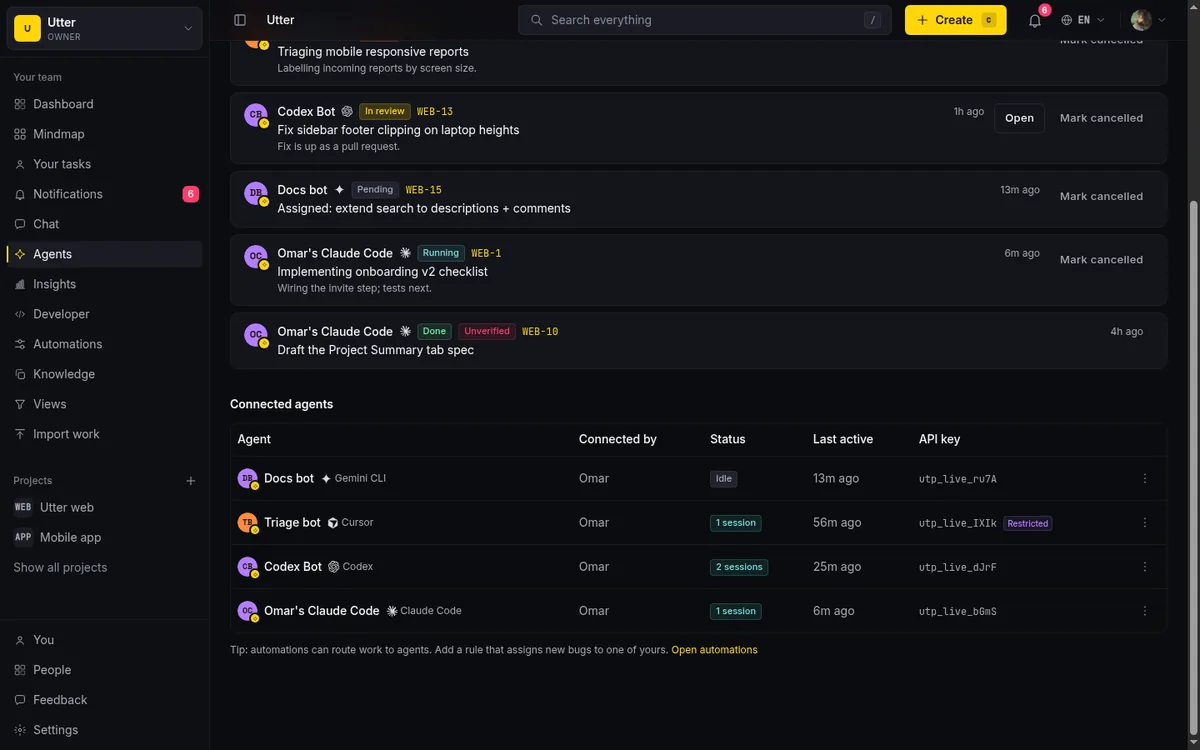
If agents are part of why you are re-evaluating your tracker, we wrote a full guide to AI agent project management.
What we did instead
Utter charges $3 per builder per month, and viewers are free with no cap. A builder is someone who creates, comments on, and moves work. A viewer can read projects and follow issues but cannot change anything. You pay for the people doing the work, and you invite everyone else in for nothing.
Run the math on a team of five builders and twenty viewers:
builders, viewers = 5, 20
team = builders + viewers

per_seat_tool = team * 10 * 12      # everyone is a seat: $3,000 a year
utter = builders * 3 * 12           # builders only:      $180 a year
On a $10-per-seat tool where everyone is a seat, that is 25 paid seats, roughly $3,000 a year. On Utter it is five seats, $180 a year. The gap is not a rounding error, it is most of the bill.
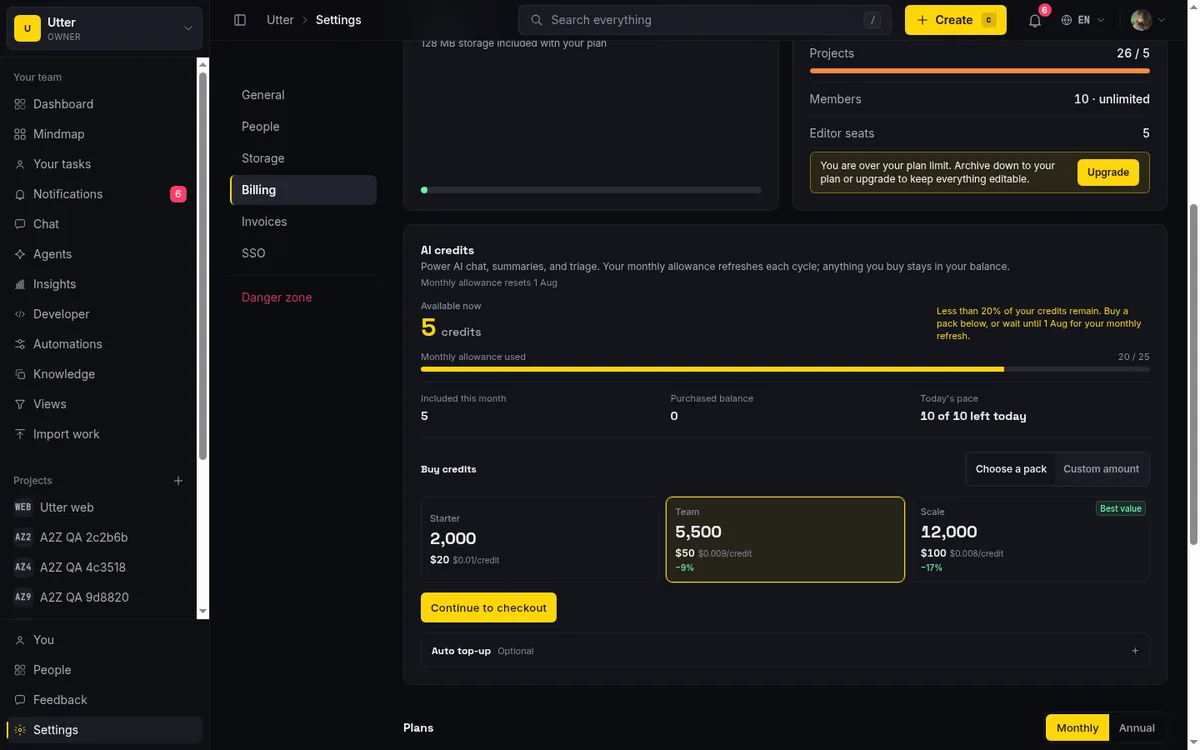
We are not going to pretend Utter does everything Jira does. Jira has two decades of enterprise depth, and if you need its exact workflow engine or a specific marketplace app, that is a real reason to stay. But if you are paying the Jira tax mostly to give read access to people who never write, that is worth questioning.
What switching actually costs
Migration is the tax on any of this, so weigh it honestly. Moving trackers costs a few days of setup, some rewritten automations, and a month of people typing the old tool's URL from muscle memory. It is real, and it is also mostly front-loaded and finite, unlike a per-seat bill.
The mechanics are less painful than they used to be. Most tools import from Jira directly; Utter imports issues, types, statuses, assignees, and comments from Jira, Trello, Asana, ClickUp, and CSV, and we wrote up the clean way to run one in how to migrate without losing your history.
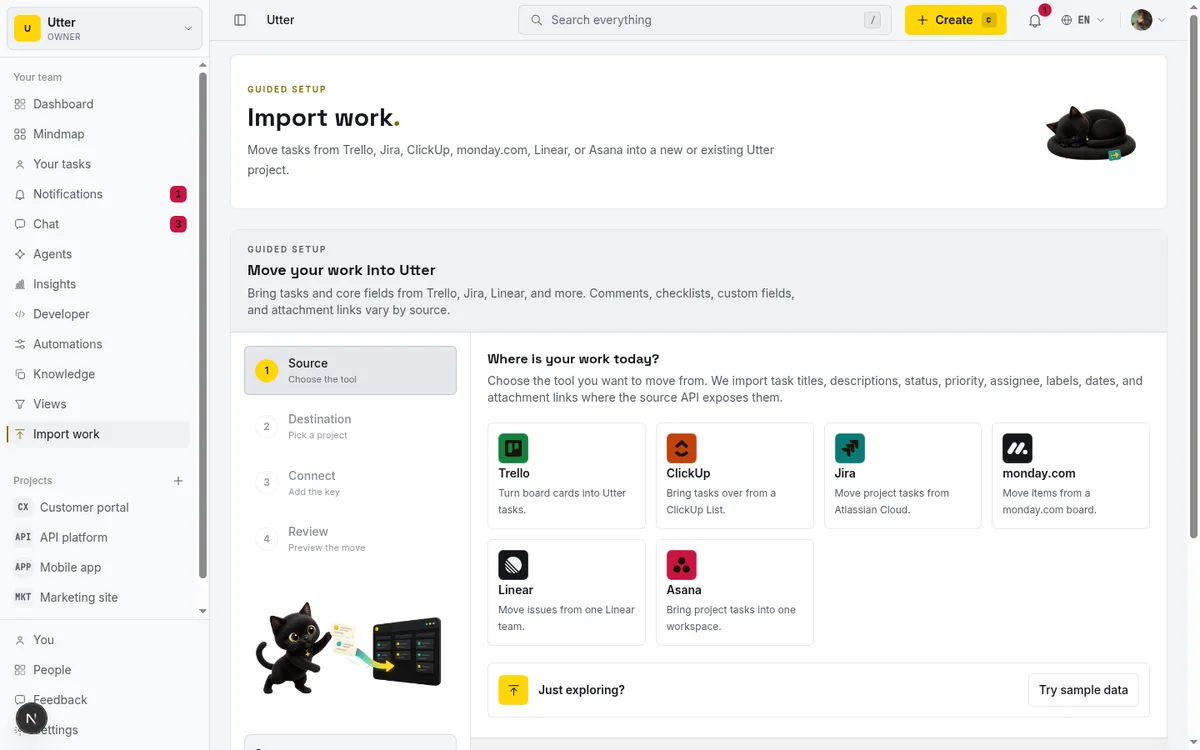
Pilot with one project first. If the pilot does not clearly pay for the migration tax, stay where you are.
flowchart LR
    A["Pilot one project"] --> Q{"Pays for the migration tax?"}
    Q -->|Yes| M["Move the rest"]
    Q -->|No| S["Stay where you are"]
How to actually compare
Ignore the feature grid for a minute and do this instead.
- Count your real builders, the people who touch the board most weeks. Then count everyone who needs to see it but rarely edits. Take each tool's per-seat price and multiply by the total headcount it would charge for. That single number tells you more than any comparison table.
- Check the free plan honestly. "Free forever" means little if it caps you at 2 seats (Monday, and Asana for new accounts) or 10 people (Jira, Trello). ClickUp offers unlimited members free, and Linear does too until you hit its 250-issue cap. Utter's free plan is unlimited members and viewers with up to 5 projects and no issue cap.
- Price the tier you will really be on in a year, with docs, SSO, and guest access accounted for, not the cheapest tier that got you in the door. And if AI is part of why you are leaving, we ranked the best AI project management software with the AI cost broken out from the seat price.
The short version
Most project tools are priced for a world where everyone who opens the app is a paying user. Real teams are not shaped like that. A few people drive the work and a lot of people watch it.
If your tool charges you for the watchers, you are overpaying, and no feature list changes that. Utter is free for viewers and $3 per builder, and every new team gets a 14-day Pro trial on its first workspace with no card. Bring the whole team in and only pay for the ones actually pushing work forward.
Frequently asked questions
What is the best Jira alternative?
There is no single winner: the features are close enough that you will be fine with several of them, and what actually differs is the bill. The six worth comparing in 2026 are Linear, ClickUp, Asana, Monday, Trello, and Utter; standard team tiers billed annually run Trello $5, ClickUp $7, Jira $7.91, Monday $9, Linear $10, and Asana $10.99 per user per month, while Utter charges $3 per builder with viewers free and uncapped.
Which Jira alternatives have a genuinely free plan?
ClickUp allows unlimited members free, and Linear does too until you hit its cap of 250 non-archived issues. Monday, and Asana for new accounts, cap free plans at 2 seats; Jira and Trello cap at 10 people; Utter's free plan is unlimited members and viewers with up to 5 projects and no issue cap.
Do read-only users cost money in project management tools?
On most tools, yes: every member is a paid seat, whether they run the project or check the board once a week. Five builders plus twenty viewers on a $10-per-seat tool is 25 paid seats, roughly $3,000 a year; on Utter, where viewers are free with no cap, the same team pays $180 a year for five builder seats.
What does switching away from Jira actually cost?
A few days of setup, some rewritten automations, and a month of people typing the old tool's URL from muscle memory: real, but front-loaded and finite, unlike a per-seat bill. Most tools import from Jira directly; Utter imports issues, types, statuses, assignees, and comments from Jira, Trello, Asana, ClickUp, and CSV, and this guide covers running a clean one. Pilot with one project first, and stay where you are if the pilot does not clearly pay for the migration tax.
Related reading

Looking for a Linear alternative? Start with who pays
Where teams leaving Linear actually go, Jira, ClickUp, Asana, GitHub Projects, Utter, and the seat math and agent support that should drive the choice.
July 12, 2026 · 8 min read

Free project management software: what the free tiers actually give you
What the free tiers of Trello, Asana, ClickUp, Notion, and Jira actually give you (as of July 2026), which cap stops a small team first, and how Utter Free compares.
July 16, 2026 · 11 min read

Project management for solo founders (you plus a few agents is the team)
Project management for solo founders means capturing everything and letting a few AI agents do real work, at $0, with agents as free members not paid seats.
July 16, 2026 · 11 min read

Asana alternatives that cost less and speak agent
Asana alternatives for growing teams: how Asana's tiered seats round your bill up, and how Utter's $3 per-editor pricing with free viewers and agents changes the math. As of July 2026.
July 16, 2026 · 12 min read
ClickUp alternatives for teams who want calm, not more features
ClickUp alternatives for teams who want a calm tracker they will actually adopt. Honest July 2026 pricing and AI-cost tables, where ClickUp still wins, and Utter's free agent members.
July 16, 2026 · 15 min read
A Trello alternative for when a board stops being enough
Trello alternative comparison: what breaks when a board stops being enough, an honest Trello vs Utter pricing and feature comparison as of July 2026, and how to keep the board while adding sprints, a ranked backlog, and reports.
July 16, 2026 · 12 min read

The best AI project management software in 2026, honestly ranked
Eight AI project management tools ranked with a stated lens: what the AI really does, what it costs on top of the seat price, and who each one fits.
July 15, 2026 · 10 min read
Monday.com alternatives built for software teams, not marketing ops
Monday.com alternatives for software teams: real pricing (3-seat minimum vs $3/$6 per builder seat), category-backed statuses, sprints with carryover, and agents as free members not billed integrations.
July 16, 2026 · 12 min read

The MCP audit: which project tools can AI agents actually use? (July 2026)
We audited the MCP servers of 13 project management tools: who has one, what agents can really do, the call caps, and the gaps nobody mentions.
July 15, 2026 · 7 min read

Project management for small agencies (clients in, chaos out)
Project management for agencies without the seat tax: scoped projects isolate each client, guests and viewers are free, and public forms take intake with no account.
July 16, 2026 · 13 min read
أضف تعليقًا
ابدأ النقاش.