
Monday.com alternatives built for software teams, not marketing ops
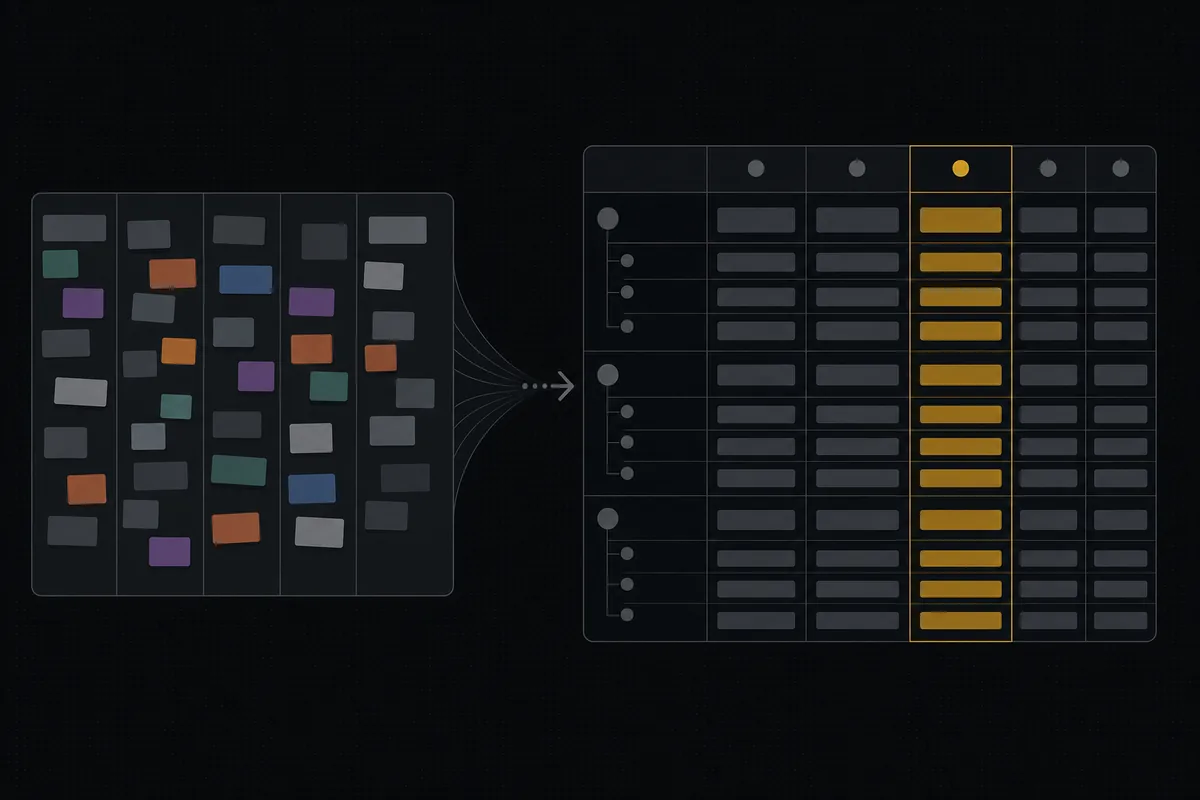
Your team lives in a monday.com board that started life as a marketing calendar, and every sprint you fight the same handful of things. A "status" column any teammate can rename into chaos. Subitems that don't behave like real subtasks. A 3-seat minimum that charges you for a bot account you wired up to sync GitHub. If you have been searching for monday.com alternatives, or specifically a monday.com alternative for software teams, that friction is usually why. monday.com is a genuinely good work-OS. It is just not an issue tracker, and once you are shipping software that gap gets expensive.
I want to be fair to monday.com, because the internet is full of hit pieces and this is not one. Millions of teams run their whole company on it and are happy. The question here is narrower: if you are an engineering team, what does a purpose-built tracker give you that a flexible work-OS does not, and when is the switch actually worth it? I will show you real pricing (as of July 2026), the semantics that matter, and where monday.com still wins.
Why monday.com starts to hurt once you're shipping software
monday.com is horizontally flexible by design. Everything is a board, a board has columns, columns have types (status, people, date, number, dropdown), and you arrange them however your team thinks. That flexibility is exactly why ops, marketing, sales, and CS love it. You can model a content calendar, a hiring pipeline, and a CRM in the same tool, and none of them are wrong.
Engineering wants the opposite of flexible. It wants fixed semantics that everyone agrees on and that the reporting can trust. That is where the two philosophies rub:
- "Status" is a configurable column, not a backbone. In monday.com, a status column is per-board and anyone with edit rights can add, rename, or recolor its labels. Great for a campaign board. A problem for a tracker, because nothing enforces that "Done" means resolved. When a teammate renames "Done" to "Shipped v2" on one board and adds a "Blocked" that nobody maps to anything, your cross-board reporting quietly drifts. There is no category underneath the label driving whether an issue is open or closed.
- Subitems exist, but they are not a first-class parent/child issue model. monday.com has subitems, and they are useful. What they are not is a real containment model where a subtask is the same kind of object as its parent, with rules about what can nest inside what. An eng team feels this the moment they want an epic that rolls up stories that roll up subtasks, with the same fields and the same status semantics at every level.
- The dev workflow lives in a separate product or a template. Sprints, story points, and a dev-shaped board are things monday.com approximates through its Dev product and workflow templates. They exist. They are configuration layered on a general OS, not the default shape you get on day one.
None of this means monday.com is bad. It means you are using a horizontally-flexible tool to do a vertically-specific job, and the friction you feel is the seam between those two.
What software teams actually need from a tracker (the checklist)
Instead of listing features, here is a rubric. Score any tool (including the one you are on now) against these six. Miss three or more and you are fighting your tracker.
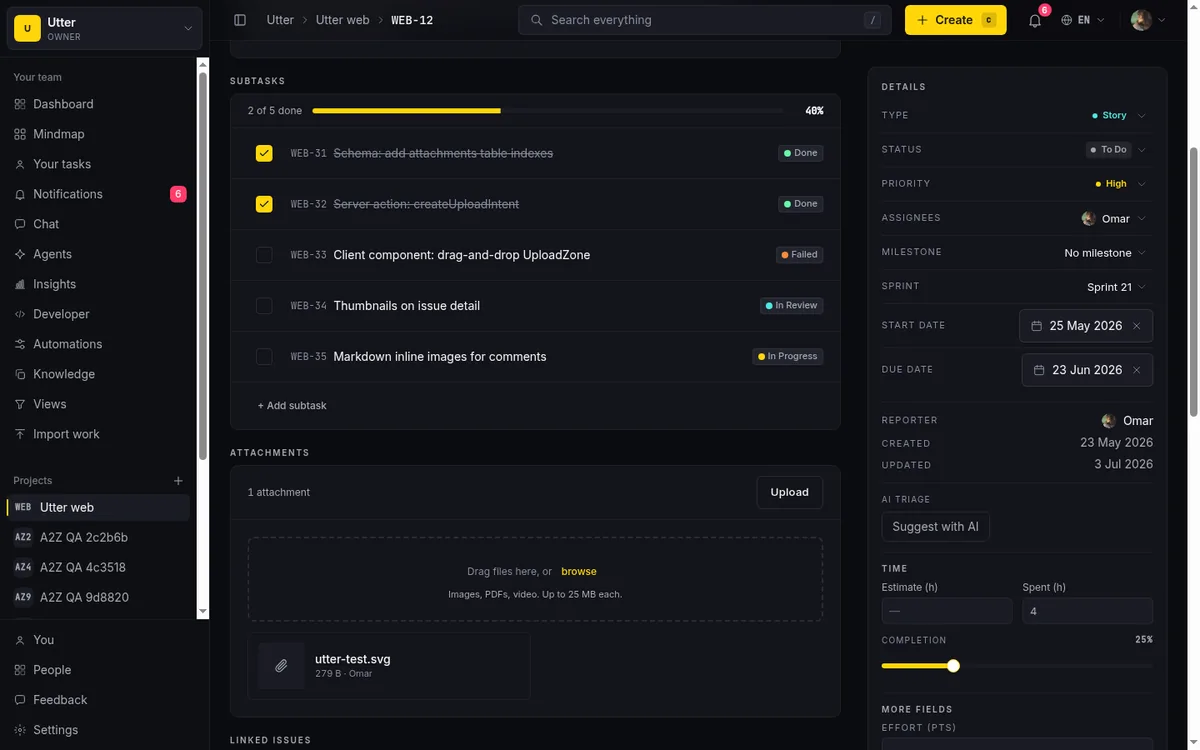
- A fixed issue-type vocabulary. Epic, story, task, bug, subtask, defined once and the same in every project. Not ad-hoc groups that mean different things per board.
- True subtasks with containment rules. A parent/child relationship at the data level (one issue points at its parent), with rules enforced at creation: a subtask must have a parent, an epic cannot sit under another epic.
- A category-backed status system. The load-bearing one. You want the freedom to name and color your columns per project, but underneath, every column must map to a fixed category that the reporting reads. This is Jira's status vs status-category split, and it is what keeps velocity honest when someone renames a column.
- Sprints with carryover. When a sprint ends, the incomplete work has to go somewhere sensible (the next sprint or back to the backlog), not strand on a closed sprint or silently mark itself done.
- A dev-grade REST API and an MCP that mirror each other. If your API and your AI-agent surface drift apart, you will find out at the worst time. They should be generated from one source.
- Pricing where non-editors and bots don't burn paid seats. Viewers should be free. The bot you wired up to sync commits should not cost the same as a senior engineer.
That is the rubric. The rest of this post is monday.com and Utter scored against it, starting with the one that hits your card statement.
The honest pricing comparison: seat minimums and what a bot costs
This is the differentiator most searches are really about, so let me put the numbers on the table plainly. All figures are as of July 2026, and I am using each vendor's own published pricing.
monday.com's Work Management plans, billed annually, run Basic at $9, Standard at $12, and Pro at $19 per seat per month, with Enterprise custom. The pricing page shows the same figures in euros (9 / 12 / 19 EUR). Month-to-month is higher: $12 / $14 / $24 per seat. There is a Free plan, but it is capped at 2 seats and 3 boards with no automations, integrations, or timeline view.
The detail that catches software teams is the 3-seat minimum on paid plans. Even if a single person wants Pro, they buy three seats. So the real annual-billed floor is not $9, it is $27/month for Basic, $36/month for Standard, and $57/month for Pro. That minimum was designed for teams, and for a ten-person team it is a non-issue. For a two-founder startup with a GitHub sync bot, you are paying for a seat nobody sits in.
Utter prices per builder seat with no such floor in the config. Free is $0. Pro is $3/seat/month ($30/year). Business is $6/seat/month ($60/year). Viewers are free and never counted. And the piece that matters most for an agent-heavy 2026 workflow: agent members are free and excluded from the billed-seat count sent to Stripe. There is no seat minimum in the configuration, though a paid subscription bills at least one seat, so the honest framing is "pay for exactly the editor seats you use, viewers and agents free."
Side by side:
| monday.com (as of July 2026) | Utter (as of July 2026) | |
|---|---|---|
| Entry paid tier (annual) | Basic $9/seat/mo | Pro $3/seat/mo ($30/yr) |
| Mid tier (annual) | Standard $12/seat/mo | Business $6/seat/mo ($60/yr) |
| Upper tier (annual) | Pro $19/seat/mo | Business $6/seat/mo |
| Enterprise | Custom | Not a separate SKU |
| Month-to-month | $12 / $14 / $24 per seat | Same per-seat price, no annual lock quoted |
| Seat minimum | 3 seats on all paid plans | None in config (a paid sub bills at least 1 seat) |
| Real paid floor | $27 / $36 / $57 per month | Price of the seats you actually use |
| Viewers | Count as seats | Free, uncounted |
| Bot / AI agent account | Can occupy a paid seat | Free member, excluded from billed seats |
| Free plan ceiling | 2 seats, 3 boards, no automations/integrations/timeline | 128 MB, 5 projects, core tracker features |
Sit with the bot line. In monday.com, an integration or automation account is still an account, and depending on how you wire it, it can occupy a paid seat. In Utter, the same agent is a workspace member with is_agent=1, and the seat-counting query explicitly filters those out, precisely so a connected agent never bills a full editor seat. Run three coding agents against your board and that is three seats you are not paying for.
Status columns vs a category-backed status system
I called this load-bearing earlier, so let me show it. The difference is subtle on a screenshot and obvious after a month of reporting.
In monday.com, a status is a column you configure per board. You add labels, pick colors, drag them into order. Powerful, and genuinely nicer to customize than a lot of trackers. The catch is that the label is the whole story. Nothing sits underneath "Done" telling the system this label means resolved, so when boards diverge (and they will, because different teams own different boards), a roll-up across them has to guess. Your burndown is only as honest as everyone's label discipline.
Utter splits the two, following the Jira model (the STATUS-CUSTOM-01 design in the codebase). An issue's status is a fixed 7-value category enum: backlog, todo, in_progress, in_review, done, failed, cancelled. That category is the semantic backbone, and it drives whether an issue is open, when it resolved, and everything the reports read. Separately, a project_statuses table holds your per-project named, colored, ordered columns, and each column maps to exactly one category via the issue's status_id.
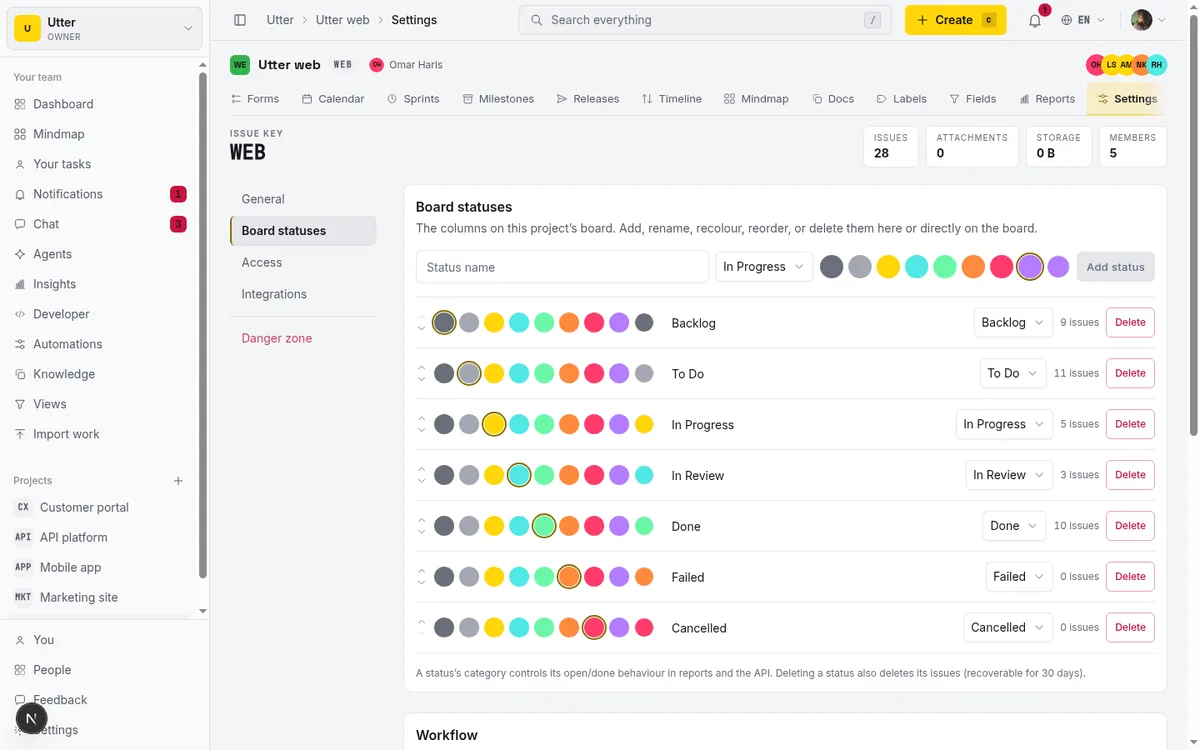
So you get both halves. Name your columns "Triage", "Building", "In review", "Shipped" and color them however you like, reorder them, add a "Blocked" column. The visual freedom is there. But because every one of those columns is pinned to a category, renaming "Shipped" tomorrow does not touch what your velocity chart counts as done. The reporting reads the category, not the label. That is the guarantee a work-OS status column cannot give you, because it has no category layer to read.
Sprints, carryover, and epics without bolting on a second product
The agile loop is the other place the two tools diverge in shape rather than capability. monday.com can build sprint workflows through its Dev product and templates, and teams do run real sprints on it. The honest distinction is that this is configuration on a general OS, whereas in a purpose-built tracker it is the native shape.
In Utter, the types are fixed out of the box: epic, story, task, bug, subtask, defined in the schema as an enum on every issue. Subtasks are true parent/child through a parent_id on the issue, with containment enforced at creation time. A subtask must have a parent. An epic cannot have a parent epic. You cannot accidentally create the nonsensical structures a free-form grouping model allows.
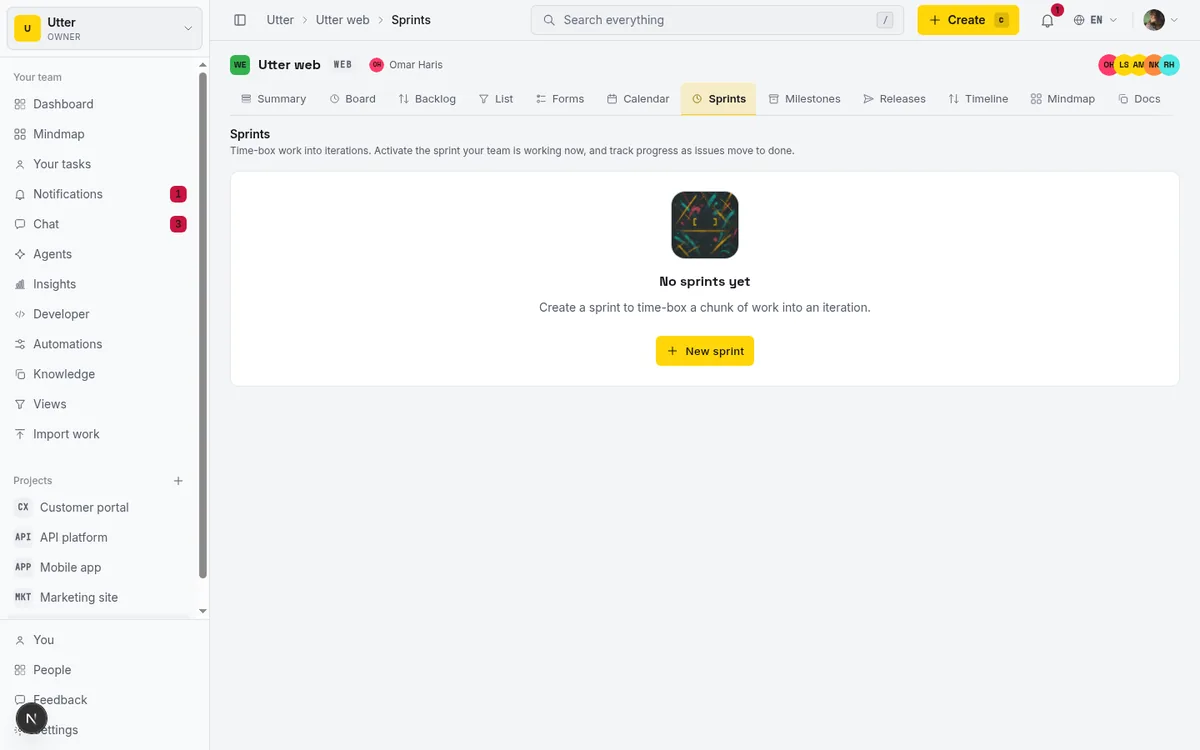
Sprints handle the messy part of the loop, which is what happens to unfinished work. When you complete a sprint, Utter's completeSprint action moves incomplete (non-done) issues to a target sprint you choose or back to the backlog. The UI literally asks "Move incomplete issues to". Failed issues carry over instead of getting stranded on the closed sprint. This is the default behavior, not a template you assemble. Again, monday.com can be made to do this. The difference is whether you configure it or it ships that way.
A dev-grade API and MCP that stay in lockstep
I have to be careful here, because it is easy to overclaim and I would rather you trust the comparison.
monday.com is not MCP-less. It ships a first-party, hosted MCP server ("monday MCP"), preinstalled on all accounts at no extra cost, using OAuth and TLS and respecting workspace permissions. It connects to Claude, Cursor, and Copilot Studio, and it is open-source, maintained by monday.com at github.com/mondaycom/mcp. It also allocates its own monthly AI credits by plan (Basic 1,000, Standard 2,000, Pro 3,000). So please do not read anywhere in this post that Utter uniquely "has an MCP server." That would be false.
The real edge is narrower and more specific. In Utter, the over 180 v1 REST operations and the MCP tools are both generated from the same OpenAPI registry (buildOpenApiDocument). One surface, one source of truth, so REST and MCP cannot drift apart. When an endpoint changes, the agent tool changes with it, because they are the same definition. The other concrete difference is rate limits: Utter's default is 600 requests per minute per key, with X-RateLimit-Limit, X-RateLimit-Remaining, and X-RateLimit-Reset headers on every response and a rate_limited 429 envelope when you exceed it. monday.com's API caps are metered per day by plan (Standard 1,000/day, Pro 10,000/day, Enterprise 25,000/day). Per-minute versus per-day is a real difference when an agent is working a board in a tight loop.
Creating an issue is a single POST to /v1/workspaces/{slug}/projects/{key}/issues. The same call, three ways:
curl -X POST https://utter.ae/api/v1/workspaces/utter/projects/WEB/issues \
  -H "Authorization: Bearer $UTTER_API_KEY" \
  -H "Content-Type: application/json" \
  -d '{
    "type": "bug",
    "title": "Login button unresponsive on Safari",
    "description_md": "Repro: click **Sign in** on iOS Safari, nothing fires.",
    "priority": "high",
    "assignee": "[email protected]",
    "labels": ["frontend", "safari"]
  }'
const res = await fetch(
"https://utter.ae/api/v1/workspaces/utter/projects/WEB/issues",
{
method: "POST",
headers: {
Authorization: `Bearer ${process.env.UTTER_API_KEY}`,
"Content-Type": "application/json",
},
body: JSON.stringify({
type: "bug",
title: "Login button unresponsive on Safari",
description_md: "Repro: click **Sign in** on iOS Safari, nothing fires.",
priority: "high",
assignee: "[email protected]",
labels: ["frontend", "safari"],
}),
},
);
const issue = await res.json();import os, requests
res = requests.post(
"https://utter.ae/api/v1/workspaces/utter/projects/WEB/issues",
headers={"Authorization": f"Bearer {os.environ['UTTER_API_KEY']}"},
json={
"type": "bug",
"title": "Login button unresponsive on Safari",
"description_md": "Repro: click **Sign in** on iOS Safari, nothing fires.",
"priority": "high",
"assignee": "[email protected]",
"labels": ["frontend", "safari"],
},
)
issue = res.json()The response comes back with the resolved key and the full issue resource, including the status category and the specific status_id:
{
  "id": "018f2c...",
  "key": "WEB-142",
  "url": "https://utter.ae/w/utter/p/web/WEB-142",
  "number": 142,
  "type": "bug",
  "title": "Login button unresponsive on Safari",
  "status": "backlog",
  "status_id": "018f1a...",
  "status_name": "Triage",
  "priority": "high",
  "assignee_id": "018e90...",
  "assignees": ["018e90..."],
  "labels": [
    { "id": "lbl_1", "name": "frontend", "color": "#4f9cf9" },
    { "id": "lbl_2", "name": "safari", "color": "#ffd60a" }
  ],
  "created_at": "2026-07-16T10:22:41.000Z",
  "updated_at": "2026-07-16T10:22:41.000Z"
}
Notice status and status_name come back as separate fields. The category ("backlog") is what your reporting will read; the column name ("Triage") is what the human sees on the board. That split is the same one from two sections ago, surfacing in the API.

What changes when your agents are members, not integrations
This is the part that feels different in day-to-day use, and I want to frame it honestly. The pitch is not "monday.com can't connect AI," because it can, through its MCP and its own credits. The pitch is that in Utter an agent does not consume a paid seat and comes with real review gates.
An agent in Utter is a workspace member. Concretely, it is a user plus a workspace_members row with is_agent=1 plus a workspace_agents profile, not a bolt-on integration credential. Because it is a member, it shows up in your roster, gets assigned issues, and gets @mentioned like anyone else. Because it is flagged as an agent, it is free and excluded from the Stripe seat count.
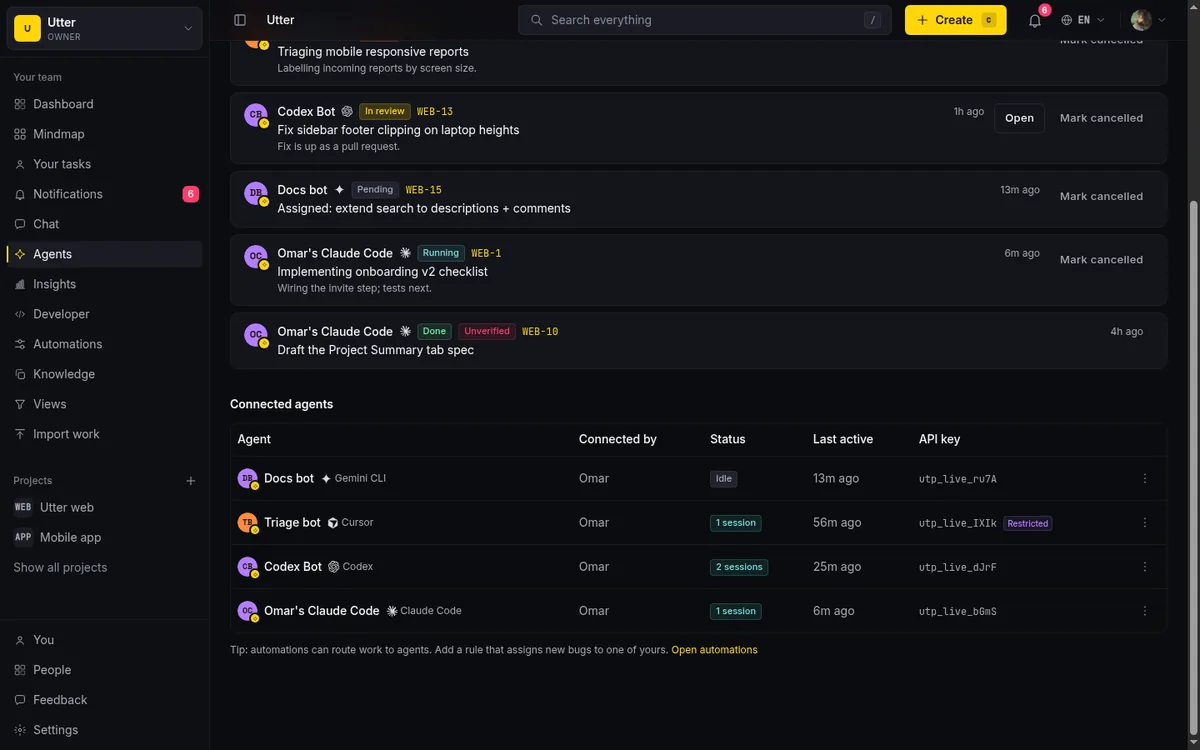
The guardrails are what make that trustworthy rather than scary:
- Per-agent field-write allowlist (FIELD-POLICY-01). Each agent can be restricted to writing only specific issue fields, and it is enforced at a single choke point (
updateIssueViaApi) that covers REST, transitions, and MCP alike, plus the time endpoint. You decide an agent may move status and add comments but never reassign or change priority, and that holds no matter which surface it comes through. - Human-review session states. Agent work runs as a session with a real state machine: pending, running, needs_input, review, done, failed, cancelled. A read-time "unverified" badge (VERIFY-01) flags any review or done session that has no attributed activity, so an agent cannot quietly mark its own work complete without a trace.
- Delegation that creates a claim. Assigning an issue to an agent auto-creates a pending session the agent must claim (DELEGATE-01); a worker cancels it after 7 days if nobody picks it up, so stale delegations don't rot.
- Real-time push. A per-agent SSE stream (AGENT-PUSH-01) fires on assignment, @mention, and session change, so an agent wakes on the event instead of polling.
The named providers wired into the hub are Claude Code, Codex, Cursor, Copilot, Gemini CLI, DeepSeek, Kimi, Perplexity, and a custom option. If your 2026 workflow has coding agents doing real work on the board, having them be free members with field-level permissions and review gates is a meaningfully different posture than treating them as integration accounts.
When to stay on monday.com (and how to move if you don't)
I would be doing you a disservice by only listing reasons to switch. When monday.com is the right call, plainly:
- You are a cross-functional org. If marketing, ops, sales, and CS share boards with engineering, a work-OS that models all of those in one place is worth more than tracker purity. Utter is built for the eng side of that house.
- You need a large app marketplace. monday.com has a deep marketplace of integrations. Utter's shipped repo integration is GitHub, and that is it on the repo side. If you depend on dozens of app connectors, monday.com wins on ecosystem, full stop.
- You want dashboards across non-eng workflows. Cross-department reporting and views over things that are not issues are monday.com's home turf.
- You are already standardized on monday.com Dev plus apps. Rip-and-replace has a cost; if the current setup works, "purpose-built tracker" may not clear the bar.
And the honest limits on Utter's side, so you go in clear-eyed. It is smaller and newer. Storage is modest (Free 128 MB with 5 projects, Pro 1 GB, Business 100 GB). AI is credit-gated (Free 25/month, Pro 5,000/month, Business 20,000/month), which is a different currency than monday.com's AI credits and not a clean apples-to-apples comparison. There is no marketplace of hundreds of apps. The pitch is focus, price, and an agent-native tracker, not feature-count parity.
If you decide to move, the path is short. You keep your issues and import them via CSV or a service import (row caps vary by plan). Auth is magic-link only, so there are no passwords to migrate or reset. And if you serve an Arabic-speaking team, the whole product is bilingual EN/AR with full RTL, which is a niche point but a real one for that market.
A simple way to decide:
flowchart TD
  A[Choosing a tracker] --> B{Mostly an engineering team?}
  B -->|No, cross-functional org| M[Stay on monday.com]
  B -->|Yes| C{Do bots or viewers need access?}
  C -->|Yes, and cost matters| D{Want fixed tracker semantics: epics, category status, sprints?}
  C -->|No| E{Need a big app marketplace?}
  E -->|Yes| M
  E -->|No| D
  D -->|Yes| U[Utter fits]
  D -->|No| M
If you landed on the Utter side of that flow, the honest next step is to put a real project in it for a week and see whether the semantics and the seat math hold up for your team. That is the only test that counts.
For the fuller pricing math against other tools, see Jira alternatives and price per seat and, if your team also finds ClickUp heavy, simpler ClickUp alternatives with agents. To go deeper on the concepts here, read how to organize work with epics and subtasks, why Utter has an MCP server, and whether AI agents count as seats.
Frequently asked questions
Is there a monday.com alternative built specifically for software teams?
Yes. monday.com is a horizontally-flexible work-OS that many kinds of teams share, while a purpose-built tracker like Utter ships fixed issue types (epic, story, task, bug, subtask), true parent/child subtasks, and a category-backed status system by default rather than as board configuration. If your team is mostly engineering and you want tracker semantics out of the box, that is the trade you are choosing.
How much does monday.com actually cost with the 3-seat minimum?
As of July 2026, monday.com Work Management billed annually is $9 (Basic), $12 (Standard), and $19 (Pro) per seat per month. Paid plans require a minimum of 3 seats, so even for one user the real floor is $27/month (Basic), $36/month (Standard), and $57/month (Pro). Month-to-month pricing is higher at $12 / $14 / $24 per seat.
Does monday.com have a free plan, and what are its limits?
Yes, as of July 2026 monday.com has a Free plan, but it is capped at 2 seats and 3 boards, with no automations, integrations, or timeline view. For comparison, Utter's Free plan keeps the core tracker features and is limited instead by capacity (128 MB storage, 5 active projects).
Does monday.com have an MCP server for AI agents?
Yes. monday.com ships a first-party hosted MCP server that is preinstalled on all accounts at no extra cost, uses OAuth and TLS, respects workspace permissions, connects to Claude, Cursor, and Copilot Studio, and is open-source at github.com/mondaycom/mcp. So MCP is not a reason to switch on its own. The narrower difference is that Utter generates its REST API and its MCP tools from one OpenAPI registry, so the two never drift.
Do AI agents or bots count as paid seats in monday.com?
Depending on how you wire it, an integration or automation account in monday.com can occupy a paid seat, which combined with the 3-seat minimum makes bot accounts cost real money. In Utter, an agent is a workspace member flagged with is_agent=1 and is explicitly excluded from the billed-seat count, so connected agents are free.
Can monday.com do epics, sprints, and subtasks like a real issue tracker?
monday.com has subitems and can build sprint and dev workflows through its Dev product and templates, so the capability exists. The difference is shape: those are structures you configure on a general work-OS, whereas a purpose-built tracker gives you fixed epic/story/task/bug/subtask types, containment rules enforced at creation, and sprints with carryover as the default model.
What are monday.com's API and automation limits per plan?
As of July 2026, monday.com meters its API per day by plan (Standard 1,000 calls/day, Pro 10,000/day, Enterprise 25,000/day) and its automation and integration actions per month (Standard 250 each, Pro 25,000 each, up to 250,000 on Enterprise; Basic includes none). Utter's default API limit is 600 requests per minute per key with rate-limit headers on every response, which is a per-minute rather than per-day model.
How do I migrate from monday.com to an issue tracker without losing my data?
Export your items and import them via CSV or a service import (Utter supports both, with row caps that vary by plan). Because Utter uses magic-link authentication, there are no passwords to migrate. Keep your issue history and labels, map your board columns onto the category-backed statuses, and verify a single project for a week before moving the rest.
Related reading
A Notion alternative for project management (keep the docs, gain a real tracker)
A Notion alternative for project management that keeps your docs and adds a real tracker: category-backed statuses, native sprints with carryover, computed burndown, agents over MCP.
July 16, 2026 · 14 min read
A Trello alternative for when a board stops being enough
Trello alternative comparison: what breaks when a board stops being enough, an honest Trello vs Utter pricing and feature comparison as of July 2026, and how to keep the board while adding sprints, a ranked backlog, and reports.
July 16, 2026 · 12 min read
Custom workflow statuses
Build custom Jira-style board columns in Utter and enforce status transition rules across the board, API, bulk edits, and automations. With the honest limits.
July 15, 2026 · 18 min read
ClickUp alternatives for teams who want calm, not more features
ClickUp alternatives for teams who want a calm tracker they will actually adopt. Honest July 2026 pricing and AI-cost tables, where ClickUp still wins, and Utter's free agent members.
July 16, 2026 · 15 min read
Scrum vs kanban: choose per project, not per religion
Scrum vs kanban: choose the methodology per project, not per team religion. The one mechanic that actually differs, when each fits, an honest Utter vs Jira/Linear/Trello price and feature comparison (as of July 2026), and how to switch a project between the two with zero migration.
July 16, 2026 · 11 min read

Claude Code task management: give your agent a real tracker, not a markdown file
Give Claude Code persistent, attributed task management by connecting a real tracker over MCP instead of a markdown file. Honest comparison to Task Master, as of July 2026.
July 16, 2026 · 12 min read

Jira alternatives in 2026: what you actually pay per seat
Six Jira alternatives compared honestly: Linear, ClickUp, Asana, Monday, Trello, and Utter, with real per-seat math and where each one actually fits.
July 11, 2026 · 8 min read
A GitHub Issues alternative for when projects outgrow a repo
GitHub Issues alternative for teams that outgrew Issues but keep GitHub for code: real statuses, ranked backlog, burndown, commit linking, and free AI-agent seats.
July 16, 2026 · 13 min read

What an AI issue tracker actually is, and how to pick one
Most tools that say AI issue tracking mean a summarize button. A five-part checklist for what the label should mean, plus the failure modes to test in a pilot.
July 15, 2026 · 8 min read

How to automate project management with AI, and what to leave manual
The right order to automate project management with AI: reporting first, intake second, execution agents last, and the decisions that should stay human.
July 15, 2026 · 8 min read
Add a comment
Start the conversation.