
A Notion alternative for project management (keep the docs, gain a real tracker)
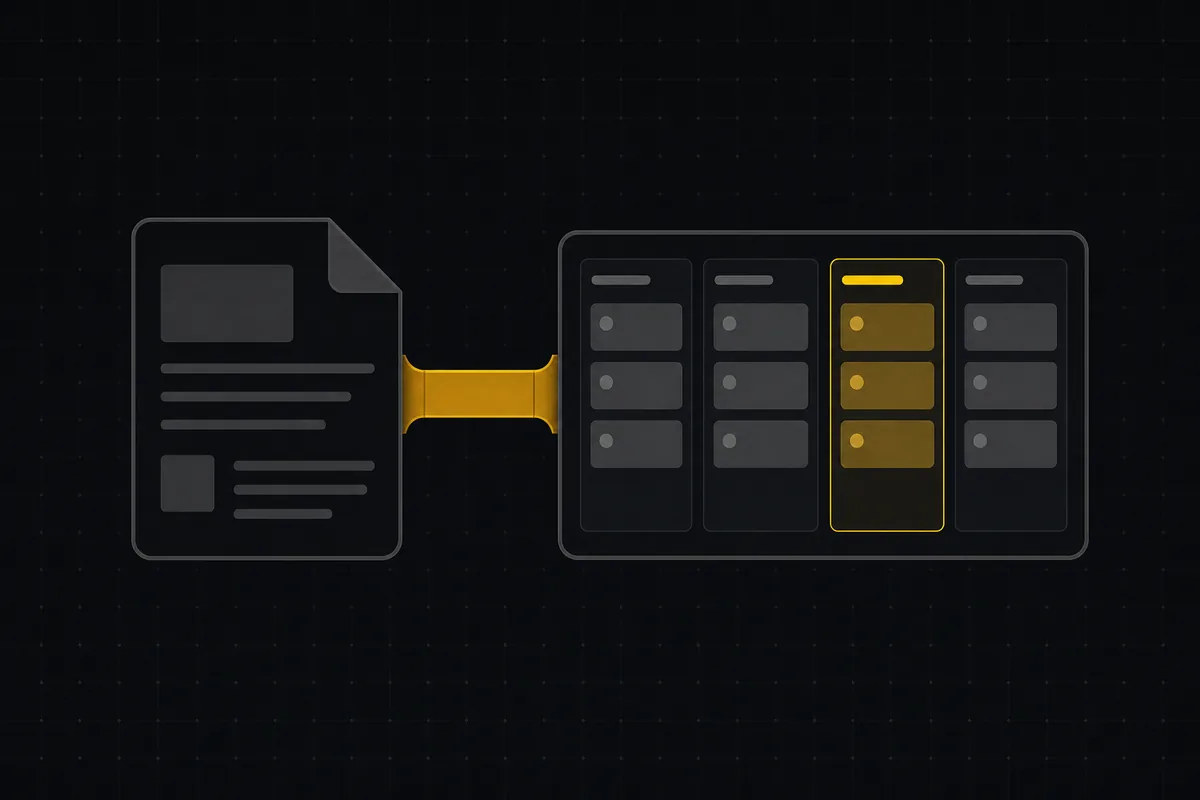
Notion pages are a pleasure to write in. That is the whole problem, and it is why so many teams end up searching for a Notion alternative for project management that keeps the docs but adds a real tracker.
Your specs, RFCs, and meeting notes pile up in Notion because writing there feels good. Then someone tries to run the actual work in a Notion database, and the seams show. A Status property is a colored tag, not a workflow with categories that know what "done" means. There is no sprint you can start and close, no burndown, no velocity. Automations live inside one database and cannot reach across, so a change to a spec page can't nudge the task that depends on it. So teams bolt a second tool onto the side, Linear or Jira or a spreadsheet, and now the docs and the tracker drift apart, held together by copy-pasted URLs that rot the moment someone renames a page.
You probably don't hate Notion. You hate the duct tape. This post is for the person who wants to keep the docs they love and gain a tracker that behaves like a tracker.
One honest frame first: Notion is excellent at what it is. Its database ceiling is high (a single database holds up to 250,000 rows, as of July 2026), so this is not a "Notion collapses at small scale" argument. It doesn't. The critique is about tracker semantics, the difference between a tag that says "In review" and a workflow that knows "In review" is not "Done."
Where Notion's databases-as-tracker start to wobble
Give Notion credit first, because it earns it. The project-management story via database views is real: table, board (Kanban), timeline, calendar, list, and gallery views over the same rows, a purpose-built Status property that groups options into To-do / In-progress / Complete, and a Tasks-Projects-Sprints template that wires a task-to-sprint relation. As of July 2026, a small team can genuinely run work in Notion, and many do.
And the ceiling is high, not low. A single Notion database holds up to 250,000 rows; Notion warns you as you approach the limit and blocks adding rows at or over it (API requests return an error near the cap). Each page is capped at 2.5MB of property data. Those are real numbers, and for most teams they are not the thing that hurts. So put the "it falls over" argument down. It wobbles, and the wobble is semantic.
Three specific places:
Status is a property, not a workflow-category system. A Notion status option is a colored tag with a group label. Nothing structurally distinguishes "In review" from "Done" in a way reports can trust. Ask "how many issues are actually resolved this sprint" and you are counting tags, hoping everyone used them the same way. There is no category backbone a report can lean on.
No native sprint object, no burndown or velocity as first-class. The Sprints template gives you a relation and some rollups, but a sprint is not an object with a start date, an end date, a state you move through (planned, active, completed), and automatic carryover of incomplete work. Burndown and velocity aren't drawn for you, because the object isn't there. You assemble them, or you go without.
Automations run inside a single database. Notion has a public API and database automations, but those automations operate within one database and cannot trigger actions across databases. A change on a spec page in your Docs database cannot move a linked task in your Tasks database. The two things that should talk to each other are walled off.
That third one is the quiet killer. It is exactly the gap that pushes teams to bolt a second tracker onto the side, and the drift starts the same day.
What a "real tracker" actually means (the checklist)
Before comparing anything, decide what bar you are holding a tool to. Here is the checklist I would hand any Notion alternative for project management, and I will measure the rest of this post against it so it is not just vibes.
A real tracker has:
- Workflow statuses with a category backbone, not just tags, so open / done / resolved is a system the software enforces, not a convention your team agrees to and then forgets.
- Per-column WIP limits and allowed-transition rules, so the board enforces process instead of just displaying it.
- Real sprints: planned / active / completed, with start and end dates and automatic carryover of incomplete issues when you close one.
- Reports that are computed, not assembled by hand: a status donut, a burndown, workspace insights, drawn from the data rather than pasted into a page.
- A Kanban board with drag-and-drop, a ranked backlog, and a filterable list, plus issue types (epic, story, task, bug) with parent/child subtasks.
- Docs that live next to the work, in the same tool, not a separate app linked by URLs.
Here is how Utter maps to that bar, so you can check the work:
| The bar | How Utter does it |
|---|---|
| Category-backed statuses | project_statuses holds per-project named, colored, ordered columns, each mapped to one of 7 fixed semantic categories (Jira's status vs status-category split) |
| WIP + transitions | Per-column wip_limit and per-status allowed_transitions rules, enforced on every status write path |
| Real sprints | Sprints with planned/active/completed states, start/end dates, and carryover of incomplete issues on completion |
| Computed reports | Per-project Reports and a Summary page (status donut + burndown), plus a workspace Insights page, built on Recharts |
| Board + backlog + list | Kanban with optimistic drag-and-drop, a ranked backlog, a filterable list, and epic/story/task/bug/subtask types |
| Docs beside the work | Workspace Knowledge base plus per-project Docs (more on this below) |
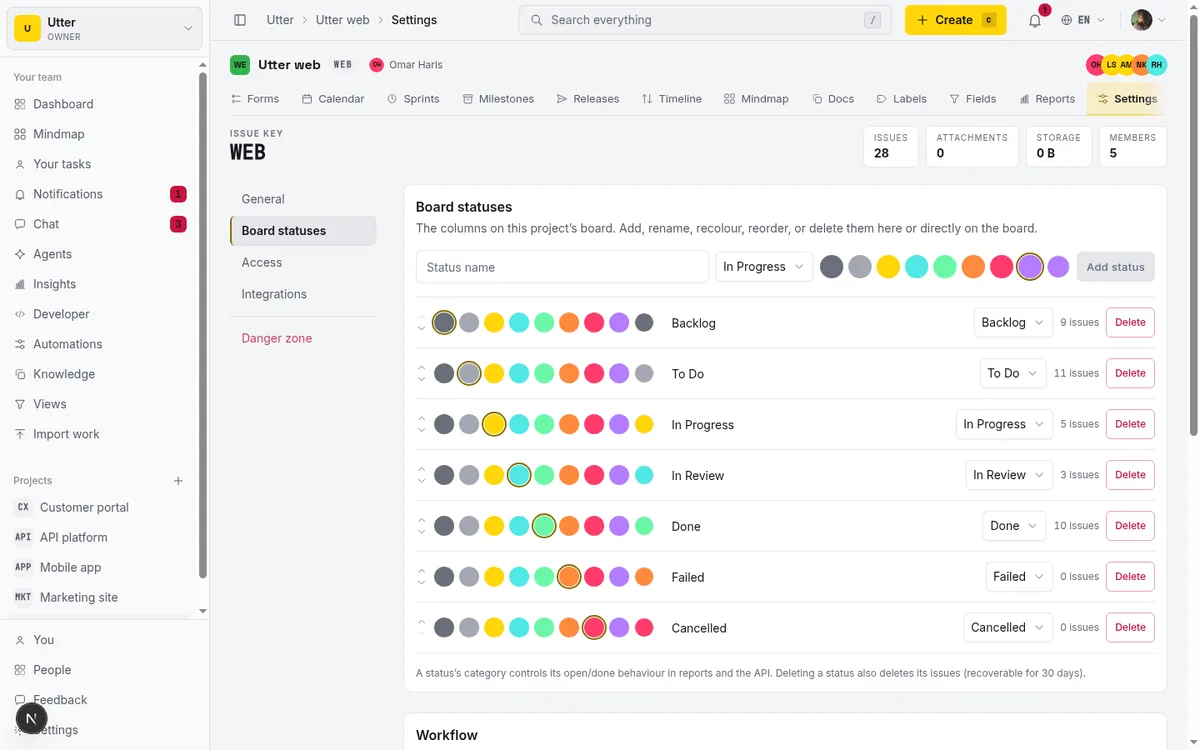
Keep that checklist. It works against any tool you evaluate, not just this one. If the status row is the one you care about most, custom workflow statuses goes deeper on the category split.
Keep the docs: workspace knowledge base plus per-project docs
The "keep the docs you love" half of the pitch only counts if it is told honestly, so here is the honest version.
Utter has two doc surfaces: a workspace-level Knowledge base and per-project Docs. The distinction is one column: docs.project_id is NULL for a workspace knowledge page and set for a project doc. Pages nest via parent_id and order with LexoRank, so you build a real tree, not a flat list. The editor is a block editor (BlockNote is the source of truth in body_json) with a flattened markdown mirror (body_md) that powers search and export. You get version history snapshots with restore, threaded per-doc comments, and templates out of the box: Meeting notes, RFC, Status update, Retrospective, and Decision log, all bilingual English and Arabic.
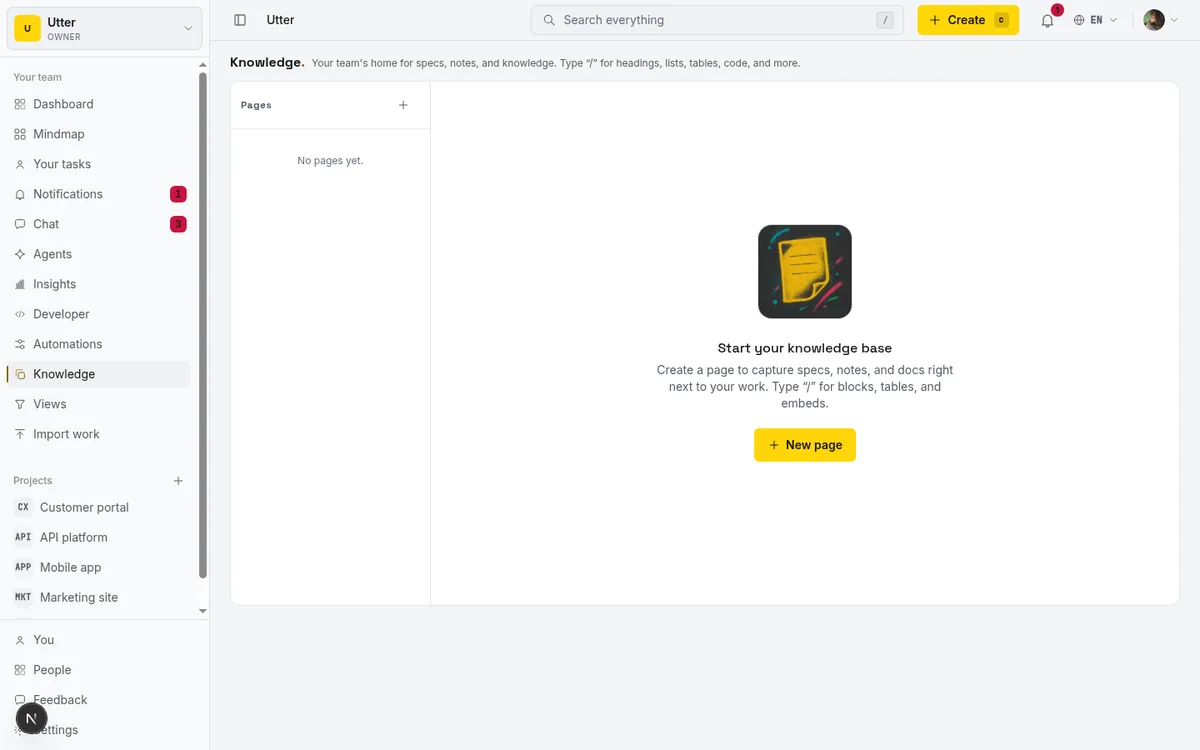
One thing that matters for the "no more rotting URLs" complaint: an issue can reference a doc inline. Drop a #d:<uuid> doc-ref token into an issue and it renders as a named chip linking straight to the spec that governs the work, so renaming the doc doesn't break the link.
Now the limit, stated plainly because you should hear it from me and not discover it later. Utter's docs are a strong project knowledge base, not a full Notion replacement for general-purpose wiki or CMS use. Specifically:
- No databases-as-content. Notion's superpower is turning a database into a page of content with gallery cards and filtered views. Utter docs don't do that.
- No gallery or timeline views of pages.
- No public-website page publishing. Sharing is inside the workspace; the public surfaces are forms and the feedback board, not docs.
- Fewer block types than Notion, and no claim of multiplayer-cursor co-editing. These are a versioned knowledge base with comments, not a live co-editing canvas.
So the pitch is precise: keep your project docs next to a real tracker, not "replace every Notion use case." For the deeper mechanics, how to write project docs walks through it.
Gain a real tracker: statuses, sprints, and reports
Here is the half Notion's database views can't quite reach.
Custom workflow statuses. The project_statuses table holds per-project named, colored, ordered columns. Each maps to exactly one of the 7 semantic status categories, which is Jira's status vs status-category split. That split is the whole point: your board can show "Code review," "In QA," and "Awaiting sign-off" as three columns, and the software still knows all three roll up to the same category, so is_open, resolvedAt, and every report stay correct no matter how you name them. Each column can also carry a WIP limit, and each status can define which transitions are allowed, both enforced on every write path, not just in the UI. That is a workflow, not a tag.
Real sprints. A sprint is an object with planned, active, and completed states and real start and end dates. Complete a sprint and incomplete issues carry over to the next one automatically, instead of vanishing or silently staying "open forever." That is the behavior a Notion sprint relation approximates but does not own. How to run a sprint covers the full lifecycle.
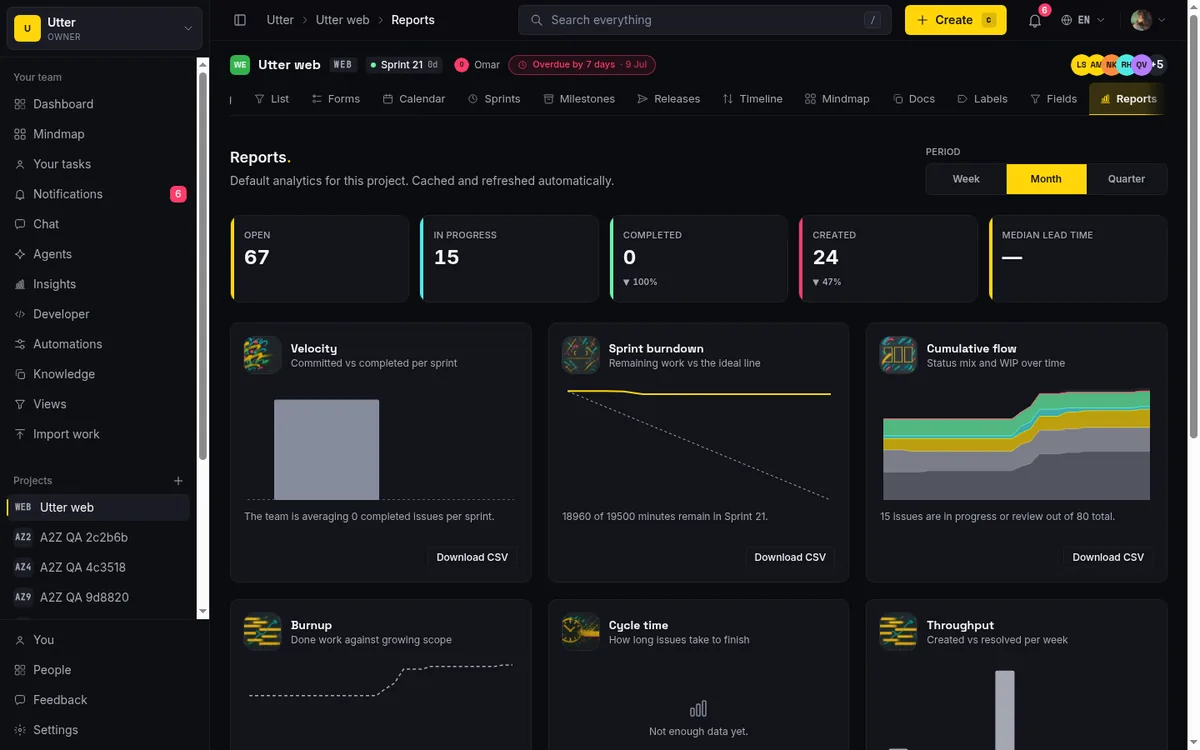
Real reports. Per-project Reports and a Summary page give you a status donut and a burndown, plus a workspace-level Insights page across projects. These are built on shadcn's Chart component over Recharts, computed from the data, not a screenshot pasted into a page. They are trustworthy because the categories underneath them are real. Project reports and insights shows what each chart is drawn from.
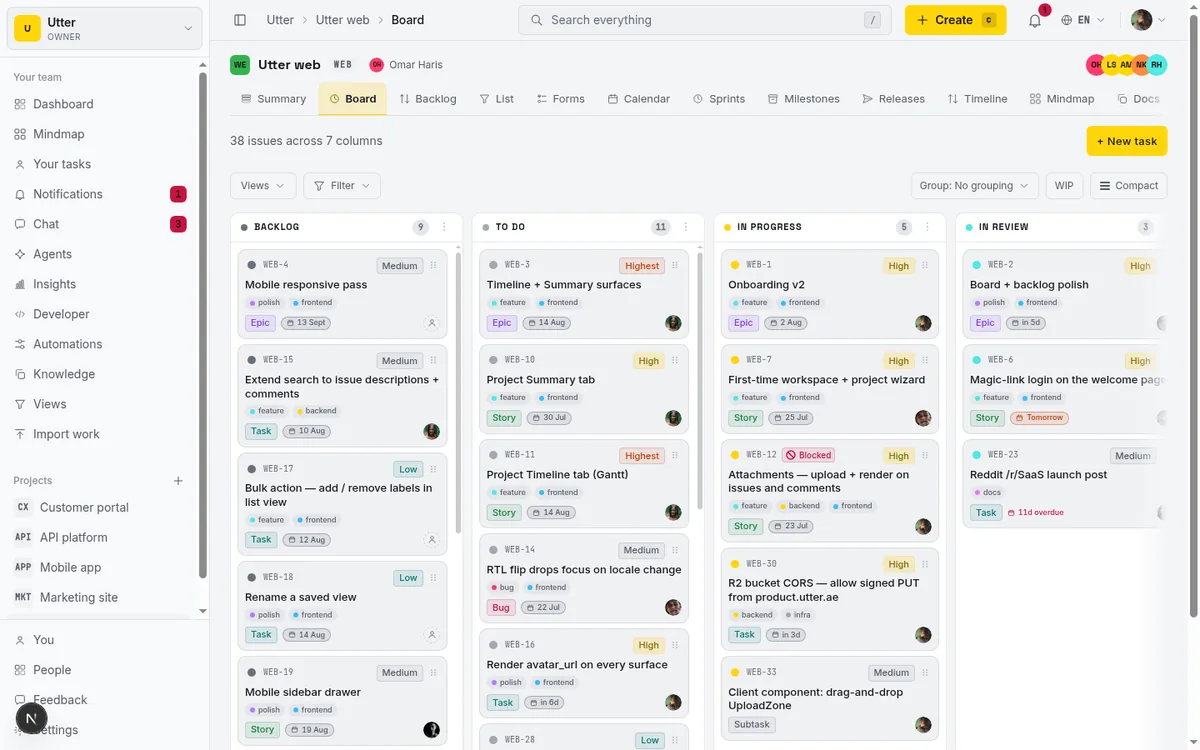
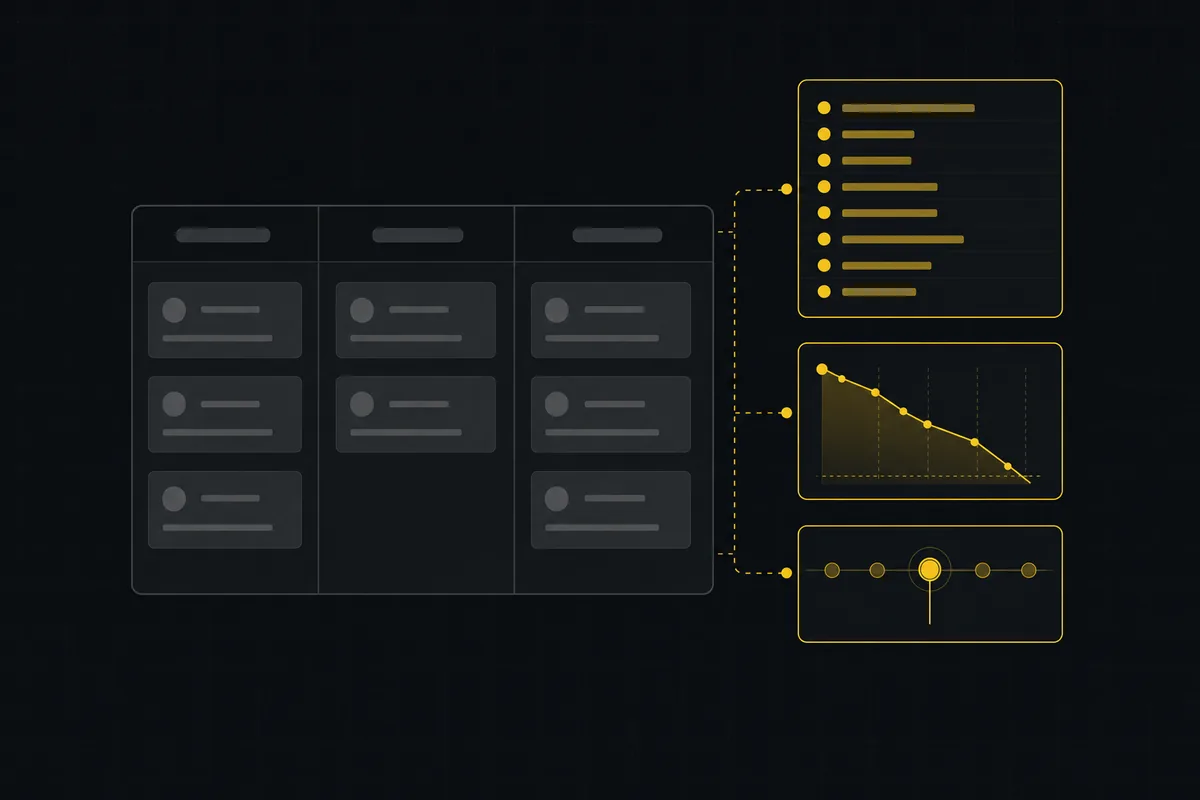
The board above is the anchor: columns are your custom statuses, cards drag between them optimistically, and the backlog and filterable list sit one click away. The sprints page (planned/active/completed with carryover) and the reports grid (donut plus burndown) turn that board into something you can actually run a sprint on. For the full walkthrough, see how to use a Kanban board.
And because Utter's automations act across the workspace rather than inside one database, an issue-created rule can route work and a doc change can wake the task that depends on it. That cross-database gap is exactly the one Notion leaves open; how to set up automations has the rule builder.
Notion vs Utter: the honest comparison (pricing and semantics)
Prices below are stated as of July 2026 from verified research. Where a Notion fact is not in that research, I left it out rather than guess.
| Notion | Utter | |
|---|---|---|
| Entry paid tier | Plus: $10/member/mo annual ($12 monthly) | Pro: $3/mo ($30/yr) per editor seat |
| Next tier | Business: $20/member/mo annual ($24 monthly) | Business: $6/mo ($60/yr) per editor seat |
| Free plan | Yes, with limits | Yes, feature-complete; capacity is the only ceiling |
| Viewers | Counted per member | Always free, never billed |
| Workflow statuses | Status property (a category-grouped tag) | Category-backed workflow system (project_statuses) |
| Native sprints / burndown | Template relation; no first-class burndown/velocity | Native sprints (planned/active/completed + carryover) and computed burndown |
| Cross-database automation | Automations run within a single database only | Automations act across the workspace, including a doc/issue link |
| File uploads | 5 MB on Free; unlimited on paid | Metered by plan storage (Free 128 MB) |
| Version history | 7d Free / 30d Plus / 90d Business / unlimited Enterprise | Doc version snapshots with restore on all plans |
| SSO / provisioning | SAML SSO on Business; SCIM + audit log Enterprise-only | Available on paid plans |
| AI | Notion AI incl. the Notion Agent is Business/Enterprise only (Free/Plus get a limited trial); advanced AI is usage-based at $10 per 1,000 monthly credits on top of subscription | Credit-metered: Free 25, Pro 5,000, Business 20,000 credits/mo; connected agents are free members |
| Database / row ceiling | Up to 250,000 rows per database | Issues are relational, not a single-database row cap |
Three rows are really the same distinction in different clothes: statuses are a tag in Notion and a category-backed system in Utter; sprints are a template relation versus a first-class object with carryover; automations stay inside one Notion database versus acting across the whole Utter workspace, which is what lets a doc and an issue talk to each other.
The fourth row is the one people miss: agent pricing. In Notion, the Notion Agent and Notion AI are gated to Business and Enterprise, and advanced AI is metered on top at $10 per 1,000 monthly credits (as of July 2026). In Utter, a connected AI agent is a workspace member with is_agent=1 and is never billed a seat. If you plan to put agents on your project data, that difference compounds fast. There is a whole post on it: do AI agents count as seats.
Be fair about where Notion wins: its per-database row ceiling is high, and its docs library is genuinely deeper and more flexible than Utter's. If your center of gravity is documents, that matters.
Agents that read the docs, not just the tracker
This is the part that is genuinely different, so it is worth being concrete.
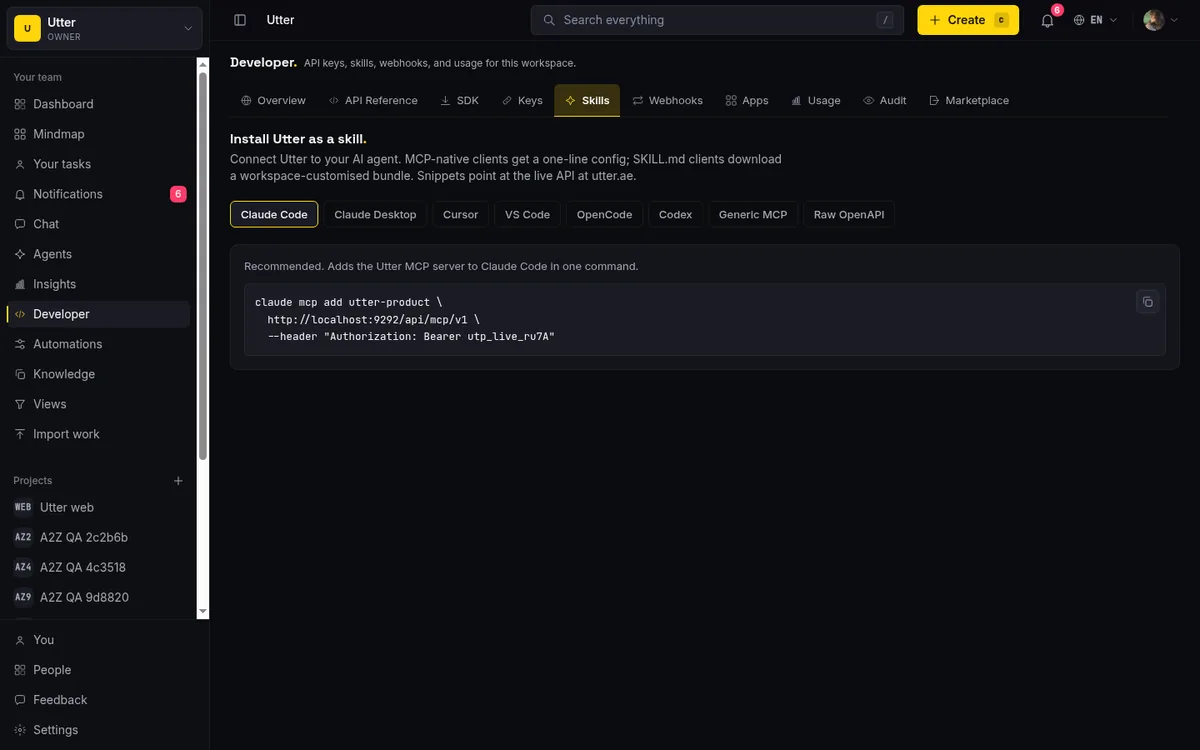
Utter ships a first-party MCP server named "Utter." Its tools are derived from the OpenAPI registry, so an agent connected over MCP gets the full REST surface as tools, not a hand-picked subset someone remembered to expose. Docs are part of that surface: they carry docs:read and docs:write scopes and cover list, detail, create, bulk, patch, export, comments, and versions. Workspace search is one endpoint under search:read that covers issues and docs together, Typesense-backed and typo-tolerant, and it is an MCP tool too.
Put those together and an agent can do what Notion's setup makes awkward: search the knowledge base, read the RFC it finds, then act on the issue that RFC governs, following the #d:<uuid> chip from issue to doc. Docs and tracker are one graph to the agent, not two apps stitched by a link.
Here is the main call: search the workspace, then list docs. The endpoints are GET /v1/workspaces/{slug}/search?q=...&types=issue,doc (scope search:read) and GET /v1/workspaces/{slug}/docs (scope docs:read).
# 1) Search issues AND docs in one call
curl -s "https://utter.ae/api/v1/workspaces/acme/search?q=rate%20limit&types=issue,doc" \
  -H "Authorization: Bearer $UTTER_API_KEY"

# 2) List docs (workspace knowledge base)
curl -s "https://utter.ae/api/v1/workspaces/acme/docs" \
  -H "Authorization: Bearer $UTTER_API_KEY"
const base = "https://utter.ae/api/v1/workspaces/acme";
const headers = { Authorization: "Bearer " + process.env.UTTER_API_KEY };
// 1) Search issues AND docs in one call
const q = encodeURIComponent("rate limit");
const hits = await fetch(base + "/search?q=" + q + "&types=issue,doc", {
headers,
}).then((r) => r.json());
// 2) List docs (workspace knowledge base)
const docs = await fetch(base + "/docs", { headers }).then((r) => r.json());import os, requests
from urllib.parse import quote
base = "https://utter.ae/api/v1/workspaces/acme"
headers = {"Authorization": f"Bearer {os.environ['UTTER_API_KEY']}"}
# 1) Search issues AND docs in one call
hits = requests.get(
f"{base}/search?q={quote('rate limit')}&types=issue,doc",
headers=headers,
).json()
# 2) List docs (workspace knowledge base)
docs = requests.get(f"{base}/docs", headers=headers).json()The search response interleaves both types in one ranked list (issue and doc rows carry different fields, exactly as the API serializes them):
{
  "data": [
    {
      "type": "issue",
      "key": "API-142",
      "id": "0192f3c1-9a4b-7de0-8c11-2b7f0a5e9d33",
      "title": "Rate limit returns 500 instead of 429",
      "project_key": "API",
      "project_slug": "api",
      "project_name": "Public API",
      "issue_type": "bug",
      "status": "in_progress",
      "priority": "high",
      "updated_at": "2026-07-14T09:12:44.000Z"
    },
    {
      "type": "doc",
      "id": "0192f3bd-77aa-7c02-9f5e-c1a0b8e42210",
      "title": "RFC: rate limiting v2",
      "icon": null,
      "project_slug": "api",
      "updated_at": "2026-07-13T16:40:02.000Z"
    }
  ],
  "pagination": { "next_cursor": "eyJvZmZzZXQiOjJ9" }
}
And the docs list returns the knowledge base pages, body and all:
{
  "data": [
    {
      "id": "0192f3bd-77aa-7c02-9f5e-c1a0b8e42210",
      "title": "RFC: rate limiting v2",
      "icon": null,
      "parent_id": null,
      "project_id": null,
      "body_md": "# RFC: rate limiting v2\n\nWe move to a token bucket per API key...",
      "created_at": "2026-07-10T11:03:20.000Z",
      "updated_at": "2026-07-13T16:40:02.000Z"
    }
  ],
  "pagination": { "next_cursor": null }
}
Contrast this honestly with Notion. Notion's agent is capable, but it is gated to Business and Enterprise and metered on top. Connecting an agent to Utter costs no seat at all.
And the governance is real, not a promise on a marketing page. Each agent can be pinned to an allowlist of issue fields it may write (per-agent field-write permissions), enforced at the single API write choke point every write funnels through, so an agent that should only touch status and comments cannot quietly reassign work. A review or done session with no attributed activity earns a read-time "unverified" badge, so a human can spot an agent that marked something complete without doing the work. Give your AI agent a knowledge base covers the docs-over-MCP path end to end.
When to stay on Notion
I would rather you make the right call than switch and regret it, so here are the honest reasons to stay put.
Stay on Notion if your primary need is a general-purpose wiki or a lightweight CMS. If you lean on databases-as-content, gallery and timeline views of pages, or publishing to a public website, Utter does not do those and is not trying to. Stay if you rely on Notion's deep block library or live multiplayer co-editing. And stay if your docs sprawl well beyond project work into full company-wiki territory, because Utter's docs are deliberately a project knowledge base, not a Notion-scale everything-doc.
There is also a migration reality. Moving a deep Notion workspace means bringing over prose and structure, not arbitrary database views and property-heavy pages one-to-one, because Utter's model is a relational tracker plus docs, not a database-as-page canvas. If most of your Notion value is in clever databases, that value largely stays in Notion.
Here is the quick decision guide:
flowchart TD
    A[What is your center of gravity?] --> B{Mostly docs and wiki?}
    B -->|Yes, and public pages or databases-as-content| C[Stay on Notion]
    B -->|Docs plus real project tracking| D{Need sprints, burndown, workflow statuses?}
    D -->|Yes| E[Utter: keep docs, gain a tracker]
    D -->|No, tags are enough| F[Notion databases are fine]
    A --> G{Putting AI agents on the work?}
    G -->|Yes, cost-sensitive| E
If you read that and stay on Notion, good. The advice was meant to be usable either way.
How to move without losing the docs
If the tracker side is what you came for, here is the realistic sequence. It is not a byte-for-byte mirror, and I won't pretend it is.
- Export the prose and structure from Notion. Pages become Utter docs. The templates map cleanly: an RFC becomes an RFC, meeting notes become meeting notes, and the nested structure comes across as a page tree.
- Stand up projects and their custom statuses to match how the team actually works, not how a default template thinks you should. This is where you finally get the columns you always wanted, backed by real categories.
- Import the tracker rows as issues via CSV or a service import. The rows that were pretending to be a tracker in a Notion database become actual issues with types, statuses, and assignees.
- Reconnect the links. Reference docs from issues with the
#d:<uuid>chip so the spec and the work that implements it are tied together in one tool, not by a pasted URL.
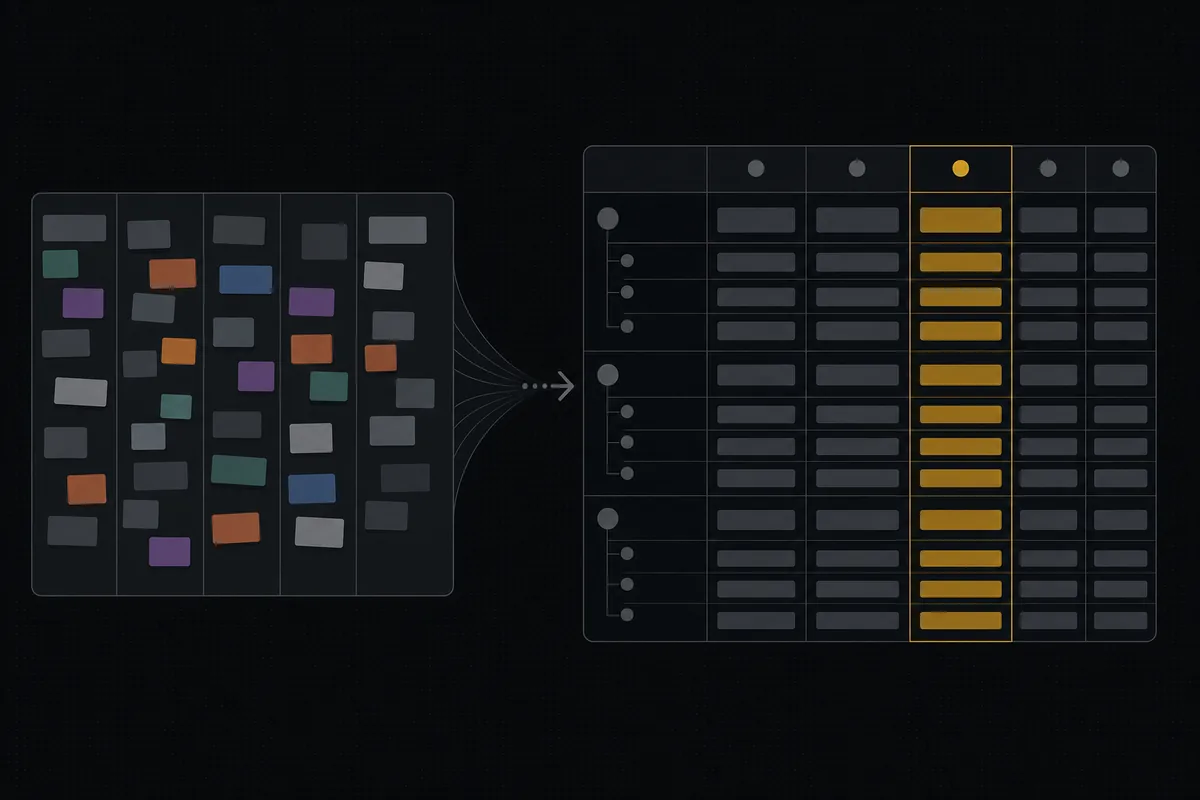
Be clear-eyed about the seams: database views and property-heavy Notion pages won't come across as-is. What you get is a clean tracker with the docs sitting right beside it, which is what most people looking for a Notion alternative for project management were actually after.
Two facts that lower the friction: auth is magic-link only, so there are no passwords to provision, and the whole product is bilingual English and Arabic with full RTL from a single language registry, so an Arabic-first team isn't a second-class citizen.
For the specifics of bringing your data over, how to import your project has the step-by-step.
Keep the docs you love, gain a tracker that behaves like one. If that trade sounds right, import your project and stand up your first board.
Frequently asked questions
Is Utter a full Notion replacement?
No, and it is better to say so up front. Utter's docs are a solid project knowledge base (nested pages, templates, version history, comments, cross-tool search), but not a general-purpose wiki or CMS. There is no databases-as-content, no gallery or timeline views of pages, no public-website publishing, and fewer block types than Notion. The pitch is to keep your project docs next to a real tracker, not to replace every Notion use case.
Does Notion have real sprints and burndown charts?
Notion offers a Tasks-Projects-Sprints template with a task-to-sprint relation. What it does not have, as of July 2026, is a native sprint object with a lifecycle (planned, active, completed), automatic carryover of incomplete work, and first-class burndown drawn from that object. Utter's sprints are that object, and its reports compute burndown for you.
How much does Notion cost compared to Utter as of July 2026?
Notion Plus is $10 per member/month billed annually ($12 monthly) and Business is $20 per member/month billed annually ($24 monthly), with Notion AI limited to Business and Enterprise plus a usage-based cost of $10 per 1,000 monthly credits. Utter is per editor seat: Free at $0, Pro at $3/month ($30/year), and Business at $6/month ($60/year), with viewers always free.
Can I keep my Notion docs and still get a proper issue tracker?
Yes, that is the intended path. You export prose and structure from Notion into Utter docs (templates like RFC and meeting notes map cleanly), import your tracker rows as issues, and reconnect them by referencing docs from issues with a #d: chip. Database views and property-heavy pages won't transfer as-is, but the docs and a real tracker end up in one tool.
Do AI agents cost an extra seat in Utter like Notion AI does?
No. A connected AI agent in Utter is a workspace member flagged is_agent=1 and is never billed a seat. Notion's agent and AI features are gated to Business and Enterprise and metered on top ($10 per 1,000 monthly credits, as of July 2026).
What is the difference between a Notion Status property and Utter's workflow statuses?
A Notion Status property is a colored tag grouped into To-do / In-progress / Complete. Utter's statuses are named, colored, ordered columns that each map to one of 7 fixed semantic categories (Jira's status vs status-category split), so is_open, resolvedAt, and every report stay correct regardless of how you name your columns. Utter also enforces per-column WIP limits and per-status allowed transitions on every write. One is a tag; the other is a workflow the software enforces.
Can an AI agent read my project docs and act on issues?
Yes. Utter ships a first-party MCP server whose tools are derived from the OpenAPI registry, so an agent gets the full REST surface, docs included (docs:read / docs:write). Workspace search covers issues and docs over one typo-tolerant endpoint (search:read). An agent can search the knowledge base, read the RFC, and act on the linked issue, following the #d: chip. Per-agent field-write permissions and an unverified badge keep that access governed.
How many rows can a Notion database hold, and is that the real problem?
A single Notion database holds up to 250,000 rows, and each page is capped at 2.5MB of property data. That is a high ceiling, and not the real problem for most teams. The honest critique of Notion as a tracker is about semantics, not scale: status is a property rather than a workflow-category system, there is no native sprint or burndown, and automations cannot reach across databases. Do not switch because you fear a row limit; switch because you want tracker semantics.
Related reading
Monday.com alternatives built for software teams, not marketing ops
Monday.com alternatives for software teams: real pricing (3-seat minimum vs $3/$6 per builder seat), category-backed statuses, sprints with carryover, and agents as free members not billed integrations.
July 16, 2026 · 12 min read

Claude Code task management: give your agent a real tracker, not a markdown file
Give Claude Code persistent, attributed task management by connecting a real tracker over MCP instead of a markdown file. Honest comparison to Task Master, as of July 2026.
July 16, 2026 · 12 min read
A Trello alternative for when a board stops being enough
Trello alternative comparison: what breaks when a board stops being enough, an honest Trello vs Utter pricing and feature comparison as of July 2026, and how to keep the board while adding sprints, a ranked backlog, and reports.
July 16, 2026 · 12 min read
A GitHub Issues alternative for when projects outgrow a repo
GitHub Issues alternative for teams that outgrew Issues but keep GitHub for code: real statuses, ranked backlog, burndown, commit linking, and free AI-agent seats.
July 16, 2026 · 13 min read
Custom workflow statuses
Build custom Jira-style board columns in Utter and enforce status transition rules across the board, API, bulk edits, and automations. With the honest limits.
July 15, 2026 · 18 min read

Story points or hours, and parallel sprints when squads share a project
Utter now estimates in story points or hours per project (Fibonacci scale, points-based velocity) and runs parallel sprints when squads share a project. Both opt-in, on every plan.
July 17, 2026 · 7 min read

What an AI issue tracker actually is, and how to pick one
Most tools that say AI issue tracking mean a summarize button. A five-part checklist for what the label should mean, plus the failure modes to test in a pilot.
July 15, 2026 · 8 min read
ClickUp alternatives for teams who want calm, not more features
ClickUp alternatives for teams who want a calm tracker they will actually adopt. Honest July 2026 pricing and AI-cost tables, where ClickUp still wins, and Utter's free agent members.
July 16, 2026 · 15 min read

How to read the project summary
Read the Utter project Summary tab like a pro: what every card shows, how each number is computed, what good looks like, and where the dashboard stops.
July 15, 2026 · 16 min read
Scrum vs kanban: choose per project, not per religion
Scrum vs kanban: choose the methodology per project, not per team religion. The one mechanic that actually differs, when each fits, an honest Utter vs Jira/Linear/Trello price and feature comparison (as of July 2026), and how to switch a project between the two with zero migration.
July 16, 2026 · 11 min read
Add a comment
Start the conversation.