
Project management for solo founders (you plus a few agents is the team)

You wear every hat. You are the product team deciding what ships next, the support person answering the one customer who found a bug, the marketer who keeps meaning to write the changelog, and the founder who has to hold all of it in your head at once. Project management for solo founders is not about enterprise features you will never open. It is about not dropping the ball while your attention gets yanked between code, a support email, and a half-finished landing page. The tool has to hold everything without charging you like you have a staff you do not have.
This guide is about running that setup where the team is you plus a few AI agents, at $0, on a plan that grows by adding agents instead of adding seats. Two jobs matter above the rest: capture everything so nothing slips, and let a couple of agents actually pick work up and do it. Get those right and the rest is detail.
The real problem: one person, every hat, things slipping through
Ask any indie hacker what breaks first and it is never the feature list. It is memory. You fix a bug at 11pm, tell yourself you will file a follow-up ticket, and by morning it is gone. A customer mentions an edge case in a DM. You mean to add it to the roadmap. Three weeks later they hit it again and you realize you never wrote it down. The failure mode for a solo founder is not "we lack a Gantt chart." It is the quiet erosion of the things that fell out of your head between context switches.
So a project management tool for a one-person company has a shorter job description than the sales pages suggest. It needs to be a place where you can dump a thought in five seconds and trust it will still be there later. It needs low ceremony, because every field you are forced to fill in is a tax you pay against your own momentum. And, increasingly, it needs to grow with the AI agents you point at your codebase, because "the team" for a modern solo founder is starting to mean you and a couple of coding agents, not you alone.
That last part is where most tools were not designed for how you actually work. They assume "adding help" means adding a human, which means adding a seat, which means paying more. If your help is a Claude Code agent or a Codex agent doing real work, the pricing model should not treat it like a new hire on payroll. Hold that thought, because it is the whole argument of this post.
Why per-seat pricing quietly works against a solo founder
There is nothing shady about seat-based pricing. It is the honest way most tools make money, and for a growing team of humans it is fair enough. The problem is narrower: seat pricing was built for a world where "more capacity" always meant "more people paying." A solo founder who wants help, whether from a collaborator or from the tool's own paid features, trips the meter the moment they reach for it.
Look at the free tiers as they stand, all figures as of July 2026. Jira's Free plan caps at up to 10 users with 2 GB of storage, and the first paid tier (Standard) is $7.91 per user per month. Atlassian's Maximum Quantity Billing, rolled out in 2025, bills on your peak user count during a cycle with no refund for users you remove mid-cycle, so a spike costs you even after you scale back down. Linear's Free plan is generous on people (unlimited members) but caps at 2 teams, 250 non-archived issues, and 10 MB file uploads, with Basic at $10 per user per month billed yearly. Trello's Free plan gives you 10 boards per Workspace, up to 10 collaborators, 250 automation runs a month, and 10 MB per file, and Standard is $5 per user per month billed annually.
The others tell the same story from different angles. Asana's free plan (Personal) caps at up to 2 users and has no AI features at all; those start on the Starter plan at $10.99 per user per month billed annually. ClickUp's Free Forever plan is unusually open on members (unlimited) but squeezes you on storage at 60 MB, with Unlimited at $7 per user per month billed yearly. Notion's Free plan limits file uploads to 5 MB each and limits blocks once a workspace has two or more members (a single person gets unlimited blocks), with guests capped at 10; Plus is $10 per seat per month billed annually.
None of that is a knock on any of these tools. They are good products. The point is structural: for a founder whose plan is "me plus a few agents," every one of these designs turns "add help" into "add cost," because help is modeled as a person in a seat. If your definition of team includes machines that do work, you want a tool where that does not automatically move the invoice.
What "feature-complete free" means (and what it does not)
Utter's Free plan is $0, and the thing worth saying plainly is that it ships the same base feature set as the paid plans. Board, backlog, list, calendar, sprints, timeline, docs, integrations, reporting, and the AI assistant are all there on Free. Capacity is the ceiling, not a stripped-down feature list. You are not getting a demo with the useful parts locked behind a wall.
Here is the honest version of the caps, because a post that hides them is not worth reading. Free gives you 128 MB of total storage, 1 MB per file upload, 5 active projects, 1,000 import rows per run, 2 active automation rules, and 25 AI credits a month (roughly five chat turns). The paid-only additions are custom roles, SSO, the audit log, and automation beyond 2 rules. So "feature-complete Free" means the whole tracking product is in your hands from day one. It does not mean unlimited storage, and it does not mean the AI assistant is a workhorse at the free grant. Storage and heavy AI are exactly where a busy founder will feel the free tier's edges, and I would rather you know that now than discover it mid-project.
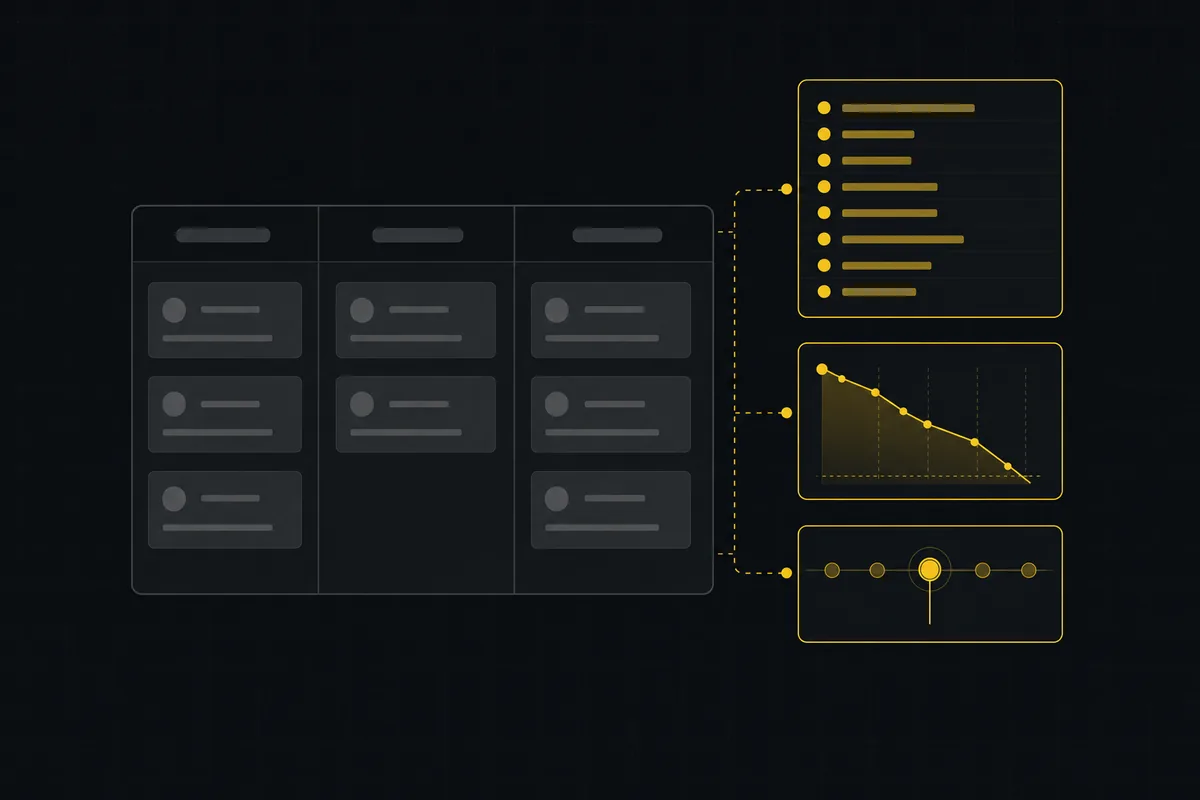
What you get out of the box is a real board, not a placeholder.
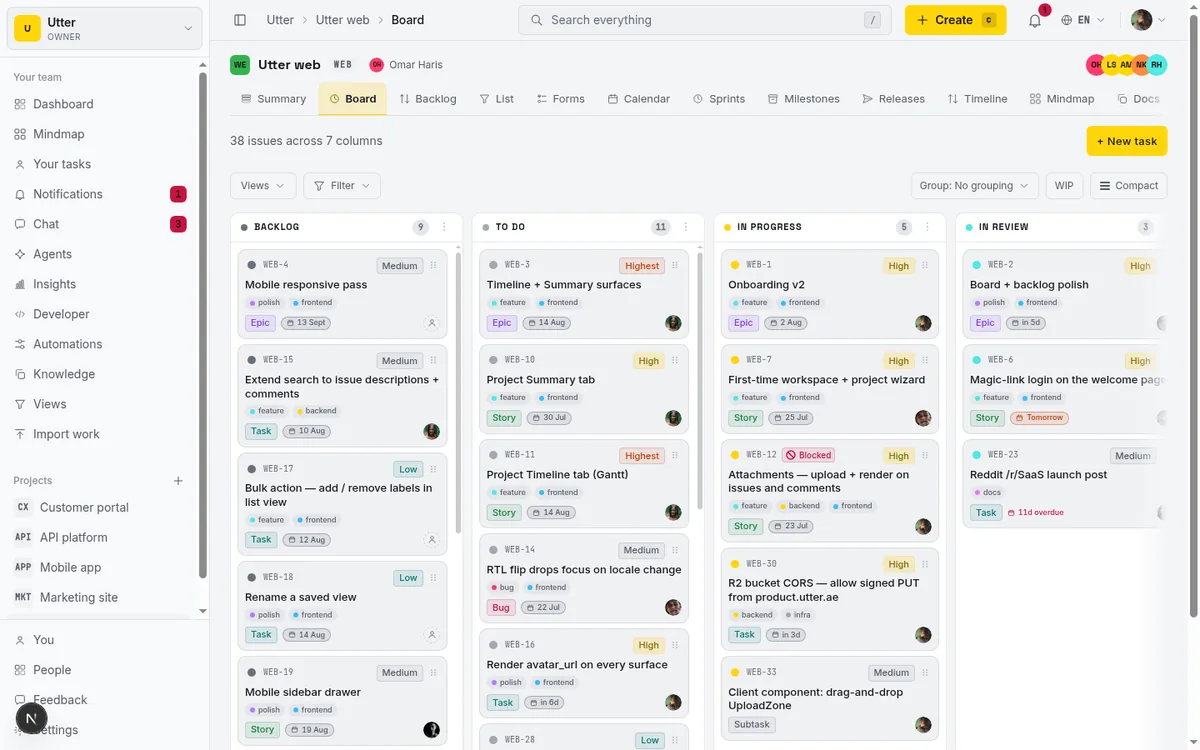
Those columns are the project's own statuses (seeded with 7 sensible defaults per project), which you rename, recolor, and reorder. Alongside the board you get a backlog ranked with LexoRank so drag-to-prioritize is stable, a filterable list view, and a calendar. For one person, that is enough surface to run the whole operation without paying anyone.
The part that changes the math: agents are free members, not a seat
This is the angle that actually moves the numbers. In Utter, an AI agent is a real workspace member. Under the hood it is an is_agent user with a workspace_agents profile and its own API key, so it shows up in pickers, gets assigned issues, comments, and changes status like any member would. And it is never billed as a seat. The seat count filters out agents, and viewers are free too; only owner, admin, and member roles bill. So your "team" can be you (one founder on Free) plus several agents, and the invoice stays at $0.
These are not chatbots bolted onto the side. An agent can be assigned an issue, leave comments, and move a ticket across the board through the REST API or the first-party MCP server. When you assign work to an agent, Utter auto-creates a pending session for it, so there is a record that a job is waiting to be claimed. From there the session moves through real, human-review states: pending, running, needs_input, review, done, failed, cancelled. If a session sits in review or done without any attributed work on the issue, it gets an "unverified" badge, so you are not fooled by an agent that marked something complete and did nothing. If a running session goes 30 minutes with no heartbeat, it renders as stalled. And per-agent field permissions let you restrict what each agent is even allowed to write, enforced at a single API choke point that covers REST, transitions, and MCP alike.

Being fair about the competition: Utter is not the only tool with AI in July 2026. Linear bundles its agent platform (agents that can be assigned issues) into every tier, including Free, with no separate per-agent or per-token fee. Atlassian bundles Rovo (AI Search, Chat, and Agents) into paid Jira seats with no extra line item, though each paid seat earns a limited monthly credit pool (25 credits on Standard, 70 on Premium), and a standalone Rovo option is planned at $5 per user per month. So rivals have AI, and some of it is genuinely good. The difference here is not "we have AI and they do not." It is that in Utter an agent is a first-class member: assignable, attributed to its own key, permissioned per field, and tracked as a session with review states, all at $0. That is a different claim from "there is a chat feature."
The honest comparison: free tiers, seat prices, and what agents cost
Here is the table to screenshot. Every number is as of July 2026 and comes from each vendor's published pricing.
| Tool | Free member cap | Free storage / file limit | Free project/board cap | First paid seat | How AI agents are priced |
|---|---|---|---|---|---|
| Utter | You + unlimited free agents and viewers | 128 MB total / 1 MB per file | 5 active projects | Pro $3/seat/mo ($30/yr) | Agents are free members, never a seat |
| Jira | Up to 10 users | 2 GB | Task-based, not board-capped | Standard $7.91/user/mo | Rovo bundled in paid seats, 25 credits/seat on Standard |
| Linear | Unlimited members | 10 MB per file | 2 teams / 250 issues | Basic $10/user/mo (yearly) | Agent platform bundled on all tiers incl. Free |
| Trello | Up to 10 collaborators | 10 MB per file | 10 boards/Workspace | Standard $5/user/mo (yearly) | Automation runs capped (250/mo on Free) |
| Asana | Up to 2 users | Plan-based | Task-based | Starter $10.99/user/mo (yearly) | No AI on free; AI starts on Starter |
| ClickUp | Unlimited members | 60 MB total | Task-based | Unlimited $7/user/mo (yearly) | AI is a paid add-on |
| Notion | Block-limited past 1 person | 5 MB per file | Page-based | Plus $10/seat/mo (yearly) | AI is a paid add-on |
Read the table the way a solo founder should: the line that matters for your situation is the last one. If your plan is to keep the team human and small, several of these free tiers are fine, and Linear's unlimited-members-on-Free is legitimately attractive. But if your plan is you plus a handful of agents doing real ticket work, the seat-versus-agent distinction is the one that changes what you pay as you grow. For a deeper walk through the free tiers on their own terms, the honest guide to free project management software goes claim by claim, and if you specifically want the Jira angle there is a breakdown of what per-seat pricing costs versus the alternatives.
Setting it up: a real board, docs, and one agent at $0
Enough theory. Here is the actual path from nothing to a working board with an agent doing a job.
1. Sign in and create a workspace. Auth is magic-link only, no passwords. You request a link, Utter emails you a single-use token good for 15 minutes, and clicking it drops a new user onto /onboarding to create the first workspace. That is the whole ceremony.
2. Set up the board, backlog, and docs. Your project comes with a board whose columns are its own custom statuses (7 seeded defaults you can edit), plus a backlog ranked with LexoRank, a list view, and a calendar. Docs and a workspace knowledge base live in the same workspace, so your board and your notes are not in two different tools. For a solo founder that co-location matters more than it sounds, because you are the only one who has to find things again later. There is a full walkthrough of creating your first workspace if you want the step-by-step, and one on writing project docs that live next to the board.
3. Connect one agent and hand it a job. From the agents hub you connect an agent (Claude Code, Codex, Cursor, Copilot, Gemini CLI, DeepSeek, Kimi, Perplexity, or a Custom agent) and give it an API key.
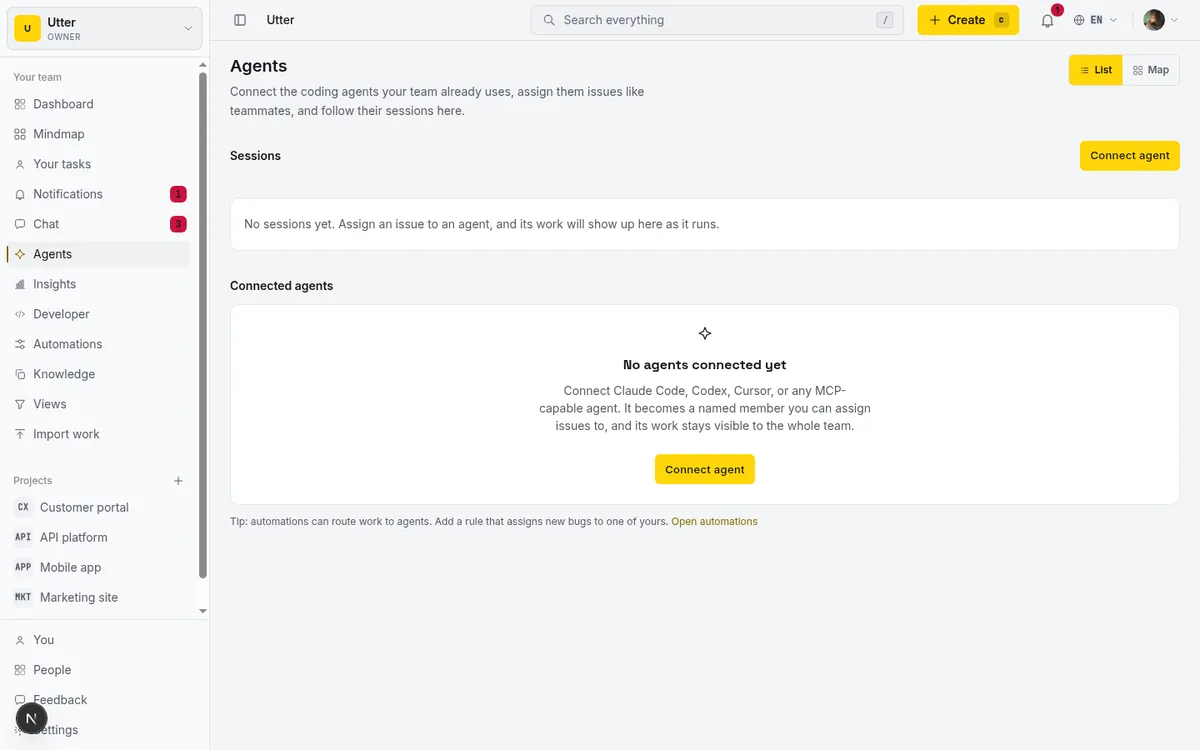
Once it has a key, the agent creates and updates issues on the same board you see. The core call is creating an issue. The endpoint is POST /v1/workspaces/{slug}/projects/{key}/issues, and type and title are the only required fields. Auth is a bearer token: Authorization: Bearer utp_live_.... Here is an agent filing a customer-reported bug (leave it unassigned on create, or set assignee to a real member id or email):
curl -X POST \
  "https://utter.ae/api/v1/workspaces/acme/projects/WEB/issues" \
  -H "Authorization: Bearer $UTTER_API_KEY" \
  -H "Content-Type: application/json" \
  -d '{
    "type": "bug",
    "title": "Checkout button dead on iOS Safari",
    "description_md": "Reported by a customer. Tap does nothing on iOS 18.",
    "priority": "high"
  }'
const res = await fetch(
"https://utter.ae/api/v1/workspaces/acme/projects/WEB/issues",
{
method: "POST",
headers: {
Authorization: `Bearer ${process.env.UTTER_API_KEY}`,
"Content-Type": "application/json",
},
body: JSON.stringify({
type: "bug",
title: "Checkout button dead on iOS Safari",
description_md: "Reported by a customer. Tap does nothing on iOS 18.",
priority: "high",
}),
},
);
const issue = await res.json();import os, requests
res = requests.post(
"https://utter.ae/api/v1/workspaces/acme/projects/WEB/issues",
headers={
"Authorization": f"Bearer {os.environ['UTTER_API_KEY']}",
"Content-Type": "application/json",
},
json={
"type": "bug",
"title": "Checkout button dead on iOS Safari",
"description_md": "Reported by a customer. Tap does nothing on iOS 18.",
"priority": "high",
},
)
issue = res.json()The response comes back as the created issue, with its stable key and the URL a human can open. Because this create left the issue unassigned, assignee_id is null and it lands in the default Backlog column:
{
  "data": {
    "id": "0192f3a1-7c4b-7e2a-9d33-8c1e2f4a6b7d",
    "key": "WEB-142",
    "url": "https://utter.ae/w/acme/p/web/WEB-142",
    "number": 142,
    "type": "bug",
    "title": "Checkout button dead on iOS Safari",
    "status": "backlog",
    "status_name": "Backlog",
    "priority": "high",
    "assignee_id": null,
    "assignees": [],
    "labels": [],
    "created_at": "2026-07-16T09:20:11.000Z"
  }
}
The other half of the loop is the agent knowing its own queue. The list endpoint supports an assignee=me filter that resolves to the calling key's own user, so once you have assigned work to an agent, it asks "what is assigned to me" with a plain GET:
curl "https://utter.ae/api/v1/workspaces/acme/projects/WEB/issues?assignee=me&status=todo" \
  -H "Authorization: Bearer $UTTER_API_KEY"
That is the whole shape of it. A customer report or your late-night note lands as an issue, you assign it to an agent, the agent pulls its queue, does the job, and moves the ticket. For a more careful take on handing an agent its first task without it running wild, see scoping an AI agent's first job, and there is a broader guide to managing a team of AI agents once you have more than one. If you want the connect flow on its own, how to connect an AI agent covers each provider.
Here is the loop in one picture:
flowchart LR
  A[Customer report or your note] --> B[Issue on the board]
  B --> C[Assign to an agent]
  C --> D[Pending session created]
  D --> E[Agent pulls assignee=me]
  E --> F[Agent does the work]
  F --> G[Session: review or done]
  G --> H[You verify and merge]
When free stops being enough (and what the trial buys you)
I would not trust this post if it did not tell you where Free runs out. So here it is, straight.
The ceilings that bite a growing solo founder are storage and AI first. 128 MB of total storage with a 1 MB per-file cap goes fast if you are a design-heavy founder stashing mockups and screenshots on tickets. The AI assistant is available on Free, but 25 credits a month is roughly five chat turns; it is a taste to see if the assistant helps you, not a workhorse you can lean on daily. Free also caps automation at 2 active rules, so if your workflow leans on automatic routing and status changes, you will outgrow that. And 5 active projects is plenty for most solo founders but a real limit if you juggle many small experiments.
Paid is deliberately cheap. Pro is $3 per seat per month ($30 a year) and Business is $6 per seat per month ($60 a year). The jump that matters is AI headroom and governance: Pro comes with a 5,000-credit monthly AI grant and Business with 20,000, alongside the paid-only controls (custom roles, SSO, audit log, and automation beyond 2 rules). There is also a 14-day Pro reverse trial, granted once per user on your first workspace, which includes 100 AI credits during the trial; workspaces you create later start on Free. And a single user may own up to 3 unpaid workspaces, so you can run a few free projects side by side without paying.
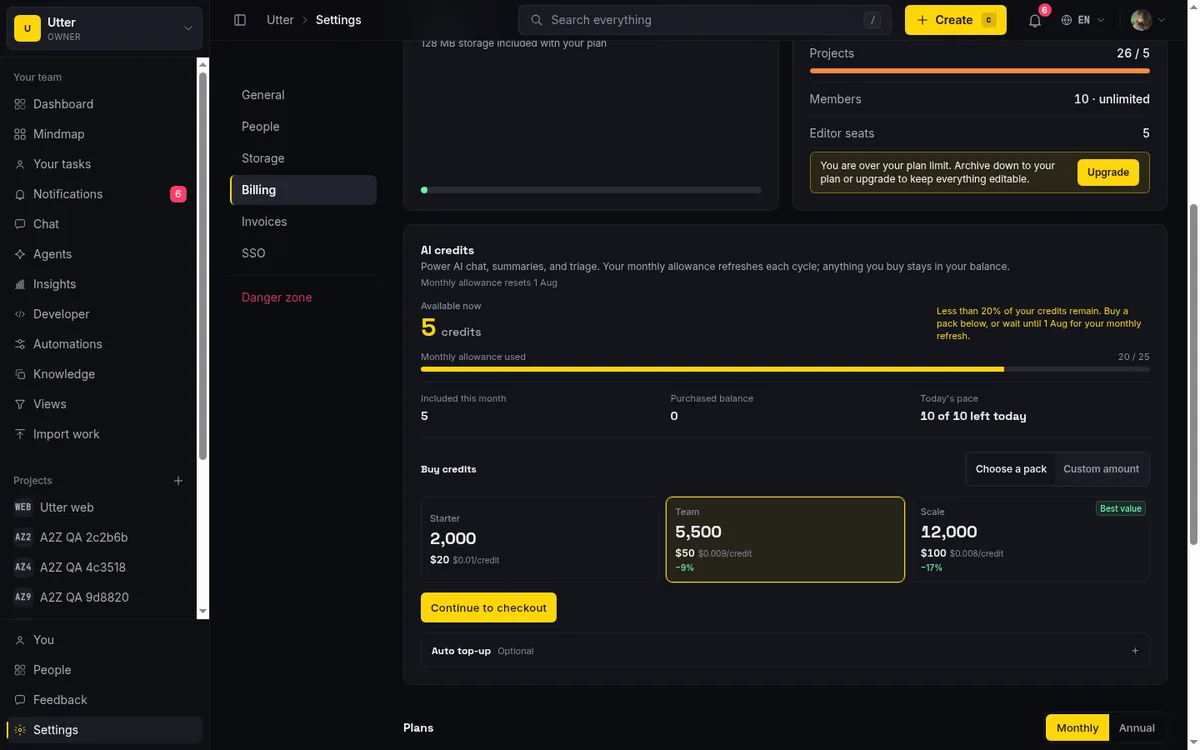
One honest boundary to keep straight: Utter gives you the board, the attribution, the sessions, and the per-field permissions, but it does not run the agent's model or compute for you. The agent itself is Claude Code, Codex, Cursor, or whichever provider you connected, driving the board over the REST API or MCP. Utter is where the work is tracked and governed, not the thing burning tokens on your behalf. If you are weighing what the built-in AI assistant does versus what a connected agent does, how to use the AI assistant draws that line, and for the seat question specifically there is a short piece on whether AI agents count as seats.
Start free, connect one agent, and see whether "you plus a few agents" feels like a team. Create a workspace and hand your first ticket to an agent today.
Frequently asked questions
Is Utter really free for a solo founder, or is it a limited trial?
It is genuinely free, not a countdown. The Free plan is $0 with no expiry and ships the same base features as paid (board, backlog, list, calendar, sprints, timeline, docs, integrations, reporting, AI). Capacity is the ceiling: 128 MB storage, 1 MB per file, 5 active projects, 2 automation rules, and 25 AI credits a month. Separately, there is a one-time 14-day Pro trial, but Free stands on its own after it.
Do AI agents count as paid seats in Utter?
No. An agent is a real workspace member with its own profile and API key, but the seat count excludes agents, so a connected agent adds no charge. Viewers are free too. Only owner, admin, and member roles bill as seats.
What are the actual limits on the free plan?
128 MB total storage, 1 MB per file upload, 5 active projects, 1,000 import rows per run, 2 active automation rules, and 25 AI credits per month (about five chat turns). The paid-only additions are custom roles, SSO, audit log, and automation beyond 2 rules.
Can one person run a full board, backlog, and docs on the free plan?
Yes. The board columns are your project's custom statuses (7 seeded defaults), the backlog is LexoRank-ranked, and you also get list and calendar views. Project docs and a workspace knowledge base live in the same workspace, so tracking and notes stay together for one person.
How is this different from Linear or Jira, which also have AI now?
Rivals do have AI as of July 2026. Linear bundles an agent platform on every tier including Free, and Atlassian bundles Rovo into paid Jira seats with a per-seat credit pool. The difference is that in Utter an agent is a first-class member: assignable, attributed to its own key, permissioned per field, and tracked as a session with review states, at $0, rather than only a chat or search feature.
Which AI agents can I connect, and does Utter run them for me?
You can connect Claude Code, Codex, Cursor, Copilot, Gemini CLI, DeepSeek, Kimi, Perplexity, or a Custom agent. Utter provides the board, the API and MCP surface, attribution, sessions, and per-field permissions. It does not run the agent's model or compute; the agent runs on its own provider and drives your board over the REST API or MCP.
How much AI can I use for free before I have to pay?
The Free grant is 25 AI credits a month, roughly five chat turns, meant as a try-before-buy taste. Paid plans raise that a lot: Pro includes 5,000 credits a month and Business 20,000. The 14-day Pro trial adds 100 credits during the trial.
When should a solo founder upgrade from Free to a paid plan?
Upgrade when you hit storage (design-heavy work fills 128 MB quickly), when 25 AI credits a month is not enough to actually use the assistant, when you need more than 2 automation rules, or when you need governance like custom roles, SSO, or an audit log. Pro is $3 per seat per month ($30 a year); Business is $6 ($60 a year).
Related reading

Free project management software: what the free tiers actually give you
What the free tiers of Trello, Asana, ClickUp, Notion, and Jira actually give you (as of July 2026), which cap stops a small team first, and how Utter Free compares.
July 16, 2026 · 11 min read

Asana alternatives that cost less and speak agent
Asana alternatives for growing teams: how Asana's tiered seats round your bill up, and how Utter's $3 per-editor pricing with free viewers and agents changes the math. As of July 2026.
July 16, 2026 · 12 min read

Jira alternatives in 2026: what you actually pay per seat
Six Jira alternatives compared honestly: Linear, ClickUp, Asana, Monday, Trello, and Utter, with real per-seat math and where each one actually fits.
July 11, 2026 · 8 min read

Looking for a Linear alternative? Start with who pays
Where teams leaving Linear actually go, Jira, ClickUp, Asana, GitHub Projects, Utter, and the seat math and agent support that should drive the choice.
July 12, 2026 · 8 min read

Project management for small agencies (clients in, chaos out)
Project management for agencies without the seat tax: scoped projects isolate each client, guests and viewers are free, and public forms take intake with no account.
July 16, 2026 · 13 min read

The MCP audit: which project tools can AI agents actually use? (July 2026)
We audited the MCP servers of 13 project management tools: who has one, what agents can really do, the call caps, and the gaps nobody mentions.
July 15, 2026 · 7 min read

The best AI project management software in 2026, honestly ranked
Eight AI project management tools ranked with a stated lens: what the AI really does, what it costs on top of the seat price, and who each one fits.
July 15, 2026 · 10 min read
ClickUp alternatives for teams who want calm, not more features
ClickUp alternatives for teams who want a calm tracker they will actually adopt. Honest July 2026 pricing and AI-cost tables, where ClickUp still wins, and Utter's free agent members.
July 16, 2026 · 15 min read

Do AI agents count as seats? The real cost of running agents on your tracker
Two costs get blurred together: paying a seat per bot, and the tokens the model burns. Here is how to separate them and estimate what agents actually cost.
July 15, 2026 · 6 min read
A Trello alternative for when a board stops being enough
Trello alternative comparison: what breaks when a board stops being enough, an honest Trello vs Utter pricing and feature comparison as of July 2026, and how to keep the board while adding sprints, a ranked backlog, and reports.
July 16, 2026 · 12 min read
أضف تعليقًا
ابدأ النقاش.