
How to scope an AI agent's first job so the pilot doesn't die

When a first AI agent project dies, the postmortem usually blames the model. It was not smart enough, it hallucinated, it missed the obvious thing. That is almost never the real reason. The model was fine. The scope was wrong before anyone wrote a line of prompt.
We build a project tracker that agents work in, so we have watched a lot of first pilots. The ones that stall out share a shape, and it is not a shape you fix by swapping in a bigger model. You fix it by picking a better first job.
The three ways scope kills a pilot
Bad scope fails in one of three ways, and it helps to name which one you are about to walk into.
Too broad to finish. Someone says "let the agent manage the backlog" or "have it run standups." That is not a job, it is a department. The agent does a bit of everything, none of it fully, and there is no point where you can say it worked. The pilot never reaches a verdict, so it just fades.
Too vague to evaluate. The job sounds narrow but you cannot actually tell if the agent did it right. "Keep the board tidy." Tidy by whose definition? Without a checkable outcome you are left squinting at the output and going on vibes, which means you never build real trust and you never let go of double-checking.
Too risky to run unattended. The job is clear and checkable, but a wrong move is expensive. It closes tickets, emails customers, deletes things. So you hover over every action, and an agent you have to babysit is slower than doing the task yourself. You quietly stop.
Notice that none of these are model problems. All three are decisions you make when you choose the job. Which is good news, because it means the part that decides whether you ship is the part you fully control.
What a good first job looks like
A first job worth running has five properties. Not three, not "some of these," all five. If one is missing, keep looking.
Narrow. It is one task, not a workflow. You can describe it in a sentence without the word "and."
Repetitive. It happens often enough that automating it is worth the setup, and often enough that you accumulate evidence quickly. A weekly job gives you four data points a month. A per-issue job might give you forty.
Checkable. You can look at the output and know, quickly and without ambiguity, whether it did the thing. This is the property people skip, and it is the one that matters most, because it is what lets you stop watching.
Reversible. When it gets one wrong, you can undo it in seconds and nothing downstream broke. Reversible jobs let you tolerate mistakes while trust is still forming. Irreversible ones do not.
Clear done-condition. There is a defined state that means "finished," not a fuzzy sense of progress. The agent knows when to stop, and so do you.
The five gates, in the order to apply them:
flowchart TD
    J["A candidate first job"] --> N{"Narrow: one task, no 'and'?"}
    N -->|yes| R{"Repetitive enough to build evidence?"}
    R -->|yes| C{"Checkable at a glance?"}
    C -->|yes| V{"Reversible in seconds?"}
    V -->|yes| DC{"Clear done-condition?"}
    DC -->|yes| G["Run the pilot"]
    N -->|no| K["Keep looking"]
    R -->|no| K
    C -->|no| K
    V -->|no| K
    DC -->|no| K
Read those back and you will notice they describe how you would onboard a careful new hire, not how you would deploy software. That is the right mental model. You are not installing a feature. You are giving someone their first assignment and watching how they handle it.
Three jobs that fit
Abstract criteria are easy to nod at, so here are three first jobs that pass all five, in the context of a project tracker.
A triage agent that only labels and routes new issues in one project. A bug report lands, the agent reads it, checks for duplicates, sets a type, a priority, and a label, files it in the right project, and stops. It never closes anything, never replies to anyone. Narrow, repetitive (every new issue), checkable (open the ticket, is the label right), reversible (relabeling takes two seconds), and the done-condition is obvious: the issue is triaged and sitting in the queue. This is the one we recommend most often for a reason.
A reporting agent that drafts the weekly digest. Once a week it reads what changed across a project and writes a summary a human then sends or edits. It is read-mostly, which makes it about as low-risk as an agent gets. The done-condition is a draft in your inbox. The only thing it can get wrong is the writing, and you are reading that anyway before it goes out.
An agent that keeps one board column moving. Give it a single column, say "In review," and one job: nudge anything that has gone quiet, or move things that meet a clear rule into the next state. One column means one place to look when you want to check it, and the blast radius of a mistake is exactly that column.
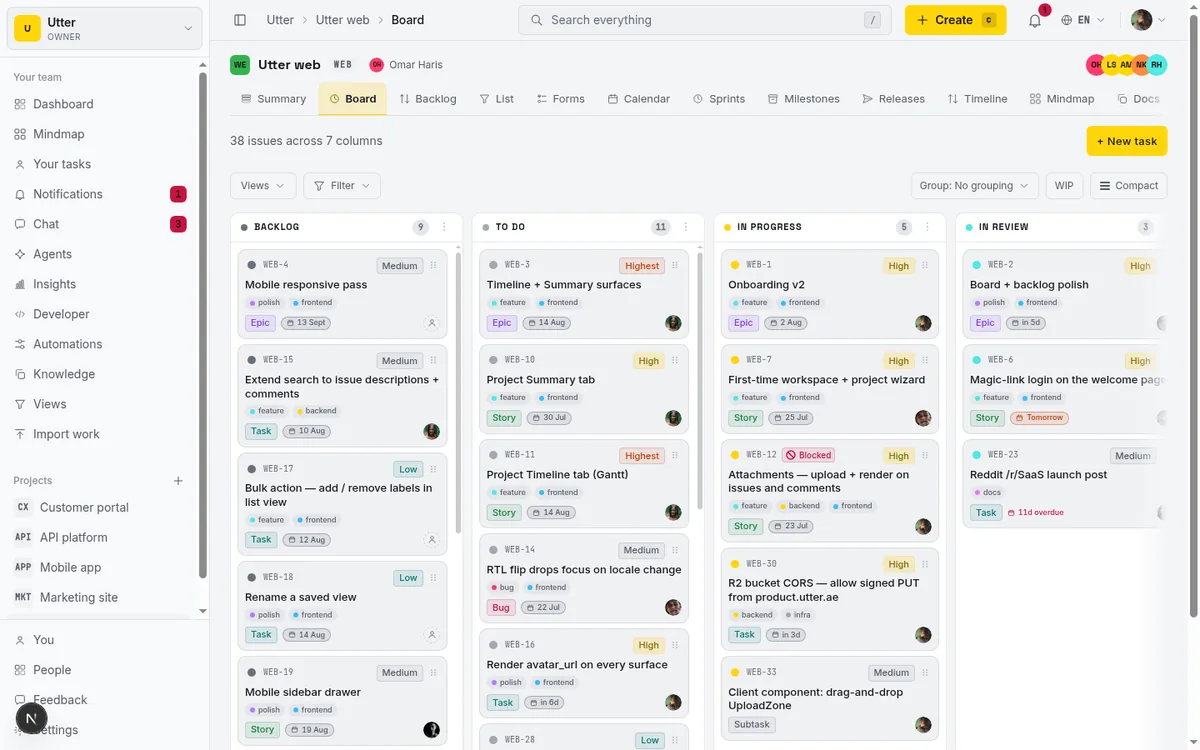
What none of these are: "help the team be more productive." That is a wish, not a job. If you cannot draw a box around what the agent touches and what "done" means, you are still in the too-vague trap.
Encoding the scope in Utter
Once you have picked a job, most of scoping it well is mechanical. Here is how the pieces map onto Utter specifically.
Point the agent at one issue type or one column. You do not have to let a triage agent see the whole workspace. Aim it at a single project, or a single column, and let it work there. A smaller surface is a smaller thing to reason about and a smaller thing to review.
Define "done" as a status plus acceptance criteria. This is where the fuzzy jobs get sharp. In Utter a status move is a real, recorded event, so make the done-condition a specific column: the agent's job is finished when the issue reaches "Needs review." Write the acceptance criteria into the issue itself so both the agent and the reviewer are reading the same definition of right. Now "checkable" is not a vibe, it is a state you can see on the board.
Give the agent its own scoped key, and start read-mostly. Every Utter agent is a real workspace member with its own API key, so its actions are attributed to it in the activity history and you can revoke it alone. Scope that key to read broadly and write narrowly. Better yet, on the first pass, grant almost no write access at all. Let the agent draft and propose, and keep a person on the actual commit. You add write scope later, when you have watched it enough to trust it. This is the opposite of the usual instinct, which is to grant everything up front and hope. Do not do that.
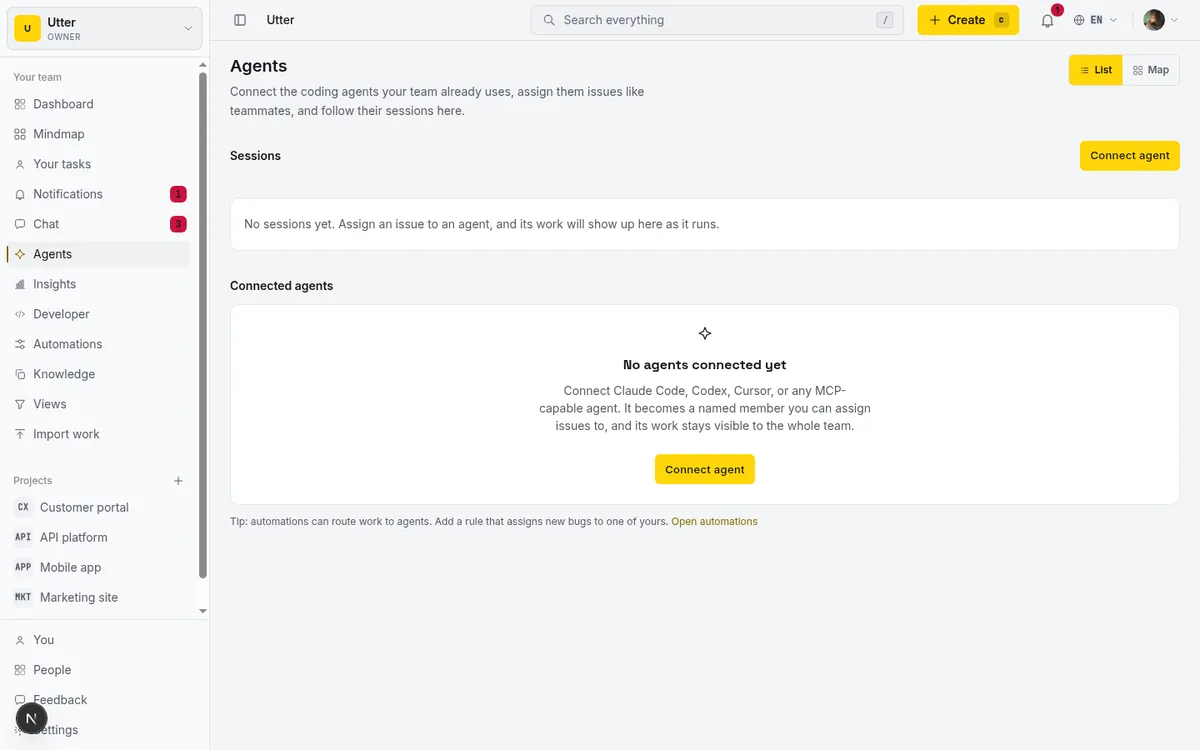
Watch it through its session. When an Utter agent works, it reports a session with a state: running, needs input, review, done. That session shows up on the Agent Hub and on the issue itself, so watching the pilot is not a separate monitoring project, it is just looking at the board.
The full lifecycle, including the failure exits:
stateDiagram-v2
    [*] --> pending: created by delegation
    [*] --> running: agent starts a session
    pending --> running: agent claims the work
    running --> needs_input: waiting on a human
    needs_input --> running: unblocked
    running --> review: output ready to check
    review --> done
    running --> failed
    running --> cancelled
    done --> [*]
    failed --> [*]
    cancelled --> [*]
If you are wiring the agent yourself, reporting a session is one call against the public API. The agent starts it when it picks up work:
curl -X POST "https://utter.ae/api/v1/workspaces/acme/agent-sessions" \
  -H "Authorization: Bearer $UTTER_API_KEY" \
  -H "Content-Type: application/json" \
  -d '{"title": "Triage new bug reports", "issue_key": "WEB-12"}'
const res = await fetch("https://utter.ae/api/v1/workspaces/acme/agent-sessions", {
method: "POST",
headers: {
Authorization: `Bearer ${process.env.UTTER_API_KEY}`,
"Content-Type": "application/json",
},
body: JSON.stringify({ title: "Triage new bug reports", issue_key: "WEB-12" }),
});
const { data: session } = await res.json();import requests
res = requests.post(
"https://utter.ae/api/v1/workspaces/acme/agent-sessions",
headers={"Authorization": f"Bearer {UTTER_API_KEY}"},
json={"title": "Triage new bug reports", "issue_key": "WEB-12"},
)
session = res.json()["data"]When the output is ready for a human, the agent updates the same session. Every update also acts as a heartbeat:
curl -X PATCH "https://utter.ae/api/v1/workspaces/acme/agent-sessions/$SESSION_ID" \
  -H "Authorization: Bearer $UTTER_API_KEY" \
  -H "Content-Type: application/json" \
  -d '{"state": "review", "note": "Labeled and routed. Ready for a look."}'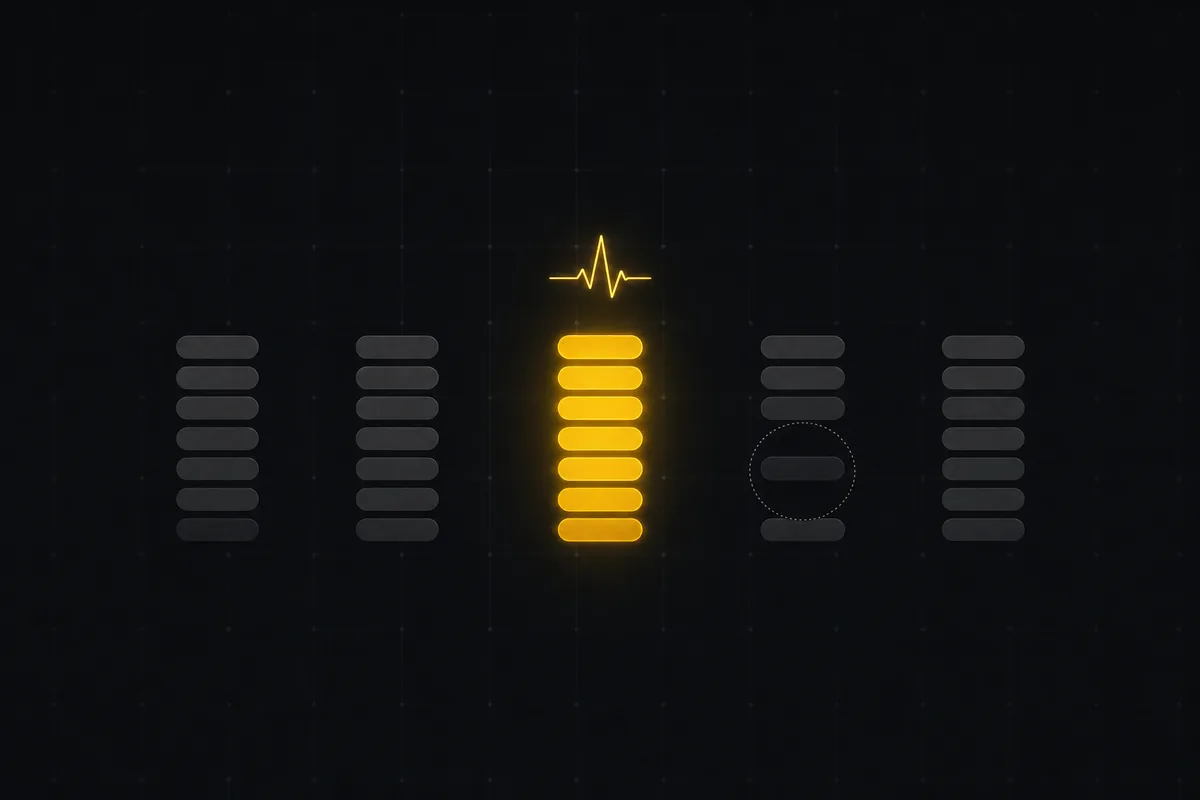
One caveat worth knowing: a session with no activity for 30 minutes shows as "stalled." That is a signal to look, not a verdict. Maybe it is genuinely stuck, maybe it is waiting on something, maybe it just finished quietly. Stalled means check, not failed.
Review output in small batches before widening. Do not judge the pilot on one run and do not judge it on a hundred at once. Let it triage ten issues, read all ten, then decide. When you notice you have stopped double-checking, that is your cue to hand it the next job, or to grant the write scope you held back. Widen slowly. The whole point of a tight first scope is that it earns you the right to loosen it.
The honest part
Scoping is the boring middle of the work, and it is also the part that determines the outcome. A narrow, checkable, reversible first job with a clear done-condition will usually ship, even with a mediocre prompt. A vague, sprawling, irreversible one will usually die, even with a great model. That asymmetry is worth internalizing before you start, because it is tempting to spend all your energy on the prompt and none on the scope, and that is exactly backwards.
None of this promises a frictionless run. The agent will get things wrong. A session will stall and turn out to be nothing. You will find a case the acceptance criteria did not cover. That is fine, and it is why the first job is reversible and small. You are not betting the process on it. You are running one narrow experiment with a clear pass or fail.
If you want to try it, connect an agent from the Agent Hub, give it a read-mostly key, and point it at one column or one issue type with a defined "done." Pick the narrowest job you can stand, watch its sessions for a week or two, and only widen the scope once you have stopped checking its work.
Frequently asked questions
How do you scope an AI agent's first job?
Pick one task that is narrow, repetitive, checkable, reversible, and has a clear done-condition. All five, not some: a job with those properties will usually ship even with a mediocre prompt, while a vague, sprawling, irreversible one will usually die even with a great model.
Why do most first AI agent pilots fail?
Scope, not model quality. Bad scope kills a pilot in one of three ways: too broad to finish ("let the agent manage the backlog"), too vague to evaluate ("keep the board tidy"), or too risky to run unattended, so you babysit every action. None of those are model problems, and all three are decisions you control when you pick the job.
What is a good first job for an AI agent?
A triage agent that only labels and routes new issues in one project: it never closes anything, a wrong label takes two seconds to fix, and "done" is obvious. A reporting agent that drafts the weekly digest, or an agent that keeps one board column moving, also pass the test. "Help the team be more productive" is a wish, not a job.
How much write access should a first AI agent get?
Almost none at the start. Give the agent its own scoped key, let it read broadly, and on the first pass have it draft and propose while a person stays on the actual commit. Grant write scope later, once you notice you have stopped double-checking its work.
Related reading

Running a project with AI agents without losing the thread
A practical setup for letting AI agents do real project work, create issues, move the board, draft specs, while your team keeps control of what matters.
July 11, 2026 · 5 min read

How to automate project management with AI, and what to leave manual
The right order to automate project management with AI: reporting first, intake second, execution agents last, and the decisions that should stay human.
July 15, 2026 · 8 min read

What an AI issue tracker actually is, and how to pick one
Most tools that say AI issue tracking mean a summarize button. A five-part checklist for what the label should mean, plus the failure modes to test in a pilot.
July 15, 2026 · 8 min read

Will AI agents replace project managers? What actually changes
Agents already handle the mechanical parts of project management. The judgment part is harder, and it is not going anywhere. An honest look at the shift.
July 15, 2026 · 7 min read
Onboard an AI agent like a new hire: identity, access, and a first task
You already know how to bring on a new hire. Do the same for an AI agent: give it an identity, scoped access, one small task, a review, and an offboarding path.
July 15, 2026 · 8 min read
Auto-triage new issues with AI: a setup that actually assigns, labels, and prioritizes
How to set up AI issue triage automation that classifies severity, labels, and routes new bugs and requests, with an honest line on what to let AI decide.
May 27, 2026 · 8 min read
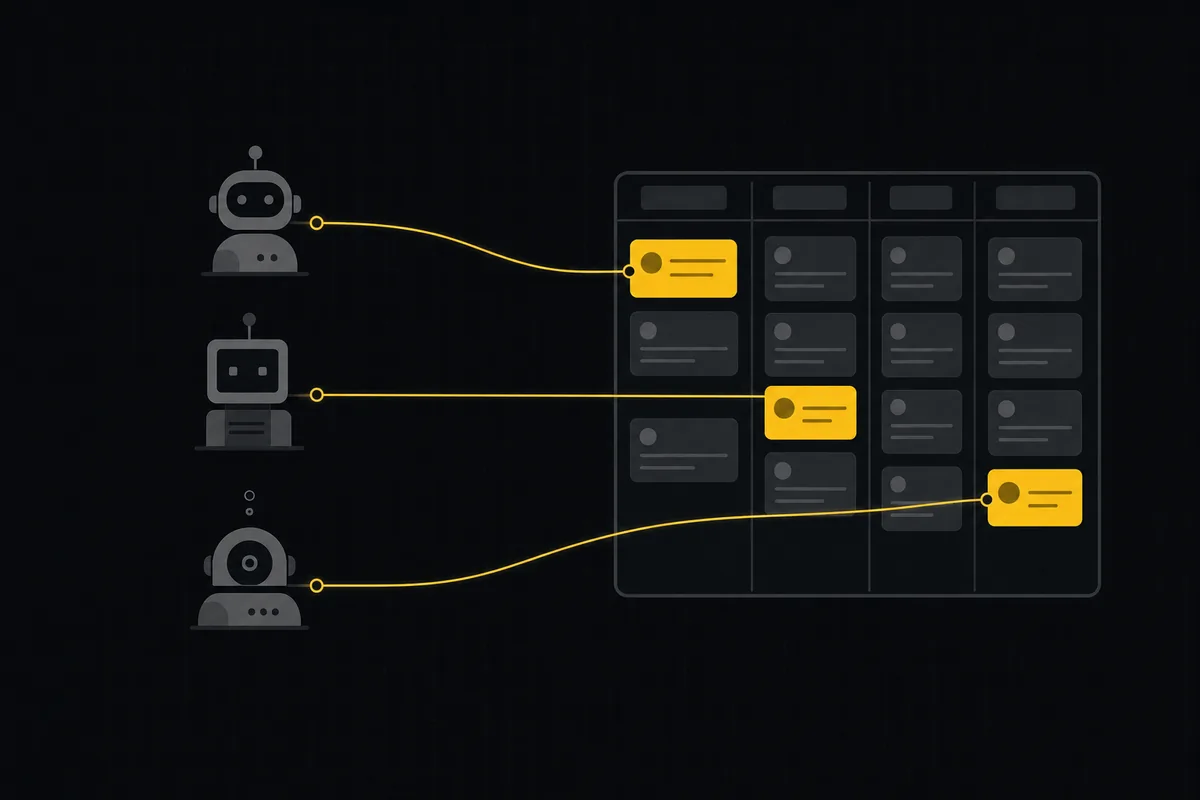
A shared backlog for a team of AI coding agents
Task manager for AI coding agents: give three agents one shared backlog with per-agent identity, field permissions, status handoffs, and human review gates.
July 16, 2026 · 13 min read
Two agents, one backlog: coordinating a triage agent and a coding agent with issue status as handoffs
A practical multi-agent workflow: custom board columns and status transitions as the handoff bus between a triage agent and a coding agent, with human review in the middle.
July 1, 2026 · 9 min read

How to manage a team of AI agents without losing track of what they're doing
Running several AI agents at once? The day-to-day of a fleet: a roster, live sessions, instant delegation, per-field permissions, and verified work.
July 15, 2026 · 16 min read
AI agent project management: the complete guide
How to run real projects with AI agents on the board: connecting them, assigning work, keeping review, what breaks, and how to pilot it in a week.
July 15, 2026 · 12 min read
أضف تعليقًا
ابدأ النقاش.