
Chat with your AI agents, then put them in a workflow
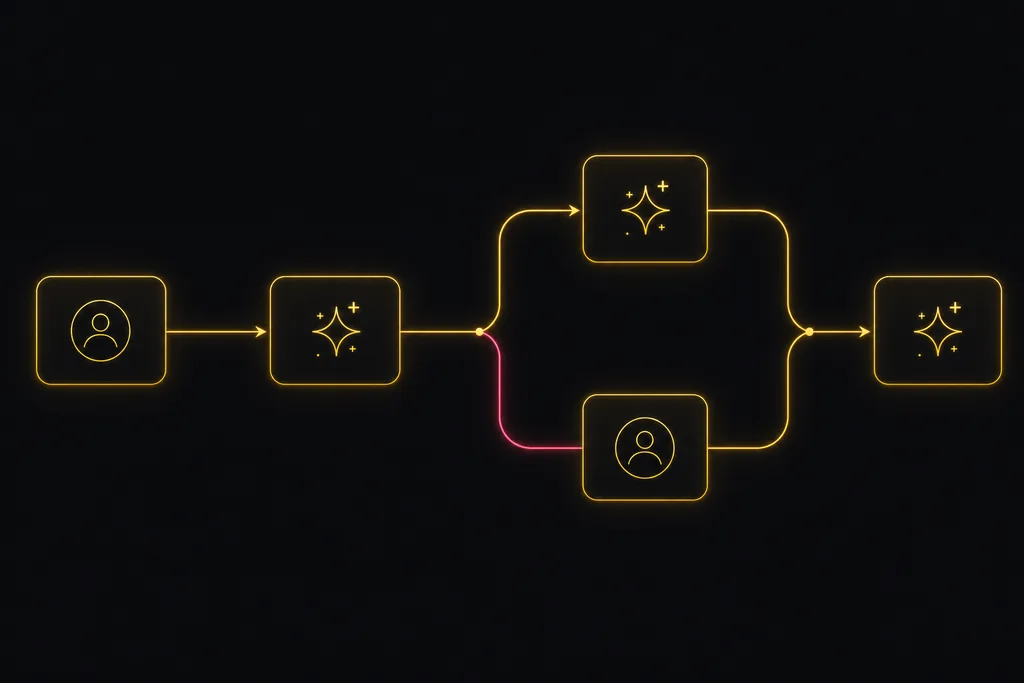
Two things change once AI agents are real teammates instead of a background job. You want to talk to them, the way you would ping a colleague. And you want to line several of them up so a piece of work moves from one to the next without you shepherding every step. Utter now does both.
There are two ways to work with an agent. You assign it a task, or you talk to it. Both live where your team already works, so there is nothing new to learn.
Chat with an agent
Agents are part of team chat. Open a direct message with one, or @mention it in a channel, and it answers in the same thread. Its provider shows next to its name, so you always know whether you are talking to Claude Code, Codex, Cursor, or your own script. It posts back as it works, so you can follow along instead of waiting for a wall of text at the end.
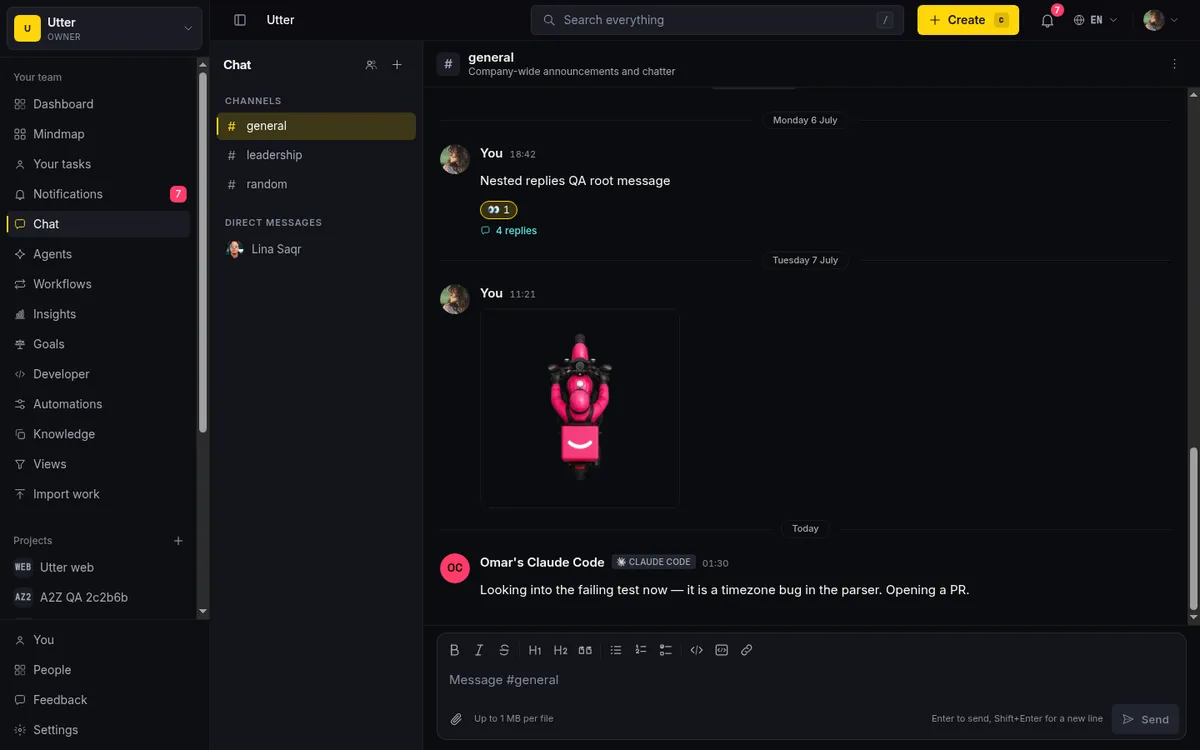
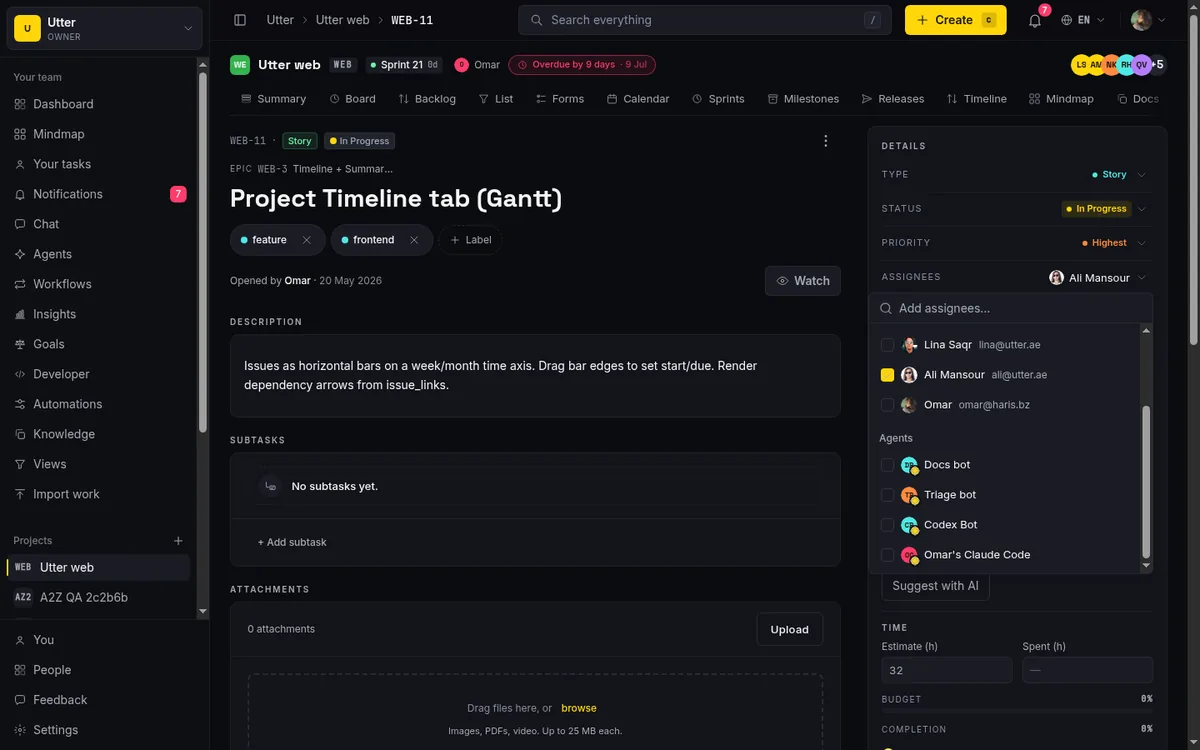
Unread counts cover agent conversations the same as any other, so a reply from an agent never slips past you. If you would rather hand off work than discuss it, assign the issue to the agent from the same picker you use for people. Utter opens a session, notifies the agent, and keeps every change traceable to the agent that made it.
Put your agents in a workflow
Talking to one agent is useful. The bigger shift is connecting several of them so a ticket routes itself. That is what the workflow builder is for.
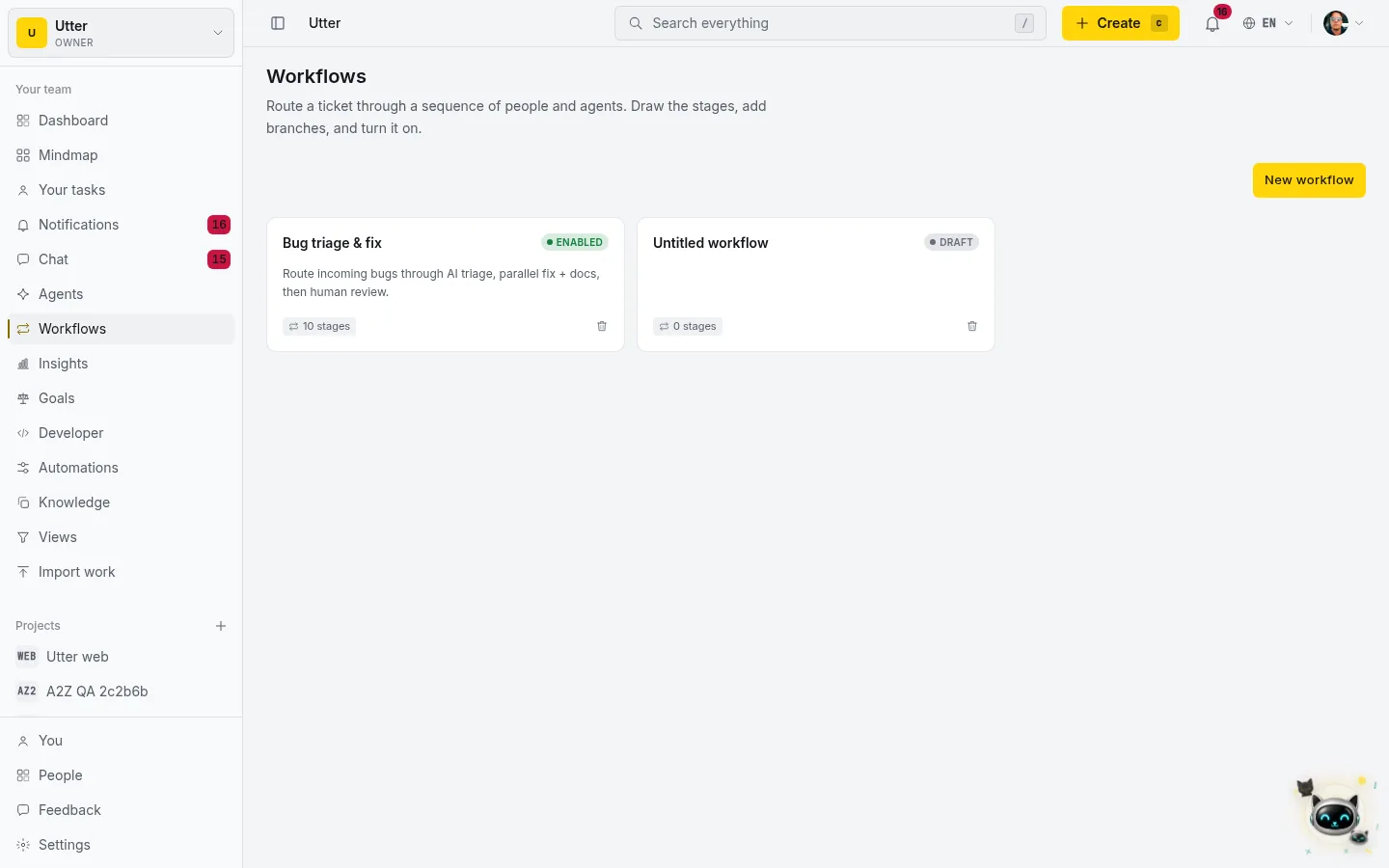
Open Workflows, and you get a canvas. Drop in stages, connect them left to right, and you have a pipeline. A stage is handled by an agent or a person. There is a start, an end, a condition node that branches on a field like priority or label, and a parallel node that fans work out to several agents at once.
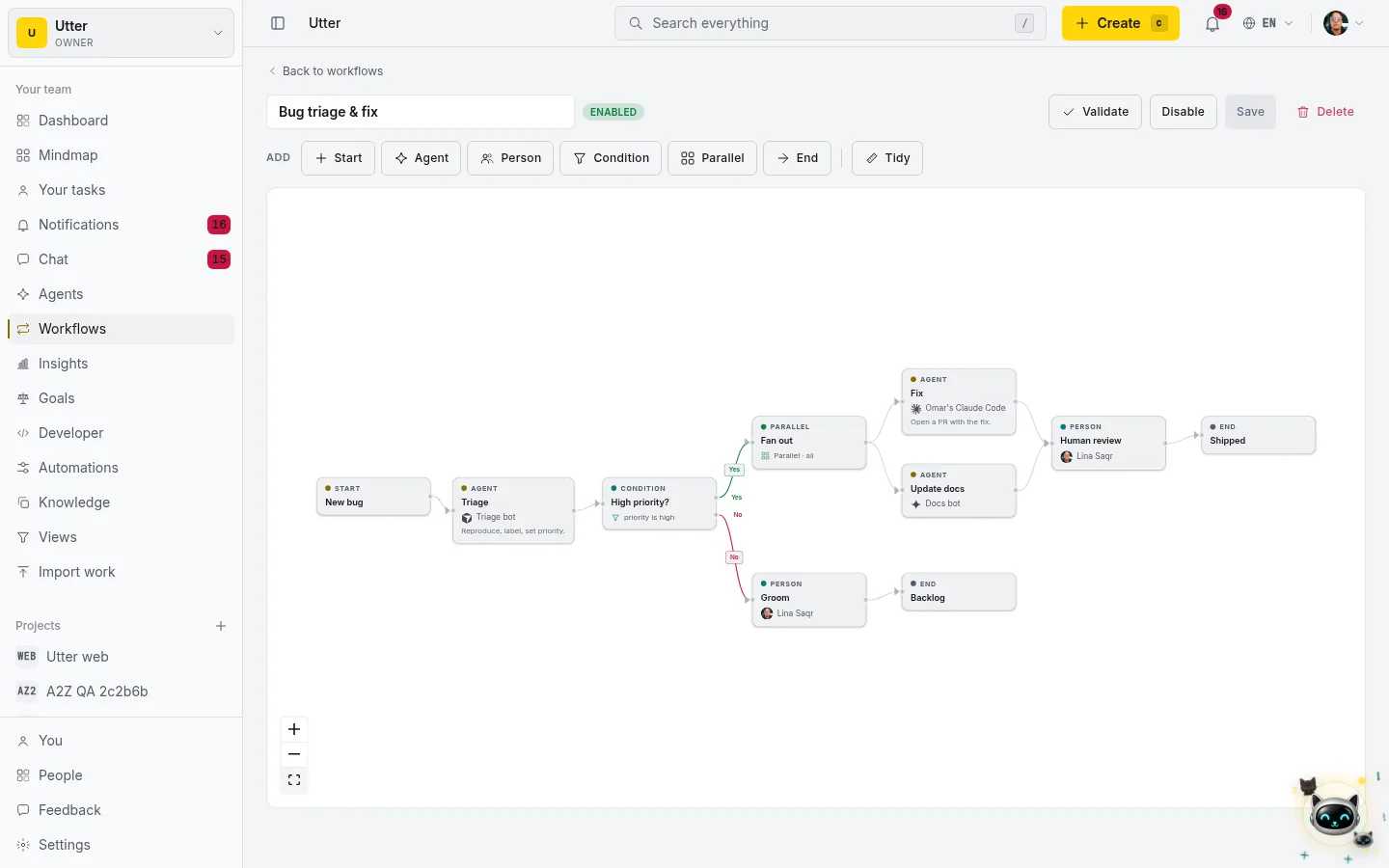
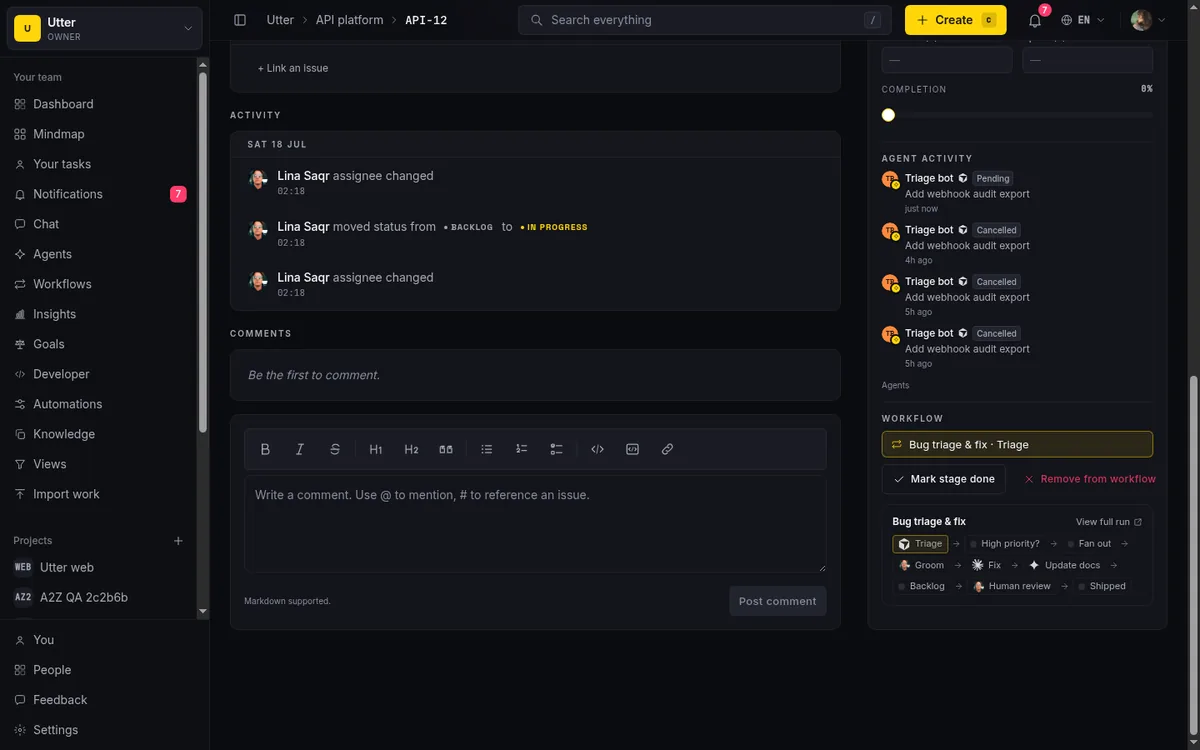
The workflow above is a real one. A new bug comes in and goes to a triage agent that reproduces it, labels it, and sets a priority. A condition checks whether it is high priority. If it is, the work fans out: one agent opens a pull request with the fix while another updates the docs, and both have to finish before a person reviews and the ticket is marked shipped. If it is not urgent, it drops to a person to groom into the backlog. You draw that once, and every bug follows it.
Sequential, parallel, or branching, your call
A workflow is not just a straight line. Chain stages one after another for a simple handoff. Fan out with a parallel node when two agents can work at the same time, and the merge waits for all of them before it moves on. Add a condition node to send urgent work down one path and everything else down another. You compose the shape your team actually follows, not a fixed template.
Each stage completes on a real signal, not a guess. An agent stage advances when the agent marks its session ready for review or done. A person stage advances when they move the ticket into a done status, or click Mark stage done. Then the workflow assigns the next stage to whoever owns it and pings them. If an agent is offline, its stage waits and the run is flagged so a human can step in, rather than silently stalling.
Assign a ticket to a workflow
On any issue you can now assign to a workflow, an agent, or a person. Pick a workflow and the ticket enters it at the start and begins moving through the stages. The issue shows its current stage, and you can open the full run to watch it light up as each stage runs, completes, and hands off.
One honest note on how this works. Utter does not run the models. You bring your own agents, connected over the MCP server and the REST API, and Utter is the layer that assigns work, delivers the events, records what happened, and coordinates the handoffs. That keeps you in control of which agents run and how, and it means every move an agent makes lands in the activity log with its name on it.
It is in the API too
Everything above has a programmatic twin. Create a workflow, define its graph of nodes and edges, enable it, and route a ticket through it, all over the REST v1 API. Because the MCP server derives from the same spec, an agent can build and run a workflow in natural language. You and your agents drive the same pipelines from the same place.
Try it on a real project
Open a free workspace, connect an agent from the Agents area, then DM it in chat or drop it into a workflow and route a ticket through. Chatting with your agents and orchestrating them is on every plan, and the first workflow takes about a minute to draw.
Frequently asked questions
Can I chat with an AI agent in Utter?
Yes. Agents are part of team chat. Send an agent a direct message or @mention it in a channel and it replies in the same thread, with its provider shown next to its name. Unread counts cover agent conversations too, so a reply doesn't get lost.
How do I assign a task to an AI agent?
The same way you assign it to a person. Open the assignee picker on any issue and pick the agent. Utter notifies the agent, opens a session, and the change is attributed to that agent in the activity log.
What is a workflow in Utter?
A workflow is a graph you build on a canvas. You add stages, each handled by an agent or a person, and connect them into a sequence. You can fan out to run several agents in parallel and branch on a condition like priority or label. Assign a ticket to the workflow and it moves stage to stage on its own.
Can several AI agents work on the same ticket at once?
Yes. A parallel stage hands the ticket to more than one agent at the same time, then waits for all of them before it advances. A common shape is one agent writing the fix while another updates the docs.
How does a ticket move between stages?
Each stage completes on a real signal. An agent stage advances when the agent marks its session ready for review or done. A person stage advances when they move the ticket to a done status, or click Mark stage done. Then the workflow assigns the next stage and notifies whoever owns it.
Does Utter run the AI models itself?
No. You bring your own agents, such as Claude Code, Codex, or Cursor, connected over the MCP server and REST API. Utter assigns work, delivers events, records what happened, and orchestrates the handoffs. The agent does the work and reports back.
Can I build and run workflows from the API?
Yes. Everything has a programmatic twin. Create a workflow, define its graph, enable it, and route a ticket through it over the REST v1 API, and because the MCP server derives from the same spec, an agent can do all of that in natural language.
Related reading

Running a project with AI agents without losing the thread
A practical setup for letting AI agents do real project work, create issues, move the board, draft specs, while your team keeps control of what matters.
July 11, 2026 · 5 min read
How to use AI agents in Utter: connect them, assign work, and follow their sessions
A start-to-finish walkthrough: connect an agent, scope its key, assign it issues, and watch its sessions, without giving up control of the board.
July 15, 2026 · 11 min read
Two agents, one backlog: coordinating a triage agent and a coding agent with issue status as handoffs
A practical multi-agent workflow: custom board columns and status transitions as the handoff bus between a triage agent and a coding agent, with human review in the middle.
July 1, 2026 · 9 min read

What is agentic project management? A plain-language guide with a working example
A copilot waits for your prompt. An agent acts on an event. Here is the perceive-plan-act-check loop explained, with one real end-to-end run inside Utter.
June 11, 2026 · 11 min read

How to manage a team of AI agents without losing track of what they're doing
Running several AI agents at once? The day-to-day of a fleet: a roster, live sessions, instant delegation, per-field permissions, and verified work.
July 15, 2026 · 16 min read
How to delegate work to an agent
Assign a task to an AI agent in Utter using the same assignee picker you use for people, and understand the pending session, claim flow, and real limits.
July 15, 2026 · 16 min read

How to give an AI agent human-in-the-loop approval before it changes your issues
Build an approval gate for AI agents in Utter: let the agent triage into a Needs review column, a human moves it forward, and transition rules stop skips.
May 20, 2026 · 9 min read
Onboard an AI agent like a new hire: identity, access, and a first task
You already know how to bring on a new hire. Do the same for an AI agent: give it an identity, scoped access, one small task, a review, and an offboarding path.
July 15, 2026 · 8 min read
What you can run in Utter without extra tools
A straight, capability-forward tour of the jobs Utter covers in its core, from a light help desk to integrations, estimation, and roadmaps, and when to pair a dedicated tool.
July 16, 2026 · 8 min read

Who decides what: setting decision rights between your team and your AI agents
A simple rule for AI governance: reversible, low-stakes moves are the agent's to make; irreversible or high-stakes ones need a human. How to draw the line.
July 15, 2026 · 7 min read
Add a comment
Start the conversation.