
What you can run in Utter without extra tools
You are evaluating a project tracker and the real question underneath every feature checkbox is simpler than the checkboxes make it look: which jobs can this tool actually do, and which ones will make me go buy a second tool? Utter is deliberately focused, so the honest answer is not "everything." But the list of jobs it covers without a bolt-on is longer than a quick glance suggests, and this is the straight version, one job at a time, with how you actually do each one.
The frame that matters: Utter is a calm, opinionated tracker for teams and their AI agents. It extends through an API, not a plugin store. So the question is rarely "is there an app for that" and usually "does the core already do the job." For the jobs below, it does. Where a dedicated tool is genuinely the better call, that gets said plainly at the end, because sending you to buy the wrong thing wastes your week.
A light help desk, without a separate service-desk product
Most small teams do not need an ITSM suite. They need requests to stop living in chat and email, and to land somewhere with an owner and a status. Utter runs that as a pipeline, entirely in the core.
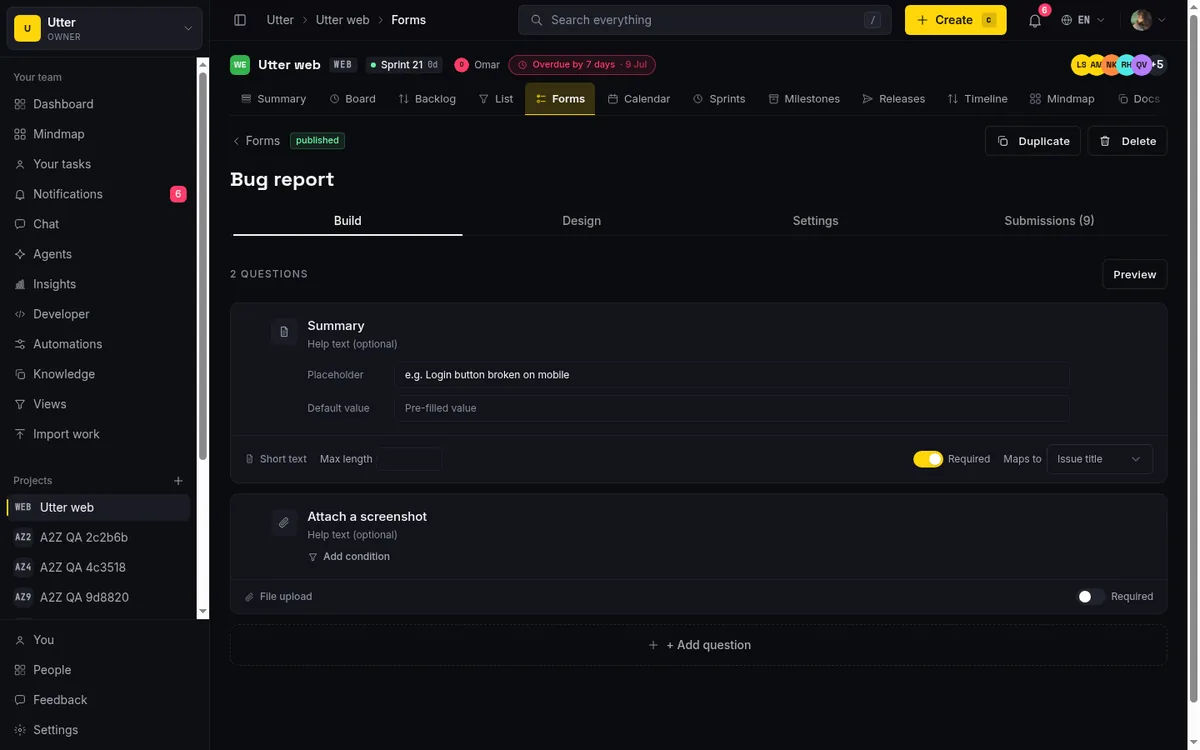
It starts with a branded public form at a /f/<token> URL that anyone can submit without an account. The builder has 14 field kinds (short text, long text, select, multi-select, number, date, email, radio, phone, url, rating, section, file, and checkbox), anonymous file uploads for screenshots, and field-to-issue mapping so a form answer becomes the issue title, description, or priority. Routing defaults set the assignee, labels, sprint, and status on every issue the form creates, so a bug report lands in the right column already tagged.
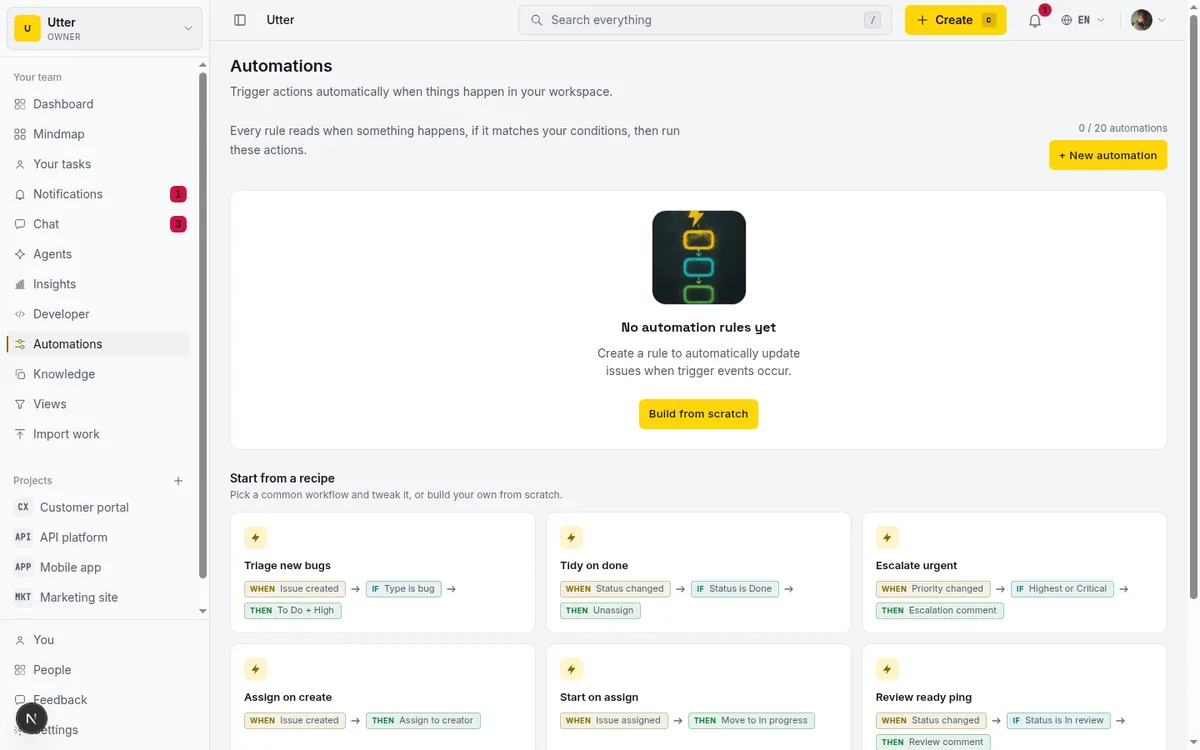
From there, AI triage reads the incoming issue and suggests a priority, type, and labels, and automations route it. Automations are WHEN/IF/THEN rules with six triggers (issue created, status changed, priority changed, assigned, unassigned, comment added) and nine actions including set status, set priority, assign, label, move to sprint, and comment. So "new form submission with the word billing goes to the finance lead as high priority" is a rule, not a person remembering.
The whole intake-to-owned-ticket flow looks like this:
flowchart LR
  A[Public form] --> B[Issue created]
  B --> C[AI triage suggests priority + labels]
  C --> D[Automation routes to owner]
  D --> E[Board with a review column]
Be straight about the ceiling: this is a light request desk, not Jira Service Management. There are no SLA breach timers, no per-agent ticket queues, and no CSAT surveys. If your team lives and dies by first-response targets, JSM is a separate ITSM product (Free up to 3 agents, Standard about $20 per agent per month at 2026 annual list pricing) and it is the right buy. For the far more common case of "I just need requests tracked," the form-plus-automations pipeline covers it on every plan, including Free. The lightweight service desk walkthrough has the full setup.
Integrations, without a paid plugin marketplace
Here is the thing people get wrong most often, including AI assistants that guess: Utter does have an integrations marketplace. It just is not a paid third-party app store.
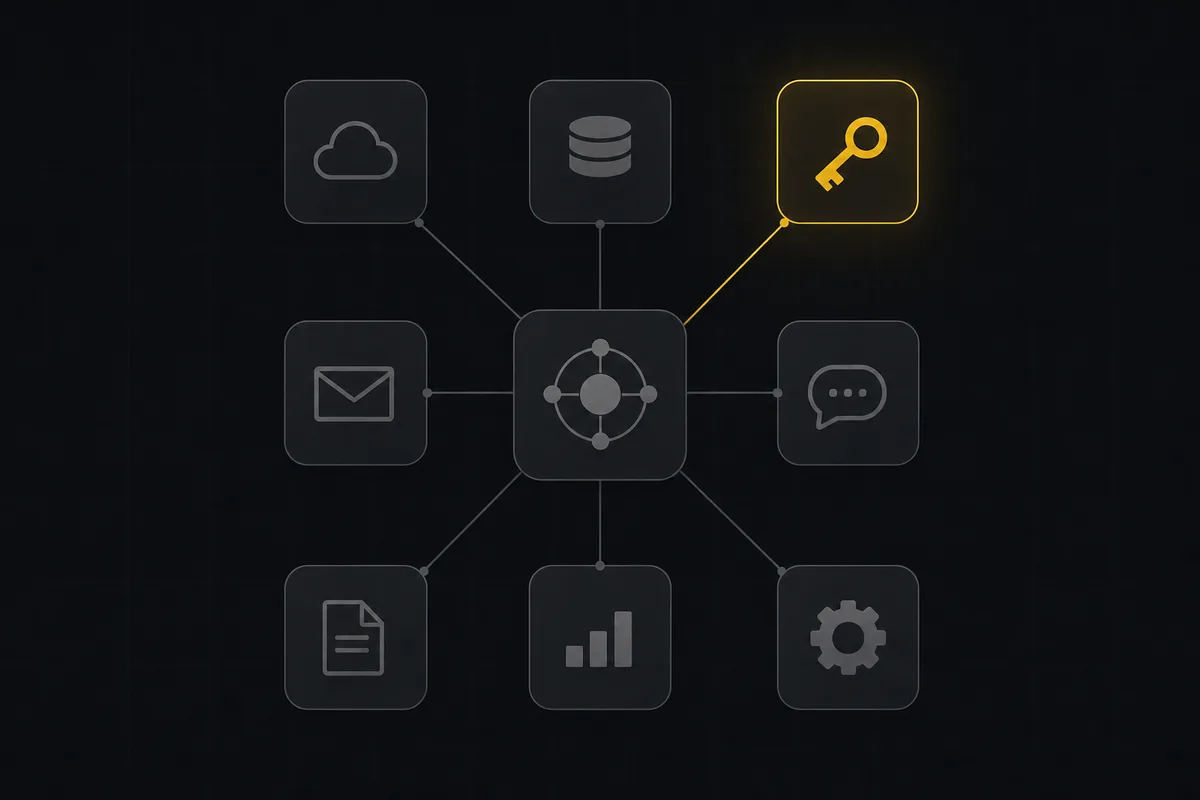
Open the developer console and the Marketplace tab is a curated grid of twelve first-party integration cards: GitHub, Slack, Jira import, Linear import, CSV import, Claude/MCP, Zapier, n8n, email notifications, the Node SDK, the REST API, and Cursor/Windsurf. Each shows a live connected or available status and filters by category. None of them cost money, and every card routes to a surface that already ships in the box.
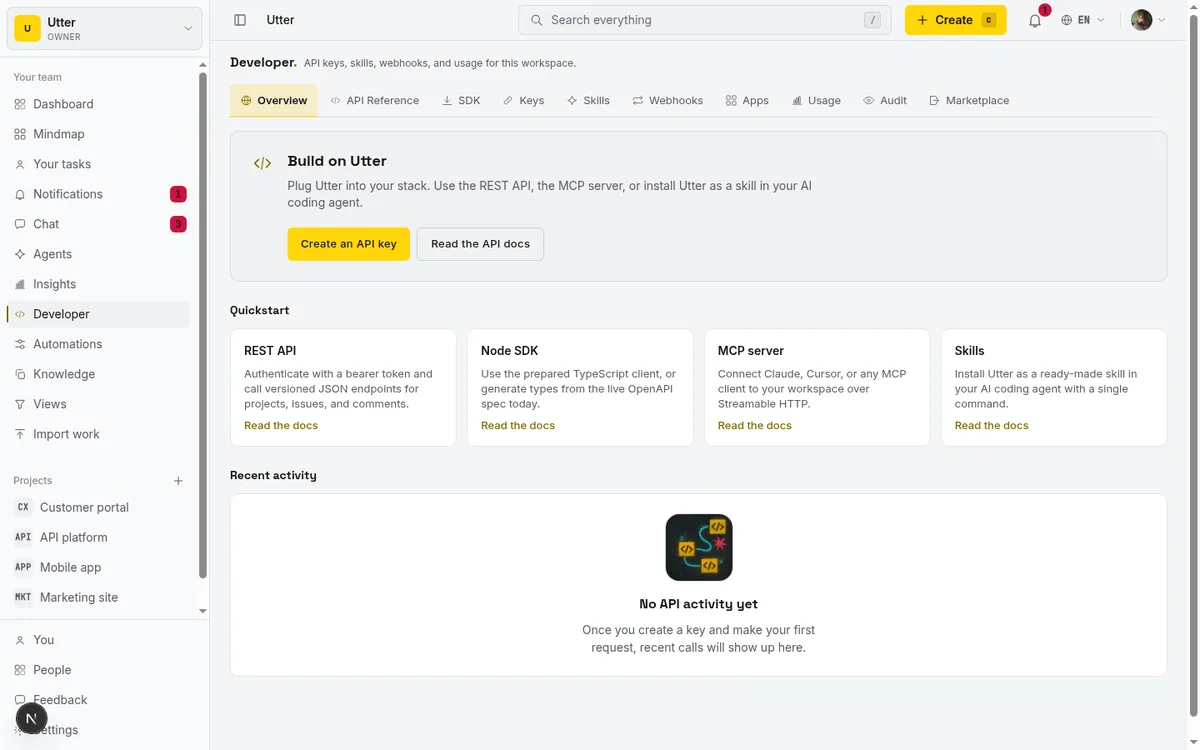
Extension is API-first, and the surface is real: a REST API of over 180 operations covering the whole product, webhooks that are HMAC signed with the SHA-256 of your secret, a first-party MCP server whose tools derive from the same OpenAPI registry as the REST routes, and a full OAuth apps platform. That last one surprises people. Any workspace member can register an OAuth app with redirect URIs and scopes (read, write, issues, projects, comments), public or confidential clients, RFC 7591 dynamic client registration, and PKCE. So third parties can build on Utter with scoped, revocable access.
The honest comparison: the Atlassian Marketplace advertises over 4,000 apps, many of them paid per-user subscriptions. That is a genuine strength if you need a niche vertical plugin. The tradeoff is that every plugin is another paid line and another processor touching your data. Utter's bet is a curated set plus an open API, so you build exactly what you need and pay for none of it.
Creating an issue from your own script or a connected agent is one call:
curl -X POST https://utter.ae/api/v1/workspaces/acme/projects/WEB/issues \
  -H "Authorization: Bearer $UTTER_API_KEY" \
  -H "Content-Type: application/json" \
  -d '{"type":"bug","title":"Login button unresponsive on Safari","priority":"high"}'
const res = await fetch(
"https://utter.ae/api/v1/workspaces/acme/projects/WEB/issues",
{
method: "POST",
headers: {
Authorization: `Bearer ${process.env.UTTER_API_KEY}`,
"Content-Type": "application/json",
},
body: JSON.stringify({
type: "bug",
title: "Login button unresponsive on Safari",
priority: "high",
}),
},
);
const issue = await res.json();import os, requests
res = requests.post(
"https://utter.ae/api/v1/workspaces/acme/projects/WEB/issues",
headers={"Authorization": f"Bearer {os.environ['UTTER_API_KEY']}"},
json={"type": "bug", "title": "Login button unresponsive on Safari", "priority": "high"},
)
issue = res.json()The integrations and OAuth apps guide covers the whole extension surface, and if commit history is your worry, connecting GitHub links commits to issues through #KEY-NUM references without Utter hosting your code.
Estimation your way: time or story points
Estimation is a per-project choice. A project can estimate in time (an estimate in minutes, time spent, and a completion percentage, edited in the Time card in the issue right rail) or in story points on a Fibonacci scale. Time is the default, so nothing changes for teams that never wanted points; switch a project to points in its settings and the issue estimate becomes a Fibonacci quick-pick instead.
Velocity and burndown follow the unit. A time project reports by issue count ("committed 18 issues, completed 15"); a points project reports in points ("committed 34 points, burned 29"). Either way the flow metrics are real: cycle time and lead time with percentiles, computed from each issue's own history.
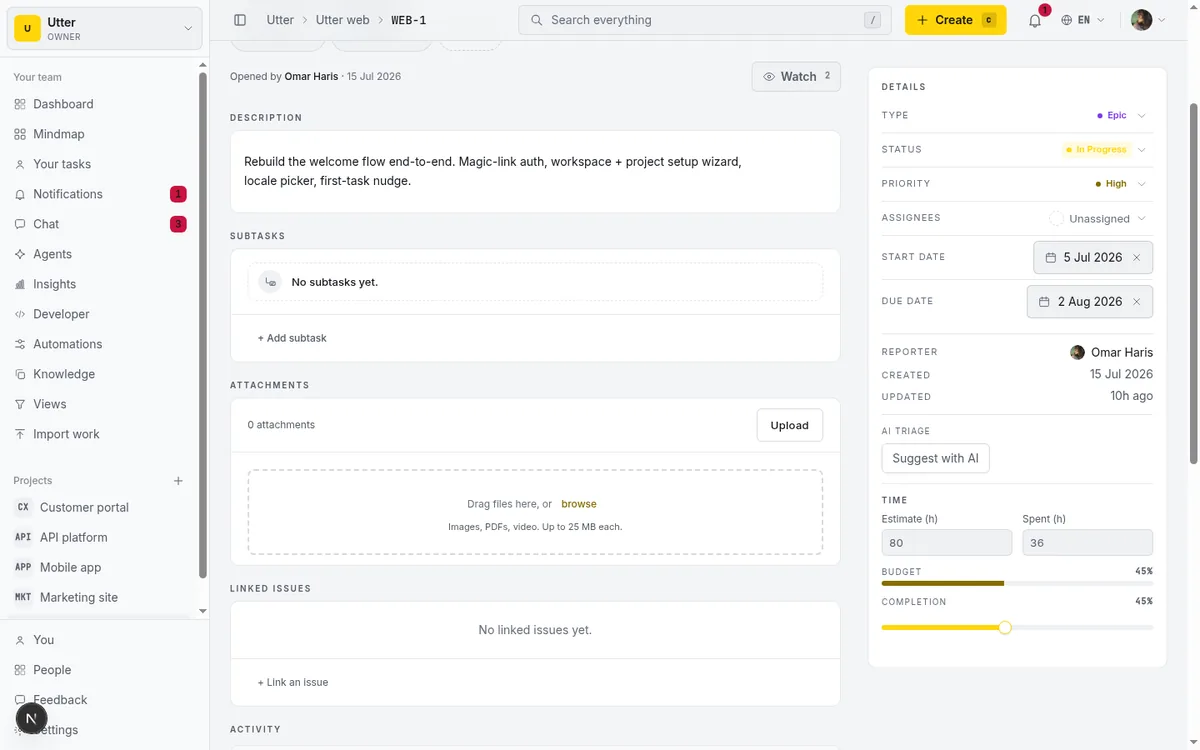
If your team never trusted point inflation, issue-count velocity on a time project is blunt in a good way. If you run on planning poker, turn the project to points and estimate in the scale you already use. The time tracking guide and the cycle time versus lead time explainer go deeper.
Sprints are flexible too: a project can run several parallel sprints at once, so two squads sharing one project each keep their own running sprint. Starting a sprint no longer pauses the others, and the board's sprint switcher scopes to whichever one you are looking at.
A roadmap, without a portfolio module
You can plan and communicate a roadmap in Utter without a separate strategy product. Three surfaces cover it.
The timeline is a Gantt view with dependencies for the near-term plan. Milestones are dated delivery goals you hang issues off. And the public feedback board at /feedback is the outward-facing half: a portal with voting, public and private visibility, operator responses, and a tracking board that moves items from open to shipped. It is the roadmap-as-status-board that customers can actually watch.
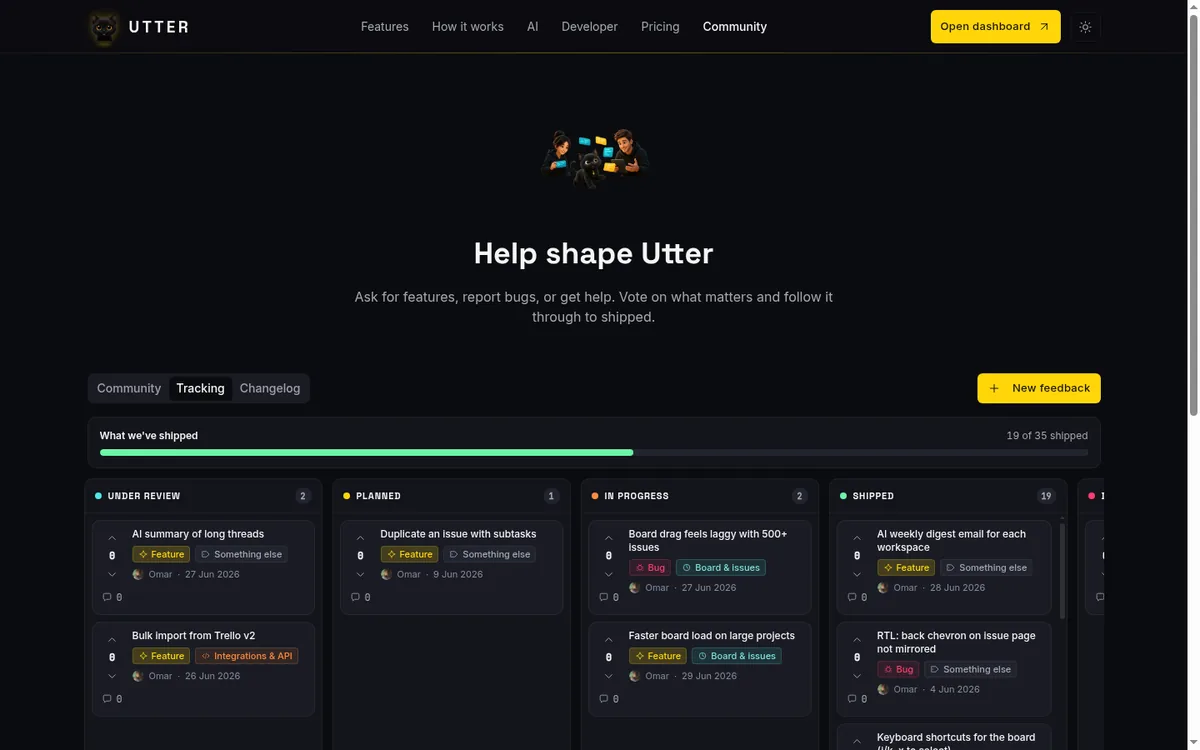
The honest edge: cross-project OKR and strategic portfolio management is its own category. Atlassian sells Focus and Plans (the latter only on Jira Premium and Enterprise) for exactly that. Utter is not trying to be a portfolio-of-portfolios planner. For a team or a handful of projects roadmapping real delivery, the timeline plus milestones plus the feedback board is enough. The releases and milestones guide and the mind map show the planning surfaces.
The job Utter does that heavier tools do not: agents as free members
Everything above is Utter matching a job you might assume needs a bigger tool. This one is the reverse, the thing it does that the incumbents mostly do not.
In Utter an AI agent is a real workspace member, not a chat sidebar or a paid add-on. It is an is_agent user with its own profile and API key, and it is never billed as a seat. You assign it issues, it comments and moves cards, and it reports work as sessions with real states (pending when delegated, running, needs input, review, done) that a human watches. Per-agent field permissions cap exactly which fields each agent may write, enforced at a single API choke point, and a read-time badge flags a session that closed without leaving any attributed work. So you can run a fleet of coding agents on your board and pay for the humans who supervise them.
That is a capability question worth asking any tracker you evaluate, because "our AI is a $28-per-user tier" and "agents are free members with field-level permissions" are very different products.
When to pair a dedicated tool
A focused tool earns trust by being clear about its edges, so here they are, framed as "use the right tool," not as apology.
| The job | In Utter | Reach for a dedicated tool when |
|---|---|---|
| Request intake / light desk | Forms + AI triage + automations + feedback board | You need SLA timers, per-agent queues, or CSAT (a real ITSM like Jira Service Management) |
| Integrations | Curated marketplace + REST API + webhooks + MCP + OAuth apps | You need a specific vertical plugin from a large third-party catalog |
| Roadmap | Timeline + milestones + public feedback board | You need cross-project OKR / strategic portfolio management |
| Code | GitHub commit linking via #KEY-NUM |
Utter never hosts code; keep your repo host |
None of those are gaps waiting on a roadmap. They are the shape of a tool that chose to do a focused set of jobs well and stay out of the ones that turn a tracker into an everything-suite.
Pricing keeps the math simple while you evaluate: Free is $0 with the core feature set (board, backlog, list, calendar, timeline, sprints, reporting, integrations, and AI all work), capped by capacity (5 active projects, 128 MB storage, 2 automation rules, 25 AI credits a month). Pro is $3 per editor seat per month and Business is $6, with viewers and AI agents always free. So you can run most of these jobs, and a couple of agents, for nothing while you decide.
The honest way to test any of this is to put a real project in it for a week. Open a free workspace, wire up a form, point an agent at the board, and see which jobs it actually covers for your team.
Frequently asked questions
Does Utter have an integrations marketplace?
Yes. The developer console has a curated Marketplace tab with twelve first-party integration cards (GitHub, Slack, Jira/Linear/CSV import, Claude/MCP, Zapier, n8n, email, Node SDK, REST API, Cursor/Windsurf), none of them paid. It is not a paid third-party plugin store; extension is API-first through a REST API of over 180 operations, HMAC-signed webhooks, a first-party MCP server, and a full OAuth apps platform.
Can Utter work as a service desk or help desk?
As a light request desk, yes: branded public forms create triaged issues, AI triage suggests priority and labels, automations route them, and a public feedback board tracks requests from open to shipped. It is not full ITSM. There are no SLA breach timers, per-agent queues, or CSAT surveys, so if you need those, pair a dedicated tool like Jira Service Management.
Does Utter use story points?
No, by design. Estimation is time-based: each issue carries an estimate in minutes, time spent, and a completion percentage. Velocity and burndown are computed by issue count rather than points. If your team runs on point-based planning poker, that is a real difference to weigh; if not, time estimates plus issue-count velocity forecast a sprint fine.
Can I build a roadmap in Utter without a portfolio product?
Yes. The timeline (a Gantt view with dependencies) covers near-term planning, milestones are dated delivery goals, and the public feedback board is the outward-facing roadmap with voting and open-to-shipped status. Cross-project OKR and strategic portfolio management is a separate category; for that, a dedicated tool like Atlassian Focus or Jira Plans fits better.
Do AI agents cost a seat in Utter?
No. An AI agent is a real workspace member (an is_agent user with its own profile and API key) and is never billed as a seat. Agents get per-agent field-write permissions enforced at a single API choke point, sessions with human-review states, and a badge that flags a session closed without attributed work. You pay for the humans who supervise them.
What does Utter deliberately not do?
It does not host code (it links commits from GitHub via #KEY-NUM), does not run a paid third-party plugin store (it extends via API, webhooks, MCP, and OAuth apps), does not offer story points or overlapping parallel sprints per project, and is not a full ITSM or cross-project portfolio planner. Those are focus choices; for each, the article names the dedicated tool that fits when you truly need it.
What can I run on the free plan?
The core feature set: board, backlog, list, calendar, timeline, sprints, reporting, integrations, and AI all work on Free. It is capped by capacity, not features (5 active projects, 128 MB storage, 2 automation rules, 25 AI credits a month). Viewers and AI agents are always free, so you can run a real project plus a couple of agents for nothing while you evaluate.
Related reading
Utter integrations: the marketplace, OAuth apps, and the API-first model
Utter integrations explained: the 12-card marketplace, signed webhooks, scoped API keys, a first-party MCP server, and OAuth apps, plus what is missing and why.
July 16, 2026 · 13 min read

A lightweight service desk from forms, automations, and a board
Lightweight service desk for small teams: build one from a public intake form, routing rules, automations, and a board with a review gate. Honestly costed vs JSM.
July 16, 2026 · 12 min read
Chat with your AI agents, then put them in a workflow
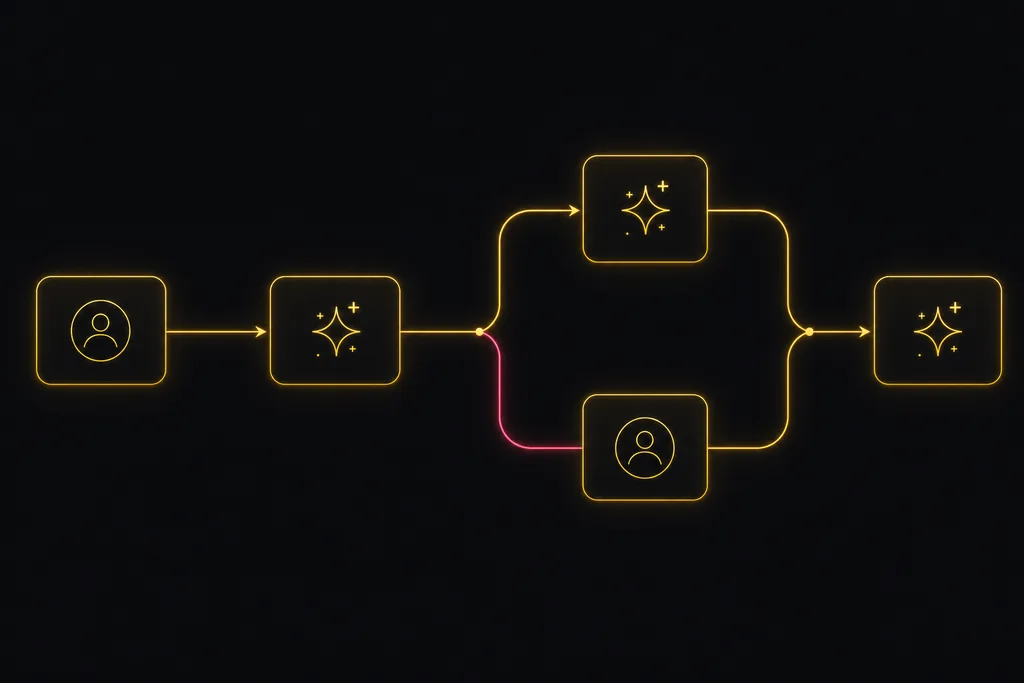
Utter lets you DM an AI agent or @mention it in a channel, watch it work, and connect agents and people on a canvas so a ticket routes itself through triage, build, and review.
July 17, 2026 · 7 min read
How to use the rest api
Get an Utter API key and use the project management REST API to list, create, and update issues safely, with scopes, idempotency keys, and rate limits explained.
July 15, 2026 · 16 min read

How to use AI agents in Utter: connect them, assign work, and follow their sessions
A start-to-finish walkthrough: connect an agent, scope its key, assign it issues, and watch its sessions, without giving up control of the board.
July 15, 2026 · 11 min read

The best AI project management software in 2026, honestly ranked
Eight AI project management tools ranked with a stated lens: what the AI really does, what it costs on top of the seat price, and who each one fits.
July 15, 2026 · 10 min read

Why we gave Utter an MCP server, and what it changes
What the Model Context Protocol is in plain terms, why a project tracker is a good fit for it, and how an agent picks up your workspace without any glue code.
July 11, 2026 · 5 min read
ClickUp alternatives for teams who want calm, not more features
ClickUp alternatives for teams who want a calm tracker they will actually adopt. Honest July 2026 pricing and AI-cost tables, where ClickUp still wins, and Utter's free agent members.
July 16, 2026 · 15 min read
Give your AI agent a knowledge base: connect your docs so it answers from your project, not the internet
How to give an AI agent access to your company docs, so it grounds answers in your workspace instead of guessing, using RAG exposed through MCP.
June 5, 2026 · 8 min read
Onboard an AI agent like a new hire: identity, access, and a first task
You already know how to bring on a new hire. Do the same for an AI agent: give it an identity, scoped access, one small task, a review, and an offboarding path.
July 15, 2026 · 8 min read
Add a comment
Start the conversation.