
How to give an AI agent human-in-the-loop approval before it changes your issues

The fastest way to lose trust in an AI agent is to let it silently change things. It re-prioritizes a ticket at 2am, closes a bug it thinks is a duplicate, moves a card to Done because a comment sounded resolved. Each move might be right. But nobody saw it happen, and now you are auditing history to figure out why the board looks wrong.
The fix is not a smarter agent. It is a gate. The agent should propose, and a person should approve before anything real changes. That is what "human in the loop" means in practice, and you can build a solid version of it in Utter today out of three parts you already have: custom board statuses, workflow automation on issue events, and scoped API keys.
One honest note up front. Utter does not have a dedicated "agent approval" screen with a queue of pending actions and an Approve button. What it has are the pieces you compose into that gate. This post is the recipe, including where the edges are.
The idea: the board is the approval queue
You do not need a separate approval inbox if your board already has a column that means "waiting for a human." So make one.
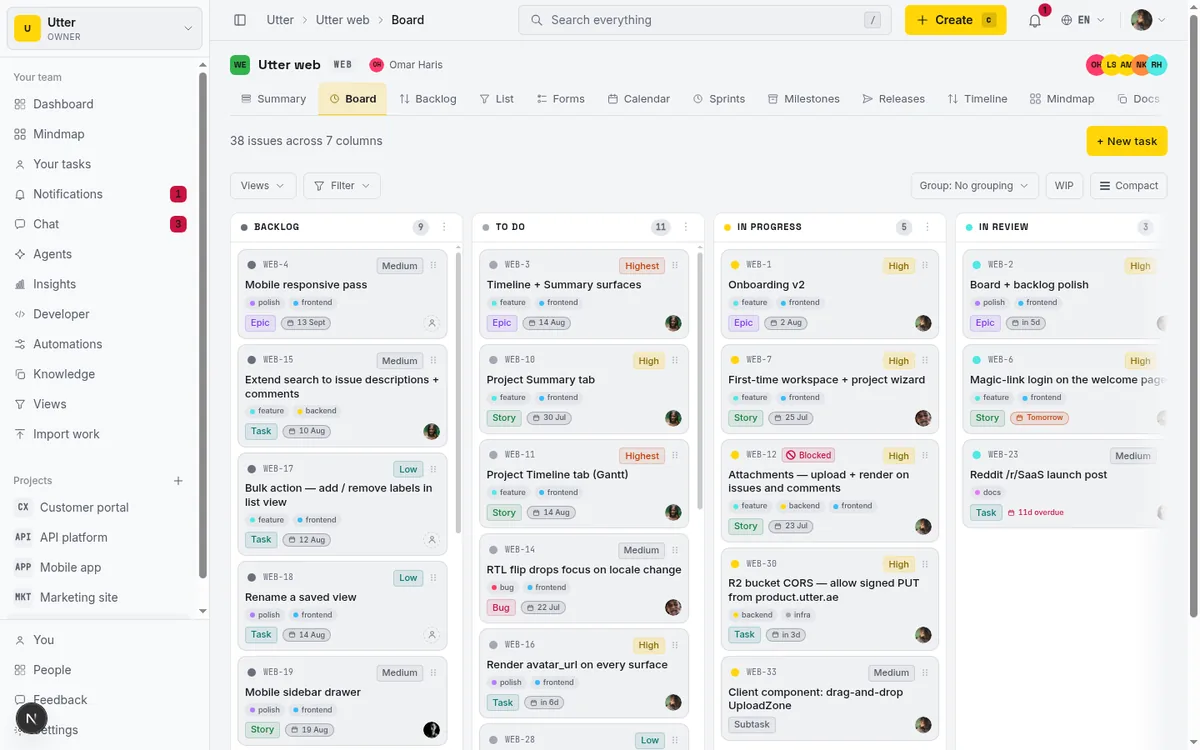
On any Utter board, statuses are your own columns, not a fixed set. Each column maps to a category (backlog, todo, in progress, in review, done, and a couple of terminal ones) that drives reports and the open/closed flag, but the name and color are yours. Add a column called Needs review. That column is the approval queue. Anything sitting in it is something the agent did that a person has not yet signed off on.
The whole gate comes down to one rule: the agent can push work into Needs review, and only a human can push it out.
The gate, in one picture:
flowchart TD
    A["Agent prepares the work"] -->|"the agent's last move"| NR["Needs review"]
    NR -->|"human: fine, do it"| IP["In progress"]
    NR -->|"human: not now"| B[Backlog]
    NR -->|"human: wrong call"| RJ["Rejected / Won't do"]
Step one: let the agent land in Needs review, not in your live flow
Point your agent at the REST API or the MCP server and give it a job with a clear finish line. Triage is the classic one. A bug comes in, the agent reads it, sets a type and priority, maybe drafts a repro, and files it.
The one difference from a fully autonomous setup: the agent's last move is always into Needs review. It does not set the ticket to In progress or assign it to a sprint. It stops at the gate.
There are two ways to make that happen, and using both is fine.
The direct way is to tell the agent, in its instructions, to create or move the issue into the Needs review status and go no further. On the wire that is two calls. First, look up the id of your Needs review column:
curl https://utter.ae/api/v1/workspaces/utter/projects/WEB/statuses \
  -H "Authorization: Bearer utp_live_a1b2..."
The response lists every column on the board, in order, with its workflow settings:
{
  "data": [
    {
      "id": "0197a3c2-8f1e-7c3a-b2d4-5e6f7a8b9c0d",
      "name": "Needs review",
      "category": "in_review",
      "allowed_transitions": null,
      "wip_limit": null
    }
  ]
}
Then file the issue with that status_id, so it lands in the gate and nowhere else. Here is the same create in curl, JavaScript, and Python:
curl -X POST https://utter.ae/api/v1/workspaces/utter/projects/WEB/issues \
  -H "Authorization: Bearer utp_live_a1b2..." \
  -H "Content-Type: application/json" \
  -d '{
    "type": "bug",
    "title": "Checkout 500 when the cart has a deleted SKU",
    "description_md": "Steps to reproduce: ...",
    "priority": "high",
    "status_id": "0197a3c2-8f1e-7c3a-b2d4-5e6f7a8b9c0d"
  }'
const res = await fetch(
"https://utter.ae/api/v1/workspaces/utter/projects/WEB/issues",
{
method: "POST",
headers: {
Authorization: `Bearer ${process.env.UTTER_API_KEY}`,
"Content-Type": "application/json",
},
body: JSON.stringify({
type: "bug",
title: "Checkout 500 when the cart has a deleted SKU",
description_md: "Steps to reproduce: ...",
priority: "high",
status_id: needsReviewId,
}),
},
);
const { data: issue } = await res.json(); // 201, issue.key is e.g. WEB-142import os
import requests
r = requests.post(
"https://utter.ae/api/v1/workspaces/utter/projects/WEB/issues",
headers={"Authorization": f"Bearer {os.environ['UTTER_API_KEY']}"},
json={
"type": "bug",
"title": "Checkout 500 when the cart has a deleted SKU",
"description_md": "Steps to reproduce: ...",
"priority": "high",
"status_id": needs_review_id,
},
)
r.raise_for_status()
issue = r.json()["data"]Simple, but it relies on the agent following instructions, which is exactly the thing you are trying not to trust blindly.
The reliable way is an automation rule that enforces it regardless of what the agent intended. Utter automations follow a plain shape: WHEN a trigger fires, IF some conditions match, THEN run some actions. The triggers that matter here are issue.created and issue.status_changed. The landing rule looks like this:
- WHEN an issue is created
- IF the reporter is the agent (match on assignee, label, or a naming convention you control)
- THEN set its status to Needs review
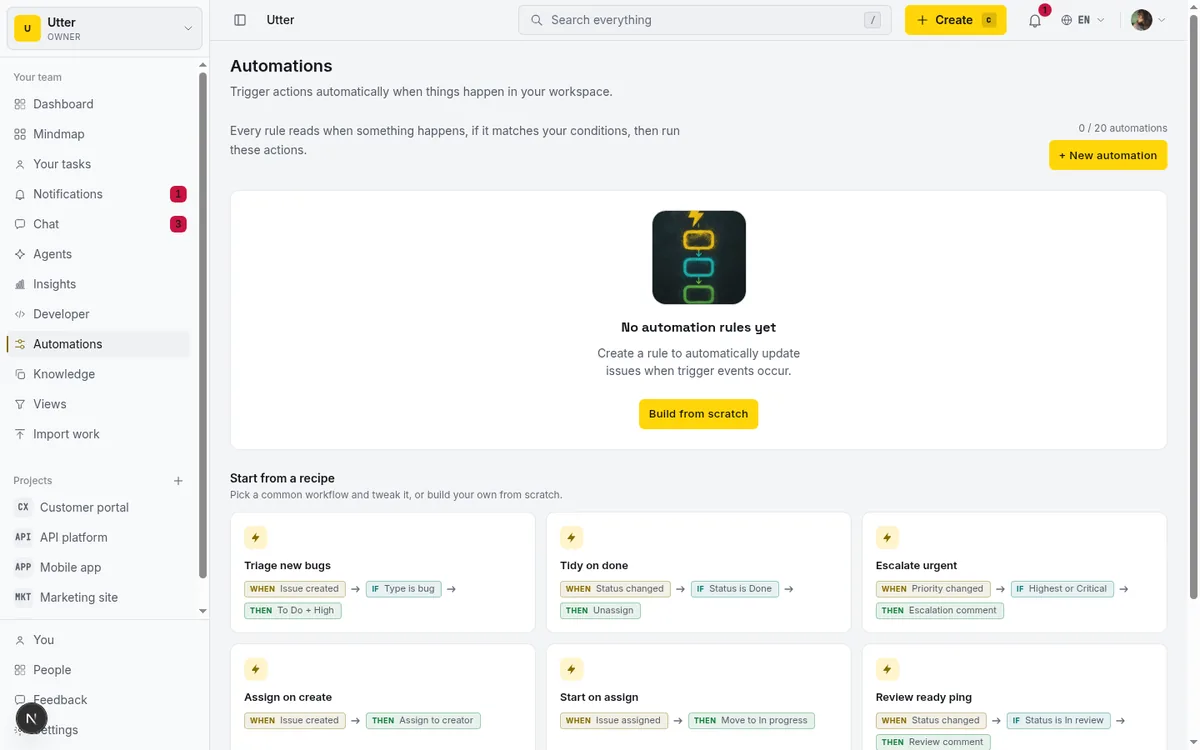
Now even if the agent tries to file straight into In progress, the rule pulls it back to the gate. The agent proposes; the board decides where a proposal is allowed to sit.
You can also use the automation to do the paperwork a human would otherwise chase: add a "needs-review" label, drop a comment with a template that says what the agent changed, assign it to whoever owns triage that week. Automation comment bodies support {issue}, {assignee}, and {actor} placeholders, so the note can name the agent that acted.
Step two: approve by moving the card
This is the part that stays human, and it should feel boring. A person opens Needs review, reads the ticket the agent prepared, and drags it to the next real column. To do the work: fine, In progress. Not now: Backlog. Wrong call: your Rejected or Won't do column.
That drag is the approval. There is no separate button because there does not need to be one. The move is recorded in the issue's activity log with the person's name on it, which is the audit trail you wanted in the first place. If someone asks "who approved this," the history answers.
Because the approval is a normal board action, everything else you already use keeps working: saved views filtered to Needs review, the assignee picker, comments, mentions. You are not learning a new surface. You are using the board as the review desk.
Step three: stop the agent from skipping the gate
Instructions and a landing rule get you most of the way. Transition rules close the last gap.
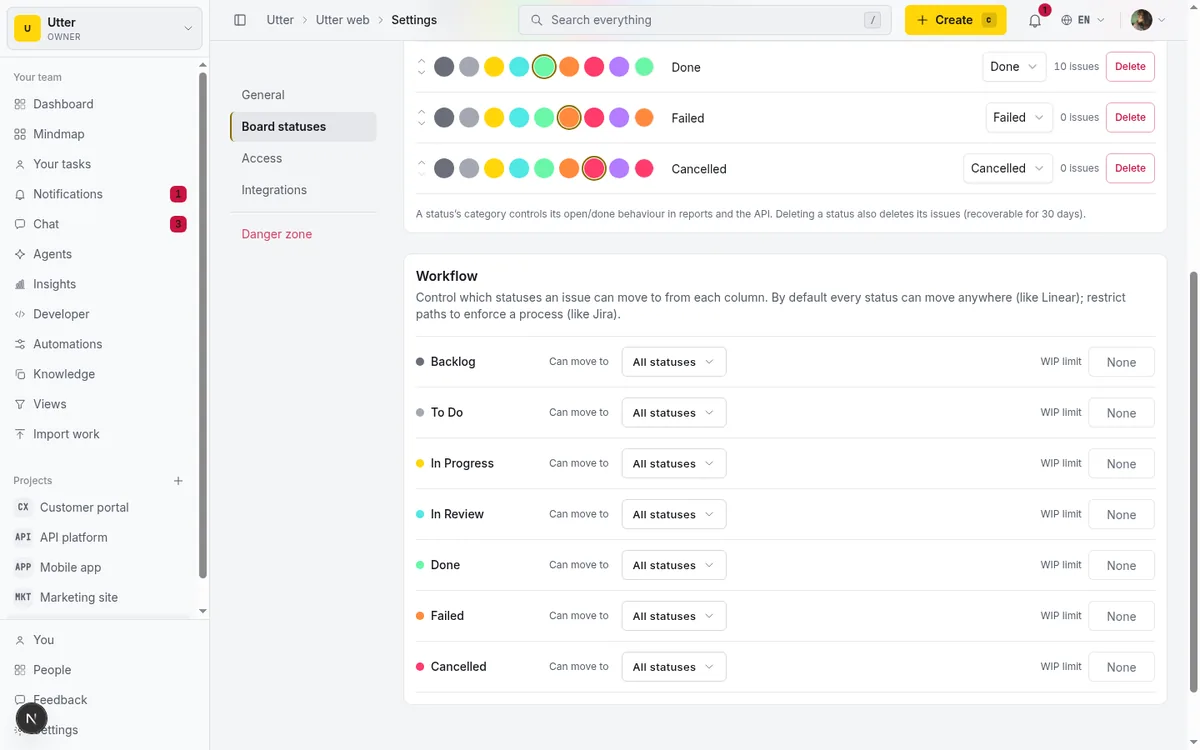
Utter supports Jira-style status transitions. By default any column can move to any other, which is the sensible default for a small team. But each status can carry an allowed_transitions list (that is the null you saw in the statuses response above, meaning "allow all"): the set of columns work is allowed to move into from there. Set it, and a move that is not on the list gets refused.
Watch it happen. The agent tries to jump its ticket straight to Done:
curl -X POST https://utter.ae/api/v1/workspaces/utter/projects/WEB/issues/WEB-142/transition \
  -H "Authorization: Bearer utp_live_a1b2..." \
  -H "Content-Type: application/json" \
  -d '{"status": "done"}'
And the API answers with a 400, not a moved card:
{
  "error": {
    "code": "validation",
    "message": "Workflow blocks this transition: \"Needs review\" cannot move to \"Done\".",
    "details": {
      "code": "workflow_transition_blocked",
      "from": "Needs review",
      "to": "Done"
    }
  }
}
Here is the important detail: transition rules are enforced on every status write path, including the public API and MCP. They are not a UI nicety that an agent routes around by calling an endpoint. So if you make the terminal columns (In progress, Done) reachable only from Needs review, and you do not put the agent's landing column on a path that jumps the gate, the agent physically cannot move a ticket past review. The write is refused, the same as it would be for a person.
sequenceDiagram
    participant Agent
    participant API as Utter API
    participant Human
    Agent->>API: create issue in Needs review
    API-->>Agent: 201 created
    Agent->>API: transition to Done
    API-->>Agent: 400 workflow blocks this transition
    Human->>API: drag card to In progress
    API-->>Human: move recorded in activity
Pair that with per-column WIP limits if you want a hard cap on how much the agent can stack up waiting for a human.
Be clear-eyed about what this does and does not buy you. Transition rules control which column-to-column moves are legal for everyone. They do not, on their own, say "agents follow rule A and humans follow rule B." If a human also has to move cards the same way, the constraint applies to them too. In most review workflows that is fine, even good, because the gate is the point. But it means the enforcement is workflow-shaped, not identity-shaped.
Step four: scope the key so the blast radius is small
The last layer is the API key. Never hand an agent a coarse key.
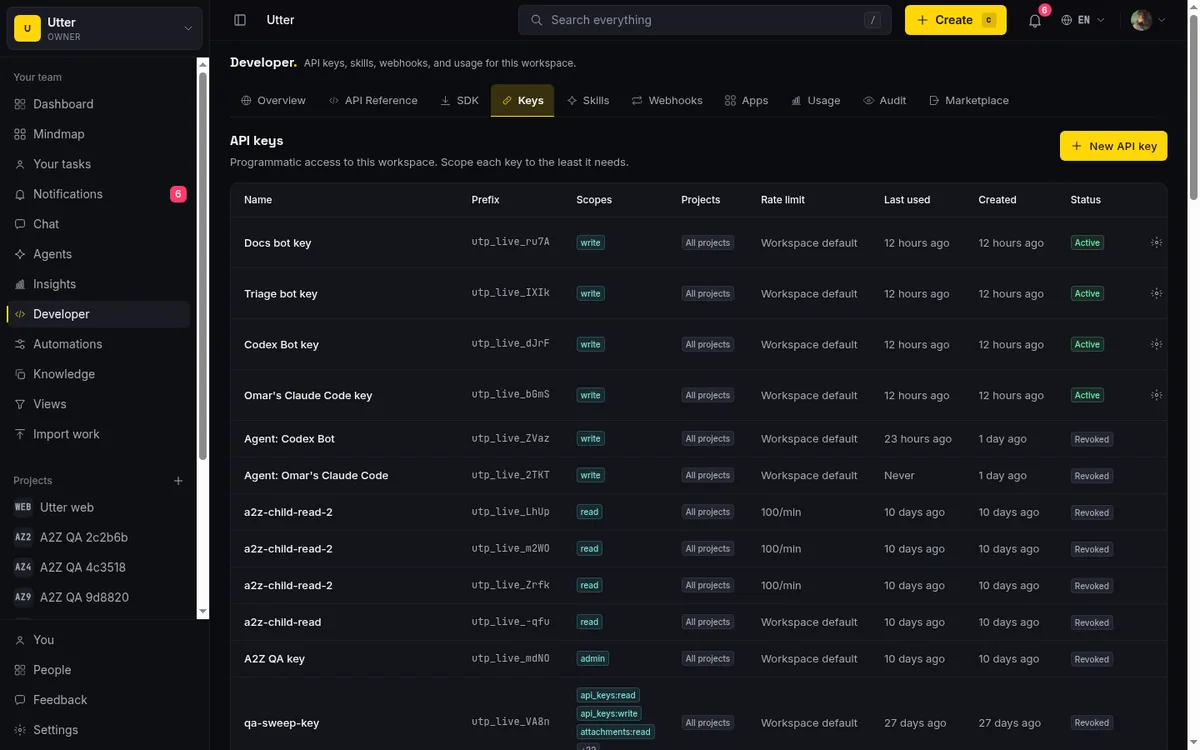
Utter keys are scoped, and scopes only narrow, never widen past the role of the person who minted the key. For a triage-and-propose agent, issues:write plus issues:read is usually enough: it can create issues, edit fields, and move them between columns, but it cannot touch project settings, manage members, or delete a project.
It also cannot edit the automations or the transition rules that define the gate, because those sit behind automations:write and project settings, which are admin-tier scopes deliberately kept out of the plain write grant. So the agent cannot quietly remove the fence it is standing behind.
Mint a separate key per agent instead of sharing a login. Every change is then attributed to that agent, and if it misbehaves you revoke one key without disrupting anyone else. Utter also watches for anomalous key usage and can revoke on a spike, which is a backstop, not a substitute for scoping it tight.
Where the seams are
This is composed, not bought, so it has seams worth naming.
There is no single "pending approvals" dashboard beyond a saved view of the Needs review column. That view is genuinely enough for most teams, but it is a filtered board, not a purpose-built queue with bulk approve.
Transition rules are per-project. If your agent works across ten projects, you configure the gate in each. Automations are workspace-level and can filter by project, so the landing rule scales better than the transition rules do.
And the enforcement is on the board, not on the intent of the actor. The gate stops a bad move; it does not read the agent's mind. That is a feature if you treat the board as the source of truth, which you should.
Why compose it this way
You could wait for a vendor to ship an "AI approval center." Or you can notice that an approval workflow is just a review column, a rule that routes proposals into it, a rule that stops anything from jumping past it, and a key that cannot dismantle the setup. Those already exist, they are enforced on the same paths your agent calls, and they leave a clean audit trail because approval is a normal human action on the board.
The result is the split that keeps working after the demo: the agent does the repetitive, checkable 80 percent and lands it at the gate. A person spends thirty seconds moving a card and owns the decision that carried risk.
If you want to build this, start with one column and one automation rule on issue.created, point a scoped key at a single project, and watch the Needs review lane for a week before you widen anything. See the API reference for the endpoints, or read running a project with AI agents for the wider setup this fits into.
Frequently asked questions
How do I add human approval before an AI agent changes my issues?
Build a gate from three pieces Utter already has: a custom "Needs review" board column the agent always lands in, an automation rule on issue.created that routes agent-filed issues into that column, and transition rules that stop anything from moving past it. The agent proposes; a person approves by dragging the card to the next column.
Does Utter have a dedicated agent approval screen?
No. There is no purpose-built queue with a bulk Approve button; the approval queue is a "Needs review" board column plus a saved view filtered to it. The approval itself is a normal board move, recorded in the issue's activity log with the person's name, which is the audit trail you wanted in the first place.
How do I stop an AI agent from skipping the review gate?
With transition rules. Each status can carry an allowedTransitions list, and a move not on the list is rejected on every status write path, including the public API and MCP, so an agent cannot route around the gate by calling an endpoint. Make In progress and Done reachable only from Needs review, and the write is refused the same as it would be for a person.
What API scopes should an AI agent's key have?
For a triage-and-propose agent, issues:read plus issues:write is usually enough: it can create, edit, and move issues, but it cannot touch project settings, manage members, or edit the automations and transition rules that define the gate. Mint a separate key per agent so every change is attributed and one key can be revoked without disrupting the rest; running a project with AI agents covers the wider setup.
Related reading

Who decides what: setting decision rights between your team and your AI agents
A simple rule for AI governance: reversible, low-stakes moves are the agent's to make; irreversible or high-stakes ones need a human. How to draw the line.
July 15, 2026 · 7 min read

Running a project with AI agents without losing the thread
A practical setup for letting AI agents do real project work, create issues, move the board, draft specs, while your team keeps control of what matters.
July 11, 2026 · 5 min read

How to automate project management with AI, and what to leave manual
The right order to automate project management with AI: reporting first, intake second, execution agents last, and the decisions that should stay human.
July 15, 2026 · 8 min read
Two agents, one backlog: coordinating a triage agent and a coding agent with issue status as handoffs
A practical multi-agent workflow: custom board columns and status transitions as the handoff bus between a triage agent and a coding agent, with human review in the middle.
July 1, 2026 · 9 min read
Auto-triage new issues with AI: a setup that actually assigns, labels, and prioritizes
How to set up AI issue triage automation that classifies severity, labels, and routes new bugs and requests, with an honest line on what to let AI decide.
May 27, 2026 · 8 min read
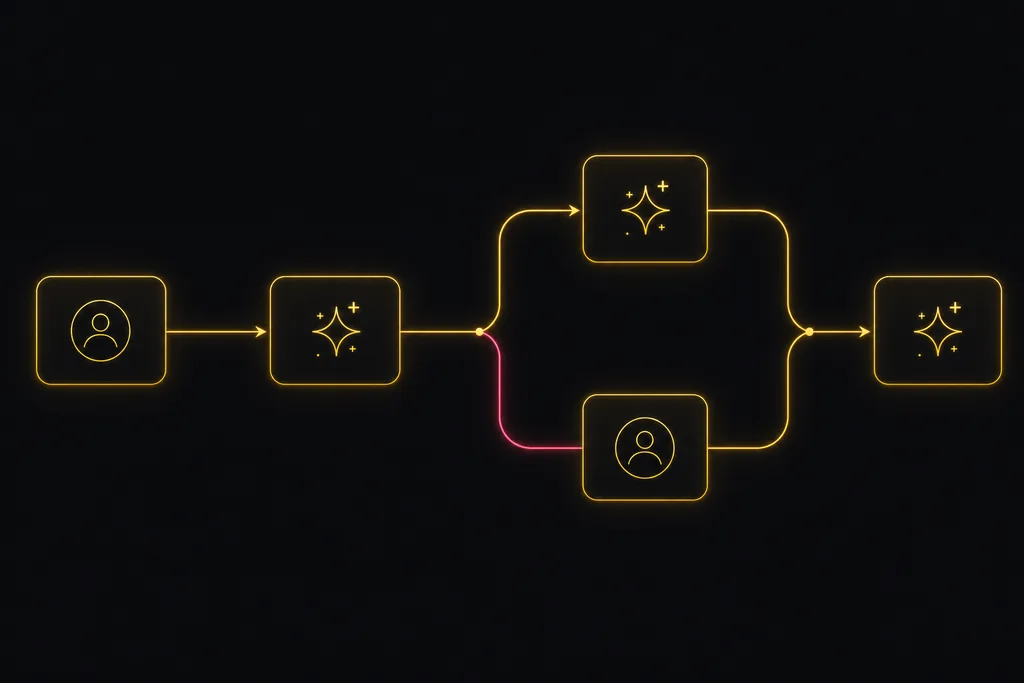
Chat with your AI agents, then put them in a workflow
Utter lets you DM an AI agent or @mention it in a channel, watch it work, and connect agents and people on a canvas so a ticket routes itself through triage, build, and review.
July 17, 2026 · 7 min read

What is agentic project management? A plain-language guide with a working example
A copilot waits for your prompt. An agent acts on an event. Here is the perceive-plan-act-check loop explained, with one real end-to-end run inside Utter.
June 11, 2026 · 11 min read

AI agent governance for project teams: seven controls your tracker can enforce
Governance for AI agent teams is not a policy PDF. Seven controls your tracker can enforce, from identity to offboarding, and what tooling cannot fix.
July 15, 2026 · 10 min read
Let AI agents run your board over the REST API: authentication, scopes, and safe writes
A developer guide to giving an AI agent a scoped Utter API key so it can move cards and file issues without a big blast radius.
June 26, 2026 · 7 min read
Can an AI run your standup?
Mostly yes, and your team will thank you. What an agent can compile from the board, what still needs a human, and how to set up an async AI standup.
July 15, 2026 · 6 min read
أضف تعليقًا
ابدأ النقاش.