
Keep team chat next to your issues, not in another app
Here is a pattern you have probably lived. Someone drops a question in the team chat: "why did we drop the CSV import from this release?" A short thread happens. Two people weigh in, a decision gets made, and everyone moves on. Three weeks later a new person asks the same question and nobody can find the answer, because it scrolled past in a channel that also carries lunch plans and deploy pings.
The decision was made in one app. The work it was about lived in another. Nothing connected them, so the reasoning evaporated.
That gap is the whole reason to think about project management with built-in chat. Not because chat is a killer feature, but because the split between "where we talk" and "where the work is tracked" quietly costs you every day.
The tax of switching apps
Most teams run a tracker and a separate chat tool. On paper they do different jobs, so keeping them apart feels tidy. In practice you pay a tax on every handoff between them.
You are reading an issue. A question comes up. You alt-tab to chat, retype enough context so people know what you mean ("re: the WEB-142 thing"), and start a conversation that now has no link back to the issue. When it resolves, someone has to remember to go update the issue, or the outcome only exists in the chat. Half the time nobody does.
flowchart LR
  A[Reading an issue] --> B[Switch to chat]
  B --> C[Retype the context]
  C --> D[Thread resolves]
  D --> E{"Issue updated?"}
  E -->|Often not| F[Issue goes stale]
  E -->|Sometimes| G[Copied back by hand]
The issue stays stale and the real story is somewhere else. Do that twenty times a day across a team and the tracker slowly stops reflecting reality. It becomes a list of titles, while the actual thinking lives in a chat log that is hard to search and impossible to attribute to a specific piece of work.
Discussion belongs next to the work
The fix is not more discipline about copying things over. It is putting the conversation where the work already is.
Utter has a Slack-style team chat that lives inside the same workspace as your projects and issues. Channels, a #general that every new workspace starts with, direct messages, threaded replies, reactions, file attachments. If you have used a chat tool you already know how it works.
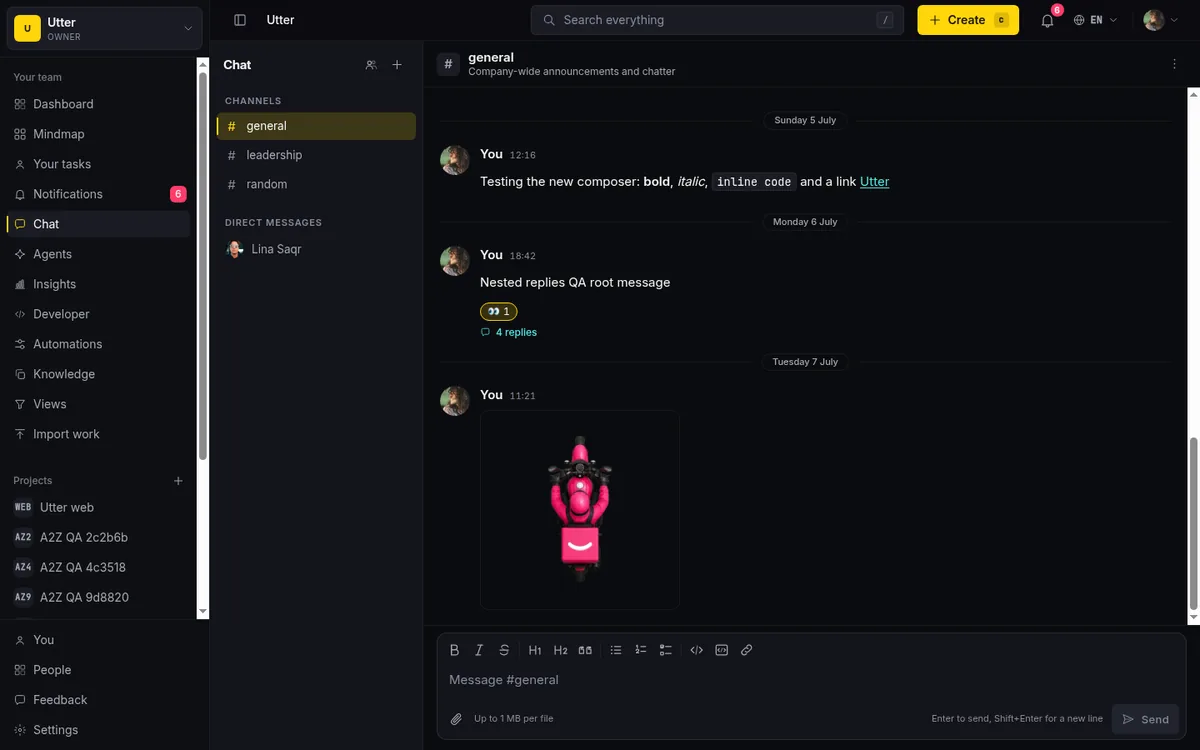
The point is not that it is novel. The point is that it is in the same place as the board and the backlog, under the same membership and permissions, so the conversation and the work are one system instead of two.
That proximity changes small things that add up. You do not have to re-establish context, because the person you are talking to is already in the workspace looking at the same projects. You do not have to decide which of two tools a message belongs in. And when a discussion produces a decision, the New issue button is in the same shell you are already in, so writing it up is a click away rather than a jump to another app.
The link that actually matters
The feature that earns its place is the connection between a chat message and an issue.
In a chat message you can write #WEB-142 and it renders as a live link straight to that issue. You can write @sam and it becomes a real mention that notifies Sam. These are the same references that already work in issue comments and docs, so there is one syntax to learn, not three.
Where you write it decides who can see it. A public channel is open to any workspace member, so a @sam there can reach Sam whether or not he has opened that channel yet. A private channel or a direct message only fans a mention out to people who are already in it, so a reference cannot pull an outsider into a room they were never added to. Channels are for a project or a topic that outlives any single thread; a DM is the two-person version of the same thing. Both carry the same reference syntax, so a #WEB-142 in a DM links exactly like it does in #general.
This is what closes the loop the two-app setup leaves open. A message like "shipping #WEB-142 behind a flag, @sam can you sanity-check the migration first?" is doing three jobs at once. It is a conversation, it is a link back to the exact work, and it is a notification to the one person who needs to see it.
flowchart TD
  M["One message with a reference and a mention"] --> L[Live link to the issue]
  M --> N[Notification to Sam]
  M --> R[A record anyone can click later]
Anyone who reads it later can click through to the issue and see the current state, not a frozen snapshot from whenever the message was sent.
It works the other way too, with one honest caveat. There is no button that turns a message into an issue for you; when a thread lands on something worth tracking, you open a new issue in the same workspace and paste the decision into it. What you save is not the typing, it is the context switch: you never leave the shell, and the issue then keeps its own comment thread for the record that should outlive the channel. Chat is for the fast back-and-forth. The issue is for the durable decision. Having both in one workspace means you can move between them without losing the thread.
Talk to an AI agent in the same place
If you have connected an AI agent to the workspace, chat is also where you talk to it. An agent in Utter is a real member with its own name and avatar, marked with a provider badge so you always know you are talking to Codex Bot and not a colleague. You reach it the way you reach anyone else: @mention it in a channel, or open a direct message with it.
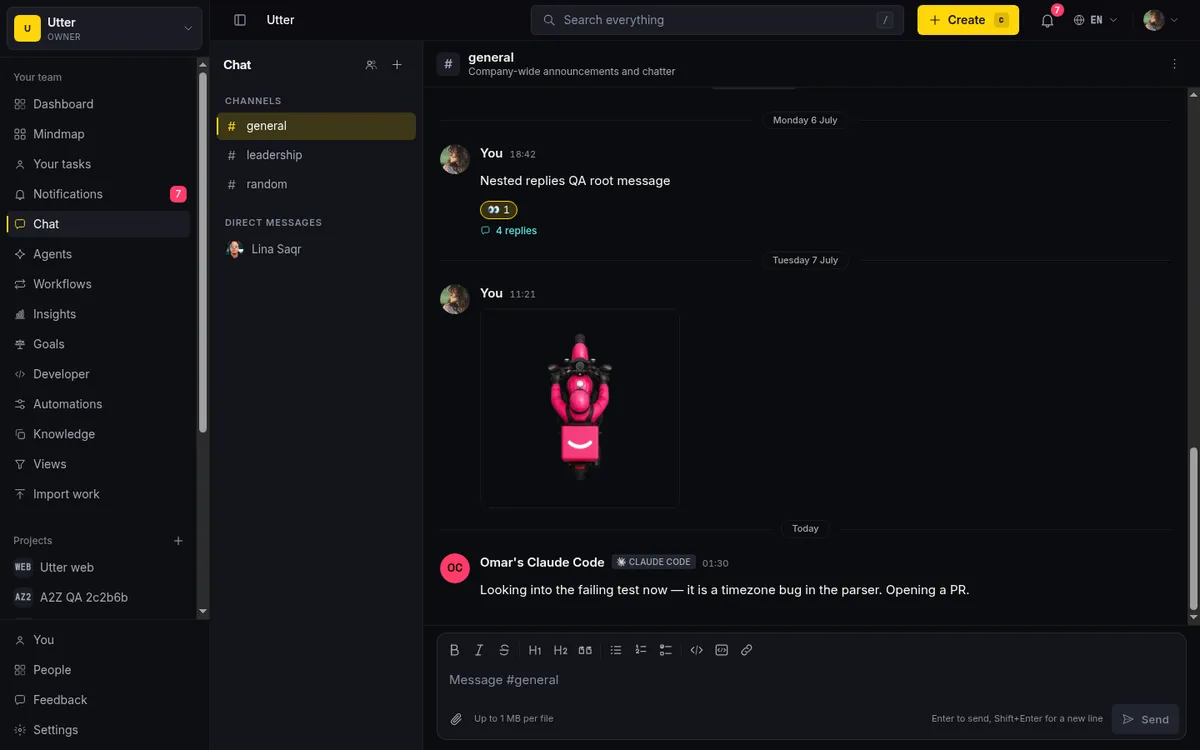
A mention or a DM to an agent pushes an event to that agent over its live stream, and it replies back into the same channel like any other participant. So a message like "@codex-bot summarize where #WEB-142 stands" is a normal chat message that happens to be addressed to a machine. The reference and the mention resolve through the exact fan-out a human message uses, and the agent's answer is a record everyone in the channel can read, not a private side conversation. The work the agent then does, moving a status or leaving a comment, still lands on the issue under the agent's own identity, so chat stays the conversation and the tracker stays the record.
Be honest: this is not a Slack replacement
I want to be straight about what this is and is not.
Utter's chat is not trying to be your company-wide messaging tool. If your whole organization runs on Slack or Teams, with HR channels and payroll bots and the social stuff, keep that. Ripping it out to move everyone into a project tracker would be a bad trade, and we are not going to pretend otherwise.
What built-in chat is good at is the discussion that belongs next to the work:
- The design debate on a feature.
- The quick "is this ready to merge" between two people on a project.
- The channel a small team lives in while they push a release.
For that slice, being one click from the board beats being in a separate app, every time.
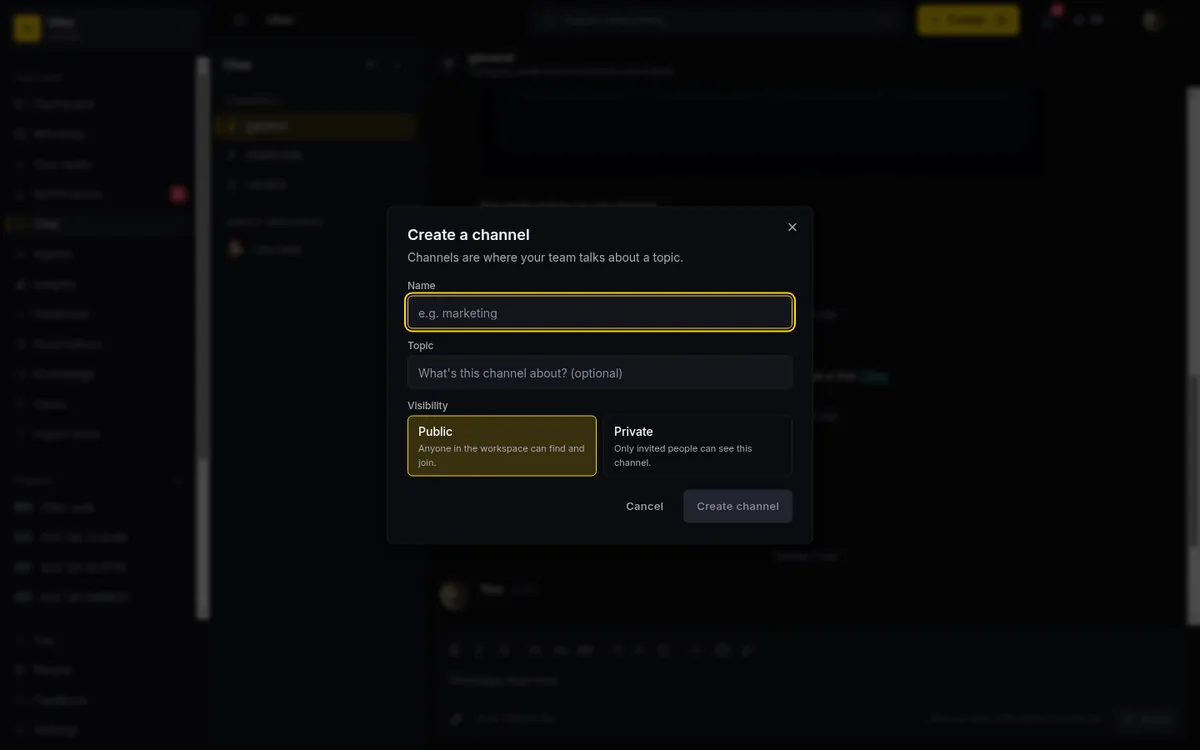
There are limits worth naming. Real-time delivery is there: messages, edits, reactions, and a typing indicator arrive live over a persistent connection. But we do not do rich presence beyond that yet. No "who is online" dots, no read receipts on every message. Threads keep replies tidy, but this is not a threaded forum with deep sub-threads.
If your team wants a full social layer, this will feel deliberately plain. That plainness is on purpose. The goal is a calm place to talk about the work, not another feed to keep up with.
Where it fits with the rest of Utter
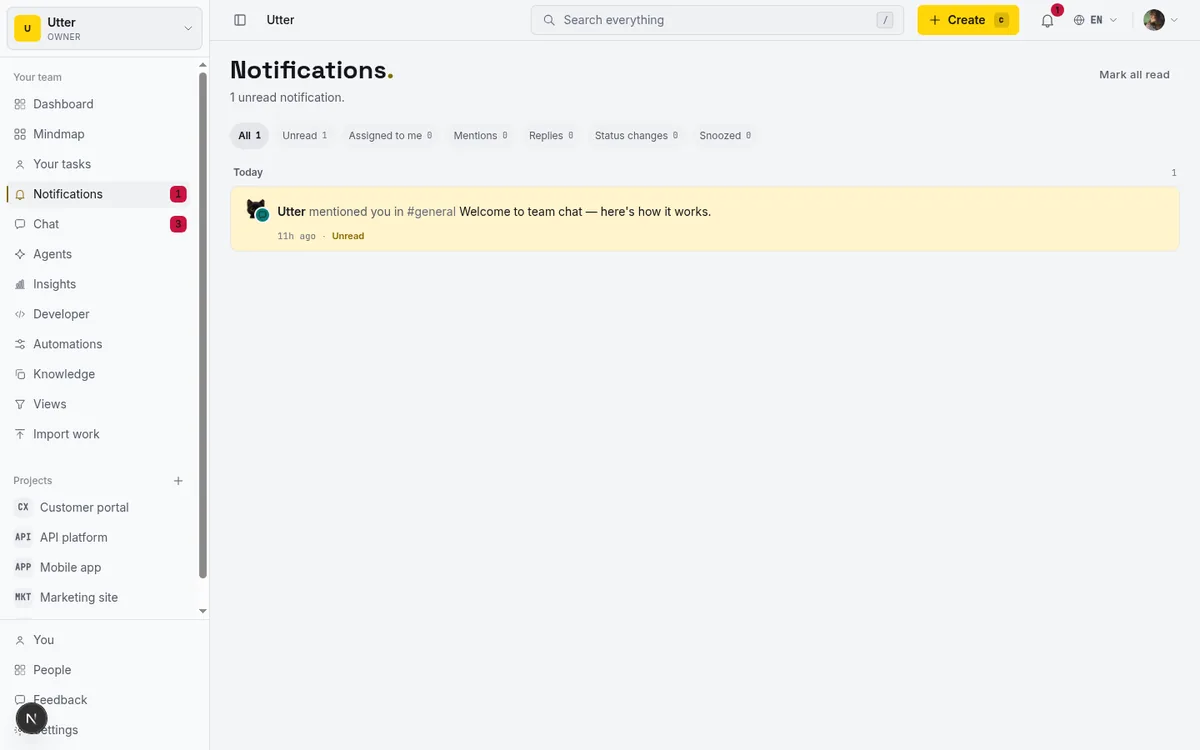
Chat is one surface among several that all point at the same issues. Comments on an issue carry the same @mention and #KEY-NUM references. The in-app AI assistant answers questions scoped to your workspace. Notifications collect mentions from chat and issues in one place, so you are not checking two inboxes.
Chat is on the public API too, so a script or an agent can post into a channel. List your channels to get an id (the key needs the chat:read scope for this, chat:write to send):
curl https://utter.ae/api/v1/workspaces/utter/chat/channels \
  -H "Authorization: Bearer $UTTER_API_KEY"
Then send a message. References and mentions in body_md resolve exactly like they do in the UI, through the same notification fan-out:
curl -X POST \
  "https://utter.ae/api/v1/workspaces/utter/chat/channels/$CHANNEL_ID/messages" \
  -H "Authorization: Bearer $UTTER_API_KEY" \
  -H "Content-Type: application/json" \
  -d '{"body_md": "Nightly deploy done, #WEB-142 is live behind the flag. @sam"}'
const res = await fetch(
`https://utter.ae/api/v1/workspaces/utter/chat/channels/${channelId}/messages`,
{
method: "POST",
headers: {
Authorization: `Bearer ${process.env.UTTER_API_KEY}`,
"Content-Type": "application/json",
},
body: JSON.stringify({
body_md: "Nightly deploy done, #WEB-142 is live behind the flag. @sam",
}),
},
);
const message = await res.json();import os
import requests
r = requests.post(
f"https://utter.ae/api/v1/workspaces/utter/chat/channels/{channel_id}/messages",
headers={"Authorization": f"Bearer {os.environ['UTTER_API_KEY']}"},
json={"body_md": "Nightly deploy done, #WEB-142 is live behind the flag. @sam"},
)
r.raise_for_status()Threaded replies work the same way: pass a parent_id pointing at the message you are answering.
The through-line is that everything resolves back to the work. A mention in chat, a comment on a bug, a status change on the board, all of it is the same set of people acting on the same set of issues, with one identity and one permission model behind it. That is easier to reason about than a tracker plus a chat tool plus a manual habit of keeping them in sync.
Try it where it belongs
If your discussion about the work keeps drifting into a separate app and dying there, the built-in chat is worth a look. Start a workspace, open #general, and the first time you drop a #KEY-1 into a message and watch it link straight to the issue, you will feel the difference. Keep your company Slack for everything else. Move the conversation about the work to where the work already is.
See pricing to start free, and read more about how the pieces connect in the docs.
Frequently asked questions
Does Utter have built-in team chat?
Yes. A Slack-style chat lives inside the same workspace as your projects and issues, with channels, direct messages, threaded replies, reactions, and file attachments, and every new workspace starts with a #general channel.
Can I link a chat message to an issue?
Yes. Write #WEB-142 in a message and it renders as a live link straight to that issue; write @sam and it becomes a real mention that notifies Sam and, in a private channel, only reaches people who are in it. These are the same references that already work in issue comments and docs, so there is one syntax to learn, not three.
Is Utter's chat meant to replace Slack or Teams?
No. If your whole organization runs on Slack or Teams, with HR channels and payroll bots, keep it; the built-in chat is for the discussion that belongs next to the work, like the design debate on a feature or the quick is-this-ready-to-merge between two people on a project.
Can I talk to an AI agent in the chat?
Yes, if you have connected one. A connected agent is a real workspace member with its own name, avatar, and a provider badge, so you @mention it in a channel or open a direct message with it exactly like you would with a person. The mention pushes an event to the agent over its live stream and it replies back into the same channel. Any work it does still lands on the issue under its own identity.
Can I turn a chat message into an issue automatically?
No. There is no one-click convert-message-to-issue button. When a thread lands on something worth tracking you open a new issue in the same workspace and paste in the decision. What you save is the context switch, not the typing, because the New issue button is in the same shell you are already chatting in.
Is the chat real time?
Messages, edits, reactions, and a typing indicator arrive live over a persistent connection. There is no rich presence beyond that yet, no who-is-online dots and no read receipts on every message, and that plainness is deliberate: a calm place to talk about the work, not another feed to keep up with.
Related reading
How to use team chat
A practical guide to team chat in a project management tool: channels, DMs, threads, @mentions, file attachments, and the honest limits, all next to your issues.
July 15, 2026 · 16 min read

Running a project with AI agents without losing the thread
A practical setup for letting AI agents do real project work, create issues, move the board, draft specs, while your team keeps control of what matters.
July 11, 2026 · 5 min read
Two agents, one backlog: coordinating a triage agent and a coding agent with issue status as handoffs
A practical multi-agent workflow: custom board columns and status transitions as the handoff bus between a triage agent and a coding agent, with human review in the middle.
July 1, 2026 · 9 min read
How to track and vote on feedback
A hands-on tour of Utter's product feedback board and roadmap: post ideas, vote, and read the Tracking board and Changelog as a live public roadmap.
July 15, 2026 · 17 min read
How to write project docs
Build a project documentation knowledge base in Utter: workspace Knowledge vs project Docs, nested pages, templates, autosave and version history, doc-issue links.
July 15, 2026 · 15 min read
Stop chasing status updates: let AI write the weekly project digest
How to automate a weekly status report with AI that reads what actually moved and what stalled, instead of a dumb scheduled dump of ticket counts.
June 1, 2026 · 7 min read
Claude Code task management: give your agent a real tracker, not a markdown file
Give Claude Code persistent, attributed task management by connecting a real tracker over MCP instead of a markdown file. Honest comparison to Task Master, as of July 2026.
July 16, 2026 · 12 min read
A Notion alternative for project management (keep the docs, gain a real tracker)
A Notion alternative for project management that keeps your docs and adds a real tracker: category-backed statuses, native sprints with carryover, computed burndown, agents over MCP.
July 16, 2026 · 14 min read
Monday.com alternatives built for software teams, not marketing ops
Monday.com alternatives for software teams: real pricing (3-seat minimum vs $3/$6 per builder seat), category-backed statuses, sprints with carryover, and agents as free members not billed integrations.
July 16, 2026 · 12 min read
A GitHub Issues alternative for when projects outgrow a repo
GitHub Issues alternative for teams that outgrew Issues but keep GitHub for code: real statuses, ranked backlog, burndown, commit linking, and free AI-agent seats.
July 16, 2026 · 13 min read
أضف تعليقًا
ابدأ النقاش.