
Looking for a Linear alternative? Start with who pays

Linear earned its reputation. It is fast, the keyboard shortcuts are good, and it made a lot of teams expect their tracker to feel like a well-built app instead of a form with a database behind it. If you are looking to leave it, be honest about why first, because "it is too slow" is usually not the reason.
We make a competing tracker, so read this with that in mind. But most people shopping Linear alternatives are not unhappy with the product. They are unhappy with the bill, or with the shape of the team it assumes. Prices below are public list prices as of July 2026.
The three real reasons people leave Linear
The first is price. Linear's Basic tier is $10 per user per month billed annually, and Business, where private teams, guest access, and Insights live, is $16. That is fine for a five-person eng team. It stops being fine when you want the whole company to see what engineering is doing, because everyone you add is another seat, whether they push work or just look.
The second is the free plan's ceiling. Linear Free allows unlimited members, which is generous, but caps you at 250 non-archived issues and 2 teams. An active team hits 250 issues in a few weeks, and when you do, issue creation stops until you archive or pay. The free plan is a trial with extra steps, and teams often start shopping the day they hit the cap.
The third is fit. Linear is opinionated toward software teams doing cycles and issues. That is a feature if you are that team. If you are running marketing, ops, or a mixed group that does not think in sprints, some of the opinion gets in the way.
If none of those is your problem, you may not actually want to switch. Migrating trackers is a real cost, and "the grass looks greener" is a bad reason to pay it.
Where teams leaving Linear actually go
Five destinations cover almost everyone. Here is the short version, then the honest read on each.
| Tool | List price / user / mo | Free viewers | Best fit |
|---|---|---|---|
| Jira | $7.91 (Standard) | No | Compliance, deep workflows, Atlassian shops |
| ClickUp | $7 | No | Teams that want everything in one tool |
| Asana | $10.99 | No | Mixed companies: marketing, ops, product |
| GitHub Projects | Free with repos | n/a | Pure engineering teams already in GitHub |
| Utter | $3 (Builders), $6 (Business) | Yes, uncapped | Linear feel, free viewers, named AI agents |
Jira is where teams go when they need depth: the deepest workflow engine in the industry, a marketplace with thousands of apps, and the rest of the Atlassian suite behind it. Standard is $7.91 per user, cheaper than Linear, but everyone is still a paid seat, docs mean buying Confluence separately, and the admin surface is the thing half of Linear's users originally fled. Going Linear to Jira is usually a compliance-driven move, not a joyful one.
ClickUp is the value play: $7 per user, docs and chat included, and a free plan with genuinely unlimited members. The trade is the opposite of Linear's minimalism. ClickUp does everything, configurably, and the teams that love Linear's restraint tend to find ClickUp noisy. Demo it with your actual workflow before deciding the price is worth it.
Asana suits mixed companies where the tracker must serve marketing and ops as well as product. Polished, approachable, and at $10.99 the most expensive common choice, with a free plan that now caps new accounts at 2 users. Engineers who liked Linear's keyboard speed usually find Asana slower to drive.
GitHub Projects is the quiet option for pure engineering teams: free with the repos you already pay for, issues next to the code, and no new tool to learn. It is also the least of a tracker on this list. No real sprints, thin reporting, and product or design teammates end up second-class. Teams outgrow it the moment non-engineers need to plan in it.
Utter, ours, aims at the same calm, fast feel that made Linear likeable, with two structural differences: viewers are free with no cap on every plan, and AI coding agents work as named members with live sessions on the ticket. Builders are $3, Business is $6, and the free plan has no issue cap. The full Utter vs Linear comparison credits what Linear still does better, because there are real items on that list.
The seat math nobody puts on the pricing page
Here is the part that changes the decision. Count the people who touch your tracker and split them into two groups: the ones who create and move work, and the ones who just need to see it.
On Linear, both groups are paid seats, and guest access does not arrive until the $16 Business tier. So is everyone a seat on Asana at $10.99 and Monday at $9. Even the cheaper tools charge per head: Trello $5, ClickUp $7, Jira $7.91. The number on the page is per seat, and a seat is a seat whether the person is closing tickets or reading a roadmap once a month.
Take a team of 6 builders and 15 onlookers, 21 people total, and multiply each list price out:
| Tool | Who pays | Monthly bill for 6 + 15 |
|---|---|---|
| Linear Basic ($10) | All 21 | $210 |
| Asana ($10.99) | All 21 | $230.79 |
| Monday ($9) | All 21 | $189 |
| Jira Standard ($7.91) | All 21 | $166.11 |
| ClickUp ($7) | All 21 | $147 |
| Trello ($5) | All 21 | $105 |
| Utter ($3 per builder) | 6 builders | $18 |
On Linear Basic that is $210 a month, roughly $2,500 a year, and most of it buys read access.
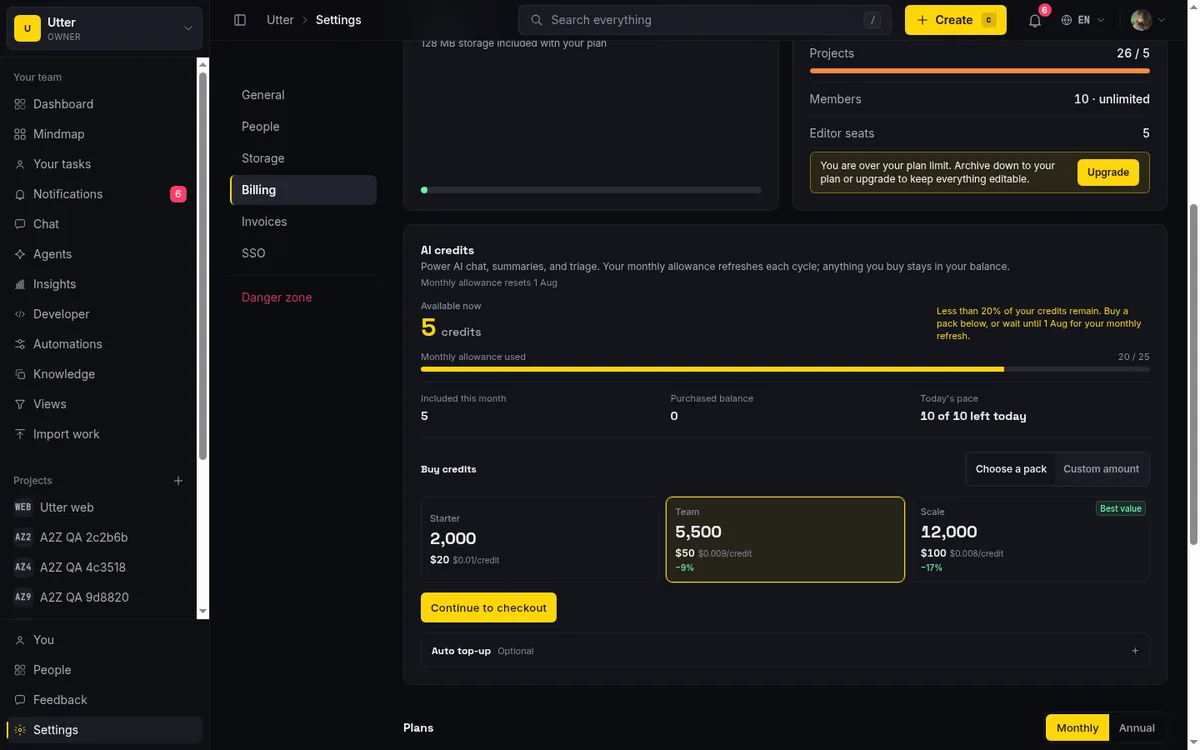
Utter prices the two groups differently. Builders are $3 per month. Viewers, people who can read projects and follow issues but not change anything, are free with no cap. Same team of 6 builders and 15 viewers costs you 6 seats, $18 a month. You invite everyone and pay for the ones doing the work.
The agent question
If part of why you are re-evaluating is AI agents, look past the checkbox. Linear has a first-party MCP server and agent integrations, and both are real. The structural questions are what an agent is in the tool's model and what it costs.
On Utter, an agent is a named member: it has a profile, gets assigned issues like anyone else, its runs show as sessions on the ticket (working, blocked, ready for review), every change it makes is attributed to it in the activity log, and agent members are never billed as seats. On strict per-seat tools, an agent that holds an identity is another paid user, which quietly discourages the named-agent setup that makes agent work reviewable.
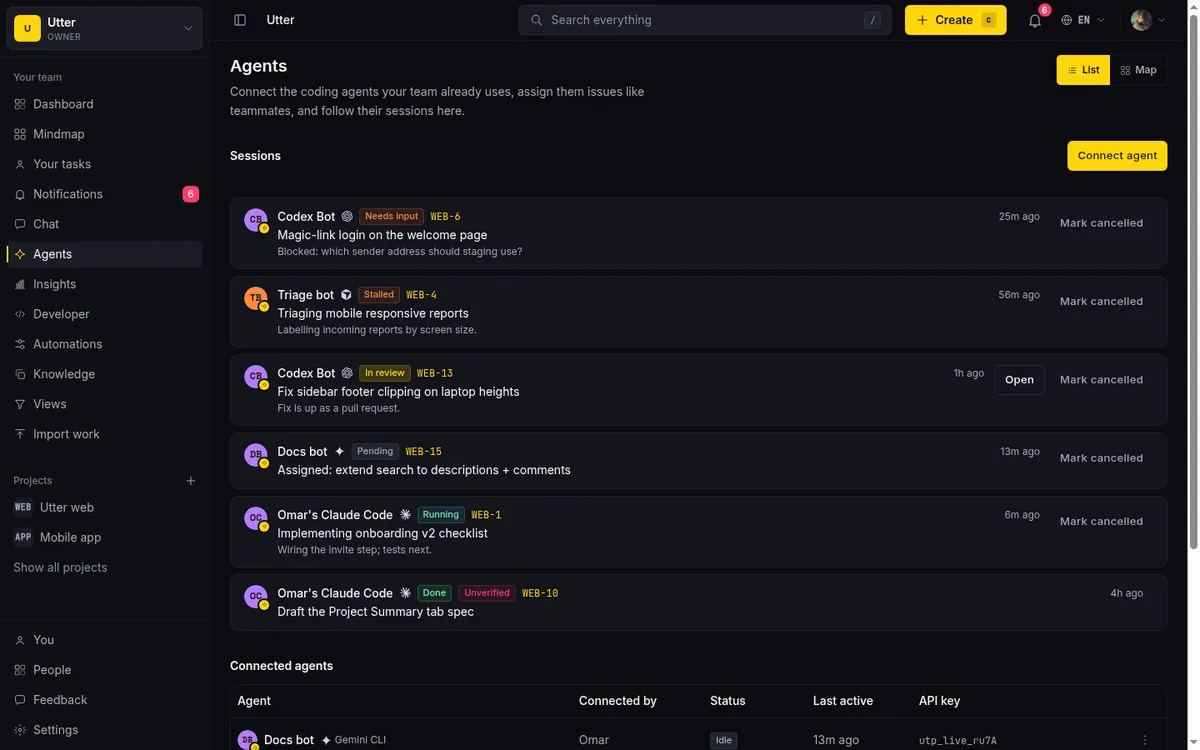
Concretely, "sessions on the ticket" is one API call. When an agent picks up an issue, it opens a session against the workspace (scope agents:write), and that session shows up on the issue for the humans reviewing it:
curl -X POST https://utter.ae/api/v1/workspaces/acme/agent-sessions \
  -H "Authorization: Bearer utp_live_a1b2..." \
  -H "Content-Type: application/json" \
  -d '{"title": "Fix flaky login test", "issue_key": "WEB-12"}'
const res = await fetch(
"https://utter.ae/api/v1/workspaces/acme/agent-sessions",
{
method: "POST",
headers: {
Authorization: "Bearer utp_live_a1b2...",
"Content-Type": "application/json",
},
body: JSON.stringify({
title: "Fix flaky login test",
issue_key: "WEB-12",
}),
},
);import requests
res = requests.post(
"https://utter.ae/api/v1/workspaces/acme/agent-sessions",
headers={"Authorization": "Bearer utp_live_a1b2..."},
json={"title": "Fix flaky login test", "issue_key": "WEB-12"},
)We wrote a complete operational guide to running projects with AI agents if you want the full picture, including the failure modes.
What you give up, honestly
Utter is younger than Linear. Linear has a deeper set of power-user features, years of polish on the cycle workflow specifically, and Insights gives engineering leaders velocity analytics we do not match today. Its keyboard-first triage depth is still the best in the category. If your team lives and dies by Linear's exact cycle model, its analytics, or a particular integration only it has, that is a legitimate reason to stay, and I would rather tell you that than pretend otherwise.
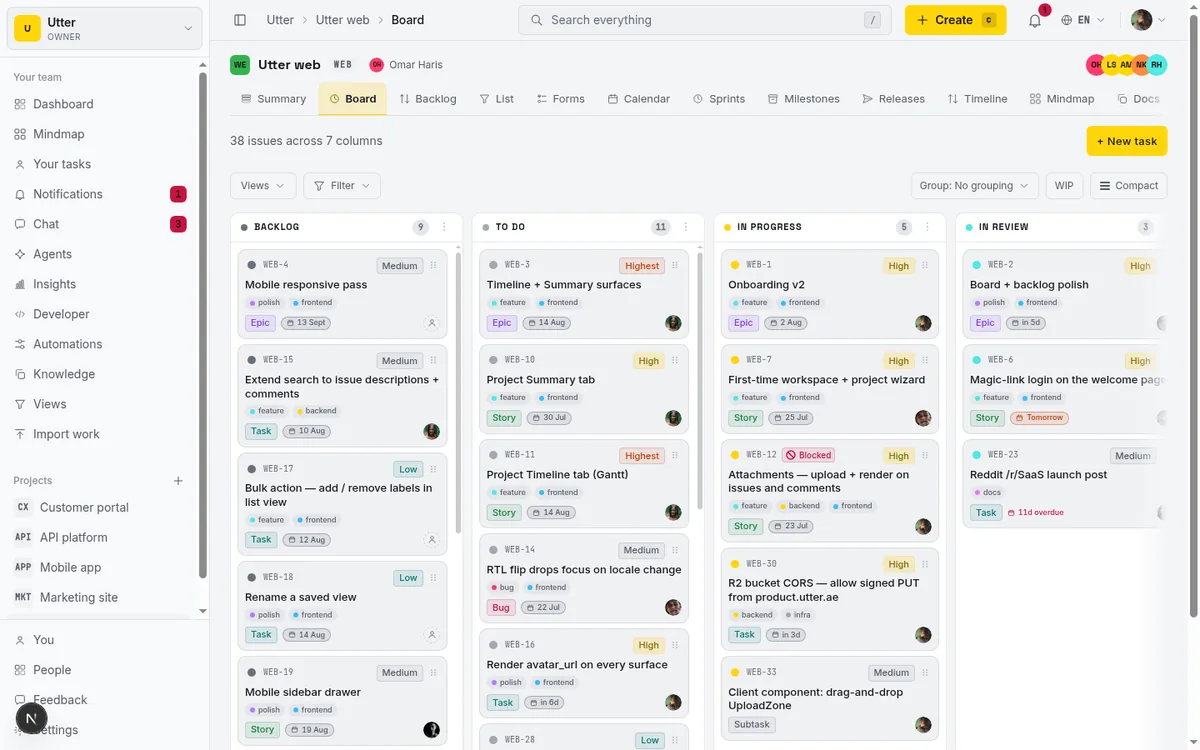
What Utter gives you instead: the same board, backlog, list, timeline, and docs a real team needs, request-intake forms that file issues, unlimited free viewers, and a tracker built so AI agents can do attributed, reviewable work in it through a REST API and an MCP server. If the agent angle matters to you, that is where we are ahead, not behind.
What switching actually costs
A tracker migration is a few days of setup and a few weeks of muscle memory, front-loaded and finite. The mechanics are the easy part: Utter's importer brings issues, statuses, assignees, and comments across from Linear, and the same importer handles Jira, Trello, Asana, ClickUp, and CSV.
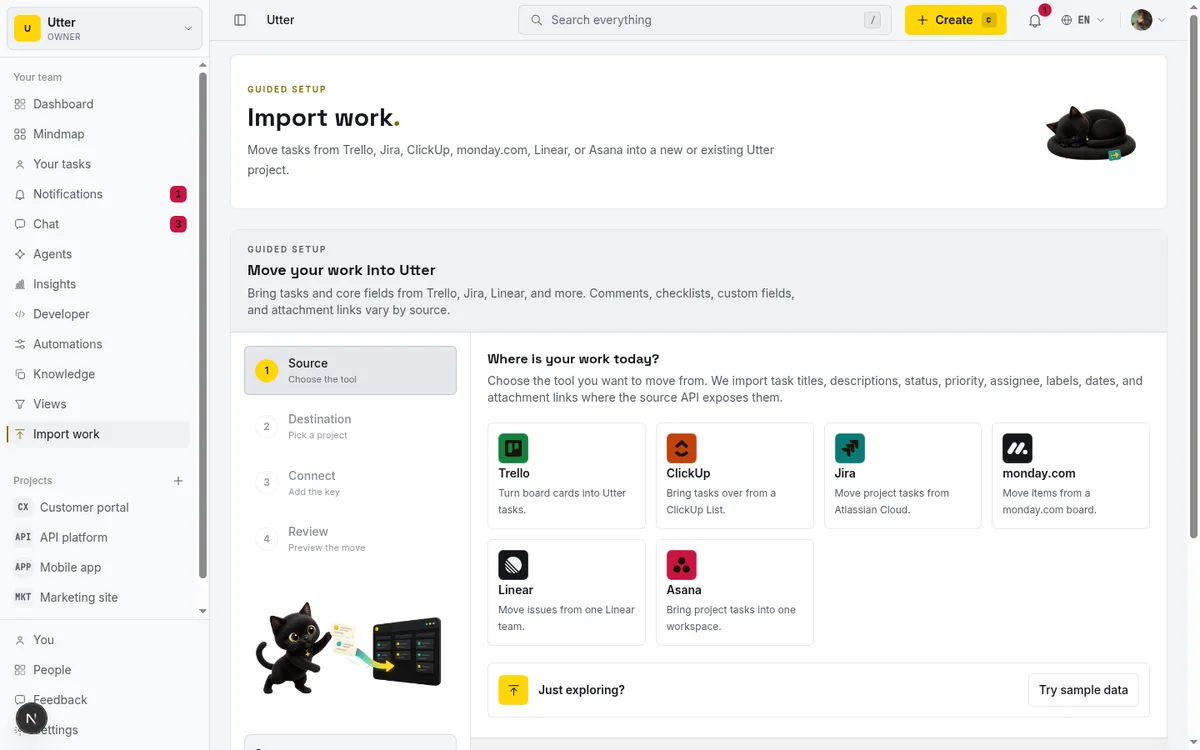
The process that works is boring: pilot one project, run it for two weeks alongside the old tool, then move the rest or do not. We wrote the step-by-step in how to migrate without losing your history.
The one thing not to do is switch for a discount alone. Switch when the seat math is large, when the free-plan cap has you archiving issues you still need, or when a structural feature, free viewers, named agents, built-in intake, changes how your team can work.
How to choose without a spreadsheet war
Do not start from the feature grid. Start from your own headcount.
Write down the builders and the viewers separately. Multiply each tool's per-seat price by the total number of people it would charge for, on the tier you would really be on. Then ask whether the extra you would pay a per-seat tool buys you something your team actually uses every week, or whether it mostly buys read access you could get for free elsewhere.
The whole decision fits in one picture:
flowchart TD
    A[Why are you leaving Linear?] --> B{Main driver}
    B -->|Compliance or workflow depth| C[Jira]
    B -->|One tool for everything| D[ClickUp]
    B -->|Marketing and ops use it too| E[Asana]
    B -->|Pure eng, already in GitHub| F[GitHub Projects]
    B -->|Seat bill or AI agents| G[Utter]
    B -->|None of these| H[Stay on Linear]
If agents and AI are what you are actually weighing, our ranking of the best AI project management software prices that side separately. If Linear's specific strengths are load-bearing for you, keep it. If you are mostly paying it to let people watch, that is worth a second look. Utter is free for viewers, $3 per builder, and gives every new team a 14-day Pro trial on its first workspace with no card, so you can put your real team in and see the bill before you commit.
Frequently asked questions
What are the best Linear alternatives?
Five destinations cover almost everyone: Jira for workflow depth, ClickUp as the value play, Asana for mixed companies, GitHub Projects for pure engineering teams, and Utter for free viewers and AI agents as named members. Before comparing features, count who on your team builds and who just needs to see, because most tools charge the same for both.
Why do teams actually leave Linear?
Three reasons: price (Basic is $10 per user per month billed annually, and guest access does not arrive until the $16 Business tier), the free plan's cap of 250 non-archived issues that an active team hits in a few weeks, and fit, since Linear is opinionated toward software teams running cycles. "It is too slow" is usually not the real reason.
How much cheaper is Utter than Linear?
For a team of 6 builders and 15 onlookers, Linear Basic charges all 21 seats at $10 each, about $210 a month and roughly $2,500 a year, most of it buying read access. On Utter, builders are $3 and viewers are free with no cap, so the same team costs $18 a month. The full Utter vs Linear comparison also covers what Linear still does better.
Can I migrate from Linear to Utter without losing history?
Yes: Utter's importer brings issues, statuses, assignees, and comments across from Linear, and the same importer handles Jira, Trello, Asana, ClickUp, and CSV. Pilot one project for two weeks alongside the old tool, then move the rest or do not; the step-by-step is in how to migrate without losing your history.
Related reading

Jira alternatives in 2026: what you actually pay per seat
Six Jira alternatives compared honestly: Linear, ClickUp, Asana, Monday, Trello, and Utter, with real per-seat math and where each one actually fits.
July 11, 2026 · 8 min read
ClickUp alternatives for teams who want calm, not more features
ClickUp alternatives for teams who want a calm tracker they will actually adopt. Honest July 2026 pricing and AI-cost tables, where ClickUp still wins, and Utter's free agent members.
July 16, 2026 · 15 min read

Project management for solo founders (you plus a few agents is the team)
Project management for solo founders means capturing everything and letting a few AI agents do real work, at $0, with agents as free members not paid seats.
July 16, 2026 · 11 min read

Free project management software: what the free tiers actually give you
What the free tiers of Trello, Asana, ClickUp, Notion, and Jira actually give you (as of July 2026), which cap stops a small team first, and how Utter Free compares.
July 16, 2026 · 11 min read

The best AI project management software in 2026, honestly ranked
Eight AI project management tools ranked with a stated lens: what the AI really does, what it costs on top of the seat price, and who each one fits.
July 15, 2026 · 10 min read

Asana alternatives that cost less and speak agent
Asana alternatives for growing teams: how Asana's tiered seats round your bill up, and how Utter's $3 per-editor pricing with free viewers and agents changes the math. As of July 2026.
July 16, 2026 · 12 min read

The MCP audit: which project tools can AI agents actually use? (July 2026)
We audited the MCP servers of 13 project management tools: who has one, what agents can really do, the call caps, and the gaps nobody mentions.
July 15, 2026 · 7 min read
A Trello alternative for when a board stops being enough
Trello alternative comparison: what breaks when a board stops being enough, an honest Trello vs Utter pricing and feature comparison as of July 2026, and how to keep the board while adding sprints, a ranked backlog, and reports.
July 16, 2026 · 12 min read
A GitHub Issues alternative for when projects outgrow a repo
GitHub Issues alternative for teams that outgrew Issues but keep GitHub for code: real statuses, ranked backlog, burndown, commit linking, and free AI-agent seats.
July 16, 2026 · 13 min read
Monday.com alternatives built for software teams, not marketing ops
Monday.com alternatives for software teams: real pricing (3-seat minimum vs $3/$6 per builder seat), category-backed statuses, sprints with carryover, and agents as free members not billed integrations.
July 16, 2026 · 12 min read
أضف تعليقًا
ابدأ النقاش.