
ClickUp alternatives for teams who want calm, not more features
You built three views on Tuesday that nobody asked for, and by Wednesday you were quietly wondering whether the tool was the problem. That is usually the moment people start searching for ClickUp alternatives. Not because a feature is missing, but because there are too many of them, and your team spent two weeks learning the thing before a single ticket actually moved.
This is an honest comparison, and honest means it cuts both ways. ClickUp is a genuinely capable product, and there are jobs where it is still the right buy. I will say exactly where those are. But if what you actually want is a tracker people open without a training doc, the everything-app is working against you, and it helps to name that out loud before you spend another sprint fighting it.
The searcher's real question is never "which tool has more features." It is "will my team adopt this." Hold onto that. Every point below is measured against it.
Why teams start hunting for a ClickUp alternative
The trigger is rarely a gap. It is the opposite. ClickUp can do so much that the doing gets in the way.
You do not have to take a competitor's word for it. G2's own long-form ClickUp review, which is broadly positive, concedes the tool "can feel overwhelming at first," that notifications get noisy, and that it can run slow in larger workspaces (as of July 2026, per G2's editorial review). The steep initial learning curve shows up as a recurring con across G2 reviews. That is the friendly critic talking, not a rival.
The numbers around ramp-up come from elsewhere. Independent 2026 guides put team proficiency at roughly two to three weeks of structured learning: basic task management in one to three days, real mastery in four to six weeks. Those same guides attribute the overwhelm to 15+ views and 1,000+ customization options (as of July 2026, third-party estimate, not a figure ClickUp or G2 publishes). Treat the two-to-three-week number as what it is, an outside estimate, not a vendor claim. Your mileage will vary with how disciplined your admin is about turning things off.
Here is the thing that number really measures. Two to three weeks is not the cost of the software. It is the cost of getting a team of people to agree on one way to use software that supports fifty ways. The tool is flexible, so the humans have to supply the opinion the tool declined to have. That work is invisible on a pricing page and very visible in your Tuesday.
So when people look for ClickUp alternatives, the honest version of the query is "something my team will actually open." Fewer decisions to make before the first ticket moves. If you are weighing the whole category and not just ClickUp, the same tension runs through the seat-price math in our Jira alternatives breakdown, and if speed is your sticking point, the Linear comparison is the sibling to read.
What calm costs, and what it buys
Let me be blunt about the trade, because pretending there is no trade is how comparison posts lose your trust.
A calm tracker means fewer views. One opinionated way to do the common things. Faster adoption because there is less to learn. The cost is real: you give up breadth. Utter deliberately ships far fewer views than ClickUp, and it has no docs-plus-whiteboards-plus-goals-plus-notetaker spread inside one SKU. That is not an oversight we are hiding. It is the pitch. You are choosing a smaller surface on purpose, the same way you might choose a paring knife over a twelve-tool multitool for a job you do every day.
"Fewer" should not read as "thin," though, so here is the actual surface. Utter gives you a kanban board with custom named, coloured, ordered columns, WIP limits, and drag-to-reorder. Then a ranked backlog, sprints, a list view, a calendar, a Gantt with real dependencies, a mind map, reports, docs, forms, and team chat. That is enough to run a product team end to end. What it is not is a wiki-slash-CRM-slash-office-suite. If you need that, keep reading to the "where ClickUp still wins" section, because I mean it.
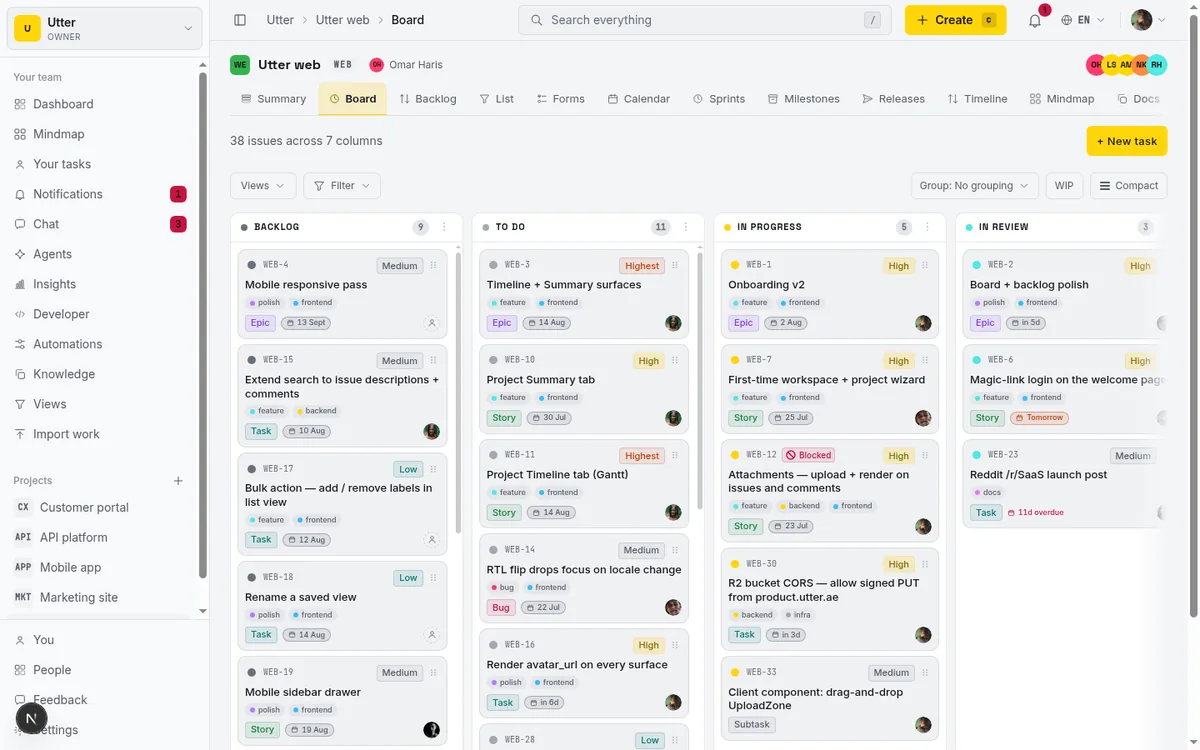
The board above is the whole philosophy in one screen. Columns are yours to name, colour, order, and cap with WIP limits, and you drag both cards and the columns themselves. There is one board, done well, instead of fifteen views you feel obliged to configure. When a new hire opens it, there is nothing to explain. That "nothing to explain" is the entire product.
The honest price and AI-cost comparison (as of July 2026)
This is the part you came for. Real numbers, both directions, and the AI line spelled out because that is where the surprise usually lives.
Two things before the table. All of this is as of July 2026, and both vendors move prices. And watch the AI row: on ClickUp, AI is a separate product with its own price ladder that sits on top of the plan you already pay for. That is not a knock, just a thing to budget for, and it is easy to miss on a quick pricing-page skim.
| Plan / add-on | ClickUp (as of July 2026) | Utter (as of July 2026) |
|---|---|---|
| Free | Free Forever: unlimited tasks, unlimited free members, 60 MB total workspace storage | $0: full features, 5 active projects, 128 MB storage, 1 MB per-file, 2 automations, 25 AI credits/mo |
| Entry paid | Unlimited: $7/user/mo billed yearly, unlimited storage (monthly price not published) | Pro: $3/builder seat/mo ($30/yr), 1 GB storage, unlimited projects, 20 automations, 5,000 AI credits/mo |
| Mid paid | Business: $12/user/mo billed yearly | Business: $6/builder seat/mo ($60/yr), 100 GB storage, unlimited automations, 20,000 AI credits/mo |
| Top tier | Enterprise: custom, via sales | (Business is the top self-serve tier) |
| Automations | Business 5K/mo, Enterprise 250K/mo | Free 2, Pro 20, Business unlimited |
| Viewers | Free members unlimited on Free | Always free, never a seat, every plan |
| AI | Separate product. Brain AI $9/user/mo annual ($18 monthly). Everything AI $28/user/mo annual ($68 monthly). Plus AI Super Credits $10 per 10,000, Talk to Text $9/user/mo, AI Notetaker from $12/user/mo | Credit-metered on every plan including Free. Never a per-user add-on |
A few things the table cannot say in a cell.
The Everything AI tier is the one that matters if you care about agents. On ClickUp, $28/user/mo billed annually ($68 monthly) is the tier that turns on unlimited Autopilot Agents, AI Assign, AI Prioritize, and AI Fields (as of July 2026). Brain AI at $9/user/mo annual is the cheaper AI tier, but it is not the autonomous-agents tier. So an eight-person team that wants agents on ClickUp is looking at roughly $28/user/mo on top of their plan seats, annually, for the AI layer alone.
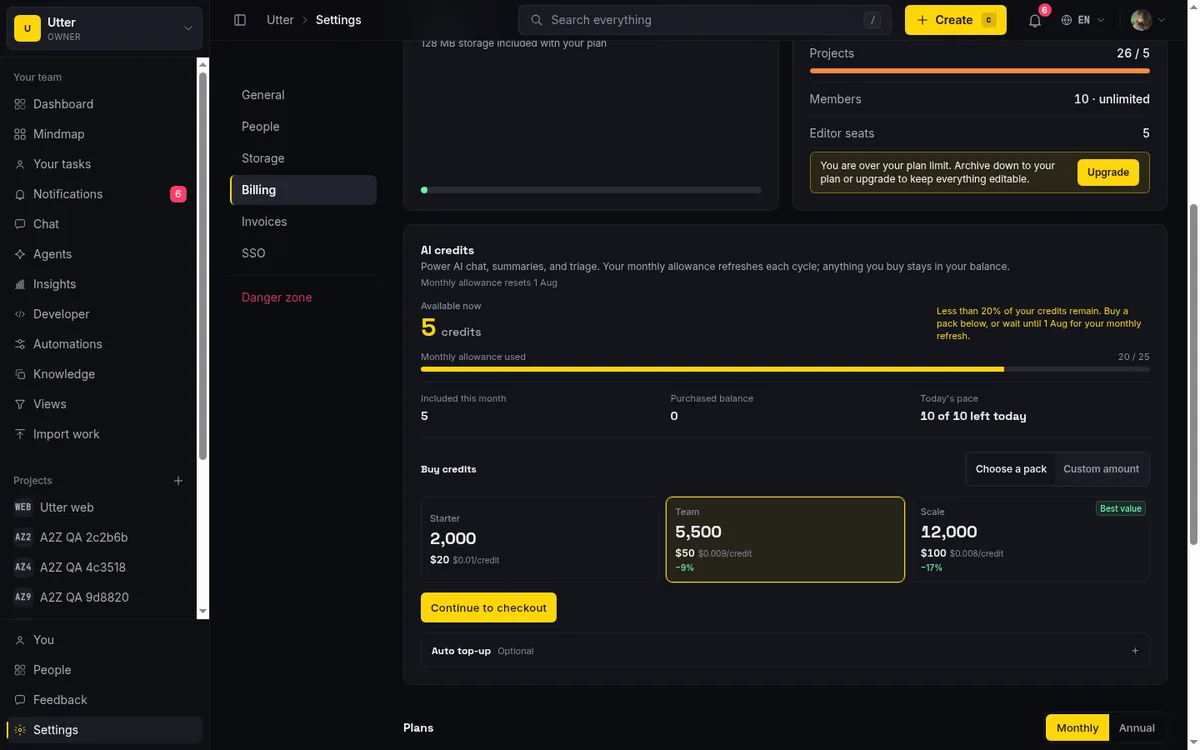
On Utter, AI is credit-metered and lives on every plan, including Free. There is no per-user AI SKU to add. Credits are a monthly grant that scales with the plan (Free 25, Pro 5,000, Business 20,000), drawn from a durable ledger. That is a genuinely different model, and I will get into why it matters for agents further down. For the seat-versus-agent question specifically, we wrote a whole piece on whether AI agents should count as seats.
On storage, be fair. Utter Free's 128 MB beats ClickUp Free's 60 MB, and that is a real if small win. But do not let anyone tell you Utter wins storage overall, because it does not. ClickUp Unlimited is unlimited storage at $7/user/mo, and Utter Pro caps at 1 GB. If your team lives on file attachments, that gap is decisive in ClickUp's favour, and I would rather you know that now than after you switch.
Where ClickUp still wins (and when to stay)
If you have read this far and everything sounded one-directional, here is the correction. There are real jobs where ClickUp is the better buy, and pretending otherwise would make the rest of this post worthless.
ClickUp wins on storage. Unlimited at $7/user/mo versus Utter Pro's 1 GB is not close, and for attachment-heavy teams it is the whole decision.
ClickUp wins on breadth. Docs, whiteboards, goals, a notetaker, and 15+ views live inside one product. If your team genuinely needs one app for wikis and projects and chat and goals in a single SKU, that consolidation is worth paying for, and Utter simply does not offer it. Utter has docs and chat, but it is not trying to replace your wiki plus your OKR tool plus your whiteboard app. If that is the job, buy ClickUp.
And Utter Free has real caps you should see before you get excited. Five active projects. 128 MB storage. 1 MB per-file uploads. Two automations. 25 AI credits a month. On top of that, automations, custom roles, SSO, and audit log are paid-plan features, not on Free at all. The AI is credit-metered rather than unlimited, and the Free grant of 25 credits a month is a taste, not a workload. If you plan to lean on AI heavily, budget for a paid plan or expect to run out.
So the plain version: if breadth or unlimited storage is the actual job, ClickUp is the better buy, full stop. What follows is for the teams whose job is something else.
The real difference: agents are free members, not a $28 tier
Here is the honest caveat first, up top, because the internet is full of posts that get this wrong. ClickUp ships an official first-party MCP server, on all plans, at mcp.clickup.com. It is OAuth-only and gives AI assistants access to tasks, docs, search, and time tracking (as of July 2026). So this is not a story about MCP exclusivity. If you read a ClickUp-alternative post claiming the rival has MCP and ClickUp does not, close the tab.
The real difference is what an agent is and what it costs.
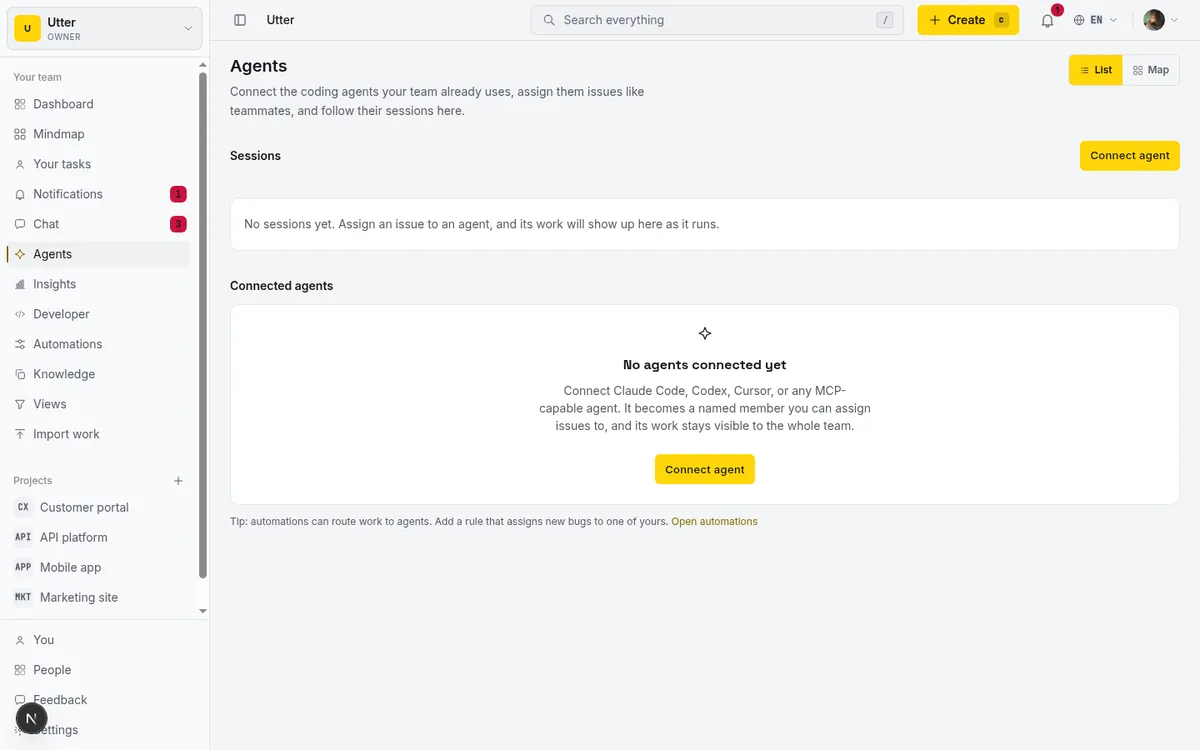
In Utter, an agent is a real workspace member. Concretely: a user plus a member record, with a workspace_agents profile and its own API key whose created_by points back to the agent user. That last detail is the attribution model. When an agent does something, the trail leads to the agent, not to whichever human minted the key. The agent is free and never counts as a billed seat, the same way viewers do not. And it has a live hub: a roster of your agents, their sessions, and an agent map that shows who owns what.
On top of that sits a permission model built for machines that act on their own. Each agent has a field policy, field_policy_json, which is an allowlist of the issue fields it is allowed to write (null means all fields). It is enforced at a single API write choke point, updateIssueViaApi, so the same guardrail covers REST calls, status transitions, and MCP tool calls without a second code path to forget. You can hand an agent the keys to move status and add comments while forbidding it from touching the assignee or the due date, and that rule holds no matter which door the agent came through.
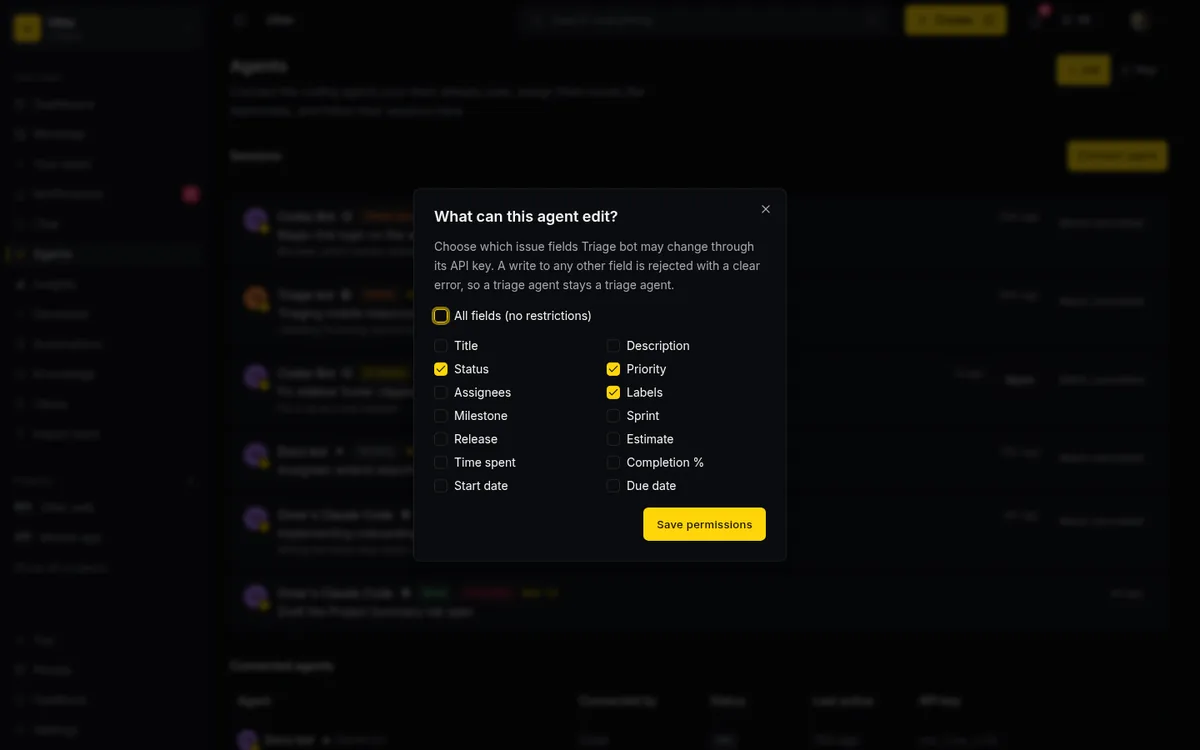
Now the contrast, stated fairly. ClickUp's autonomous Autopilot Agents sit behind the Everything AI tier at $28/user/mo billed annually, a premium capability you turn on by moving up a paid AI SKU. Utter's framing is different: free, named, accountable members with field-level guardrails. Neither is wrong; they are bets on different futures. If you expect to run one or two agents occasionally, the difference is a rounding error. If you expect a team of agents to be first-class contributors, a per-user premium tier and a free-member model diverge fast.
What working with an agent actually looks like
Abstractions are cheap. Here is the concrete loop.
You assign an issue to an agent. That assignment auto-creates a pending session (this is the DELEGATE-01 behavior). Agents can leave a pending session but never enter it, which is a deliberate rule: pending means "a human handed this over and nobody has picked it up yet." The agent claims it by calling startAgentSession, which moves the session to running. If nobody and nothing claims a pending session, the worker cancels it after seven days, so orphaned handoffs clean themselves up instead of lingering.
The session state machine is small on purpose: pending, then running, needs_input, review, done, failed, or cancelled. Humans get notified when a session enters needs_input, review, done, or failed, which are exactly the moments a person needs to look. A running session that has not sent a heartbeat in 30 minutes renders as stalled, so a wedged agent is visible rather than silently stuck.
There is one more guardrail worth calling out, because it is the difference between "an agent said it did the work" and "the agent did the work." Under VERIFY-01, a session that reaches review or done but has no attributed activity or comment on its issue gets an unverified badge at read time. In plain terms: if an agent marks something done but left no fingerprints on the actual issue, the UI flags it. You are never taking the agent's word for it.
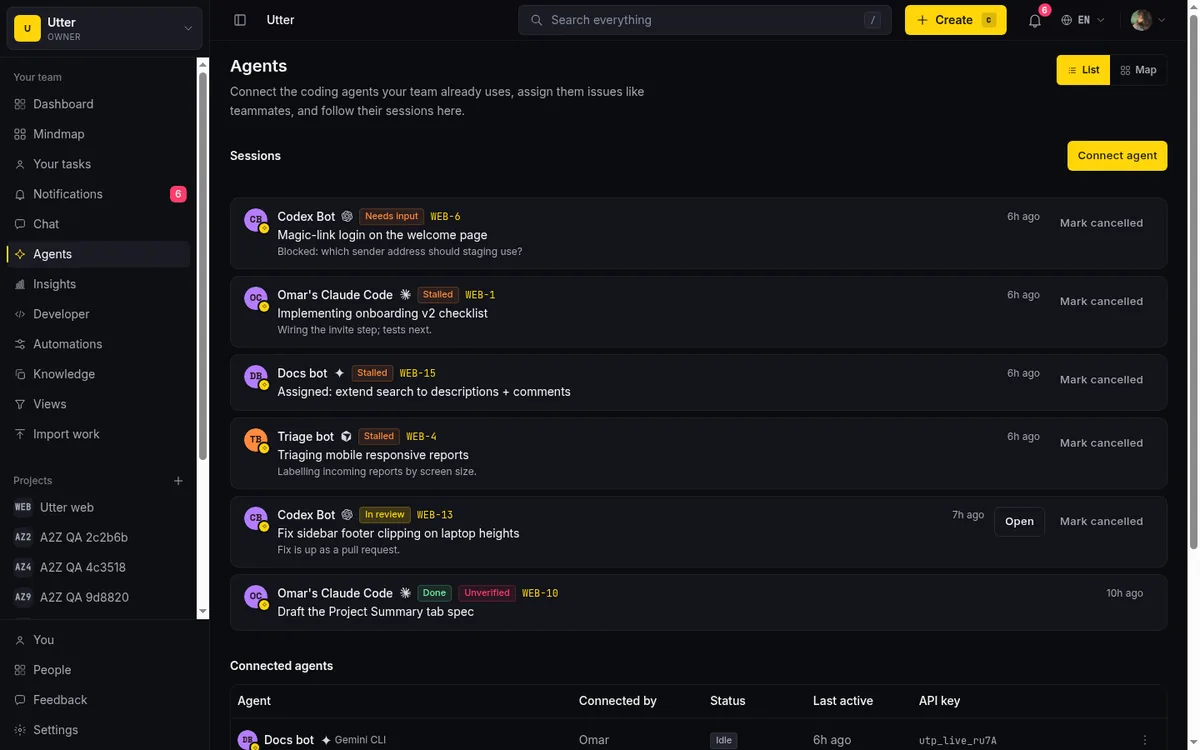
The delegation lifecycle, start to finish:
flowchart LR
  A[Assign to agent] --> P[pending]
  P --> R[running]
  R --> N[needs_input]
  R --> V[review]
  N --> R
  V --> D[done]
Now the code. The first-party MCP server lives at /api/mcp/v1 and is generated from the same OpenAPI registry as the 180-plus-operation REST API, so MCP coverage equals API coverage: anything the REST API can do, an MCP tool can do. There are one-click config endpoints for Claude, Cursor, and VS Code, so wiring an assistant in is a paste, not a project.
If you would rather call the REST API directly, creating an issue and assigning it to an agent is one POST against POST /v1/workspaces/{slug}/projects/{key}/issues with an API key. Here is the same call in three languages.
curl -X POST \
  "https://utter.ae/api/v1/workspaces/acme/projects/WEB/issues" \
  -H "Authorization: Bearer $UTTER_API_KEY" \
  -H "Content-Type: application/json" \
  -d '{
    "type": "task",
    "title": "Triage new signup errors",
    "description_md": "Check the Sentry spike from this morning.",
    "assignee": "[email protected]",
    "priority": "high"
  }'
const res = await fetch(
"https://utter.ae/api/v1/workspaces/acme/projects/WEB/issues",
{
method: "POST",
headers: {
Authorization: "Bearer " + process.env.UTTER_API_KEY,
"Content-Type": "application/json",
},
body: JSON.stringify({
type: "task",
title: "Triage new signup errors",
description_md: "Check the Sentry spike from this morning.",
assignee: "[email protected]",
priority: "high",
}),
},
);
const issue = await res.json();import os, requests
res = requests.post(
"https://utter.ae/api/v1/workspaces/acme/projects/WEB/issues",
headers={"Authorization": f"Bearer {os.environ['UTTER_API_KEY']}"},
json={
"type": "task",
"title": "Triage new signup errors",
"description_md": "Check the Sentry spike from this morning.",
"assignee": "[email protected]",
"priority": "high",
},
)
issue = res.json()The response is the created issue. The assignee comes back as a member id in assignee_id (and the full ordered set in assignees), and because that member is an agent, the pending session is already waiting for it to claim:
{
  "id": "0192f3a1-7c4e-7b2a-9f10-2b8c5d6e4a01",
  "key": "WEB-241",
  "type": "task",
  "title": "Triage new signup errors",
  "status": "todo",
  "status_name": "To do",
  "priority": "high",
  "assignee_id": "0192f3a1-9d2b-7c40-bb51-6a0f2e7c8d34",
  "assignees": ["0192f3a1-9d2b-7c40-bb51-6a0f2e7c8d34"],
  "reporter_id": "0192f0aa-1e77-7a02-9c3d-4b5a6c7d8e90",
  "url": "https://utter.ae/w/acme/p/web/WEB-241"
}
From here the agent claims the session, works, and hands back at review or done, with the field policy from the dialog above deciding what it was allowed to touch along the way.
Moving your ClickUp data across
Switching is only real if the data comes with you, so here is how that works, caveats included.
Utter's import wizard has a native ClickUp connector. You give it a personal API token plus a list ID, and it paginates api.clickup.com v2 at 100 tasks per page. The honest limitation: ClickUp import runs one list at a time by list ID, so a big workspace with many lists is several import runs, not one button. Row counts are plan-capped too. Inline imports handle up to 500 rows; background runs go up to 50,000, bounded by your plan (Free 1,000 per run, Pro 10,000, Business 50,000). If you are on Free and your list has 4,000 tasks, that is a Pro-plan job or a split.
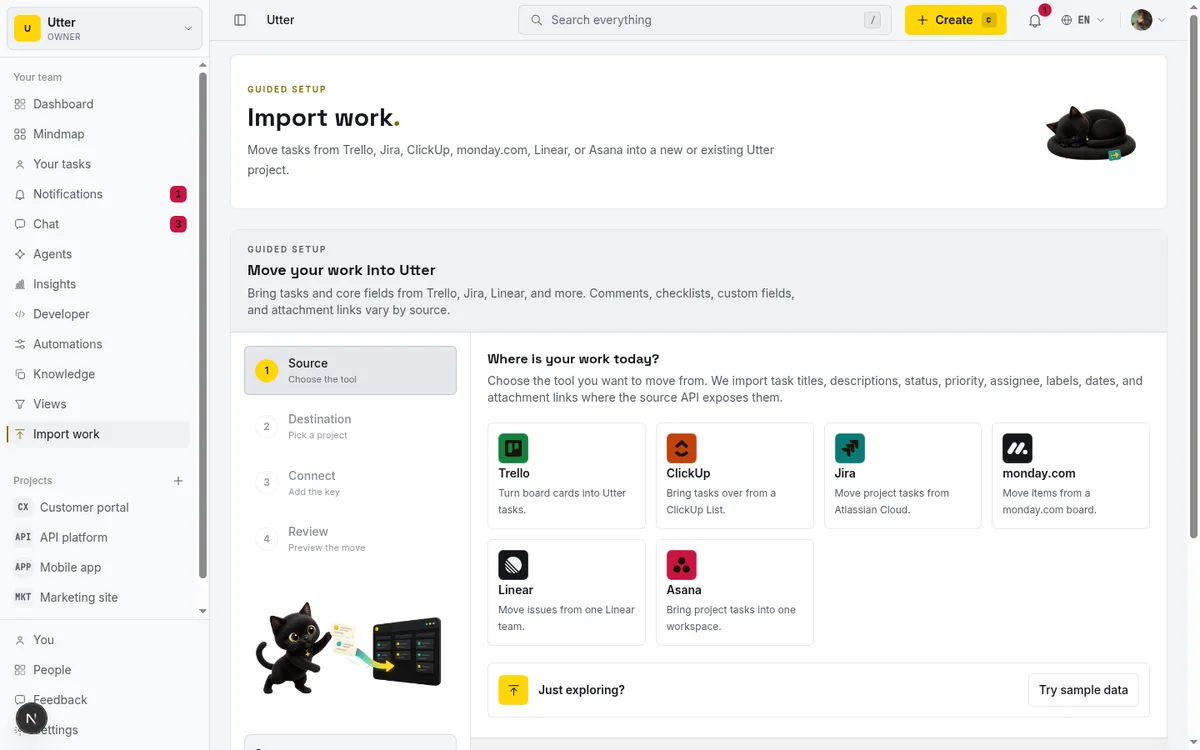
ClickUp is not the only source. The same wizard imports from Trello, Jira, Monday, Linear, Asana, and plain CSV, so a mixed-tool team can consolidate in one place. There is a fuller walkthrough of the mechanics in our import guide, and if you are coming off several tools at once, the migration piece covers Jira, Trello, and Asana specifically.
Two adoption details that do not show up in a feature grid but matter to some teams. Auth is magic-link only, no passwords: a 15-minute single-use token, and you are in. And the whole product is bilingual, English and Arabic, with full RTL and a Hijri (Umm al-Qura) calendar for Arabic dates. If your team works in Arabic, that is not a bolt-on, it is the same product mirrored.
Before you start, know the trial rules so nothing surprises you. The Pro reverse trial is 14 days, granted once per user, on your first workspace only. Later workspaces start on Free. And one user can own at most three unpaid workspaces, which keeps the Free tier honest without getting in a real team's way. None of that is buried in fine print, and now you have read it.
If your team's actual problem is that the tool has become the work, a smaller, opinionated tracker with agents as free members is worth a Tuesday of your time to try. Start a workspace and import one ClickUp list to see how it feels with your own tickets in it.
Frequently asked questions
Is there a genuinely simpler alternative to ClickUp?
Yes, and "simpler" is the point rather than a compromise. Utter ships far fewer views than ClickUp's 15+ and one opinionated way to do the common things. The trade is real: you give up the docs-plus-whiteboards-plus-goals breadth ClickUp bundles. If your bottleneck is adoption, that trade is the whole appeal. If you need one app to also be your wiki, it is not.
How much does ClickUp Brain (its AI) actually cost?
As of July 2026, ClickUp AI is a separate product from your workspace plan. Brain AI is $9/user/mo billed annually ($18 monthly). Everything AI is $28/user/mo billed annually ($68 monthly), and that top tier is the one with unlimited Autopilot Agents. There are also AI Super Credits at $10 per 10,000, Talk to Text at $9/user/mo, and AI Notetaker from $12/user/mo. The AI line can cost more than your seats.
What are the limits on ClickUp's free plan?
ClickUp Free Forever includes unlimited tasks and unlimited free members, but only 60 MB of storage for the whole workspace (as of July 2026). Utter Free gives 128 MB, which is more, though ClickUp Free's unlimited members and tasks are genuinely generous. Utter Free otherwise caps at 5 active projects, 1 MB per file, 2 automations, and 25 AI credits a month.
Do Utter's AI agents cost extra per user like ClickUp's Autopilot Agents?
No. In Utter, an agent is a real workspace member that is free and never counts as a billed seat, the same as a viewer, and AI is credit-metered on every plan rather than a per-user add-on. ClickUp's autonomous Autopilot Agents sit behind the Everything AI tier at $28/user/mo billed annually (as of July 2026). Both work; they bill agents very differently.
Can I import my ClickUp tasks, and what gets left behind?
Yes. Utter's import wizard has a native ClickUp connector that uses a personal API token plus a list ID and paginates the ClickUp v2 API at 100 tasks per page. The caveats: it imports one list at a time, and rows are plan-capped (inline up to 500; background up to 50,000, bounded by plan at Free 1,000, Pro 10,000, Business 50,000). A big multi-list workspace is several runs. Steps are in the import guide.
Is ClickUp's learning curve really 2 to 3 weeks?
That figure comes from independent 2026 guides, not from ClickUp or G2 directly, so treat it as an outside estimate. Those guides put basic task management at one to three days and mastery at four to six weeks, landing on roughly two to three weeks for team proficiency, and blame 15+ views and 1,000+ customization options. G2's own review separately concedes ClickUp "can feel overwhelming at first." Your real ramp depends on how much your admin turns off.
Does Utter have a free plan, and what does it cap?
Yes, Free is $0 with the full feature set, not a crippled trial. The ceiling is capacity, not features: 5 active projects, 128 MB storage, 1 MB per-file uploads, 2 automations, 25 AI credits a month. Sprints, Gantt, reporting, integrations, and AI all work on Free. Automations beyond two, custom roles, SSO, and audit log are paid-plan features. The 25 monthly credits are a taste, not a workload.
Does ClickUp have an MCP server, or is that only an Utter thing?
ClickUp has one: an official first-party MCP server at mcp.clickup.com, OAuth-only, on all plans, covering tasks, docs, search, and time tracking (as of July 2026). So MCP is not the difference. Utter's first-party MCP at /api/mcp/v1 mirrors its 180-plus-operation REST API. The real difference is the agent model: a free, named, accountable member with field-level permissions and session review states, versus ClickUp's autonomous agents behind a paid AI tier.
Related reading

Jira alternatives in 2026: what you actually pay per seat
Six Jira alternatives compared honestly: Linear, ClickUp, Asana, Monday, Trello, and Utter, with real per-seat math and where each one actually fits.
July 11, 2026 · 8 min read

Looking for a Linear alternative? Start with who pays
Where teams leaving Linear actually go, Jira, ClickUp, Asana, GitHub Projects, Utter, and the seat math and agent support that should drive the choice.
July 12, 2026 · 8 min read
A Trello alternative for when a board stops being enough
Trello alternative comparison: what breaks when a board stops being enough, an honest Trello vs Utter pricing and feature comparison as of July 2026, and how to keep the board while adding sprints, a ranked backlog, and reports.
July 16, 2026 · 12 min read

Free project management software: what the free tiers actually give you
What the free tiers of Trello, Asana, ClickUp, Notion, and Jira actually give you (as of July 2026), which cap stops a small team first, and how Utter Free compares.
July 16, 2026 · 11 min read
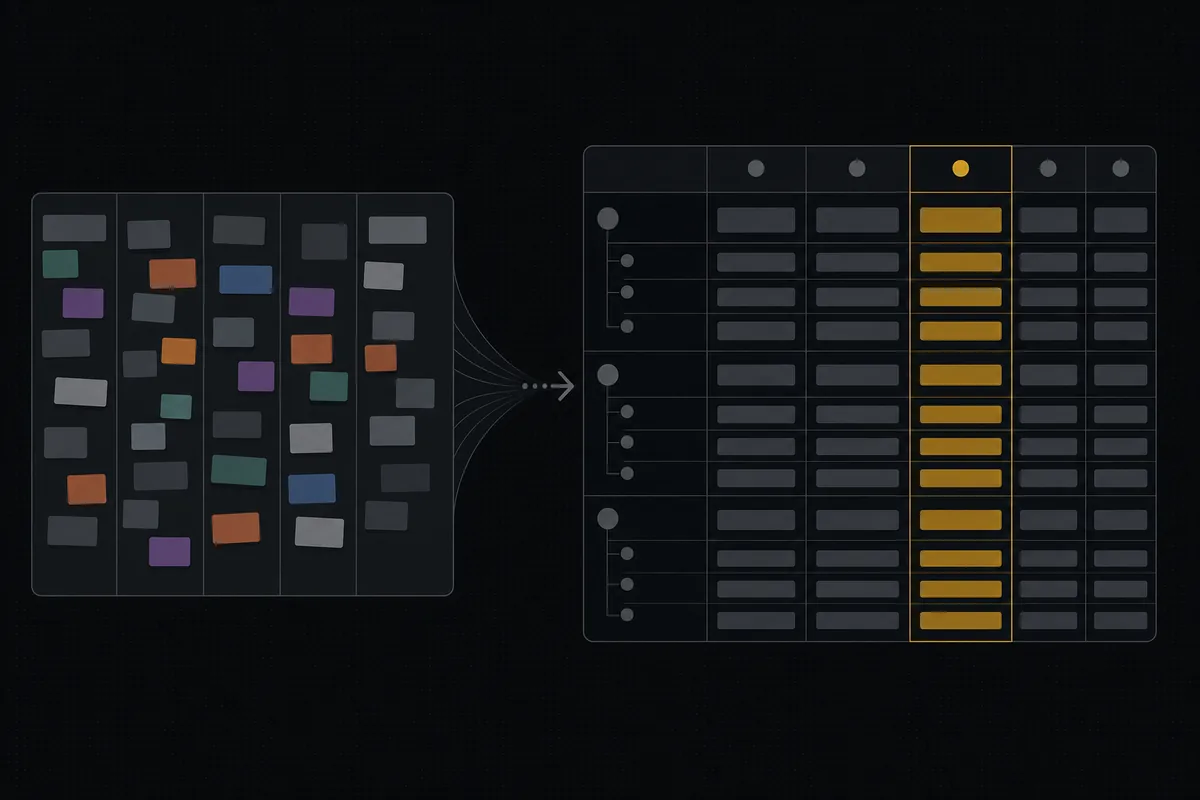
Monday.com alternatives built for software teams, not marketing ops
Monday.com alternatives for software teams: real pricing (3-seat minimum vs $3/$6 per builder seat), category-backed statuses, sprints with carryover, and agents as free members not billed integrations.
July 16, 2026 · 12 min read
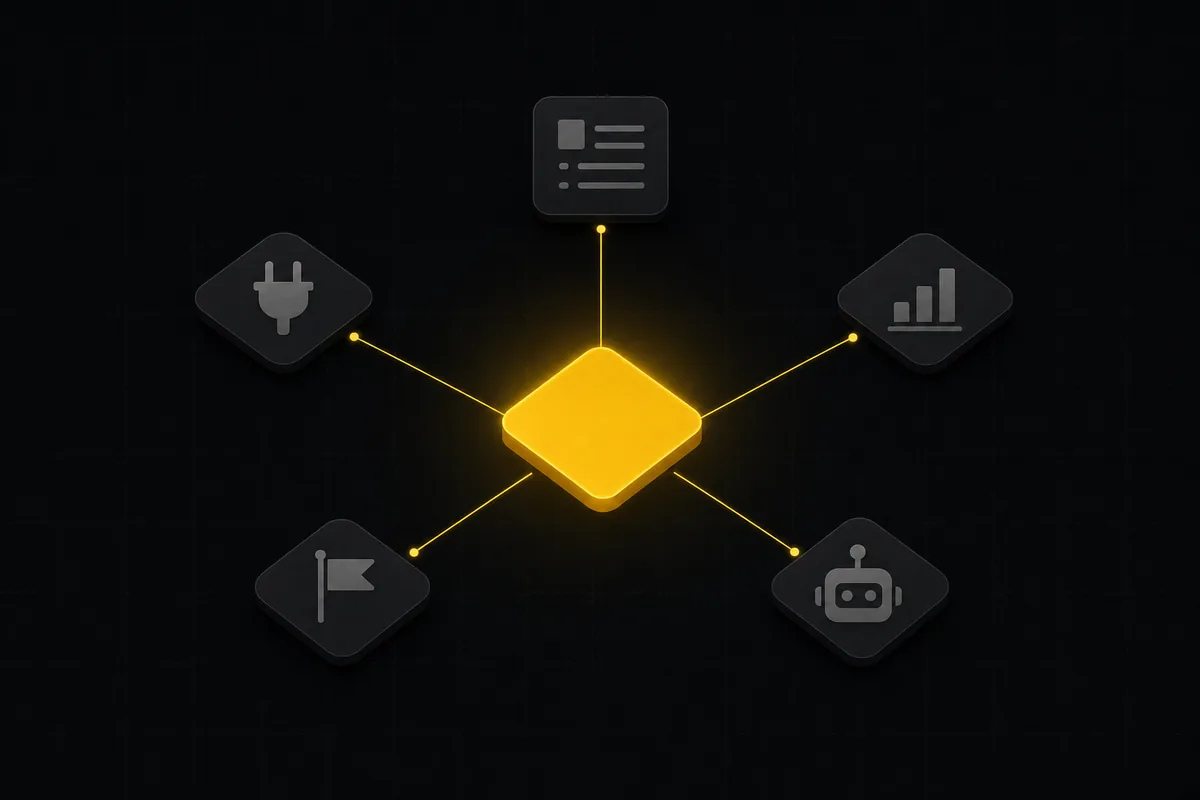
What you can run in Utter without extra tools
A straight, capability-forward tour of the jobs Utter covers in its core, from a light help desk to integrations, estimation, and roadmaps, and when to pair a dedicated tool.
July 16, 2026 · 8 min read
The best AI project management software in 2026, honestly ranked
Eight AI project management tools ranked with a stated lens: what the AI really does, what it costs on top of the seat price, and who each one fits.
July 15, 2026 · 10 min read

Asana alternatives that cost less and speak agent
Asana alternatives for growing teams: how Asana's tiered seats round your bill up, and how Utter's $3 per-editor pricing with free viewers and agents changes the math. As of July 2026.
July 16, 2026 · 12 min read

Project management for solo founders (you plus a few agents is the team)
Project management for solo founders means capturing everything and letting a few AI agents do real work, at $0, with agents as free members not paid seats.
July 16, 2026 · 11 min read
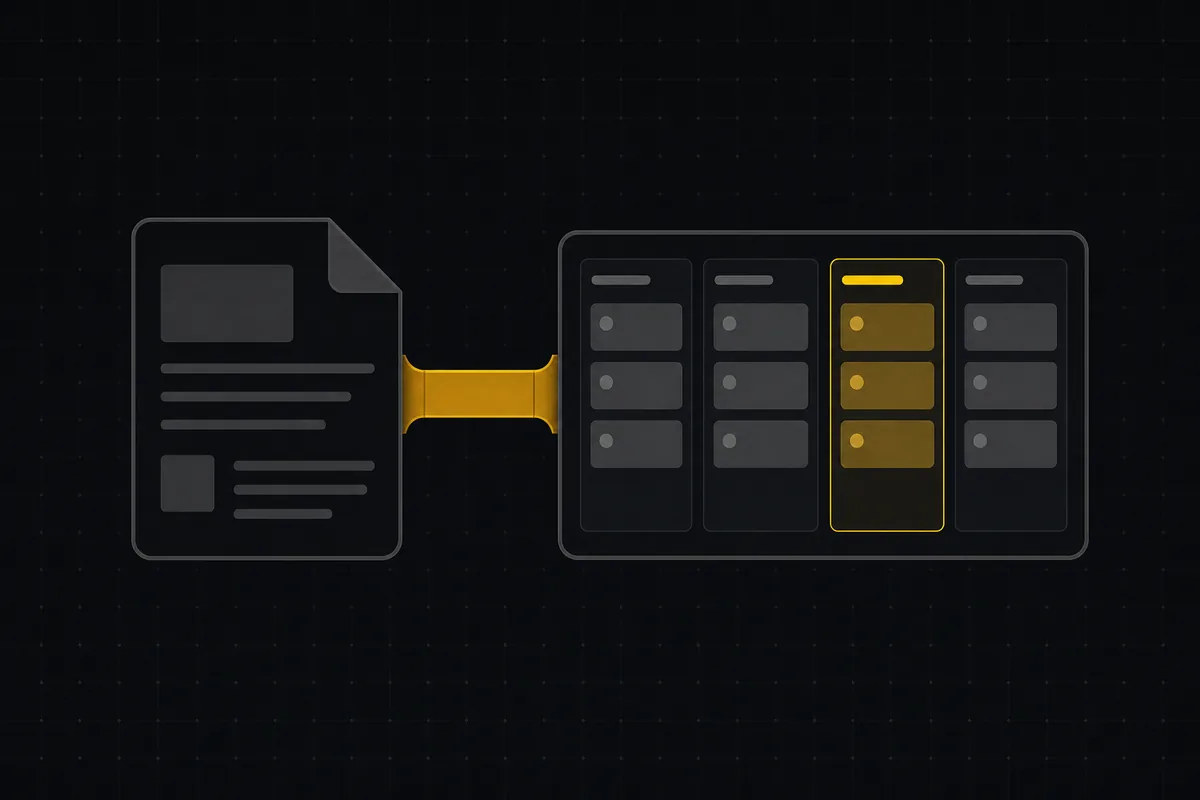
A Notion alternative for project management (keep the docs, gain a real tracker)
A Notion alternative for project management that keeps your docs and adds a real tracker: category-backed statuses, native sprints with carryover, computed burndown, agents over MCP.
July 16, 2026 · 14 min read
أضف تعليقًا
ابدأ النقاش.