
How to run sprints without drowning in ceremony
Somewhere along the way, "sprint" stopped meaning a short block of focused work and started meaning a calendar full of meetings named after it. Planning, refinement, standup, review, retro. For a team of forty that scaffolding earns its keep. For a team of six it can eat a full day a week and give back very little.
You can keep the useful part of sprints and drop most of the ritual. Here is how we do it, and what we cut.
Keep the boundary, cut the ceremony
The one thing worth protecting is the boundary: a fixed window, usually two weeks, where the set of work is agreed and mostly stable. That is what makes a sprint useful. It forces a decision about what matters now, and it gives you a clean line to look back across.
Almost everything bolted onto that boundary is optional. You do not need a two-hour planning meeting to pick the work. You do not need a daily standup to know what is happening if the board is honest. Protect the boundary. Question the rest.
| Ceremony | Verdict | What replaces it |
|---|---|---|
| The sprint boundary | Keep | Nothing. This is the point. |
| Planning meeting | Shrink | Async draft, then 30 minutes to lock it |
| Daily standup | Cut | An honest board, plus a flag when someone is stuck |
| Review | Shrink | 30 minutes walking the done column |
| Separate retro | Cut | Folded into the review |
Planning: an hour, asynchronous first
Do the picking before the meeting, not during it. A day ahead, someone drafts the sprint: pulls the top of the backlog, sizes it roughly against the team's real capacity, and drops it in. Everyone reads it on their own time and comments where something is wrong.
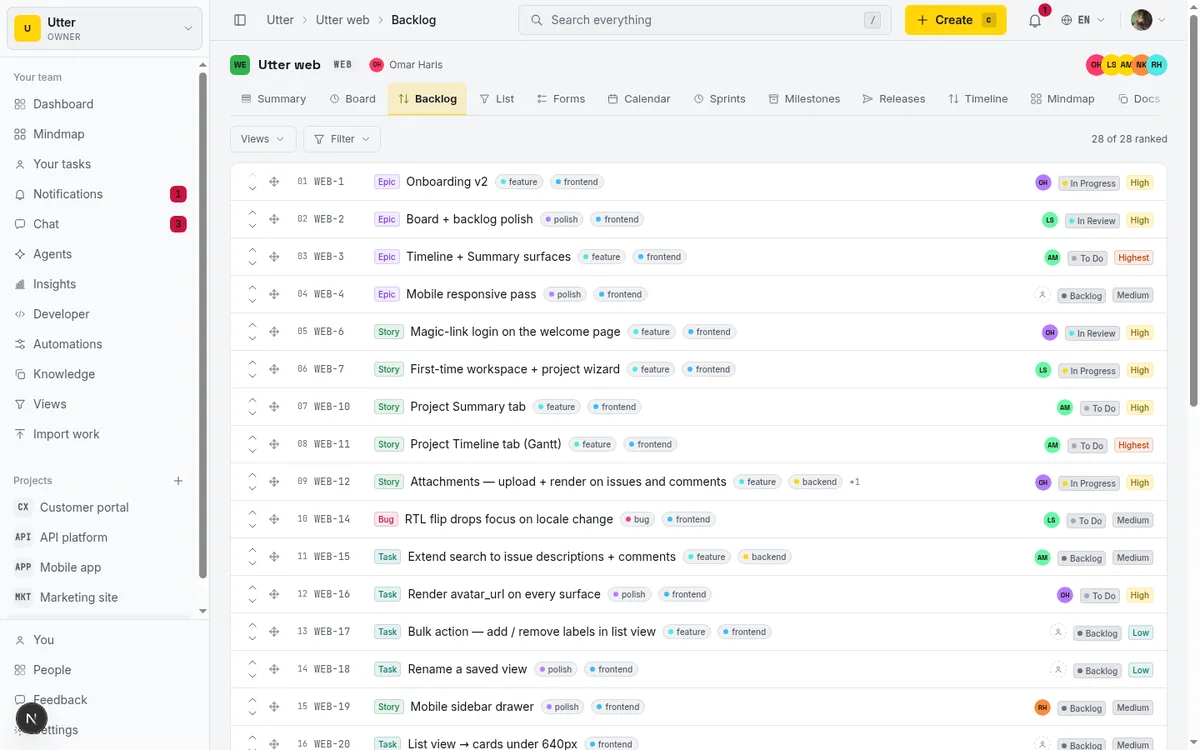
Then the "meeting" is thirty minutes to resolve the disagreements the comments surfaced, not to read tickets aloud together. Most of the room's time in a normal planning session is spent watching one person scroll. Skip that part.
If you use a tool where an agent can draft the sprint from the backlog and your capacity, even better. Let it propose, and spend your human time on the judgment calls. In Utter, opening the next window is one API call, so a person or an agent can have the draft ready before anyone looks at a calendar:
curl -X POST "https://utter.ae/api/v1/workspaces/acme/projects/WEB/sprints" \
  -H "Authorization: Bearer $UTTER_API_KEY" \
  -H "Content-Type: application/json" \
  -d '{
    "name": "Sprint 14",
    "goal": "Ship the new onboarding flow",
    "start_at": "2026-07-20",
    "end_at": "2026-07-31"
  }'
const res = await fetch(
"https://utter.ae/api/v1/workspaces/acme/projects/WEB/sprints",
{
method: "POST",
headers: {
Authorization: `Bearer ${process.env.UTTER_API_KEY}`,
"Content-Type": "application/json",
},
body: JSON.stringify({
name: "Sprint 14",
goal: "Ship the new onboarding flow",
start_at: "2026-07-20",
end_at: "2026-07-31",
}),
},
);
const { data: sprint } = await res.json();There is no separate "add to sprint" endpoint. An issue points at its sprint, so pulling a ticket into the window is a normal PATCH:
curl -X PATCH "https://utter.ae/api/v1/workspaces/acme/projects/WEB/issues/WEB-12" \
  -H "Authorization: Bearer $UTTER_API_KEY" \
  -H "Content-Type: application/json" \
  -d '{"sprint_id": "<sprint-id>"}'
A sprint has three states, and a project can run several active sprints at once. Starting one flips it to active without demoting the others, so squads that share a project each keep their own window:
stateDiagram-v2
    [*] --> planned
    planned --> active
    active --> completed
    completed --> [*]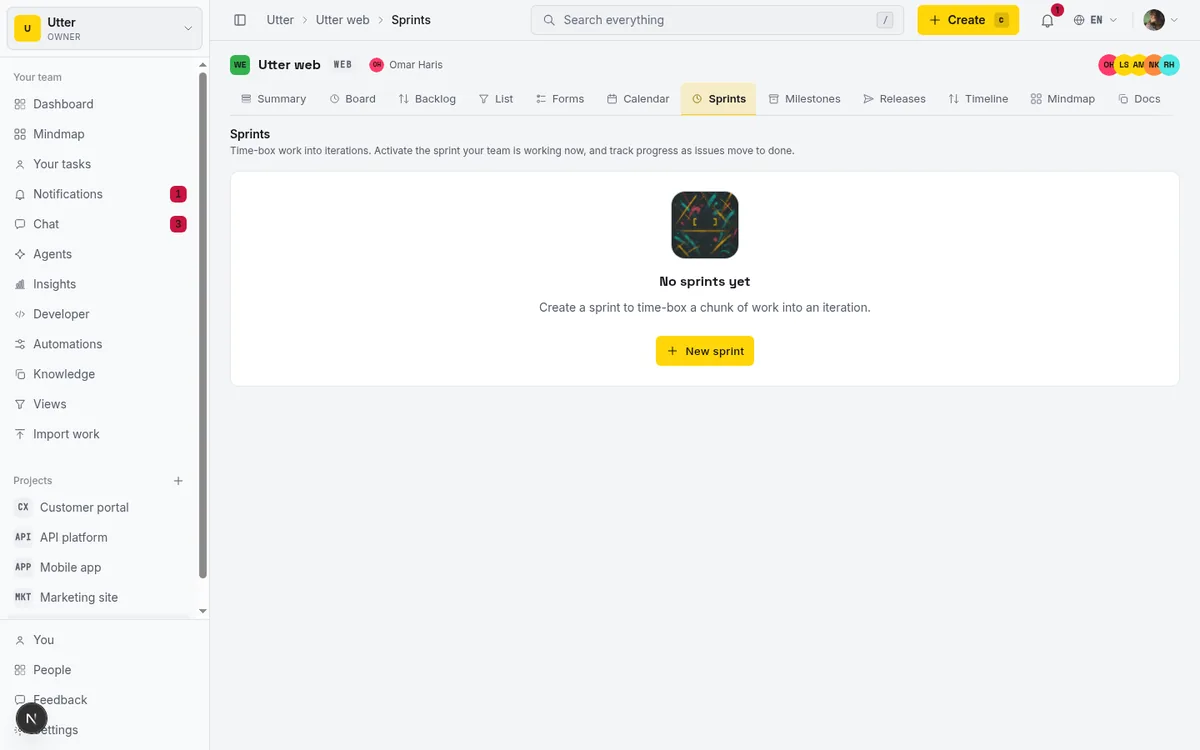
Standup: read the board, not the room
The daily standup exists to answer three questions: what got done, what is next, what is stuck. If your board is current, two of those are already answered without anyone speaking.
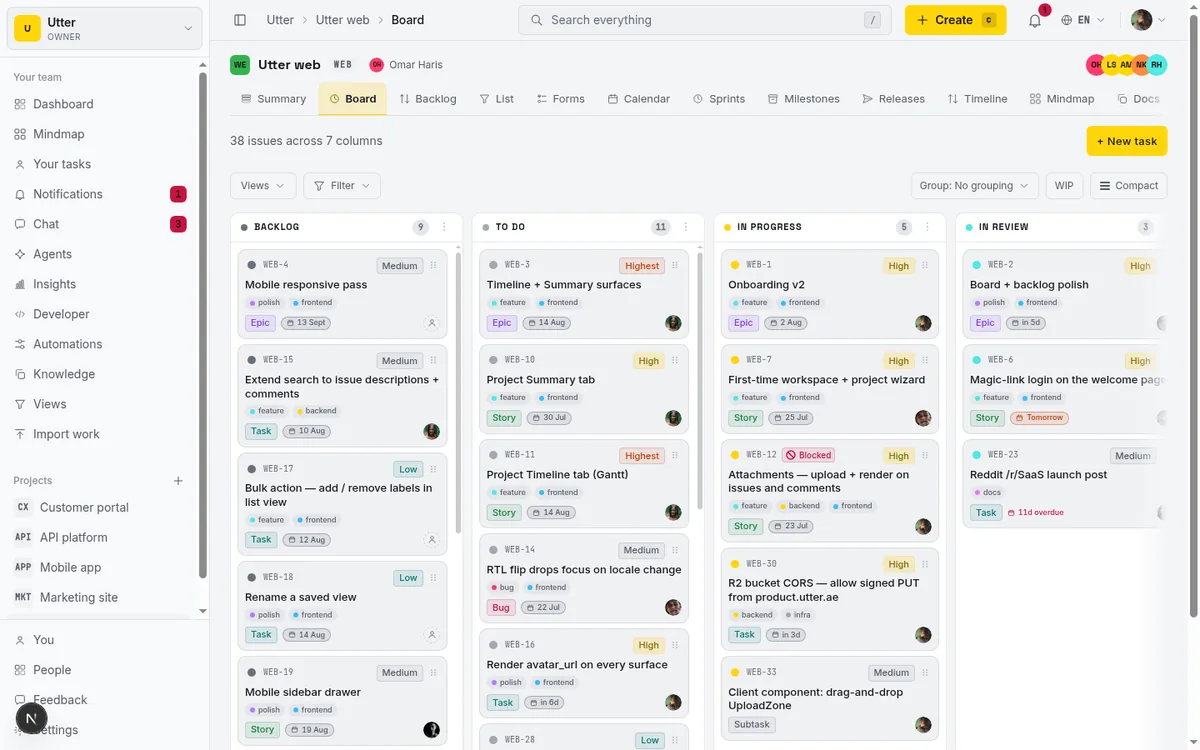
So we do not stand in a circle. People update their own issues as they work, and the only thing worth a synchronous moment is "stuck." A short message in a channel, or a flag on the blocked issue, does the job. If someone is blocked, that is worth interrupting for. "I did some tickets yesterday" is not.
The failure mode here is a stale board. If the board lies, you are back to needing the meeting. So the deal is simple: keep your issues honest and you buy back the standup.
Review: show the work, not slides
At the end of the window, look at what shipped. Not a deck about what shipped, the actual done column. Read through it, note what slipped and why, and decide what carries into the next sprint. If stakeholders still want a written summary, an AI-drafted weekly update can come straight from the same board.
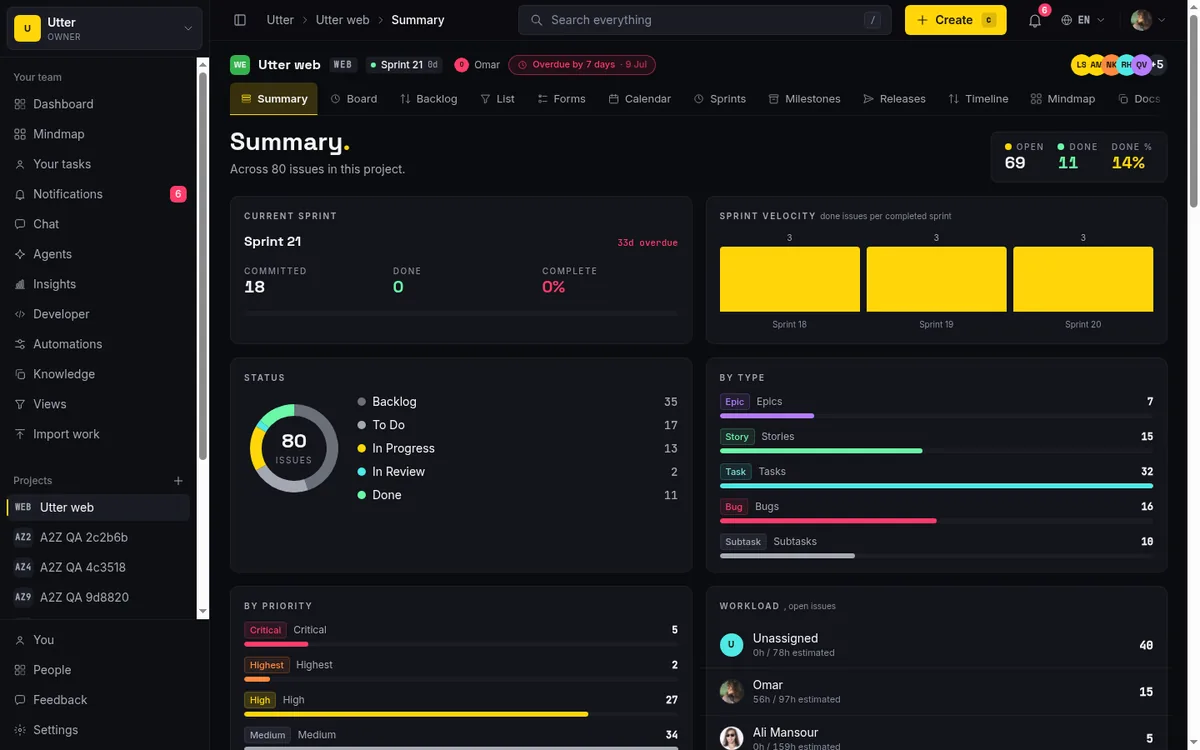
This is also the only retro most small teams need. You do not need a separate hour with sticky notes. When you review what actually happened, the "what should we change" conversation tends to write itself: the thing that slipped twice is the thing to fix.
What this looks like in a week
Monday of week one: the draft sprint is already there, thirty minutes to lock it. The next ten working days: people do the work and keep their issues current, blockers get flagged as they happen. Last day: thirty minutes to walk the done column and set up the next window.
flowchart LR
    A[Draft the sprint async] --> B[Lock it in 30 min]
    B --> C[10 days of honest work]
    C --> D[Walk the done column]
    D --> A
That is roughly one hour of meetings per two-week sprint, down from something like six or eight. The work did not change. The overhead did.
The one rule that makes it work
None of this holds up if the board is not trusted. The entire trade, less talking for more doing, depends on the tracker being an accurate picture of reality. That means low friction to update, a status that means the same thing to everyone, and no parallel source of truth in someone's private notes.
Pick a tracker that makes updating an issue faster than mentioning it in a meeting, and the ceremony falls away on its own because nobody needs it anymore. In Utter that is the whole point: the board is the standup, the done column is the review, and a person or an agent can keep it current without it feeling like a second job.
Frequently asked questions
How do you run sprints without all the meetings?
Protect the one thing that makes a sprint useful, the fixed window (usually two weeks) where the set of work is agreed, and question every ritual bolted onto it. Plan asynchronously, let an honest board replace the standup, and review the actual done column: that gets a small team to roughly one hour of meetings per two-week sprint, down from six or eight.
Do small teams need a daily standup?
Not if the board is current. Standup answers what got done, what is next, and what is stuck; an honest board already answers the first two, and a flag on the blocked issue or a short channel message covers the third. The deal is simple: keep your issues honest and you buy back the standup.
How long should sprint planning take?
About thirty minutes, if the picking happens before the meeting. A day ahead, someone drafts the sprint from the top of the backlog against the team's real capacity, everyone comments on their own time, and the meeting only resolves disagreements instead of reading tickets aloud. If an agent can draft the sprint for you, spend the human time on the judgment calls.
Do you still need a separate retrospective?
For most small teams, no. When you review what actually shipped at the end of the window, the "what should we change" conversation tends to write itself: the thing that slipped twice is the thing to fix.
Related reading
AI sprint planning: what actually works in 2026
Where AI genuinely helps plan a sprint, drafting, sizing, capacity checks, and where letting it decide is a mistake. A working setup, honestly described.
July 15, 2026 · 5 min read
How to run a sprint
Learn how to run a sprint in Utter: plan from the backlog, start and complete a sprint, carry over incomplete issues, and read the burndown and velocity.
July 15, 2026 · 13 min read
Scrum vs kanban: choose per project, not per religion
Scrum vs kanban: choose the methodology per project, not per team religion. The one mechanic that actually differs, when each fits, an honest Utter vs Jira/Linear/Trello price and feature comparison (as of July 2026), and how to switch a project between the two with zero migration.
July 16, 2026 · 11 min read
Story points or hours, and parallel sprints when squads share a project
Utter now estimates in story points or hours per project (Fibonacci scale, points-based velocity) and runs parallel sprints when squads share a project. Both opt-in, on every plan.
July 17, 2026 · 7 min read
How to plan releases and milestones
Plan software releases and milestones in Utter: create releases and milestones, attach issues, read the progress meter, draft AI release notes, and set permissions.
July 15, 2026 · 14 min read
Can an AI run your standup?
Mostly yes, and your team will thank you. What an agent can compile from the board, what still needs a human, and how to set up an async AI standup.
July 15, 2026 · 6 min read
Monday.com alternatives built for software teams, not marketing ops
Monday.com alternatives for software teams: real pricing (3-seat minimum vs $3/$6 per builder seat), category-backed statuses, sprints with carryover, and agents as free members not billed integrations.
July 16, 2026 · 12 min read
How to read the project summary
Read the Utter project Summary tab like a pro: what every card shows, how each number is computed, what good looks like, and where the dashboard stops.
July 15, 2026 · 16 min read
How to automate project management with AI, and what to leave manual
The right order to automate project management with AI: reporting first, intake second, execution agents last, and the decisions that should stay human.
July 15, 2026 · 8 min read
A Trello alternative for when a board stops being enough
Trello alternative comparison: what breaks when a board stops being enough, an honest Trello vs Utter pricing and feature comparison as of July 2026, and how to keep the board while adding sprints, a ranked backlog, and reports.
July 16, 2026 · 12 min read
أضف تعليقًا
ابدأ النقاش.