
What is agentic project management? A plain-language guide with a working example

Most AI tools answer questions when you ask them. Agentic software is the other kind: it notices events, decides what to do, does the work, and checks the result, without a person driving each step. That is the whole idea. The rest of this guide is just making it concrete.
It needs making concrete, because the phrase "agentic project management" gets thrown around to mean anything with AI in it. Most of what ships under that label is a copilot: you open a box, type a request, and read the answer. Useful, but it is still you doing the driving. The AI waits.
An agent is the part that does not wait. Something happens in your project, and the agent responds to it without a person prompting each step. That distinction is worth being precise about because it changes what you can actually hand off.
What is the difference between a copilot and an agent?
A copilot is reactive. It sits idle until you ask, does the one thing you asked, and goes quiet. Summarize this thread. Draft this spec. Rewrite this description. You are the trigger every single time.
An agent runs a loop, and the loop is what makes it an agent. The one most people describe is four steps: perceive, plan, act, check.
- Perceive: notice something changed. A form was submitted, an issue was created, a status moved, a comment landed.
- Plan: decide what to do about it, given the goal and the current state.
- Act: make the change. Create an issue, set a field, write a comment, move a card.
- Check: confirm it worked, and either stop or loop again.
Side by side, the two look like different species:
| Copilot | Agent | |
|---|---|---|
| Trigger | waits for your prompt | reacts to an event |
| Shape of work | one request, one answer | a loop: perceive, plan, act, check |
| Output | text for you to act on | changes on the board itself |
| Your attention | needed every single time | set the intent once |
| View of your workflow | only what you paste in | subscribed to what happens |
The interesting word is perceive. A copilot has nothing to perceive because it only exists in the moment you invoke it. An agent is wired to events, so it can start work you never explicitly asked for on that occasion. You set the intent once ("triage new bugs"), and it fires every time a bug arrives.
None of this requires the agent to be smart in some general sense. It requires two boring things: a way to see events, and a way to act on the same surface your team uses. That second part is where most "agentic" pitches fall down, so it is worth dwelling on.
What does an agent need to actually do work?
An agent that can only talk is a copilot with extra steps. To close the loop it has to do things, and to do things safely it needs the same door your team walks through, with the same rules.
In Utter that door is two connected surfaces. There is a public REST API, version 1, with over 180 operations covering the real product: create and update issues, move them across the board, set custom fields, comment, search the backlog, read what is open and what is done. And there is a first-party MCP server that exposes those same capabilities to any MCP-native client, so an agent in Claude or Cursor sees the tools appear without anyone writing a wrapper. We wrote more about that choice in why we gave Utter an MCP server, and about when to pick MCP versus the raw REST API for a given agent.
Two properties make this usable rather than dangerous. Every agent gets its own scoped API key, so its actions are attributed to it and you can revoke it alone. And the same permission matrix that governs people governs agents: read the whole board, write only where you granted it. A triage agent can label and comment; it cannot delete a project or close a sprint unless you said so.
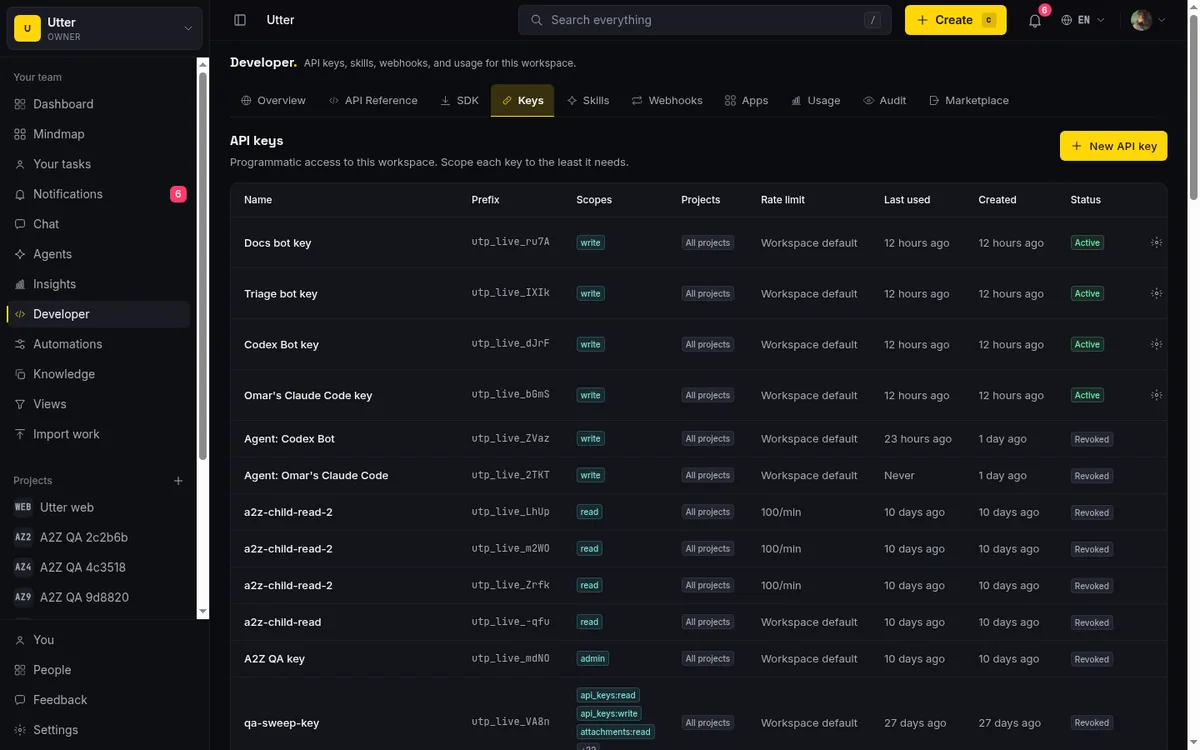
That is the honest backbone. Everything below rides on it. If you want the full surface, it lives at the developer docs.
What does an agentic loop look like in practice?
Abstractions are cheap. Here is a concrete run you can build in Utter today, using features that ship: a public form, AI triage, the API, and a human approval by status.
Say you run a support intake. You publish a branded intake form at a public URL. A customer fills it in: "Checkout fails on Safari when I apply a coupon." They hit submit. The whole run looks like this:
flowchart TD
    A["Customer submits the form"] --> B["Issue created ('issue.created' fires)"]
    B --> C["Perceive: the agent notices the event"]
    C --> D["Plan: AI triage suggests priority + labels"]
    D --> E["Act: set fields, draft a plan, move the card"]
    E --> F["Check: read the record back, then stop"]
    F --> G["'Needs review' column"]
    G --> H["A human moves the status = approval"]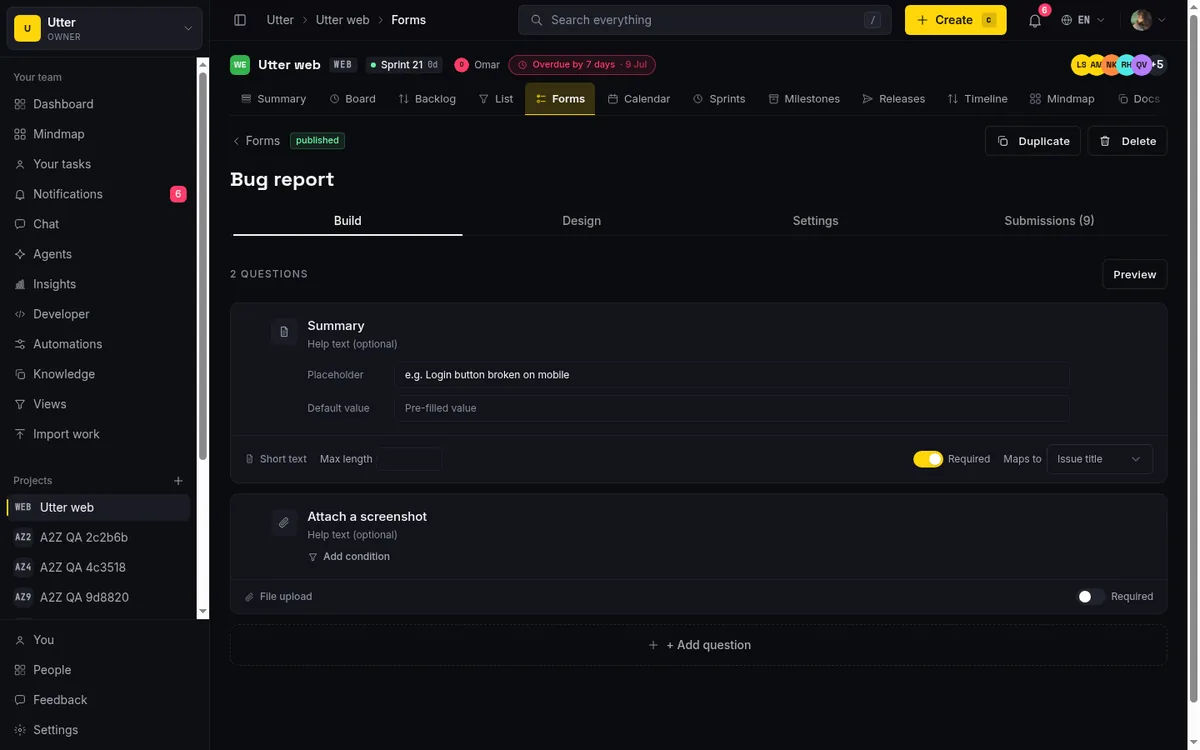
Now the same run in slow motion.
Perceive. The form submission becomes a real issue in the target project. Utter fires an
issue.createdautomation on it, the same event your workflow rules listen to. The agent is subscribed to that event.Plan. The agent reads the new issue's title and description. Utter's AI triage takes the same input plus the project's actual label palette and priority scale, and returns a suggestion: priority
high, labelscheckoutandbrowser-safari, with a one-line reason. Note what it does not do. Triage suggests; it does not silently overwrite your fields. That is deliberate.Act. The agent applies the suggestion through the API: it sets the priority, adds the labels, and posts a comment with a first-pass plan drafted into the issue body. Reproduce on Safari 17, check the coupon-validation path, confirm whether it is Safari-specific or a wider regression. It then moves the card into a column you have named something like "Needs review."
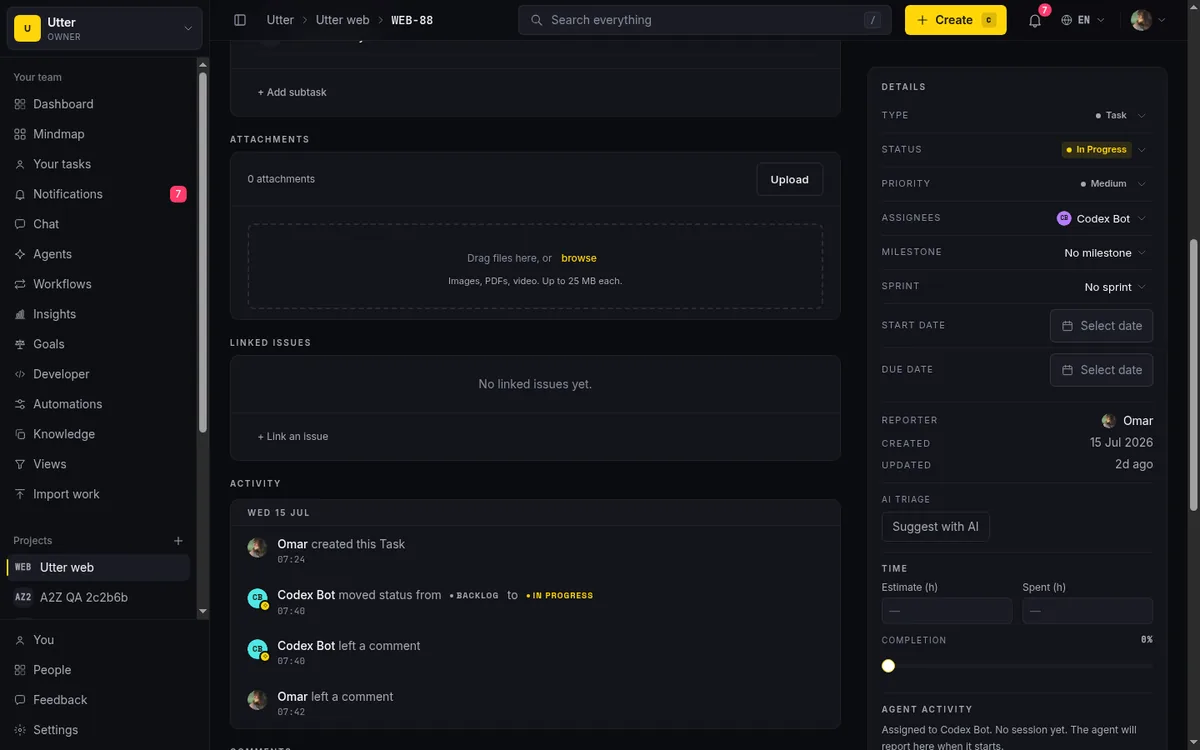
- Check. The agent verifies the writes landed (the API returns the updated record, and it validates fields on write, so an invented label value gets rejected rather than half-saved). Then it stops. It does not close the issue. It does not tell the customer anything.
The act step, as actual calls
Nothing in step 3 is exotic. The write is one PATCH against the issue, authenticated with the agent's own key as a bearer token:
curl -X PATCH "https://utter.ae/api/v1/workspaces/utter/projects/web/issues/WEB-42" \
  -H "Authorization: Bearer utp_live_YOUR_KEY" \
  -H "Content-Type: application/json" \
  -d '{"priority": "high", "labels": ["checkout", "browser-safari"]}'
const res = await fetch(
"https://utter.ae/api/v1/workspaces/utter/projects/web/issues/WEB-42",
{
method: "PATCH",
headers: {
Authorization: `Bearer ${process.env.UTTER_API_KEY}`,
"Content-Type": "application/json",
},
body: JSON.stringify({
priority: "high",
labels: ["checkout", "browser-safari"],
}),
},
);
const { data } = await res.json(); // the updated issue, read back for the check stepimport os, requests
res = requests.patch(
"https://utter.ae/api/v1/workspaces/utter/projects/web/issues/WEB-42",
headers={"Authorization": f"Bearer {os.environ['UTTER_API_KEY']}"},
json={"priority": "high", "labels": ["checkout", "browser-safari"]},
)
issue = res.json()["data"]The draft plan lands as a markdown comment on the same issue, through its own endpoint:
curl -X POST "https://utter.ae/api/v1/workspaces/utter/projects/web/issues/WEB-42/comments" \
  -H "Authorization: Bearer utp_live_YOUR_KEY" \
  -H "Content-Type: application/json" \
  -d '{"body_md": "First pass: reproduce on Safari 17, then check the coupon-validation path."}'
priority only accepts the six values on the scale (lowest through critical); anything else is rejected as a 400 before it touches the board. That validation is part of what makes the check step trustworthy.
The last step is the point. A person opens "Needs review," reads a fully-formed ticket with a priority, labels, and a draft plan already in place, and makes the call that actually carries risk: is this right, and does it go forward? They move the status. In Utter that status move is the approval. The agent did the tedious 80 percent; the human owns the judgment.
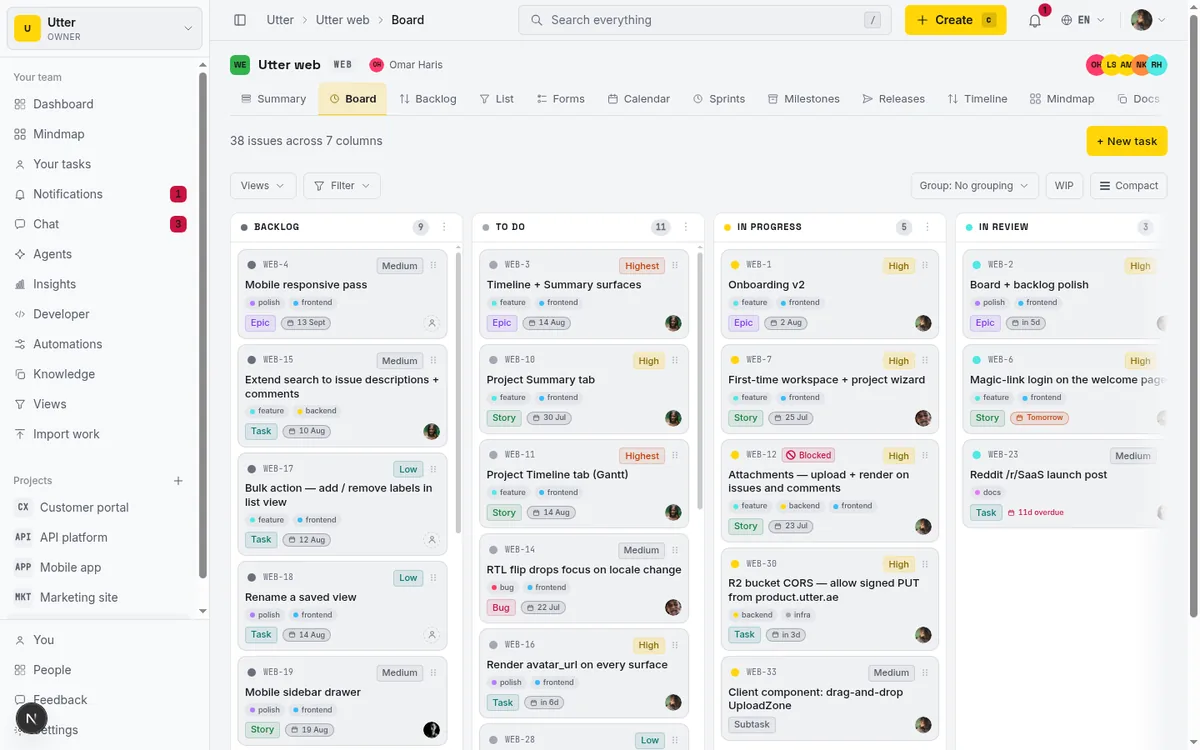
The arithmetic is mundane, but it is the actual pitch. Triaging one intake ticket by hand (read it, guess severity, hunt for the right labels, write the first comment) is a five-minute job on a good day. Reviewing one that arrives already labeled, prioritized, and carrying a draft plan is closer to thirty seconds. At fifty tickets a week that is roughly four hours back, and, maybe more to the point, tickets stop queueing behind whoever drew triage duty this sprint.
You can extend the same shape. An AI weekly digest is the perceive-plan-act loop on a timer instead of an event: once a week it reads what changed and writes the summary. But the intake loop above is the cleanest illustration, because you can see every step land in a place the whole team already looks.
Is agentic project management just workflow automation?
No, and the difference is easy to state: a rule is deterministic, an agent makes a decision.
"When an issue is created, move it to Backlog and notify #support" is a rule. It does the same thing every time, which is exactly what you want from it. No rule, however, can read "Checkout fails on Safari when I apply a coupon" and conclude that this is a high, that it belongs to checkout and browser-safari, and that the first step is reproducing on Safari 17. That conclusion is a judgment on messy prose, and judgment is the part the agent supplies.
The two compose instead of competing:
flowchart LR
    E["issue.created event"] --> R["Rule: same action every time"]
    E --> G["Agent: reads the prose, decides"]
    G --> W["Writes back through the API"]
In the intake example, the automation event is the nervous system (issue.created is what the agent perceives) and the agent is the brain attached to it. A practical rule of thumb: if a job can be a rule, make it a rule. It is cheaper, faster, and it never hallucinates. Save the agent for the steps a rule cannot express.
How is this different from the AI in Jira, Asana, or ClickUp?
Every tracker now ships AI, so the label on the box no longer tells you anything. Look for the pattern instead. Two of them are everywhere: a copilot in the sidebar (summarize this ticket, draft this description, answer questions about the project) and the deterministic automation rules that predate the AI wave entirely. Both are useful. Neither is the loop this article describes.
The agentic pattern needs the tool to treat the agent as an actor: its own identity, its own scoped key, permissions, an audit trail, and events it can subscribe to. Connectivity itself stopped being a differentiator this year; when we audited the MCP servers of 13 project management tools in July 2026, 12 had a first-party server. The differences that matter now sit one layer down: what an agent may do once inside, what it costs (ClickUp, for example, caps MCP usage at 50 to 300 calls a day unless you buy the AI add-on), and what the agent is in the tool's model.
In Utter the answer to that last question is: a member. An agent appears in the assignee picker, its actions are attributed to it on the issue history, the same permission matrix that limits a human viewer limits it, and it does not consume a paid seat. That is not a feature checklist item; it is what makes the "Needs review" handoff legible, because everyone can see which changes were made by the machine and which by a person.
What does agentic project management not mean?
It does not mean lights-out. The teams getting real work out of agents are not running unattended project management; they are handing over specific, checkable jobs and keeping a person on the writes that would hurt to get wrong. The status gate in the example is not a limitation we expect to remove. It is the design.
It also does not mean the agent replaces your process. It plugs into it. The event it listens to is your automation event. The labels it applies are your labels. The status it moves to is your column. Take away the underlying tracker and there is nothing for the agent to be agentic about.
And it does not mean magic reliability. Agents fail in patterns you can plan for:
- They duplicate work when search is weak, so good search matters more than it sounds.
- They lose the thread on long issues if you feed them two comments instead of the whole record, which is why giving your agent a knowledge base pays off early.
- They invent field values unless the API rejects them, which is exactly why validating on write is not optional.
- They stall in ways that look like progress, which is worth learning to spot before one burns a day.
These are solvable, but they are real, and anyone selling you a frictionless version is selling you the demo.
Where to start
Pick one narrow, repetitive, checkable job. Intake triage is the usual first pick because a wrong answer shows up in one ticket, not across the board. Give the agent its own scoped key, read access to the project, and write access to just what that job needs. Point it at a real form and let it run for a week or two while you watch the "Needs review" column.
If it earns your trust, widen the leash. If it does not, you have lost one column of tickets, not your process. The longer version of that rollout, including what to delegate second and third, is in how to run projects with AI agents. And if you are still picking a tool, we ranked the best AI project management software by this exact lens: agent support first, assistive features and price after.
You can wire this up today: publish a form, mint a scoped key, and connect an agent through the MCP server or the REST API. Start with triage this afternoon and judge it by whether you stop double-checking it.
Frequently asked questions
What is agentic project management?
Agentic project management is when an AI agent responds to events in your project (a form submission, a new issue, a status change) and acts on them without a person prompting each step. A copilot waits for your prompt; an agent runs a perceive-plan-act-check loop that starts the moment something happens.
What is the difference between an AI copilot and an AI agent?
A copilot is reactive: it sits idle until you ask, does the one thing you asked, and goes quiet. An agent is wired to events, so you set the intent once ("triage new bugs") and it fires every time a bug arrives, running the perceive, plan, act, check loop each time.
Is agentic project management just workflow automation?
No. An automation rule is deterministic: when X happens, do Y, identically every time. An agent makes a decision on messy input, like reading a bug report and choosing a priority, labels, and a first plan. The two compose well: rules carry the events, agents supply the judgment. If a job can be a rule, make it a rule.
When should I use an AI agent instead of a copilot?
Use a copilot for one-off work you are already looking at: summarize this thread, draft this spec. Use an agent when the same judgment call repeats on every new event, like triaging each incoming ticket. If you catch yourself pasting the same prompt every morning, that is the signal to wire it to the event instead.
What does an AI agent need to actually manage work?
Two boring things: a way to see events, and a way to act on the same surface your team uses. In Utter that is a public REST API with over 180 operations plus a first-party MCP server, where every agent gets its own scoped, revocable API key and the same permission matrix that governs people.
Does agentic project management mean projects run without humans?
No. Teams getting real work out of agents hand over specific, checkable jobs and keep a person on the writes that would hurt to get wrong; in Utter's intake example the agent stops at a "Needs review" column and a human's status move is the approval. That gate is the design, not a limitation waiting to be removed.
Related reading
AI agent project management: the complete guide
How to run real projects with AI agents on the board: connecting them, assigning work, keeping review, what breaks, and how to pilot it in a week.
July 15, 2026 · 12 min read
How to use AI agents in Utter: connect them, assign work, and follow their sessions
A start-to-finish walkthrough: connect an agent, scope its key, assign it issues, and watch its sessions, without giving up control of the board.
July 15, 2026 · 11 min read

Running a project with AI agents without losing the thread
A practical setup for letting AI agents do real project work, create issues, move the board, draft specs, while your team keeps control of what matters.
July 11, 2026 · 5 min read
Why we gave Utter an MCP server, and what it changes
What the Model Context Protocol is in plain terms, why a project tracker is a good fit for it, and how an agent picks up your workspace without any glue code.
July 11, 2026 · 5 min read
Onboard an AI agent like a new hire: identity, access, and a first task
You already know how to bring on a new hire. Do the same for an AI agent: give it an identity, scoped access, one small task, a review, and an offboarding path.
July 15, 2026 · 8 min read

How to manage a team of AI agents without losing track of what they're doing
Running several AI agents at once? The day-to-day of a fleet: a roster, live sessions, instant delegation, per-field permissions, and verified work.
July 15, 2026 · 16 min read
What is an AI project manager? What one actually does today
A plain definition of the AI project manager: the three things the term means, a week of real work on a live board, and the parts only a human can hold.
July 15, 2026 · 8 min read

Will AI agents replace project managers? What actually changes
Agents already handle the mechanical parts of project management. The judgment part is harder, and it is not going anywhere. An honest look at the shift.
July 15, 2026 · 7 min read
Give your AI agent a knowledge base: connect your docs so it answers from your project, not the internet
How to give an AI agent access to your company docs, so it grounds answers in your workspace instead of guessing, using RAG exposed through MCP.
June 5, 2026 · 8 min read

Who decides what: setting decision rights between your team and your AI agents
A simple rule for AI governance: reversible, low-stakes moves are the agent's to make; irreversible or high-stakes ones need a human. How to draw the line.
July 15, 2026 · 7 min read
أضف تعليقًا
ابدأ النقاش.