
Claude Code task management: give your agent a real tracker, not a markdown file
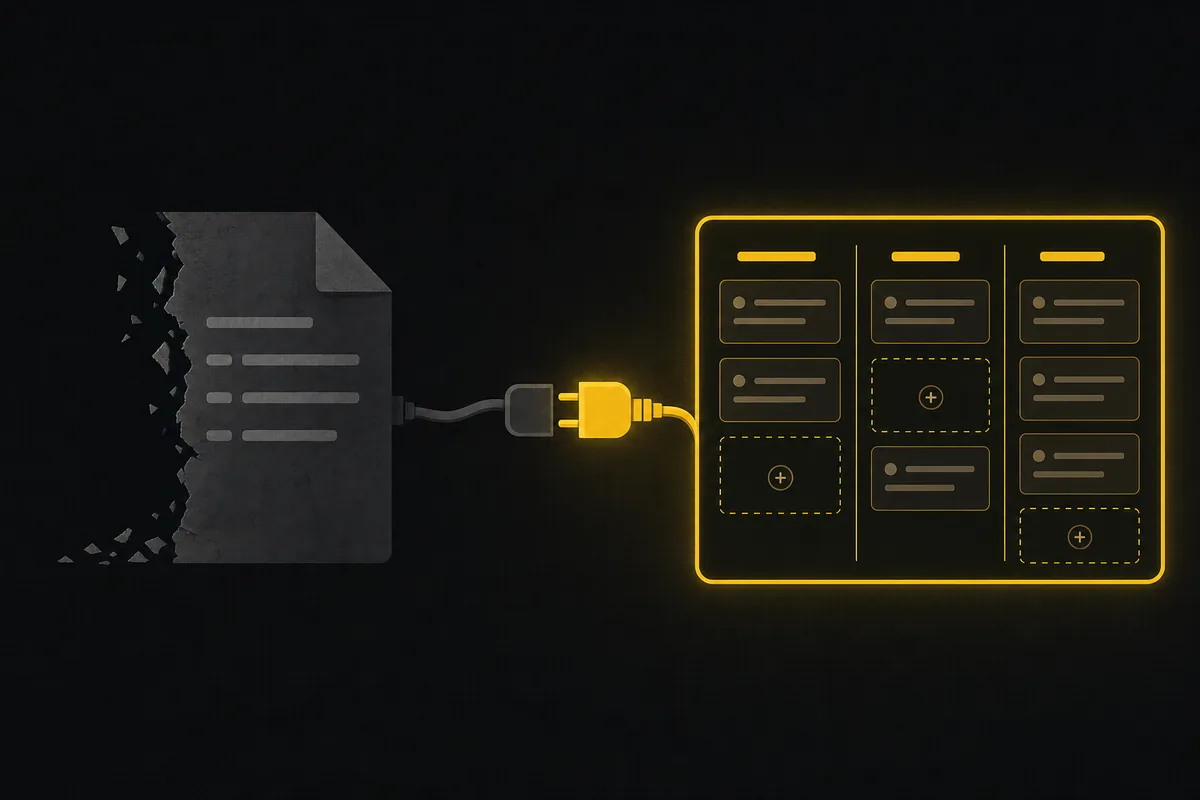
Your Claude Code session just closed out a feature. It wrote the code, ran the tests, and left a TODO.md at the repo root with three items ticked and two half-finished. Tomorrow you open a fresh session, and the agent has no idea any of that happened. The file is there, but nothing is watching it. Nobody got notified. Your teammate who owns the API surface never learned the migration shipped. And when a second Claude Code window opened in the same repo, both processes reached for the same markdown file at once.
That is the gap this post is about. Claude Code task management works fine for the length of one conversation. A markdown file, the built-in TODO tracking, a scratch buffer, all of it holds together while the context window is warm. The moment the session ends, or a second agent joins, or a human needs to see status without reading your terminal, the flat file stops being a tracker and becomes a note you forgot to send. This is a walk through what breaks, what the popular file-based approach (Task Master) does well, and how giving your agent a real issue tracker over MCP changes the shape of the problem.
Why a markdown file is not task management for Claude Code
A TODO.md has no memory across sessions, no notion of who did what, and no way to tell a human "I am blocked" without a person reading the file. Those are not nitpicks. They are the three jobs a tracker actually does.
Think about what you lose when the only record of work is a file in the repo:
- No cross-session state. The agent's understanding of "what is done" lives in the context window. Close the window, and the next session rebuilds that understanding from scratch by re-reading the file (if it reads it at all).
- No attribution. A markdown checklist cannot say which agent, or which human, moved an item. When you run more than one agent, or an agent plus a team, "who changed this" has no answer.
- No push. Status sits in a file. For anyone to learn that a task finished or stalled, they have to go look. There is no bell, no email, no event stream.
- Concurrency is a real hazard. Two processes writing the same file is a lost-write waiting to happen, which is exactly why the mature file-based tools had to add locking (more on that below).
None of this means the markdown file is wrong. For a solo agent doing a bounded job inside one session, it is the right amount of tool. The problem is that people keep using it past that boundary, and the boundary is invisible until something is silently dropped.
The good version of the file approach: Task Master
Before pitching an alternative, it is worth being honest about the best-in-class file-based tool, because it is genuinely good and very widely used.
Task Master (the claude-task-master project, around 27.9k GitHub stars as of July 2026) is an AI-powered task management system built for exactly this workflow. You install it globally with npm install -g task-master-ai, run task-master init, and it drops a .taskmaster/ directory into your repo. Your requirements go in .taskmaster/docs/prd.txt, config in .taskmaster/config.json, and every task lives in a single tasks.json organized by tags. It ships its own MCP server so Claude Code, Cursor, Windsurf, and VS Code can all drive it, and Claude Code users can skip provider API keys entirely by using the Claude Code CLI provider. It is MIT-licensed (with a Commons Clause, so you can use and modify it freely but not resell it as a service).
What Task Master does well is the part that happens before the board: it can parse a PRD and expand it into a structured task tree, with dependencies and a testStrategy per task. That is a real capability Utter does not have, and if turning a requirements doc into a task graph is your main need, Task Master is the better tool. Full stop.
The interesting thing is where its own design tells you the boundary is. A Task Master task's fields are id, title, description, status, dependencies, priority, details, testStrategy, and subtasks. Read that list again: there is no assignee, no attribution field at all. That is not an oversight. It reflects a model where one agent works one tasks.json. And the project's own release notes make the concurrency cost explicit: version 0.40.1 shipped a fix described as "race condition when multiple Claude Code windows write to tasks.json simultaneously," adding cross-process file locking to prevent data loss. The tool grew tags (since v0.16.2, "Tagged Task Lists" for separate branch or environment contexts inside the same file) and had to grow a lock. Both are the file model straining against the exact three jobs above.
So the decision is not "good tool versus bad tool." It is "which model fits the work in front of me."
Two models, side by side
Here is the honest comparison, rival facts stated as of July 2026 and taken only from each project's own docs.
| Task Master (file-based) | Utter (tracker over MCP) | |
|---|---|---|
| Where tasks live | .taskmaster/tasks.json in the repo |
Database, behind the workspace |
| State across sessions | Re-read from the file each session | Persistent; the tracker is the source of truth |
| Attribution | No assignee field in the task structure | Agents are real members; every write is attributed |
| Multi-agent writes | Cross-process file lock (added v0.40.1) | Server-side; concurrent writes are normal |
| Human visibility | Open the file / editor | In-app notifications, email, board views |
| Turn a PRD into tasks | Yes, parse-prd expands a doc into a task tree |
No PRD pipeline (AI assist exists, credit-gated) |
| Runs the agent | No (drives it via MCP) | No (Claude Code still runs on your machine) |
| Setup | Drop a file, init a directory | Needs a workspace + a scoped API key |
| Cost | MIT + Commons Clause, free | Free tier; Pro $3/editor seat/mo as of July 2026 |
Neither of these runs your agent. Task Master does not execute Claude Code, and neither does Utter. Claude Code still runs on your machine or in CI; the tracker is where it reports in. Keep that straight, because it is the most common misread.
If your work is a single agent chewing through a spec in one repo, the file model is lighter and there is no reason to reach for a server. If your work is agents that need to survive session boundaries, be seen by humans, and not clobber each other, a file is the wrong shape and you want a tracker.
Giving Claude Code a real tracker over MCP
Here is the mental model for the tracker approach:
flowchart LR
  A[Claude Code] -->|MCP over HTTP| B[Utter tracker]
  B --> C[Issues and board]
  B --> D[Agent sessions]
  D --> E[Human notifications]
  A -->|heartbeat| D
Claude Code talks to Utter over MCP. The agent becomes a real workspace member, it reads and writes issues, and it reports its own work as a session that humans can watch. Nothing about how Claude Code runs changes. What changes is that the record of work now lives somewhere durable, attributed, and observable.
Connecting is one command. The product shows you this exact line in the agent Connect dialog and on the Developer > Skills tab, with a fresh scoped key filled in:
claude mcp add utter-product https://your-site/api/mcp/v1 \
  --header "Authorization: Bearer YOUR_API_KEY"
// Or wire it into an mcp.json for Cursor / Windsurf / VS Code:
{
"mcpServers": {
"utter-product": {
"url": "https://your-site/api/mcp/v1",
"headers": { "Authorization": "Bearer YOUR_API_KEY" }
}
}
}# Or hit the same REST surface directly from a runner:
import requests
requests.get(
"https://your-site/api/v1/workspaces/acme/agent-sessions",
headers={"Authorization": "Bearer YOUR_API_KEY"},
params={"state": "review"}, # which agents are ready for review
)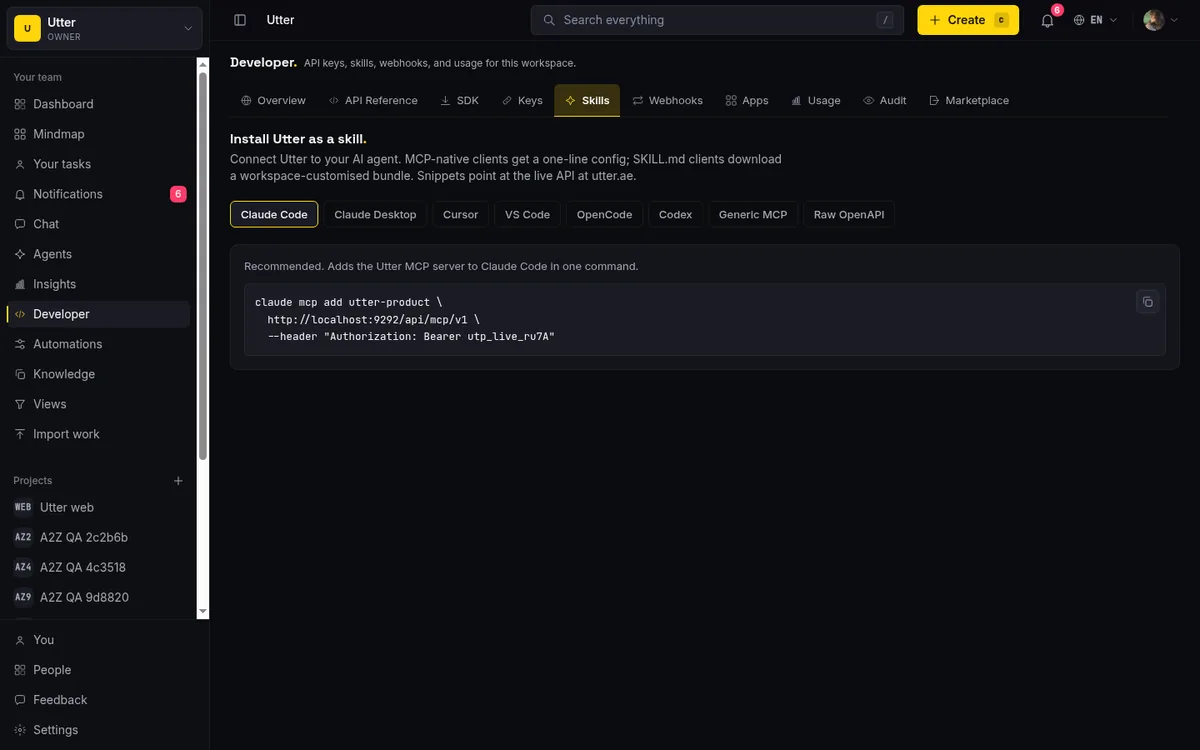
The MCP server lives at POST /api/mcp/v1 (Streamable HTTP, with GET for SSE notifications) and authenticates with the same bearer API key as the REST API. The nice property under the hood: an MCP tools/call re-enters the REST pipeline in-process, so there is no second copy of auth, scoping, or rate-limiting to drift. The 155 registered v1 REST operations each become a snake_case MCP tool, and tools/list is filtered by your key's scopes, so an agent only sees the tools it is allowed to use. If you want the full comparison of the two wire formats, we wrote that up in MCP or REST for your agent; the short version is that MCP is the path for Claude Code and the REST surface is there when you need raw HTTP. The step-by-step connect walkthrough is in how to connect an AI agent, and the skill-file route (dropping a SKILL.md into ~/.claude/skills/) is covered in installing Utter as an agent skill.
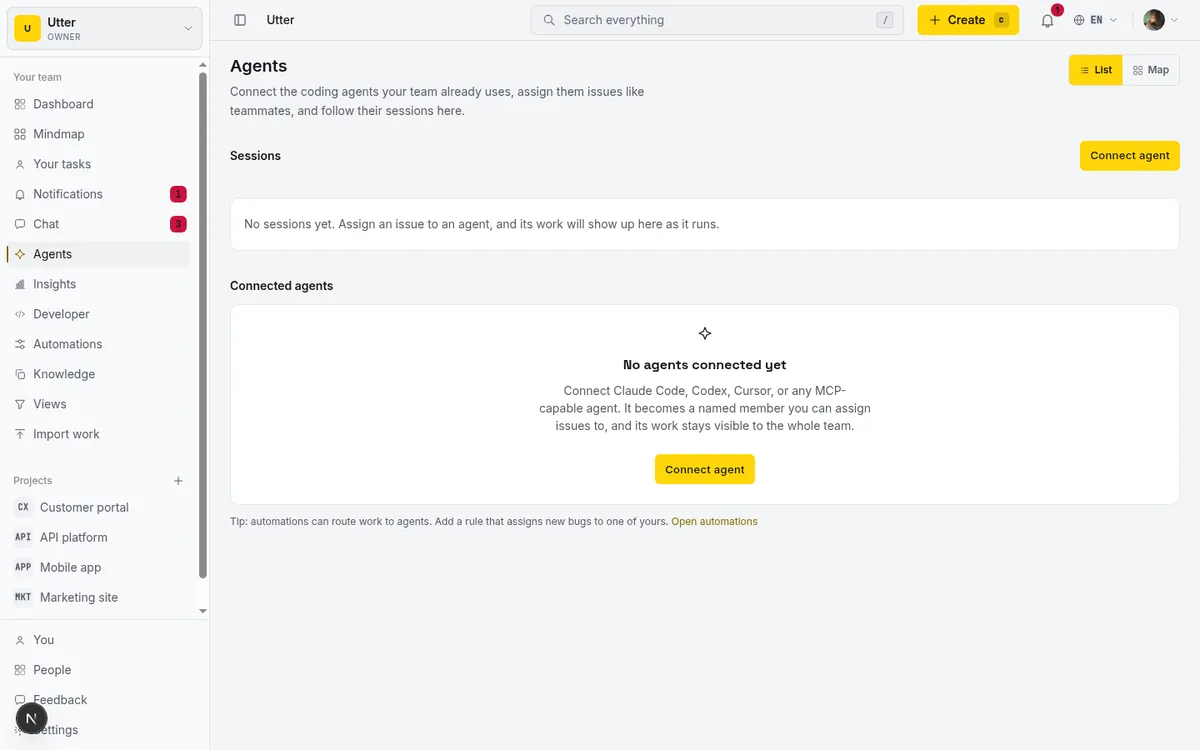
Sessions: the piece a markdown file cannot have
This is the part that actually answers the three jobs from the top, so it is worth slowing down.
When an agent starts working, it opens a session. A session is a small record: a title, the issue it is working on, an optional progress note, and a link (a PR URL, usually). The agent creates one with a single call:
curl -X POST https://your-site/api/v1/workspaces/acme/agent-sessions \
  -H "Authorization: Bearer YOUR_API_KEY" \
  -H "Content-Type: application/json" \
  -d '{"title":"Fix login redirect","issue_key":"WEB-42","note":"reproducing"}'
await fetch("https://your-site/api/v1/workspaces/acme/agent-sessions", {
method: "POST",
headers: {
Authorization: "Bearer YOUR_API_KEY",
"Content-Type": "application/json",
},
body: JSON.stringify({
title: "Fix login redirect",
issue_key: "WEB-42",
note: "reproducing",
}),
});import requests
requests.post(
"https://your-site/api/v1/workspaces/acme/agent-sessions",
headers={"Authorization": "Bearer YOUR_API_KEY"},
json={"title": "Fix login redirect", "issue_key": "WEB-42", "note": "reproducing"},
)The response is the session resource:
{
  "id": "0198f2a1-7c3e-7b41-9d2a-1c4e5f6a7b88",
  "agent_id": "0198f29c-4a11-7c02-8e3d-9b2c1a0f5d44",
  "state": "running",
  "title": "Fix login redirect",
  "note": "reproducing",
  "external_url": null,
  "issue_key": "WEB-42",
  "started_at": "2026-07-16T09:14:22.000Z",
  "last_activity_at": "2026-07-16T09:14:22.000Z",
  "ended_at": null
}
From there, every PATCH to that session is a heartbeat. It bumps last_activity_at, and it can carry a new progress note, a state change, or the PR link in external_url when the work is ready. The session moves through a small set of states: pending, running, needs_input, review, done, failed, cancelled. done, failed, and cancelled are terminal (they set an end time). A running session that has not sent a heartbeat in 30 minutes renders as stalled, which is derived at read time rather than written, so a crashed agent shows up as stale on its own.
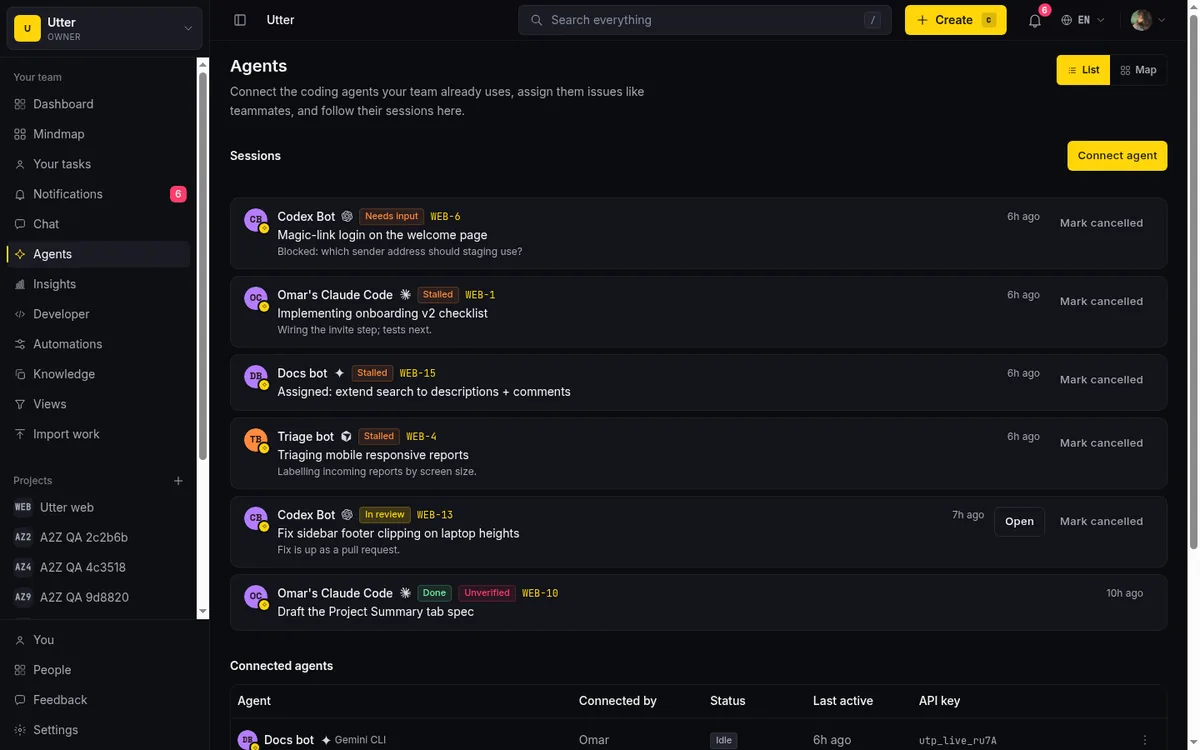
Now the three jobs are done. State survives because it lives in the tracker. Attribution is built in because the session belongs to an agent that is a real member. And humans get pushed to: when a session enters needs_input, review, done, or failed, Utter fans out in-app notifications to the agent's owner and to the issue's reporter, assignee, and watchers. Nobody has to open a file to learn the agent is blocked. There is also a per-agent SSE stream (GET /api/v1/workspaces/acme/agent-events) that pushes assignments, mentions, and session state changes back to the agent runtime, so the loop runs both directions.
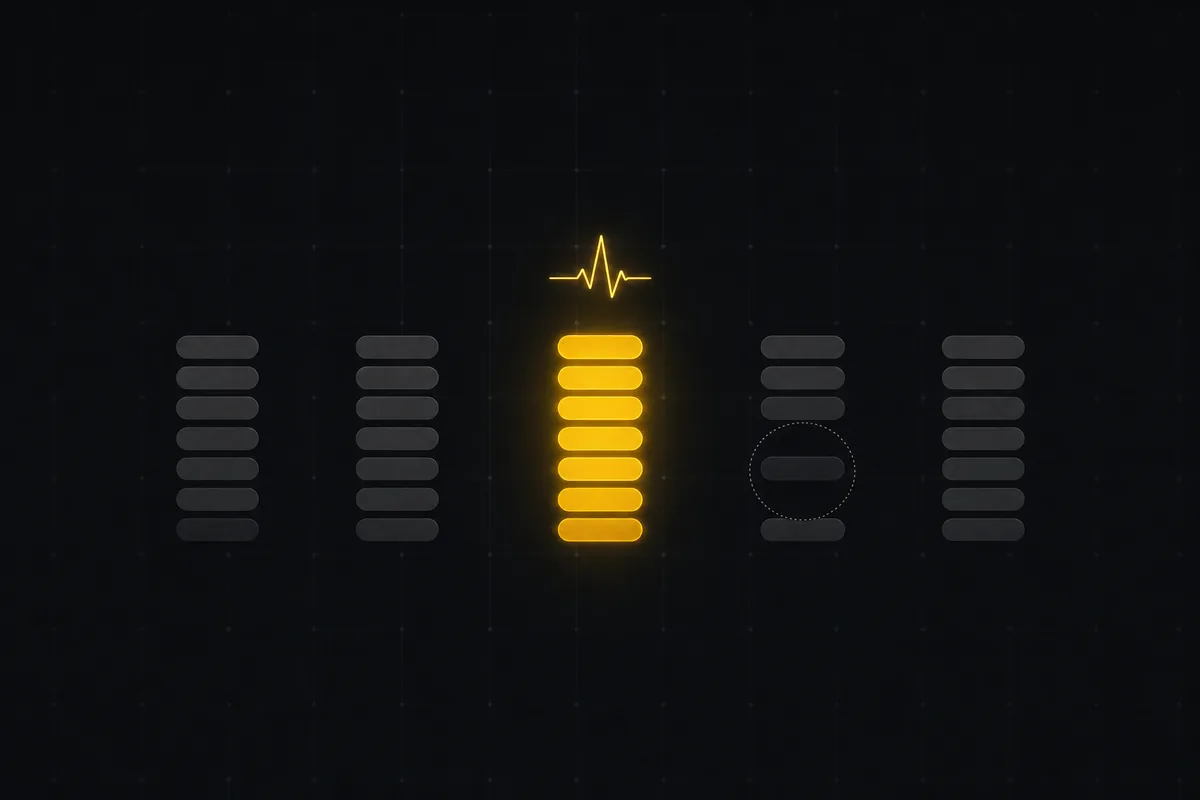
One detail that closes a loop file-based tools leave open: if you assign an issue to an agent, Utter auto-creates a pending session on that issue. When the agent later posts its own session for that issue key, it claims the pending row instead of making a duplicate, so the hub shows one continuous timeline from "human delegated this" to "agent finished." Unclaimed delegations sit pending for up to 7 days, then a worker cancels them. That whole handoff is covered in delegating work to an agent.
Guardrails a file cannot enforce
A markdown checklist trusts whoever holds the pen. A tracker can constrain what an agent is allowed to touch, which matters a lot more once the agent is writing to shared state.
Utter has per-agent field permissions (field_policy_json), an allowlist over 14 issue-field tokens: title, description, status, priority, assignee, labels, milestone, sprint, release, estimate, spent, completion, start_at, due_at. A null policy means the agent can write every field. A narrow policy means it cannot, for example, reassign work or change a release even though it can move status and add labels. That rule is enforced at the single API write choke point that covers REST, transitions, and MCP alike, so there is no back door where one path skips the check.
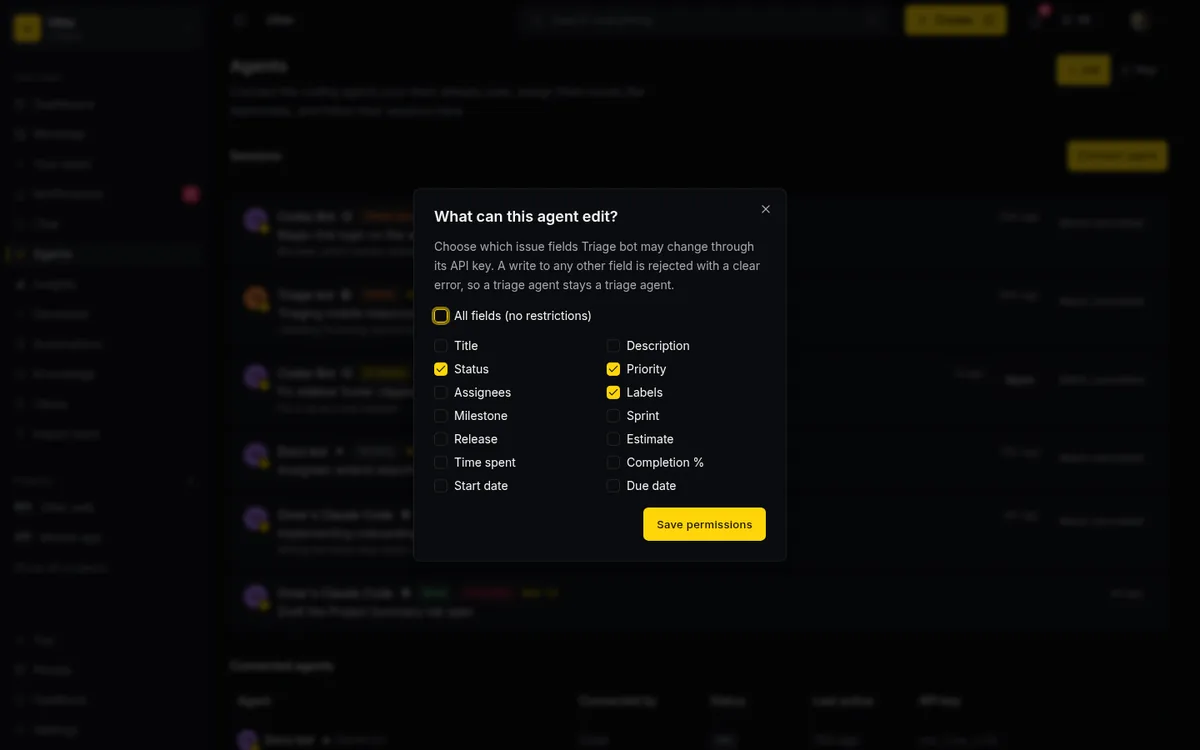
Be honest about the shape of this guard, though. It is per-field, not per-value (it cannot say "only set priority to low"), it covers issue fields only, and it guards the agent's own key, not an admin. Create, delete, and non-issue resources are governed by API scopes plus roles instead. It is a meaningful fence, not a sandbox.
There is a second guardrail worth naming because it admits its own limit. A review or done session that has no attributed activity or comment on its issue gets an "unverified" badge, derived at read time. It is a useful smell test: an agent that claims done but left no trace on the issue is flagged. What it cannot do is prove the code work actually happened. Utter is the tracker, not the runner, so the session states and heartbeats are self-reported by the agent calling the API. The unverified badge catches the obvious mismatch; it does not verify the diff. That honesty is the point, and human-in-the-loop review is where a person still belongs, which we cover in human-in-the-loop approval for AI agents.
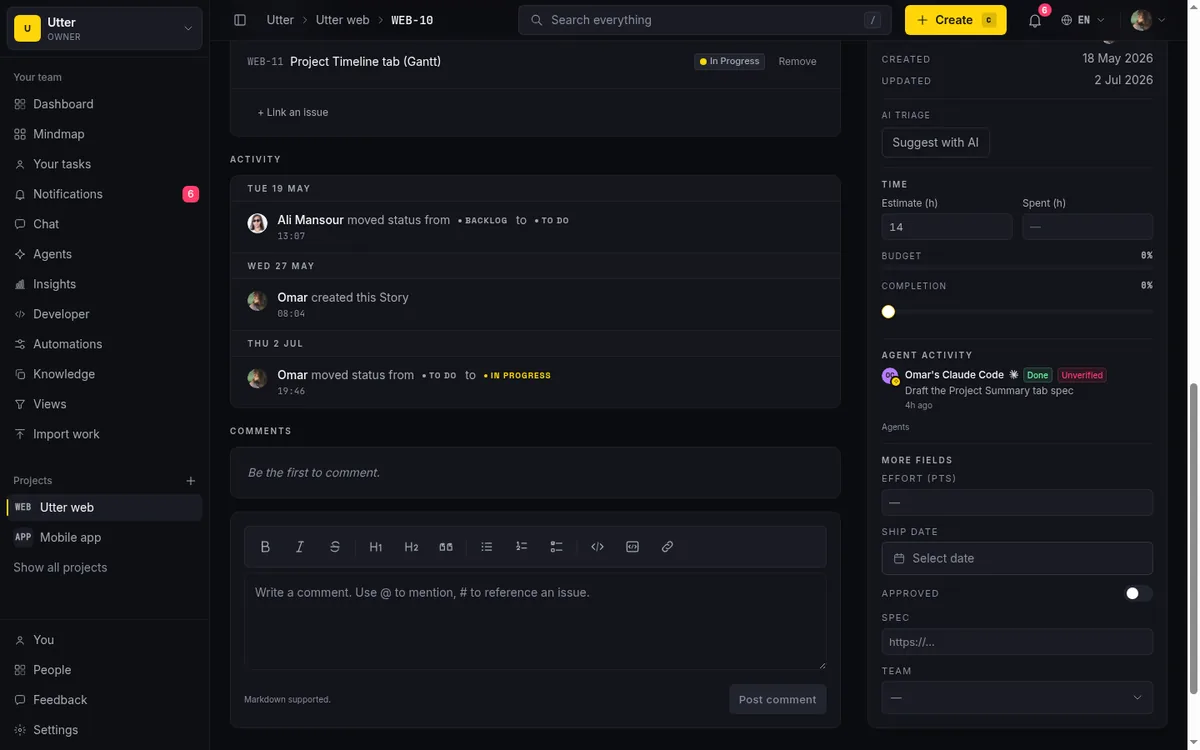
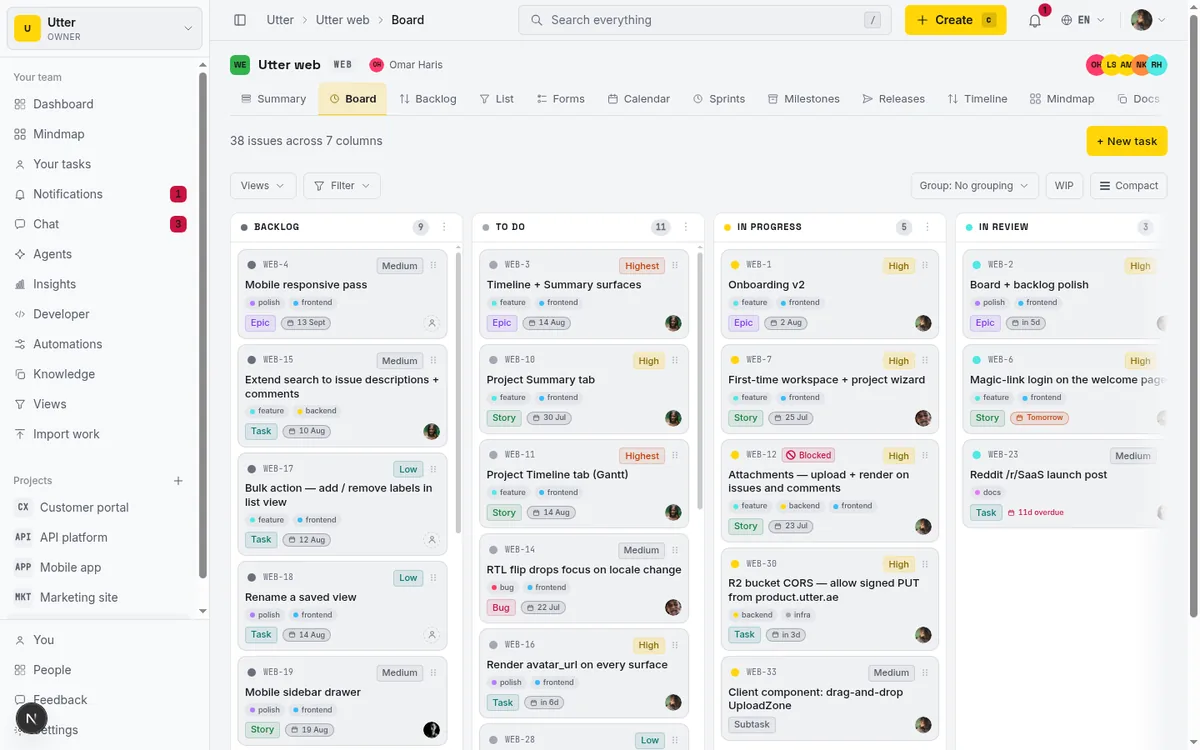
The payoff of moving off a file is that all of this lands on a real board humans already know how to read. The agent's tasks are issues, in columns, with the same views a person uses.
When to keep the file, when to get a tracker
A short decision guide, because the answer is genuinely "it depends."
| Your situation | Reach for |
|---|---|
| One agent, one repo, one session, bounded job | A markdown file or Task Master |
| You need a PRD expanded into a task tree | Task Master (parse-prd) |
| Work must survive across sessions | A tracker |
| Humans need to see status without your terminal | A tracker |
| More than one agent writing shared state | A tracker |
| You want per-agent write limits and attribution | A tracker |
| No account, no setup, offline | A file |
The setup cost is the real trade. A file is free and instant. A tracker needs a workspace and an API key with agents:read and agents:write scopes, which is more than dropping JSON in a repo even though the connect itself is one command. Utter's free tier covers a lot (5 active projects, 128 MB storage, 1 MB per file, 25 AI credits a month, and sprints, timeline, integrations, reporting, and AI are all included), and Pro is $3 per editor seat per month as of July 2026, with agents and viewers always free seats. Automations, custom roles, SSO, and audit log sit on the paid plans. Auth is magic-link only (no passwords), and the whole product is bilingual English and Arabic with full RTL if that matters to your team.
If you have hit the point where your agent's TODO.md is quietly losing work between sessions, that is the signal to give it a tracker. Connect Claude Code with one claude mcp add line and let the sessions carry the state your file could not.
Frequently asked questions
What is the best task management for Claude Code?
It depends on the job. For a single agent doing a bounded task inside one session, a markdown file or a file-based tool like Task Master is the right weight and needs no account. Once work has to survive across sessions, be visible to humans without your terminal, be attributed to who did it, or be written by more than one agent at once, a markdown file stops being a tracker. At that point you want a real issue tracker the agent reports into over MCP, such as Utter, where tasks are database rows with persistent state, notifications, and per-agent permissions.
Does connecting Claude Code to a tracker mean the tracker runs my agent?
No. Neither Utter nor Task Master executes Claude Code. Claude Code still runs on your machine or in CI. The tracker is only where the agent reports in: it reads and writes issues and reports its work as a session. Utter does not schedule runs or host the agent runtime.
How do I connect Claude Code to Utter?
Run one command that the product fills in for you on the Developer > Skills tab and in the agent Connect dialog: claude mcp add utter-product https://your-site/api/mcp/v1 --header "Authorization: Bearer YOUR_API_KEY". The MCP server is at POST /api/mcp/v1 over Streamable HTTP and uses the same bearer API key as the REST API. You need a workspace and a key scoped with agents:read and agents:write.
How is this different from Task Master?
Task Master (claude-task-master, about 27.9k GitHub stars as of July 2026, MIT plus Commons Clause) is a file-based system: tasks live in .taskmaster/tasks.json in your repo, and it can parse a PRD into a task tree, which Utter cannot. Its task structure has no assignee field, and it added cross-process file locking in v0.40.1 to stop multiple Claude Code windows from clobbering the same tasks.json. Utter takes the opposite model: tasks are database rows, agents are attributed members, concurrent writes are handled server-side, and humans get pushed notifications. Pick Task Master for PRD-to-tasks and single-agent work; pick a tracker for persistence, attribution, and multi-agent visibility.
What are agent sessions and heartbeats?
A session is a small record of an agent working on an issue: a title, the issue key, a note, and a PR link. It moves through the states pending, running, needs_input, review, done, failed, and cancelled. Every PATCH to a session is a heartbeat that bumps its last activity time and can carry a progress note, a state change, or the PR URL. A running session with no heartbeat for 30 minutes renders as stalled, derived at read time, so a crashed agent shows up as stale automatically. When a session enters needs_input, review, done, or failed, humans (the agent's owner and the issue's reporter, assignee, and watchers) get in-app notifications.
Can I limit which fields an agent is allowed to change?
Yes. Each agent has an optional field policy, an allowlist over 14 issue-field tokens (title, description, status, priority, assignee, labels, milestone, sprint, release, estimate, spent, completion, start_at, due_at). A null policy allows all fields. The rule is enforced at the single API write choke point covering REST, transitions, and MCP. It is per-field, not per-value, it covers issue fields only, and it guards the agent's own key rather than admins; create, delete, and other resources are governed by API scopes and roles.
What does it cost, and is there a free tier?
There is a free tier: 5 active projects, 128 MB storage, 1 MB per file upload, 25 AI credits a month, and it includes sprints, timeline, integrations, reporting, and AI. Pro is $3 per editor seat per month (or $30/year) as of July 2026, and Business is $6 per editor seat per month. Viewers and agent members are always free seats, so connecting agents does not add to your bill. Automations, custom roles, SSO, and audit log require a paid plan.
Related reading
Cursor task management: give the agent a shared board over MCP
Cursor task management usually means a local Task Master or .cursor/rules file. Connect Cursor to a shared board over MCP so the agent reads issues, claims work, and reports sessions humans can review.
July 16, 2026 · 12 min read
A shared backlog for a team of AI coding agents
Task manager for AI coding agents: give three agents one shared backlog with per-agent identity, field permissions, status handoffs, and human review gates.
July 16, 2026 · 13 min read

Why we gave Utter an MCP server, and what it changes
What the Model Context Protocol is in plain terms, why a project tracker is a good fit for it, and how an agent picks up your workspace without any glue code.
July 11, 2026 · 5 min read
AI agent project management: the complete guide
How to run real projects with AI agents on the board: connecting them, assigning work, keeping review, what breaks, and how to pilot it in a week.
July 15, 2026 · 12 min read
Monday.com alternatives built for software teams, not marketing ops
Monday.com alternatives for software teams: real pricing (3-seat minimum vs $3/$6 per builder seat), category-backed statuses, sprints with carryover, and agents as free members not billed integrations.
July 16, 2026 · 12 min read
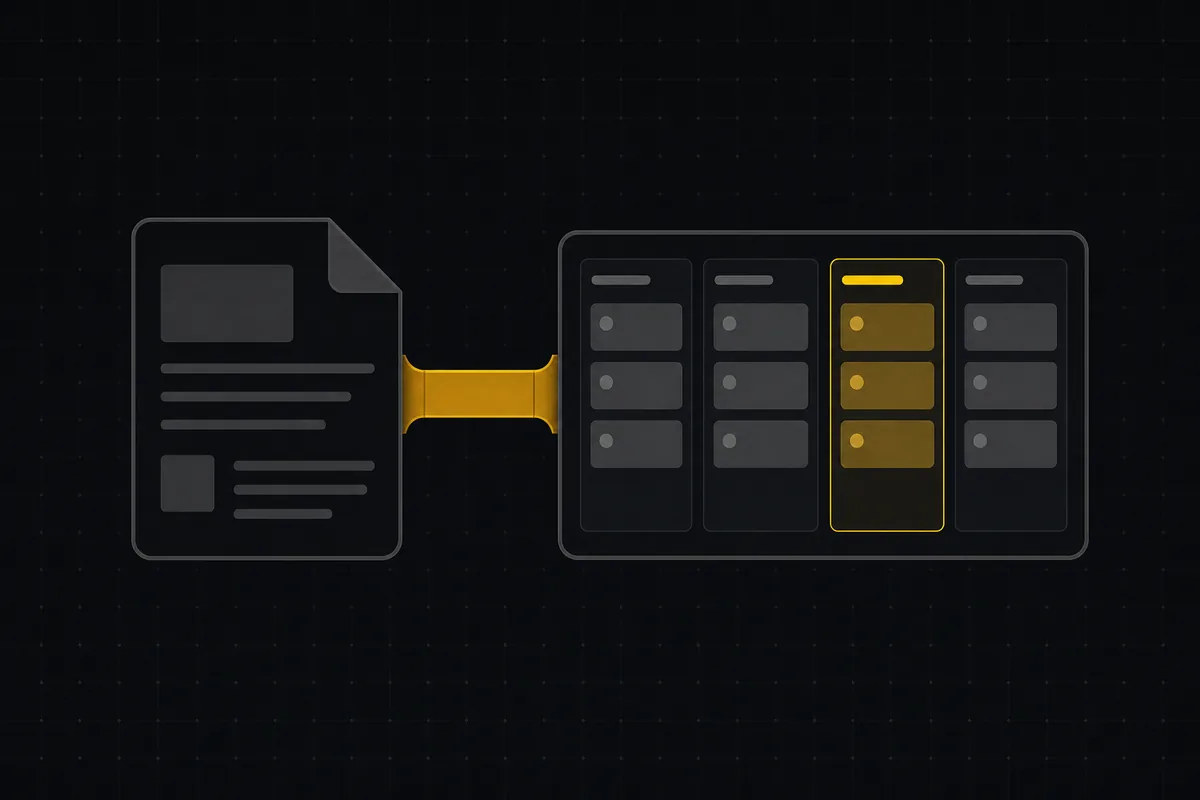
A Notion alternative for project management (keep the docs, gain a real tracker)
A Notion alternative for project management that keeps your docs and adds a real tracker: category-backed statuses, native sprints with carryover, computed burndown, agents over MCP.
July 16, 2026 · 14 min read

The MCP audit: which project tools can AI agents actually use? (July 2026)
We audited the MCP servers of 13 project management tools: who has one, what agents can really do, the call caps, and the gaps nobody mentions.
July 15, 2026 · 7 min read

Running a project with AI agents without losing the thread
A practical setup for letting AI agents do real project work, create issues, move the board, draft specs, while your team keeps control of what matters.
July 11, 2026 · 5 min read

What an AI issue tracker actually is, and how to pick one
Most tools that say AI issue tracking mean a summarize button. A five-part checklist for what the label should mean, plus the failure modes to test in a pilot.
July 15, 2026 · 8 min read

What is agentic project management? A plain-language guide with a working example
A copilot waits for your prompt. An agent acts on an event. Here is the perceive-plan-act-check loop explained, with one real end-to-end run inside Utter.
June 11, 2026 · 11 min read
أضف تعليقًا
ابدأ النقاش.